



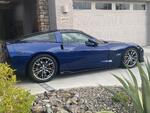







Key fob won't program....Help!!

Thread Starter
8th Gear

Joined: Jan 2023
Posts: 8
Likes: 0
 Key fob won't program....Help!!
Rcdlr clicks multiple times- not the issue
Battery on a tender during process
Keys have new battery
I was trying to add a key to my set and i went and did the long 30 minute process.
I got the point where i had to register the fobs and when i close out the process, the fobs still haven’t been overwritten and aren’t programmed.
Im tried this over 8 times and i’m giving up and just might have to see what options the dealer gives me. What might be going wrong here ?
Both keys are no longer registered with the car and car won’t start without the fobs even in the glove box compartment
Battery on a tender during process
Keys have new battery
I was trying to add a key to my set and i went and did the long 30 minute process.
I got the point where i had to register the fobs and when i close out the process, the fobs still haven’t been overwritten and aren’t programmed.
Im tried this over 8 times and i’m giving up and just might have to see what options the dealer gives me. What might be going wrong here ?
Both keys are no longer registered with the car and car won’t start without the fobs even in the glove box compartment

Safety Car


Joined: Aug 2017
Posts: 4,928
Likes: 2,338
From: Etobicoke (Toronto) Ontario
Is this the procedure you followed? https://www.corvetteforum.com/forums...tructions.html
Also, battery upside down, dead, missing, inside out, shouldn’t matter to the programming process. Also same to starting your car if it is programmed and in the glovebox slot.
I’ve also read that the final step in programming a fob is to press the lock and unlock buttons to complete the process. Did you do that? And as an observation if when you compete the first fob it requests the next that should mean the first is programmed.
Also, battery upside down, dead, missing, inside out, shouldn’t matter to the programming process. Also same to starting your car if it is programmed and in the glovebox slot.
I’ve also read that the final step in programming a fob is to press the lock and unlock buttons to complete the process. Did you do that? And as an observation if when you compete the first fob it requests the next that should mean the first is programmed.
Safety Car
Joined: Aug 2017
Posts: 4,928
Likes: 2,338
From: Etobicoke (Toronto) Ontario
One more thing to try before you start the programming procedure. Reboot the car's electronics by disconnecting both battery cables and then touch only the cable clamp ends together for a minute. This will bleed off any residual power in the modules so you'll get a clean reboot when you reconnect the cables.
Safety Car
Joined: Aug 2017
Posts: 4,928
Likes: 2,338
From: Etobicoke (Toronto) Ontario
Now that I slept on it, two more points.
1) DO NOT HAVE THE CHARGER/MAINTAINER CONNECTED WHEN YOU TOUCH THE BATTERY TERMINALS TOGETHER if you are going to reboot the electronics.
2) If you were successful in marrying the fobs to the car in your latest attempt, if you try the short procedure, when you insert the fob into the slot, you should get a message on the DIC that it's a known fob. If that's the case, something else is going wrong that is preventing them from communicating with the car. After rebooting the electronics, try the above. It's the same as the slot test described in the procedure I posted above. Let us know what happens.
1) DO NOT HAVE THE CHARGER/MAINTAINER CONNECTED WHEN YOU TOUCH THE BATTERY TERMINALS TOGETHER if you are going to reboot the electronics.
2) If you were successful in marrying the fobs to the car in your latest attempt, if you try the short procedure, when you insert the fob into the slot, you should get a message on the DIC that it's a known fob. If that's the case, something else is going wrong that is preventing them from communicating with the car. After rebooting the electronics, try the above. It's the same as the slot test described in the procedure I posted above. Let us know what happens.
Thread Starter
8th Gear
Joined: Jan 2023
Posts: 8
Likes: 0
Is this the procedure you followed? https://www.corvetteforum.com/forums...tructions.html
Also, battery upside down, dead, missing, inside out, shouldn’t matter to the programming process. Also same to starting your car if it is programmed and in the glovebox slot.
I’ve also read that the final step in programming a fob is to press the lock and unlock buttons to complete the process. Did you do that? And as an observation if when you compete the first fob it requests the next that should mean the first is programmed.
Also, battery upside down, dead, missing, inside out, shouldn’t matter to the programming process. Also same to starting your car if it is programmed and in the glovebox slot.
I’ve also read that the final step in programming a fob is to press the lock and unlock buttons to complete the process. Did you do that? And as an observation if when you compete the first fob it requests the next that should mean the first is programmed.
I would also assume when it tells me to add fob 2 that it had learned fob 1. However that is not the case here. After closing out the process by pressing the bottom half of the start button, putting either fob in the holder doesn’t work.
Thread Starter
8th Gear
Joined: Jan 2023
Posts: 8
Likes: 0
Is this the procedure you followed? https://www.corvetteforum.com/forums...tructions.html
Also, battery upside down, dead, missing, inside out, shouldn’t matter to the programming process. Also same to starting your car if it is programmed and in the glovebox slot.
I’ve also read that the final step in programming a fob is to press the lock and unlock buttons to complete the process. Did you do that? And as an observation if when you compete the first fob it requests the next that should mean the first is programmed.
Also, battery upside down, dead, missing, inside out, shouldn’t matter to the programming process. Also same to starting your car if it is programmed and in the glovebox slot.
I’ve also read that the final step in programming a fob is to press the lock and unlock buttons to complete the process. Did you do that? And as an observation if when you compete the first fob it requests the next that should mean the first is programmed.
Now that I slept on it, two more points.
1) DO NOT HAVE THE CHARGER/MAINTAINER CONNECTED WHEN YOU TOUCH THE BATTERY TERMINALS TOGETHER if you are going to reboot the electronics.
2) If you were successful in marrying the fobs to the car in your latest attempt, if you try the short procedure, when you insert the fob into the slot, you should get a message on the DIC that it's a known fob. If that's the case, something else is going wrong that is preventing them from communicating with the car. After rebooting the electronics, try the above. It's the same as the slot test described in the procedure I posted above. Let us know what happens.
1) DO NOT HAVE THE CHARGER/MAINTAINER CONNECTED WHEN YOU TOUCH THE BATTERY TERMINALS TOGETHER if you are going to reboot the electronics.
2) If you were successful in marrying the fobs to the car in your latest attempt, if you try the short procedure, when you insert the fob into the slot, you should get a message on the DIC that it's a known fob. If that's the case, something else is going wrong that is preventing them from communicating with the car. After rebooting the electronics, try the above. It's the same as the slot test described in the procedure I posted above. Let us know what happens.

Corvette Stories
The Best of Corvette for Corvette Enthusiasts

Top 10 Most Expensive Corvettes Ever Sold on Bring A Trailer
Brett Foote
10 Things Every Corvette Owner Needs (2026 Edition)
Michael S. Palmer
8 Most "Only Corvette Owners Understand" Quirks and Problems
Pouria Savadkouei
10 Reasons the C6 Z06 is Still A Performance Benchmark After 20 Years
Joe Kucinski
How Much Horsepower Every Corvette Engine "LOST" in 1972
Joe Kucinski
Top 10 DOs and DON'Ts for Protecting Your Convertible Top!
Michael S. Palmer
Top 10 Most Explosive Corvettes Ever Made: Power-to-Weight Ratio Ranked!
Joe Kucinski
150 hp to 1,250 hp: Every Corvette Generation Compared by the Specs That Matter
Joe Kucinski
8 Coolest Corvette Pace Cars (and Replicas) of All Time
Verdad Gallardo
Instructor


Joined: May 2009
Posts: 239
Likes: 61
when you program the keys and at the very end of the programming do you press the lock/unlock button?
rebooting it wont make any difference.
Im sure I had to press the lock and unlock button at the very end of the process on mine as I had the same issue nothing was being programmed
rebooting it wont make any difference.
Im sure I had to press the lock and unlock button at the very end of the process on mine as I had the same issue nothing was being programmed
Thread Starter
8th Gear
Joined: Jan 2023
Posts: 8
Likes: 0
when you program the keys and at the very end of the programming do you press the lock/unlock button?
rebooting it wont make any difference.
Im sure I had to press the lock and unlock button at the very end of the process on mine as I had the same issue nothing was being programmed
rebooting it wont make any difference.
Im sure I had to press the lock and unlock button at the very end of the process on mine as I had the same issue nothing was being programmed
Safety Car
Joined: Aug 2017
Posts: 4,928
Likes: 2,338
From: Etobicoke (Toronto) Ontario
ClothSeats mentioned above to check that the batteries are inserted the right way up. I strongly agree with this, because you wouldn't by far be the first to insert them upside down. While this most likely wouldn't prevent them from being recognized in the glovebox slot it sure wouldn't allow the final step of pressing the unlock button from working, because the fob won't be able to transmit anything. I found where the final step is mentioned in another document, which I have attached. You might want to give that a read, because it has a few other tips.

Race Director

Joined: Jul 2005
Posts: 12,045
Likes: 3,587
From: Central MO
The only thing I haven't seen mentioned, and I doubt it's the problem since from your response it seems the system sees the fobs in the glovebox slot, is to make sure the fobs are being inserted into the glovebox slot in the correct orientation.
Thread Starter
8th Gear
Joined: Jan 2023
Posts: 8
Likes: 0
Just tried facing the buttons towards me, same thing.
Thread Starter
8th Gear
Joined: Jan 2023
Posts: 8
Likes: 0
ClothSeats mentioned above to check that the batteries are inserted the right way up. I strongly agree with this, because you wouldn't by far be the first to insert them upside down. While this most likely wouldn't prevent them from being recognized in the glovebox slot it sure wouldn't allow the final step of pressing the unlock button from working, because the fob won't be able to transmit anything. I found where the final step is mentioned in another document, which I have attached. You might want to give that a read, because it has a few other tips.

Team Owner


Joined: May 2004
Posts: 82,175
Likes: 1,319
From: McKinney TX
St. Jude Donor '21-'22-'23-'24
Safety Car
Joined: Aug 2017
Posts: 4,928
Likes: 2,338
From: Etobicoke (Toronto) Ontario
I just want to clarify this. So you tried the procedure with the key ring end out with the buttons facing the passenger side and lastly with the buttons facing the driver side and in those cases the procedure appeared to work such that it asked for the next fob to program?
As far as the locksmith is concerned not sure what they can do unless they have a Tech II and the required software. Hope you can take notes and report back the details.
As far as the locksmith is concerned not sure what they can do unless they have a Tech II and the required software. Hope you can take notes and report back the details.

Safety Car
Joined: Mar 2007
Posts: 4,360
Likes: 543
From: Sarasota FL
St. Jude Donor '25-'26
https://www.corvetteforum.com/forums...tructions.html
I used the short procedure to replace a lost FOB.
I tried the procedure many times but I did get it to work.
I used the short procedure to replace a lost FOB.
I tried the procedure many times but I did get it to work.

Intermediate
Joined: May 2021
Posts: 47
Likes: 3
ClothSeats mentioned above to check that the batteries are inserted the right way up. I strongly agree with this, because you wouldn't by far be the first to insert them upside down. While this most likely wouldn't prevent them from being recognized in the glovebox slot it sure wouldn't allow the final step of pressing the unlock button from working, because the fob won't be able to transmit anything. I found where the final step is mentioned in another document, which I have attached. You might want to give that a read, because it has a few other tips.