



CarPC Guru's Step In ***Anyone use MAC MINI?***

Thread Starter
Former Vendor
Joined: Oct 2004
Posts: 2,592
Likes: 0
From: FI Performance : Norwalk Connecticut www.FIPERFORMANCE.com
 CarPC Guru's Step In ***Anyone use MAC MINI?***
Hi Guys,
Since I am getting a D1 sans DVD player and not going crazy with amps yet, I figured I would do a PC. So I have been reading what a few of you have done, sick work and all, and came up with some ideas of my own. So I was going to do a 110 based mini box on the cheap w/an inverter on a small UPS etc.... I walk throught the Mac isle and discover the MINI MAC. Seems to be the best idea going and on the cheap sub $500. Tochscreen compatible, wireless, bluetooth etc... The mac guy plays a dvd and then drops the thing about 2' and it doesn't skip on the movie. Hmmm, very tempting
What are your opinions?
BTW, would be pumping it into a Pio D1 via soundgate or now.
Brian
Since I am getting a D1 sans DVD player and not going crazy with amps yet, I figured I would do a PC. So I have been reading what a few of you have done, sick work and all, and came up with some ideas of my own. So I was going to do a 110 based mini box on the cheap w/an inverter on a small UPS etc.... I walk throught the Mac isle and discover the MINI MAC. Seems to be the best idea going and on the cheap sub $500. Tochscreen compatible, wireless, bluetooth etc... The mac guy plays a dvd and then drops the thing about 2' and it doesn't skip on the movie. Hmmm, very tempting
What are your opinions?
BTW, would be pumping it into a Pio D1 via soundgate or now.
Brian

Le Mans Master


Joined: Jun 2004
Posts: 5,572
Likes: 4
From: Los Angeles Ca
here ya go:
http://www.mp3car.com/vbulletin/forumdisplay.php?f=71
i'm not sure the mac mini is much cheaper when you factor in start up and shut down controllers and power supply, but i havent done a lot of research on this yet
like everything mac, the software is the major issue. there just isnt as much variety. you're stuck with one front end while ifyou go pc route you have 4 solid ones to choose from.
not sure what this means though:
BTW, would be pumping it into a Pio D1 via soundgate or now.
http://www.mp3car.com/vbulletin/forumdisplay.php?f=71
i'm not sure the mac mini is much cheaper when you factor in start up and shut down controllers and power supply, but i havent done a lot of research on this yet
like everything mac, the software is the major issue. there just isnt as much variety. you're stuck with one front end while ifyou go pc route you have 4 solid ones to choose from.
not sure what this means though:
BTW, would be pumping it into a Pio D1 via soundgate or now.
Thread Starter
Former Vendor
Joined: Oct 2004
Posts: 2,592
Likes: 0
From: FI Performance : Norwalk Connecticut www.FIPERFORMANCE.com
Been doing alot of reading and I think virtual pc could solve many software issues. My friend also has a Mini for editing and he loves it and runs many PC titles as well. I even think he has run some obd2 stuff.
Le Mans Master
Joined: Jun 2004
Posts: 5,572
Likes: 4
From: Los Angeles Ca
wow... a mac mini for editing? that's insane! me must be using fcp, i think an avid setup would eat the mini alive :-)
If you're a mac guy go with the mac, it would be cool To me it really doesn't matter, i went with the system that has the biggest support system just because of the vast pool of knowledge there is concerning pc's and the car computer.
If you're a mac guy go with the mac, it would be cool To me it really doesn't matter, i went with the system that has the biggest support system just because of the vast pool of knowledge there is concerning pc's and the car computer.
Thread Starter
Former Vendor
Joined: Oct 2004
Posts: 2,592
Likes: 0
From: FI Performance : Norwalk Connecticut www.FIPERFORMANCE.com
Mp3car.com has a Mini Mac forum w/19 pages worth of stuff. Just got through most of it and fopr me it looks like the ideal choice for the following reasons:
I am using a Pioneer AVIC-D1 for front end and GPS, bought JT's this weekend. Wouldn't need to bother with PC GPS which can have issues on macs. Would only be using it for DVDs, Itunes, wireless internet and bluetooth.
1.25 system easily overclocked to 1.42 if needed. Since I would not be using the mac to it's full potential, no need to overclock.
Size, its really tiny
Cons that have been over come:
Sleep command, can be hardwired via the 1900 PSU.
Could I be the first C5 guy to make it work if I go forward? That would be kind of cool.
Checking to see if I can find one on the cheap. Plus, I would mess with it for a few weeks @ home to get the feel of a Mac etc... Need a change I think.
Brian
I am using a Pioneer AVIC-D1 for front end and GPS, bought JT's this weekend. Wouldn't need to bother with PC GPS which can have issues on macs. Would only be using it for DVDs, Itunes, wireless internet and bluetooth.
1.25 system easily overclocked to 1.42 if needed. Since I would not be using the mac to it's full potential, no need to overclock.
Size, its really tiny
Cons that have been over come:
Sleep command, can be hardwired via the 1900 PSU.
Could I be the first C5 guy to make it work if I go forward? That would be kind of cool.
Checking to see if I can find one on the cheap. Plus, I would mess with it for a few weeks @ home to get the feel of a Mac etc... Need a change I think.
Brian
Le Mans Master
Joined: Jun 2004
Posts: 5,572
Likes: 4
From: Los Angeles Ca
sounds good, i look forward to your install...
one thing to look into is how you're going to navigate through it without the use of a touchscreen vga monitor. you're going to also have a hard time reading smaller text due to compression. if you were going the pc route you could use a keyboard emulator and make up your own interface with tactile buttons. but i'm not sure how you're going to do it with the mac.
one thing to look into is how you're going to navigate through it without the use of a touchscreen vga monitor. you're going to also have a hard time reading smaller text due to compression. if you were going the pc route you could use a keyboard emulator and make up your own interface with tactile buttons. but i'm not sure how you're going to do it with the mac.
Thread Starter
Former Vendor
Joined: Oct 2004
Posts: 2,592
Likes: 0
From: FI Performance : Norwalk Connecticut www.FIPERFORMANCE.com
That was something I considered but have seen many guys use many of the screens that are currently in use and it looks good.
Figured I could do something like the geek my ride mouse and bluetooth keyboard. My first goal is to get the Pioneer D1 installed and working.
Figured I could do something like the geek my ride mouse and bluetooth keyboard. My first goal is to get the Pioneer D1 installed and working.
Corvette Stories
The Best of Corvette for Corvette Enthusiasts

5 Best & 5 Worst Corvette Daily Drivers
Joe Kucinski
The Headlights of Every Corvette Generation Explained
Joe Kucinski
5 Best & 5 Most Overrated Corvette Track Packages of All Time!
Joe Kucinski
Every 2027 Corvette Engine Explained
Joe Kucinski
Designer Imagines A Corvette That Looks More Like a Corvette Than the Corvette
Verdad Gallardo
10 Ugly Corvettes That We Still Kinda Love
Joe Kucinski
Top 10 Most Expensive Corvettes Ever Sold on Bring A Trailer
Brett Foote
10 Things Every Corvette Owner Needs (2026 Edition)
Michael S. Palmer
8 Most "Only Corvette Owners Understand" Quirks and Problems
Pouria Savadkouei
Le Mans Master
Joined: Jun 2004
Posts: 5,572
Likes: 4
From: Los Angeles Ca
i dont know if it'll work but check out the ipac2 keyboard emulator.
and if your front end is hot-keyable then your task at hand is a lot easier. if not...well i'll have to think about it.
and if your front end is hot-keyable then your task at hand is a lot easier. if not...well i'll have to think about it.
 I will document as I go.
Melting Slicks


Joined: Feb 2005
Posts: 2,210
Likes: 0
AWESOME -- let me know if you have any mac questions , im gonna do the same install
*(actually i think im gonna push my CUBE mac in there instead of the mini - 3 times as big but its still pretty tiny... since i have it) -- i have a super slim (baby you aint never seen a lcd this thin) 15" sony screen that i never use so im wracking my brains about trying to use this instead of a 7 inch xenon(whatever) touch screen...)
clearly not as a dashboard item, maybe integrate it into the passenger visor?
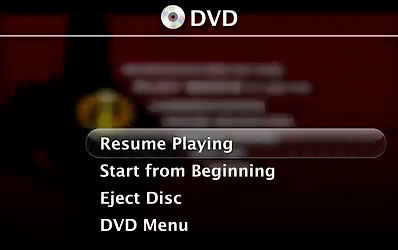
by the way, with the mini and the new Front Row Interface - keyboards are not needed really (altho a bt keyboard stashed behind the passenger seat works) -


and / or
 to control music (tracks, info to cell fone display),, movie play, or scripted items execution - between that, front row, "spoken text" you may not even NEED a kb
*(actually i think im gonna push my CUBE mac in there instead of the mini - 3 times as big but its still pretty tiny... since i have it) -- i have a super slim (baby you aint never seen a lcd this thin) 15" sony screen that i never use so im wracking my brains about trying to use this instead of a 7 inch xenon(whatever) touch screen...)
clearly not as a dashboard item, maybe integrate it into the passenger visor?
by the way, with the mini and the new Front Row Interface - keyboards are not needed really (altho a bt keyboard stashed behind the passenger seat works) -
and / or
to control music (tracks, info to cell fone display),, movie play, or scripted items execution - between that, front row, "spoken text" you may not even NEED a kb
Last edited by Freestyler; Feb 7, 2006 at 05:46 PM.
Melting Slicks
Joined: Feb 2005
Posts: 2,210
Likes: 0
Originally Posted by scott_fx
install it in front of the windshield. 
You a Baaaad Man MissaScott_fx


what about some little rollercoaster type ball bearing /tracks idea so it can slide up from a horizontal mount (directly under the dash/glove box) to a 'flip up' style position in front of the glove box when needed?
Le Mans Master
Joined: Jun 2004
Posts: 5,572
Likes: 4
From: Los Angeles Ca
lol.... that would be cool. dont know how you'd build it.
on a somewhat related note, i just got my bluetooth dongle for the car computer. i can now use my mobile phone as a remote control :-)
on a somewhat related note, i just got my bluetooth dongle for the car computer. i can now use my mobile phone as a remote control :-)
Melting Slicks
Joined: Feb 2005
Posts: 2,210
Likes: 0
Le Mans Master
Joined: Jun 2004
Posts: 5,572
Likes: 4
From: Los Angeles Ca
