


iPad picture posting

Thread Starter
Drifting


Joined: Jun 2003
Posts: 1,874
Likes: 68
From: Rochester Hills Michigan
 iPad picture posting
OK I give up  what is the best way to post pictures with an iPad? Photobucket to iPad just don't seem to be compatible or maybe it's just me that's not compatible
what is the best way to post pictures with an iPad? Photobucket to iPad just don't seem to be compatible or maybe it's just me that's not compatible

Race Director

Joined: Jul 2002
Posts: 11,593
Likes: 173
From: Clayton NC
http://forums.corvetteforum.com/c1-a...sual-aids.html
David

Burning Brakes


Joined: May 2011
Posts: 760
Likes: 104
From: Lewiston NY
2020 C8 of the Year Finalist - Modified
St. Jude Donor '12-'13-'14,'17, '20-'21
If you do find something or figure it out, pls share, but I have given up posting from phone or iPad.
Burning Brakes
Joined: May 2011
Posts: 760
Likes: 104
From: Lewiston NY
2020 C8 of the Year Finalist - Modified
St. Jude Donor '12-'13-'14,'17, '20-'21
Drifting
Joined: Jun 2010
Posts: 1,324
Likes: 1
From: Ball Ground Georgia
I load pics from my iphone to photobucket all the time. Have not found any difference typically between ipad/iphone. I will pull out the ipad later and see if there is a difference.
If you are wanting to organize or re-arrange folders within photobucket, then the i-app in photobucket is not good for that. Either use your browser and go into photobucket or...I just go into my pc and log into PB and do all my rearranging. I usually post into CF from photobucket on my pc as well...it is just easier.
If you are wanting to organize or re-arrange folders within photobucket, then the i-app in photobucket is not good for that. Either use your browser and go into photobucket or...I just go into my pc and log into PB and do all my rearranging. I usually post into CF from photobucket on my pc as well...it is just easier.

Le Mans Master

Joined: Apr 2006
Posts: 5,347
Likes: 36
From: San Clemente CA
I load pics from my iphone to photobucket all the time. Have not found any difference typically between ipad/iphone. I will pull out the ipad later and see if there is a difference.
If you are wanting to organize or re-arrange folders within photobucket, then the i-app in photobucket is not good for that. Either use your browser and go into photobucket or...I just go into my pc and log into PB and do all my rearranging. I usually post into CF from photobucket on my pc as well...it is just easier.
If you are wanting to organize or re-arrange folders within photobucket, then the i-app in photobucket is not good for that. Either use your browser and go into photobucket or...I just go into my pc and log into PB and do all my rearranging. I usually post into CF from photobucket on my pc as well...it is just easier.
 I have the free photobucket app on my iPad and iPhone and it works great.
Le Mans Master

Joined: Nov 2000
Posts: 7,246
Likes: 21
From: Going too fast over the hill. Iowa
IPads are fun for surfing, but they suck for posting. With no accessible file structure, none of the garden variety web-based photo sites are gonna work because you can't browse for a file. You need to find one that has an 'iPad app' but I haven't had any luck yet with those either. Not quite sure how that works..... You make an app for mobile uploads... And it doesnt work. At least not imageshack.
If you do find something or figure it out, pls share, but I have given up posting from phone or iPad.
If you do find something or figure it out, pls share, but I have given up posting from phone or iPad.
Corvette Stories
The Best of Corvette for Corvette Enthusiasts

10 Reasons the C6 Z06 is Still A Performance Benchmark After 20 Years
Joe Kucinski
How Much Horsepower Every Corvette Engine "LOST" in 1972
Joe Kucinski
Top 10 DOs and DON'Ts for Protecting Your Convertible Top!
Michael S. Palmer
Top 10 Most Explosive Corvettes Ever Made: Power-to-Weight Ratio Ranked!
Joe Kucinski
150 hp to 1,250 hp: Every Corvette Generation Compared by the Specs That Matter
Joe Kucinski
8 Coolest Corvette Pace Cars (and Replicas) of All Time
Verdad Gallardo
Top 10 Corvette Engines RANKED by Peak Torque (70+ Years of Muscle!)
Joe Kucinski
Corvette ZR1X Will Be Pacing the Indy 500, And Could Probably Race, Too!
Verdad Gallardo
Top 10 Corvettes Coming to Mecum Indy 2026!
Brett Foote
Racer


Joined: Sep 2004
Posts: 353
Likes: 114
From: South Carolina
See if this works...
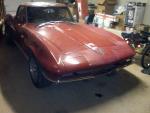
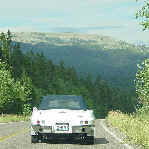
I selected post reply. Then select manage attachments. It will ask for you to take photo or video, or choose existing. Go to your photos and select it. That's it I think. Let's see if this works on a random picture I saved from a previous thread. Mike Richardson

Melting Slicks

Joined: Feb 2007
Posts: 2,937
Likes: 163
From: OP Kansas
C2 of Year Finalist (appearance mods) 2019
On a side note, my wife just had her iPhone replaced because it was locking up and needed to be rebooted too often. You should look into whether or not there is a problem with your iPad. I've been using Apple products since 1984 and they are far superior to anything else out there. I suggest if you continue to have problems, call Apple and see what's going on. Good luck.

Safety Car


Joined: Nov 2000
Posts: 4,761
Likes: 138
From: Clinton Township MI
Cruise-In III Veteran
I was curious about posting pics too so I am composing from my wife's IPAD. Here's a pic I took this weekend of my WIP windshield replacement. Lets see if this works.
Went to Manage Attachments, then Browse, then Take Picture or Choose Existing. For me, I just went to Camera Roll where all pictures are stored and scrolled through and touched on it. No need for any apps.
Jim
In God We Trust!
Went to Manage Attachments, then Browse, then Take Picture or Choose Existing. For me, I just went to Camera Roll where all pictures are stored and scrolled through and touched on it. No need for any apps.
Jim
In God We Trust!
Last edited by 6T5RUSH; Jan 28, 2013 at 10:22 AM. Reason: Added comment

Team Owner

Joined: Aug 2007
Posts: 58,061
Likes: 7,145
Army
Ya know - you guys (especially long time members) should spent a few bucks and become 'real' members on here then you can post pictures directly. I forget what the lowest membership level costs but I do know I thought at the time, ".....this is a helluva bargain for the amount of help and advice I've gotten off this forum!"


Burning Brakes
Joined: May 2011
Posts: 760
Likes: 104
From: Lewiston NY
2020 C8 of the Year Finalist - Modified
St. Jude Donor '12-'13-'14,'17, '20-'21
Ya know - you guys (especially long time members) should spent a few bucks and become 'real' members on here then you can post pictures directly. I forget what the lowest membership level costs but I do know I thought at the time, ".....this is a helluva bargain for the amount of help and advice I've gotten off this forum!"
Burning Brakes
Joined: May 2011
Posts: 760
Likes: 104
From: Lewiston NY
2020 C8 of the Year Finalist - Modified
St. Jude Donor '12-'13-'14,'17, '20-'21
you must have an ipad 4 or greater. mine has no camera, hence no choice to take or select photo.
Team Owner
Joined: Aug 2007
Posts: 58,061
Likes: 7,145
Army
When you get ready to post just hit the button at the bottom of the text box for your post that says "Go Advanced"....scroll down at the next screen and click the "Manage Attachments" button. You can upload almost anything using the pop up window that will appear but there are some size limitations !
BTW - I'm talking Windows here and not scrApple products.
BTW - I'm talking Windows here and not scrApple products.

 .....thanks Frankie