When you click on links to various merchants on this site and make a purchase, this can result in this site earning a commission. Affiliate programs and affiliations include, but are not limited to, the eBay Partner Network.
Finally got post-able pics of the engine pad in my '66. I am still trying to get good pics of the under-dash tags. (I am a pretty bad photographer!) Everything seems to match, but wanted to post these as there is a lot of expertise on here regarding these numbers and their accuracy. My professional photographer friend, who is really good (she sells her pics for actual money!), took my iphone pics and changed them to jpeg files for me. She included a black & white one since she said it showed the numbers pretty well.
Instead of having your photographer friend help you maybe you could just wipe the pad clean and use a shop light with a decent smartphone and we could see more of the natural parts of the pad….the photos look adjusted or altered to me….
I have had very good experience with basic lighting and an iPhone.
Instead of having your photographer friend help you maybe you could just wipe the pad clean and use a shop light with a decent smartphone and we could see more of the natural parts of the pad….the photos look adjusted or altered to me….
I have had very good experience with basic lighting and an iPhone.
Thanks for your note. I took the pics with an iphone but the file format is not post-able on the Forum. This is why I sent them to my friend to convert them to jpeg files. I downloaded a program that supposedly converted the iphone files, but it did not work.
Anyway, the car has C60, so it is very hard to get a good angle on the numbers. We were putting in a DeWitts, so I had plenty of room for these pics. Did not think of wiping down the area--we were in the middle of things, so when we go in again I will see what I can do.
Your numbers look fine. They are certainly original. The 4 is not the most common variation but I have seen others with it.
Hi,
Thanks very much. Supposedly this is all numbers matching and the numbers are the same on the trim tags, but I wanted to get some expert opinions. Car was built on 06/20/66 and delivered to the Chevrolet Zone Office in Wichita, KS, FYI.
Thanks for your note. I took the pics with an iphone but the file format is not post-able on the Forum. This is why I sent them to my friend to convert them to jpeg files. I downloaded a program that supposedly converted the iphone files, but it did not work.
Common problem. That's because your phone is saving the pictures/videos in "heif/hevc" format, which is not compatible with the forum and cannot be opened on a Windows computer without a special program.
To take pictures with your iPhone that will work on the forum, on your iPhone, go to Settings\Camera\Formats. Change from "High Efficiency" to "Most Compatible" Once you change this the pictures will be the standard jpeg format and will work on the forum (and your Windows computer if you have one).
Common problem. That's because your phone is saving the pictures/videos in "heif/hevc" format, which is not compatible with the forum and cannot be opened on a Windows computer without a special program.
To take pictures with your iPhone that will work on the forum, on your iPhone, go to Settings\Camera\Formats. Change from "High Efficiency" to "Most Compatible" Once you change this the pictures will be the standard jpeg format and will work on the forum (and your Windows computer if you have one).
Hope this helps!
Wow! Thanks for that. I am pretty new to the smart phone--I used a mil-spec flip until I moved and could not put in a land line anymore. I will give that a try!
Thanks for your note. I took the pics with an iphone but the file format is not post-able on the Forum. This is why I sent them to my friend to convert them to jpeg files. I downloaded a program that supposedly converted the iphone files, but it did not work.
Anyway, the car has C60, so it is very hard to get a good angle on the numbers. We were putting in a DeWitts, so I had plenty of room for these pics. Did not think of wiping down the area--we were in the middle of things, so when we go in again I will see what I can do.
Thanks!
Rich,
You need to change the default setting in your iphone. Go into Settings>Camera>Formats>then check "most compatible". The standard default is HEIC not JPEG. This will then allow you to download photos to the Forum.
Well...looks like Paster beat me to it.
If Patrick Boyd says those stampings are fine...then I'd take that to the bank. Man knows his chit.
WOW! That is exactly why I wanted good pictures to post. We have so much expertise on the Forum that I knew I would get an intelligent and expert answer.
While my car is nothing special, it is nice to know that the numbers match and that it has not been tampered with. While I realize that small block 300HP cars are not really the ones that people tend to mess with, it is still good to know what I have.
Thanks to everyone for the feedback and picture-taking advice.
WOW! That is exactly why I wanted good pictures to post. We have so much expertise on the Forum that I knew I would get an intelligent and expert answer.
While my car is nothing special, it is nice to know that the numbers match and that it has not been tampered with. While I realize that small block 300HP cars are not really the ones that people tend to mess with, it is still good to know what I have.
Thanks to everyone for the feedback and picture-taking advice.
Cheers!
Rich,
The 300hp engine is a very nice engine for a street driven corvette, mine run great and fast enough for me at this stage of life. Old flip phone for me also and now learning to use the I phone. After reading this post I just changed the camera setting on my phone thanks to Paster and Leif.
Common problem. That's because your phone is saving the pictures/videos in "heif/hevc" format, which is not compatible with the forum and cannot be opened on a Windows computer without a special program.
To take pictures with your iPhone that will work on the forum, on your iPhone, go to Settings\Camera\Formats. Change from "High Efficiency" to "Most Compatible" Once you change this the pictures will be the standard jpeg format and will work on the forum (and your Windows computer if you have one).
Hope this helps!
Ive never done this once for a single iPhone photo I’ve posted on the forum, and I’ve done it a lot. This is the first Ive heard of the need for a special program.
Every photo saves in .jpg automatically and you get to choose the size if you are concerned with a site’s size maximums. Then just follow the simple posting steps found in the Sticky section and off you go.
Ive never done this once for a single iPhone photo I’ve posted on the forum, and I’ve done it a lot. This is the first Ive heard of the need for a special program.
Every photo saves in .jpg automatically and you get to choose the size if you are concerned with a site’s size maximums. Then just follow the simple posting steps found in the Sticky section and off you go.
Apple began using HEIF (High Efficiency Image Format) in 2017. It's a smaller file with better quality than jpg. You don't need a special program to make a jpg, just follow the settings advice in the posts above.
Ive never done this once for a single iPhone photo I’ve posted on the forum, and I’ve done it a lot. This is the first Ive heard of the need for a special program.
Every photo saves in .jpg automatically and you get to choose the size if you are concerned with a site’s size maximums. Then just follow the simple posting steps found in the Sticky section and off you go.
Whether any of you "I never had to do anything" guys knowingly changed it or not, it is the control on how iPhone pics are saved. Go ahead and look at your iPhone settings> Camera> Formats; I lay money on the "Most Compatible" option being checked.
Designer Imagines A Corvette That Looks More Like a Corvette Than the Corvette
Slideshow: A Jaguar designer's personal project imagines what a modern front-engined Corvette might look like if Chevrolet revisited the golden age of the Stingray.



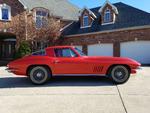



 Engine Numbers