






need help posting

Thread Starter
Pro


Joined: May 2005
Posts: 745
Likes: 0
From: Miami Florida
 need help posting
i hosted the shot at photobucket, and copied the url. i started a new post and hit manage attachments. in the box next to the browse i psted the url then hit update and nothing happens. help pse im tired of making people open my attachments to see the pics.

Melting Slicks


Joined: Sep 2006
Posts: 2,806
Likes: 468
From: Wichita Kansas
Originally Posted by rastadr
i hosted the shot at photobucket, and copied the url. i started a new post and hit manage attachments. in the box next to the browse i psted the url then hit update and nothing happens. help pse im tired of making people open my attachments to see the pics.

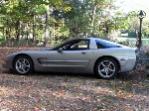
Not sure, when i posted this reply, i hit the small yellow icon that says 'insert image', then went to photobucket, copied the url and pasted it in. i think it will show up. What do you think of my poc?

Safety Car


Joined: Jun 2004
Posts: 4,360
Likes: 221
From: Beecher Illinois
I'm pretty computer stupid. I type the whole thing into my post, not using any of the little "icons". I have village photos for my host. I will just enter [IMG] at the beginning and [/IMG] at the end of the url. That's just the way I figured it out long ago.
Safety Car
Joined: Jun 2004
Posts: 4,360
Likes: 221
From: Beecher Illinois
For instance....
http://img.villagephotos.com/p/2004-4/706755/satag.jpg
will post a clickable link.
[IMG]http;//img.villagephotos.com/p/2004-4/706755/satag.jpg[/IMG]
will post straight to the pic.
I changed the : to ; following the http in the second one for the example, otherwise it does what it's supposed to and goes straight to the pic.
http://img.villagephotos.com/p/2004-4/706755/satag.jpg
will post a clickable link.
[IMG]http;//img.villagephotos.com/p/2004-4/706755/satag.jpg[/IMG]
will post straight to the pic.
I changed the : to ; following the http in the second one for the example, otherwise it does what it's supposed to and goes straight to the pic.
Melting Slicks
Joined: Dec 2002
Posts: 2,342
Likes: 2
From: Dayton Area Ohio
St. Jude Donor '08
I don't know if this will help but,
right click on your picture
then click on properties
then put your cursor on the url link and right click
select all
right click again and select copy
go to your post and select paste
your url site should show
then make sure you have the [img]---[/img] around the url
I hope this made sense.
right click on your picture
then click on properties
then put your cursor on the url link and right click
select all
right click again and select copy
go to your post and select paste
your url site should show
then make sure you have the [img]---[/img] around the url
I hope this made sense.
Melting Slicks
Joined: Sep 2006
Posts: 2,806
Likes: 468
From: Wichita Kansas
Originally Posted by KapsSA
For instance....
http://img.villagephotos.com/p/2004-4/706755/satag.jpg
will post a clickable link.
[IMG]http;//img.villagephotos.com/p/2004-4/706755/satag.jpg[/IMG]
will post straight to the pic.
I changed the : to ; following the http in the second one for the example, otherwise it does what it's supposed to and goes straight to the pic.
http://img.villagephotos.com/p/2004-4/706755/satag.jpg
will post a clickable link.
[IMG]http;//img.villagephotos.com/p/2004-4/706755/satag.jpg[/IMG]
will post straight to the pic.
I changed the : to ; following the http in the second one for the example, otherwise it does what it's supposed to and goes straight to the pic.
 I am lost on how to put a small picture (of my car) under my name on the left side of the post. I tried to find it in profiles and stuff but didn't. Is it in Signature, I will try to find that.
Melting Slicks
Joined: Dec 2002
Posts: 2,342
Likes: 2
From: Dayton Area Ohio
St. Jude Donor '08
Originally Posted by kansas123
I am lost on how to put a small picture (of my car) under my name on the left side of the post. I tried to find it in profiles and stuff but didn't. Is it in Signature, I will try to find that.150x150 pixels I believe that's the max anyway. You can do your avatar from pics on your pc and don't have to have them uploaded anywhere
Corvette Stories
The Best of Corvette for Corvette Enthusiasts

Corvette ZR1X Will Be Pacing the Indy 500, And Could Probably Race, Too!
Verdad Gallardo
Top 10 Corvettes Coming to Mecum Indy 2026!
Brett Foote
Top 10 C9 Corvette MUST-HAVES to Fix These C8 Generation Flaws!
Michael S. Palmer
10 Revolutionary 'Corvette Firsts' Most People Don't Know
Joe Kucinski
5 Reasons to Upgrade to an LS6-Powered Corvette; 5 Reasons to Stay LT2
Michael S. Palmer
2027 Corvette vs The World: Every C8 vs Its Closest Competitor
Joe Kucinski
10 Most Common Corvette Problems of the Last 20 Years!
Joe Kucinski
5 MOST and 5 LEAST Popular Corvette Model Years in History!
Joe Kucinski