



 [IM
[IM


 m.jpg[/IMG]Thanks I think I got it.

Local Show

Racer


Joined: May 2007
Posts: 265
Likes: 1
 Multiple pics in a post
Its not too hard, and photobucket makes it very easy, you just have to understand how the tags work.

Very nice shot there by the way.
everything between the [IMG] and [/IMG] is the URL to the picture, when using Photobucket that is the lowermost of the 4 URLs below the picture, just click on the link and photobucket automatically copies it to your clipboard, then all you have to do is right click and chose paste or <ctrl> v to paste in the compose window where you want the link to appear in your message. I find it most helpful to have 2 browser windows open and just flip back and forth copying the urls from photobucket.
You can also use the image button at the top of the compose window its the little postcard with a picture of a mountain button.
To post a second and third and more pics just continue flipping back and forth between photobucket and your compose window. Thats about all there is to it.
so, to illustrate (pun intended)

Now to look at the actual image codes I will mangle the line a bit to show the actual image codes used.
[ IMG ]http://i121.photobucket.com/albums/o233/DINOS71/P1010648.jpg[ /IMG ]
[ IMG ]http://i121.photobucket.com/albums/o233/DINOS71/P1010244.jpg[ /IMG ]
note the 2 image urls have been mangled by adding spaces in the [IMG] and [/IMG] tags.
Very nice shot there by the way.
everything between the [IMG] and [/IMG] is the URL to the picture, when using Photobucket that is the lowermost of the 4 URLs below the picture, just click on the link and photobucket automatically copies it to your clipboard, then all you have to do is right click and chose paste or <ctrl> v to paste in the compose window where you want the link to appear in your message. I find it most helpful to have 2 browser windows open and just flip back and forth copying the urls from photobucket.
You can also use the image button at the top of the compose window its the little postcard with a picture of a mountain button.
To post a second and third and more pics just continue flipping back and forth between photobucket and your compose window. Thats about all there is to it.
so, to illustrate (pun intended)
Now to look at the actual image codes I will mangle the line a bit to show the actual image codes used.
[ IMG ]http://i121.photobucket.com/albums/o233/DINOS71/P1010648.jpg[ /IMG ]
[ IMG ]http://i121.photobucket.com/albums/o233/DINOS71/P1010244.jpg[ /IMG ]
note the 2 image urls have been mangled by adding spaces in the [IMG] and [/IMG] tags.
Thread Starter
Burning Brakes


Joined: Feb 2004
Posts: 829
Likes: 39
From: sun prairie wi
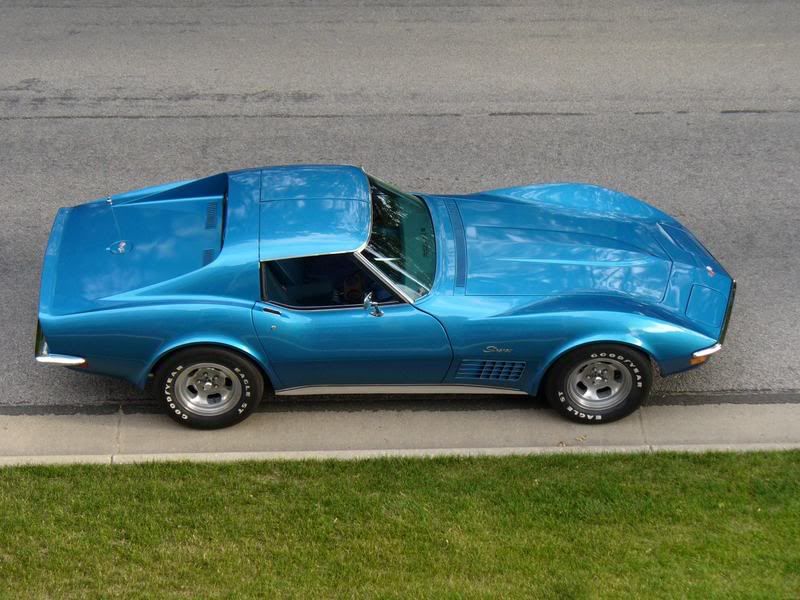
Thanks,BTW,THE RED 65 vert belongs to forum member rerce.It took 2nd to the green 65 396 coupe.2 beautiful vettes.Mine is the blue 71 and my brothers is the red 80.After a week of record rains it was nice to be out in the sun.
Corvette Stories
The Best of Corvette for Corvette Enthusiasts

Top 10 Most Explosive Corvettes Ever Made: Power-to-Weight Ratio Ranked!
Joe Kucinski
150 hp to 1,250 hp: Every Corvette Generation Compared by the Specs That Matter
Joe Kucinski
8 Coolest Corvette Pace Cars (and Replicas) of All Time
Verdad Gallardo
Top 10 Corvette Engines RANKED by Peak Torque (70+ Years of Muscle!)
Joe Kucinski
Corvette ZR1X Will Be Pacing the Indy 500, And Could Probably Race, Too!
Verdad Gallardo
Top 10 Corvettes Coming to Mecum Indy 2026!
Brett Foote
Top 10 C9 Corvette MUST-HAVES to Fix These C8 Generation Flaws!
Michael S. Palmer
10 Revolutionary 'Corvette Firsts' Most People Don't Know
Joe Kucinski