




hole saw into door

Thread Starter
Melting Slicks

Joined: Dec 2004
Posts: 2,161
Likes: 0
From: pr, frederick md.
 hole saw into door
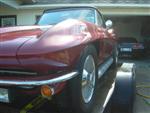
just thought youd like to hear how i had to drill a hole in my door for the mirror controls to go through, as my door didnt have the hole on the pass. side, for the new mirror i purchased. spinkter was screaming!
Thread Starter
Melting Slicks
Joined: Dec 2004
Posts: 2,161
Likes: 0
From: pr, frederick md.
im still learning the whole picture posty thing, but the hole was simple to drill, just very scary drilling a hole in your car! i simply centered between the two bolt holes, and used a 1/2" hole saw. the bracket inside the door already has a passage for the control cable. someone replaced my interior over the years and my remote mirror control **** on my door panel was a dummy/fake.

Drifting


Joined: Nov 2003
Posts: 1,634
Likes: 4
From: Northern NJ
St. Jude Donor '04 & '05
Originally Posted by redc3
im still learning the whole picture posty thing, but the hole was simple to drill, just very scary drilling a hole in your car! i simply centered between the two bolt holes, and used a 1/2" hole saw. the bracket inside the door already has a passage for the control cable. someone replaced my interior over the years and my remote mirror control **** on my door panel was a dummy/fake.
Note that the image tags (img) are misspelled (image) so they will show up here and not actually try and display a picture.
[IMAGE]http://www.yourdomain.com/pictures/yourcarpic.jpg[/IMAGE]
Hope this helps. Good Luck!


Race Director


Joined: Dec 1999
Posts: 16,945
Likes: 9
Drifting
Joined: Feb 2005
Posts: 1,312
Likes: 0
From: Austin TX
This is the easiest way for me to post pictures--it takes about 30 seconds:
1--reply to the thread on the Corvette Forum
2--open another Internet Explorer window (keep the reply window open)
3--go to http://tinypic.com/
4--hit "browse" and you can search your computer files for a photo
5--hit "host picture" and wait for it to give you 4 options
6--click on the "img" line and make sure that the whole line is selected, and hold down "ctrl" then hit "c" at the same time [in order to Copy the line]
7--in the body of your message where you want to insert your photo, hold down "ctrl" then "v" [in order to Paste the line].
I liked tinypic.com because they do not have pop-up ads, they will auto resize larger photos, and it is free. Good Luck!
1--reply to the thread on the Corvette Forum
2--open another Internet Explorer window (keep the reply window open)
3--go to http://tinypic.com/
4--hit "browse" and you can search your computer files for a photo
5--hit "host picture" and wait for it to give you 4 options
6--click on the "img" line and make sure that the whole line is selected, and hold down "ctrl" then hit "c" at the same time [in order to Copy the line]
7--in the body of your message where you want to insert your photo, hold down "ctrl" then "v" [in order to Paste the line].
I liked tinypic.com because they do not have pop-up ads, they will auto resize larger photos, and it is free. Good Luck!
Corvette Stories
The Best of Corvette for Corvette Enthusiasts

Top 10 Most Expensive Corvettes Ever Sold on Bring A Trailer
Brett Foote
10 Things Every Corvette Owner Needs (2026 Edition)
Michael S. Palmer
8 Most "Only Corvette Owners Understand" Quirks and Problems
Pouria Savadkouei
10 Reasons the C6 Z06 is Still A Performance Benchmark After 20 Years
Joe Kucinski
How Much Horsepower Every Corvette Engine "LOST" in 1972
Joe Kucinski
Top 10 DOs and DON'Ts for Protecting Your Convertible Top!
Michael S. Palmer
Top 10 Most Explosive Corvettes Ever Made: Power-to-Weight Ratio Ranked!
Joe Kucinski
150 hp to 1,250 hp: Every Corvette Generation Compared by the Specs That Matter
Joe Kucinski