


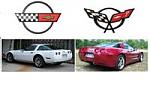







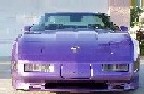


some pics
Race Director


Joined: Feb 2003
Posts: 16,475
Likes: 270
From: Kingman AZ
Cruise-In VII Veteran
Cruise-In VIII
St. Jude Donor '06-'07-'08-'09-'10-'11-'12-'13-'14-'15-'16

What are those twin circular marks on your windshield bud? Did you get your windshield washed in Mobile at a red light? 

Race Director

Joined: Aug 2003
Posts: 13,421
Likes: 8
From: Lake Mary Florida
WoW! Even full screen on my 20" LCD display at 1680x1050 I had to
scroll to see these images.
Hmmm, here's a little tip resize your images when you save them.
Plus change your resolution setting on your digital cam to high
resolution generally its HQ. Technically your putting too few pixels in
too large of an area. By sizing down your images you'll compress
some of those pixels down and then we can all see them and they
would be much sharper. Dial-ups will appreciate it.
I pulled down your file "corvettechattanooga2yc.jpg" and it is 8.63MB
2048 pixels wide and 1472 pixels high. WOW!
Generally you want them to be about 600 pixels wide. Here's your
same image resized to something more reasonable and notice its
much sharper. It's now 600 pixels wide and 52KB.
See post below for images.
scroll to see these images.
Hmmm, here's a little tip resize your images when you save them.
Plus change your resolution setting on your digital cam to high
resolution generally its HQ. Technically your putting too few pixels in
too large of an area. By sizing down your images you'll compress
some of those pixels down and then we can all see them and they
would be much sharper. Dial-ups will appreciate it.
I pulled down your file "corvettechattanooga2yc.jpg" and it is 8.63MB
2048 pixels wide and 1472 pixels high. WOW!
Generally you want them to be about 600 pixels wide. Here's your
same image resized to something more reasonable and notice its
much sharper. It's now 600 pixels wide and 52KB.
See post below for images.
Last edited by 93JetJocky; Feb 10, 2005 at 12:41 PM.
Corvette Stories
The Best of Corvette for Corvette Enthusiasts

Corvette ZR1X Will Be Pacing the Indy 500, And Could Probably Race, Too!
Verdad Gallardo
Top 10 Corvettes Coming to Mecum Indy 2026!
Brett Foote
Top 10 C9 Corvette MUST-HAVES to Fix These C8 Generation Flaws!
Michael S. Palmer
10 Revolutionary 'Corvette Firsts' Most People Don't Know
Joe Kucinski
5 Reasons to Upgrade to an LS6-Powered Corvette; 5 Reasons to Stay LT2
Michael S. Palmer
2027 Corvette vs The World: Every C8 vs Its Closest Competitor
Joe Kucinski
10 Most Common Corvette Problems of the Last 20 Years!
Joe Kucinski
5 MOST and 5 LEAST Popular Corvette Model Years in History!
Joe Kucinski
2027 Corvette Buyer's Guide: Everything You Need to Know!
Joe Kucinski


Race Director
Joined: Aug 2003
Posts: 13,421
Likes: 8
From: Lake Mary Florida
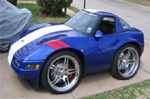
I used Photoshop/ImageReady to resize the image. I also applied a
filter to despeckle the image some so it smoothed out that graininess.
I also cropped out some of the extra in the image too. Here is a link
to get the images, or you can just right click copy paste the files
I'm posting.

Mark's Pics


filter to despeckle the image some so it smoothed out that graininess.
I also cropped out some of the extra in the image too. Here is a link
to get the images, or you can just right click copy paste the files
I'm posting.
Mark's Pics
Last edited by 93JetJocky; Feb 10, 2005 at 12:43 PM.