


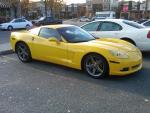



Looks better from this side
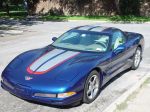
Burning Brakes

Joined: Jun 2004
Posts: 1,211
Likes: 0
From: Nesconset NY
St. Jude Donor '04 & '05

you use the following command
[img](the host site for me it is )members.aol.com/tmcclaffe(then you need the file name)/bv5.jpg (then you have to use the brackets again this time with a slash [/img]
this is where my file is
http://members.aol.com/tmcclaffe/bv5.jpg
if you right click on the picture and go to properties you will see the whole string command

[img](the host site for me it is )members.aol.com/tmcclaffe(then you need the file name)/bv5.jpg (then you have to use the brackets again this time with a slash [/img]
this is where my file is
http://members.aol.com/tmcclaffe/bv5.jpg
if you right click on the picture and go to properties you will see the whole string command
Corvette Stories
The Best of Corvette for Corvette Enthusiasts

Top 10 Most Expensive Corvettes Ever Sold on Bring A Trailer
Brett Foote
10 Things Every Corvette Owner Needs (2026 Edition)
Michael S. Palmer
8 Most "Only Corvette Owners Understand" Quirks and Problems
Pouria Savadkouei
10 Reasons the C6 Z06 is Still A Performance Benchmark After 20 Years
Joe Kucinski
How Much Horsepower Every Corvette Engine "LOST" in 1972
Joe Kucinski
Top 10 DOs and DON'Ts for Protecting Your Convertible Top!
Michael S. Palmer
Top 10 Most Explosive Corvettes Ever Made: Power-to-Weight Ratio Ranked!
Joe Kucinski
150 hp to 1,250 hp: Every Corvette Generation Compared by the Specs That Matter
Joe Kucinski
8 Coolest Corvette Pace Cars (and Replicas) of All Time
Verdad Gallardo
Drifting


Joined: Jun 2003
Posts: 1,510
Likes: 3
From: Life moves pretty fast... if you don't stop and look around once in a while, you could miss it!
CI 6-8-9 Veteran
Open the photo that you want to post. Right click on the photo and click on properties. Highlight the properties and the do a copy (either from the menu or do a ctrl C (that's the Ctrl key and the C key at the same time). This will copy the picture link into your 'paste buffer'. Then go to your post on the forum and select the little icon that looks like a little yellow box with a mountain in it. Paste the info that you just copied into the area where you see "HTTP://". Paste it right over the HTTP://, because it will alredy be in you paste buffer then hit submit. I should mention before you do all this, that your pic must be 'hosted'. Look in the 'stickie' thread at the top of C5 General to get your pic hosted. Hope all this BS helps. Zuti 