


Help with CD changer.....

Thread Starter
Racer


Joined: Jul 2004
Posts: 304
Likes: 0
From: The Woodlands Texas
 Help with CD changer.....
Up until today my 12 disc changer (stock) work perfectly. All of a sudden it doesn't! I get an "Err" message. I open up the changer but the magazine does not eject like it's supposed to. Any ideas?
Thanks guys!
Thanks guys!

Drifting

Joined: Mar 2003
Posts: 1,398
Likes: 1
From: Kingsport TN
Mine did that a while ago and I ended up getting another one replaced via my extended warranty. However now I upgraded to a DVD player and don't need my unit anymore. If u find you need another one, let me know and I'll sell you mine.

Melting Slicks


Joined: Oct 2004
Posts: 3,066
Likes: 0
St. Jude Donor '06
Originally Posted by berryj
Mine did that a while ago and I ended up getting another one replaced via my extended warranty. However now I upgraded to a DVD player and don't need my unit anymore. If u find you need another one, let me know and I'll sell you mine.

I haven't had your problem, but mine won't play discs I burn myself. That's OK though, I use an Ipod now - 250 CD's and I'll gain some trunk space when I take the changer out.

Drifting
Joined: Jan 2006
Posts: 1,554
Likes: 3
From: pasadena in the great state of TEXAS
St. Jude Donor '09-'10-'11-'12-'13-'14-'15-'16-'17
Originally Posted by Roostertail
That's a nice offer
I haven't had your problem, but mine won't play discs I burn myself. That's OK though, I use an Ipod now - 250 CD's and I'll gain some trunk space when I take the changer out.
I haven't had your problem, but mine won't play discs I burn myself. That's OK though, I use an Ipod now - 250 CD's and I'll gain some trunk space when I take the changer out.

Melting Slicks
Joined: Feb 2004
Posts: 3,195
Likes: 2
From: ATL
St. Jude Donor '05-'06-'07-'08-'09-'10
Originally Posted by berryj
Mine did that a while ago and I ended up getting another one replaced via my extended warranty. However now I upgraded to a DVD player and don't need my unit anymore. If u find you need another one, let me know and I'll sell you mine.

Wow - great offer right there.
If the carrier won't eject, I believe there is a small button that can be pressed, perhaps with a paperclip end, to manually eject it???
The guys in the audio section will know for certain.
Best of luck.

Le Mans Master


Joined: Jul 2002
Posts: 7,459
Likes: 41
From: Spring Branch, Texas
Originally Posted by JetJazz
Up until today my 12 disc changer (stock) work perfectly. All of a sudden it doesn't! I get an "Err" message. I open up the changer but the magazine does not eject like it's supposed to. Any ideas?
Thanks guys!
Thanks guys!
Le Mans Master
Joined: Jul 2002
Posts: 7,459
Likes: 41
From: Spring Branch, Texas
Originally Posted by hdff
how does the ipod hook up to the stock radio?
http://forums.corvetteforum.com/show....php?t=1392384
Cheers,
Rog

Melting Slicks
Joined: Nov 2001
Posts: 3,122
Likes: 2
From: MCO
Try disconnecting the changer's cable (underneath the changer), and leaving it disconnected for at least 10 minutes. Then plug it back it. Let it sort through the discs before trying to remove the cartridge.
If that doesn't work, then it "may" be that a disc is jammed between the player mechanism and the cartridge (happened to me on my first changer -- I'm on my third one now, plus I've installed the iPod2car by Peripheral).
If that doesn't work, then it "may" be that a disc is jammed between the player mechanism and the cartridge (happened to me on my first changer -- I'm on my third one now, plus I've installed the iPod2car by Peripheral).
Corvette Stories
The Best of Corvette for Corvette Enthusiasts

150 hp to 1,250 hp: Every Corvette Generation Compared by the Specs That Matter
Joe Kucinski
8 Coolest Corvette Pace Cars (and Replicas) of All Time
Verdad Gallardo
Top 10 Corvette Engines RANKED by Peak Torque (70+ Years of Muscle!)
Joe Kucinski
Corvette ZR1X Will Be Pacing the Indy 500, And Could Probably Race, Too!
Verdad Gallardo
Top 10 Corvettes Coming to Mecum Indy 2026!
Brett Foote
Top 10 C9 Corvette MUST-HAVES to Fix These C8 Generation Flaws!
Michael S. Palmer
10 Revolutionary 'Corvette Firsts' Most People Don't Know
Joe Kucinski
5 Reasons to Upgrade to an LS6-Powered Corvette; 5 Reasons to Stay LT2
Michael S. Palmer
2027 Corvette vs The World: Every C8 vs Its Closest Competitor
Joe Kucinski
Pro

Joined: Aug 2006
Posts: 528
Likes: 0
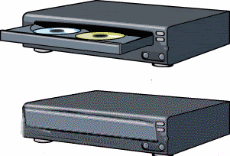
Also, don't forget that the CDs actually fit into the individual trays face (label side) down. I couldn't figure-out why my original cartridge would play, yet one of my spares kept getting an error message and/or just wouldn't do anything except display a CD on the stereo's display screen. I compared both cartridges, only to discover that I had placed the CDs label-side up instead of label-side down...which is the correct way.

BTW, my burned copies of my originals play fine now.
