


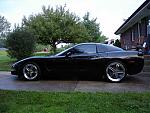








Newbie trying to post pics

Team Owner


Joined: Sep 2002
Posts: 30,563
Likes: 4,609
From: Bonita Springs, Florida

Team Owner

Joined: Sep 2004
Posts: 31,934
Likes: 0
From: Indianapolis IN
St. Jude Donor '06

You need to go to the Off topic section....post this same thread title....they happen to be the most helpful group 
Here is the link http://forums.corvetteforum.com/forumdisplay.php?f=26
Here is the link http://forums.corvetteforum.com/forumdisplay.php?f=26
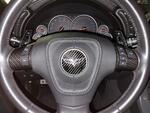
Team Owner


Joined: May 2006
Posts: 21,473
Likes: 356
From: Palmdale, Ca----- 2009 Cyber Gray 4LT A6 F55 452 RWHP 422 RWTQ- RIP 1998 C5 734 RWHP & 585 RWTQ-----
Got to www.photobucket.com and open an account with then, it's free!
Download your pics to the site and name your folder!
Once your account is done and pictures are loaded! Go to the page with your shots and there will be three boxes under them,
The lowest box one marked IMG this is the one you want to use- So what you do at this point is LEFT click the box it will turn BLUE
Now RIGHT click it and a drop down box will appear go to the COPY and LEFT click it - Now it is stored
Go back to the Vette Forum tab you have open on you post and underneath your words put the CURSER (the one that is blinking as you write!) there and RIGHT click it so the same box appears select PASTE and WALA! the Image will be pasted and ready for viewing as soon as you push the POST button!
Any more questions let me know! I think I covered it
Thanks,Matt
Download your pics to the site and name your folder!
Once your account is done and pictures are loaded! Go to the page with your shots and there will be three boxes under them,
The lowest box one marked IMG this is the one you want to use- So what you do at this point is LEFT click the box it will turn BLUE
Now RIGHT click it and a drop down box will appear go to the COPY and LEFT click it - Now it is stored
Go back to the Vette Forum tab you have open on you post and underneath your words put the CURSER (the one that is blinking as you write!) there and RIGHT click it so the same box appears select PASTE and WALA! the Image will be pasted and ready for viewing as soon as you push the POST button!
Any more questions let me know! I think I covered it
Thanks,Matt
Last edited by madmatt9471; Apr 19, 2007 at 10:56 AM. Reason: fix word
Corvette Stories
The Best of Corvette for Corvette Enthusiasts

Top 10 Most Expensive Corvettes Ever Sold on Bring A Trailer
Brett Foote
10 Things Every Corvette Owner Needs (2026 Edition)
Michael S. Palmer
8 Most "Only Corvette Owners Understand" Quirks and Problems
Pouria Savadkouei
10 Reasons the C6 Z06 is Still A Performance Benchmark After 20 Years
Joe Kucinski
How Much Horsepower Every Corvette Engine "LOST" in 1972
Joe Kucinski
Top 10 DOs and DON'Ts for Protecting Your Convertible Top!
Michael S. Palmer
Top 10 Most Explosive Corvettes Ever Made: Power-to-Weight Ratio Ranked!
Joe Kucinski
150 hp to 1,250 hp: Every Corvette Generation Compared by the Specs That Matter
Joe Kucinski
8 Coolest Corvette Pace Cars (and Replicas) of All Time
Verdad Gallardo
Team Owner
Joined: May 2006
Posts: 21,473
Likes: 356
From: Palmdale, Ca----- 2009 Cyber Gray 4LT A6 F55 452 RWHP 422 RWTQ- RIP 1998 C5 734 RWHP & 585 RWTQ-----