


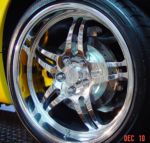


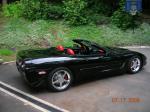





my corvette pic's
Thread Starter
Burning Brakes


Joined: Oct 2007
Posts: 790
Likes: 0
From: Sebastian Sunshine
 my corvette pic's
posting first pic's if they don't show then im still lost on this subject.
Last edited by 2003 electronblue; Jun 8, 2009 at 08:50 AM. Reason: pic's don't show.
Corvette Stories
The Best of Corvette for Corvette Enthusiasts

Every 2027 Corvette Engine Explained
Joe Kucinski
Designer Imagines A Corvette That Looks More Like a Corvette Than the Corvette
Verdad Gallardo
10 Ugly Corvettes That We Still Kinda Love
Joe Kucinski
Top 10 Most Expensive Corvettes Ever Sold on Bring A Trailer
Brett Foote
10 Things Every Corvette Owner Needs (2026 Edition)
Michael S. Palmer
8 Most "Only Corvette Owners Understand" Quirks and Problems
Pouria Savadkouei
10 Reasons the C6 Z06 is Still A Performance Benchmark After 20 Years
Joe Kucinski
How Much Horsepower Every Corvette Engine "LOST" in 1972
Joe Kucinski
Top 10 DOs and DON'Ts for Protecting Your Convertible Top!
Michael S. Palmer

 It really pretty simple using photobuck





Administrator


Joined: Mar 2001
Posts: 368,541
Likes: 24,833
From: In a parallel universe. Currently own 2014 Stingray Coupe.
C7 of the Year - Modified Finalist 2021
MO Events Coordinator
St. Jude Co-Organizer
St. Jude Donor '03 thru '26
NCM Sinkhole Donor
CI 5, 8 & 11 Veteran


Thread Starter
Burning Brakes
Joined: Oct 2007
Posts: 790
Likes: 0
From: Sebastian Sunshine

Pro


Joined: Jun 2007
Posts: 681
Likes: 0
From: Flushed and swirling down the bowl
(Edit: Oops, found your other thread, but I'll leave the info, in case someone else needs it.)
OK, mine's on photobucket, so I'll write out what I do. I use Firefox, so it may be slightly different if you're using IE.
In your album, you should see the different image codes. They appear for me when I roll the cursor over a pic. The look for "IMG code." The text in the box next to this ([IMG}http: //i430.photobucket.com/albums.../IMG]) is the code you need.
In my case, I just click inside the box and it pops up "copied." If it doesn't for you, just highlight all the text, [IMG ... /IMG], right click and copy, then paste where you want it.
If you're still having trouble, PM me or I'll keep checking in here to see if you get it.
OK, mine's on photobucket, so I'll write out what I do. I use Firefox, so it may be slightly different if you're using IE.
In your album, you should see the different image codes. They appear for me when I roll the cursor over a pic. The look for "IMG code." The text in the box next to this ([IMG}http: //i430.photobucket.com/albums.../IMG]) is the code you need.
In my case, I just click inside the box and it pops up "copied." If it doesn't for you, just highlight all the text, [IMG ... /IMG], right click and copy, then paste where you want it.
If you're still having trouble, PM me or I'll keep checking in here to see if you get it.
Last edited by tracks03; Jun 8, 2009 at 09:57 PM.


Le Mans Master


Joined: Aug 2006
Posts: 9,987
Likes: 25
From: If opportunity doesn't knock, build a door. South West Florida / Livin' The Dream
St. Jude Donor '12
Took me a few times myself. I fixed it for you on your other post, Here's the link to it.
http://forums.corvetteforum.com/c5-g...ette-pics.html
Here's the correct link to your pictures on photobucket. If you remove the word pic just before HTTP your link will work.
http://s696.photobucket.com/albums/vv326/stockpicker9/
Beautiful Vette!

http://forums.corvetteforum.com/c5-g...ette-pics.html
Here's the correct link to your pictures on photobucket. If you remove the word pic just before HTTP your link will work.
http://s696.photobucket.com/albums/vv326/stockpicker9/
Beautiful Vette!
