Or try tinypic.com. And congrats on getting the C5.

My Vette
Thread Starter
Safety Car

Joined: Oct 2011
Posts: 4,831
Likes: 21
From: The Voice of Reason!
St. Jude Donor '14
 My Vette
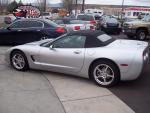
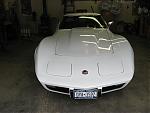
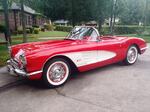
Spent my first weekend with my car. It's an 03 with 10700 miles and a couple of small rock dings about the size of a pin head on the front. It came from Denver to Central Arkansas by truck and was quite dirty when it got here. I cleaned it up Saturday and finally got to take it out Sunday afternoon for some cruising. I've had it for a little over a week but other responsibilities have kept me from more than driving it 2 miles at time. It's a weekend and trip car. It's replacing a 350Z Roadster of which I have had a ball driving the past 4 years. The first thing I noticed about the Vette was the shifter seemed a tad "outdated" compared to the Z. But after an afternoon of driving the Vette I hardly noticed the shifting and really the shifter works really well, just a little long on the throws. All in all, I love the car and so does the wife. When I told her yellow, she kinda turned up her nose, til I showed her one in person. Gonna try to post some pictures here and hope it works.
Last edited by Suthunman; Oct 30, 2011 at 09:40 PM.

Team Owner


Joined: Mar 2004
Posts: 58,489
Likes: 1,810
From: Oklahoma City OK
C6 of Year Finalist (appearance mods) 2019
Pro


Joined: Apr 2010
Posts: 530
Likes: 2
From: Havasu, AZ

Administrator


Joined: Mar 2001
Posts: 367,696
Likes: 24,670
From: In a parallel universe. Currently own 2014 Stingray Coupe.
C7 of the Year - Modified Finalist 2021
MO Events Coordinator
St. Jude Co-Organizer
St. Jude Donor '03 thru '25
NCM Sinkhole Donor
CI 5, 8 & 11 Veteran
Thread Starter
Safety Car
Joined: Oct 2011
Posts: 4,831
Likes: 21
From: The Voice of Reason!
St. Jude Donor '14
I give up......try this...copy and paste I guess
,
http://s1183.photobucket.com/albums/...3DPICT0059.jpg
,
http://s1183.photobucket.com/albums/...3DPICT0059.jpg
Corvette Stories
The Best of Corvette for Corvette Enthusiasts

Corvette ZR1X Will Be Pacing the Indy 500, And Could Probably Race, Too!
Verdad Gallardo
Top 10 Corvettes Coming to Mecum Indy 2026!
Brett Foote
Top 10 C9 Corvette MUST-HAVES to Fix These C8 Generation Flaws!
Michael S. Palmer
10 Revolutionary 'Corvette Firsts' Most People Don't Know
Joe Kucinski
5 Reasons to Upgrade to an LS6-Powered Corvette; 5 Reasons to Stay LT2
Michael S. Palmer
2027 Corvette vs The World: Every C8 vs Its Closest Competitor
Joe Kucinski
10 Most Common Corvette Problems of the Last 20 Years!
Joe Kucinski
5 MOST and 5 LEAST Popular Corvette Model Years in History!
Joe Kucinski
2027 Corvette Buyer's Guide: Everything You Need to Know!
Joe Kucinski
Thread Starter
Safety Car
Joined: Oct 2011
Posts: 4,831
Likes: 21
From: The Voice of Reason!
St. Jude Donor '14
I've been reading the instructions, it tells me to click on the "manage attachments" box....i don't have a manage attachments box.....my posting rules say I can't post attachments so I guess I don't need to manage them.
Thread Starter
Safety Car
Joined: Oct 2011
Posts: 4,831
Likes: 21
From: The Voice of Reason!
St. Jude Donor '14


 Just click on the image code until it says, copied. Insert picture in your post and your set!
Thread Starter
Safety Car
Joined: Oct 2011
Posts: 4,831
Likes: 21
From: The Voice of Reason!
St. Jude Donor '14
I tried several different things and always failed. I'm thinking my settings are not allowing me to post attachments, at least that what my posting rules say. I'm going to contact one of the moderators and see if it is the settings or me that's the problem.
I just looked at the "quote" and that is the way it shows up when I try to attach a picture, but when I post it it only shows a red X in stead of the imgs and the stuff between them.



Pro

Joined: Oct 2009
Posts: 560
Likes: 3
From: Centennial Colorado
Here is the other...

All you have to do is is get the URL of the image, then in your post put the word IMG inside a pair of brackets, then paste the URL, then put /IMG inside another set of brackets. You don't want these brackets..{ }, but the ones under them.
All you have to do is is get the URL of the image, then in your post put the word IMG inside a pair of brackets, then paste the URL, then put /IMG inside another set of brackets. You don't want these brackets..{ }, but the ones under them.
Thread Starter
Safety Car
Joined: Oct 2011
Posts: 4,831
Likes: 21
From: The Voice of Reason!
St. Jude Donor '14
Thanks everyone for the nice comments and posting the pictures for me.
Jeff, that is exactly what I did, what showed up was a red X. I think the problem is the administrators have not oked me posting attachments. I have messaged them to see if that is the problem.
Jeff, that is exactly what I did, what showed up was a red X. I think the problem is the administrators have not oked me posting attachments. I have messaged them to see if that is the problem.
Pro
Joined: Oct 2009
Posts: 560
Likes: 3
From: Centennial Colorado
Nice Car! Sorry to see it leave my area though.. J/K...enjoy it!
Team Owner
Joined: Jul 2006
Posts: 22,137
Likes: 4,156
From: Kannapolis NC
You don't want to post attachments, you want to copy the IMG version of the picture and paste it into the text box. The same box you are typing in. If you want to paste more than one, hit enter to go to the next line, then copy the next IMG file you want and paste it at flashing cursor. If you paste them one below the other by hitting enter in between, they will show up in a row for viewing down the page.