



car pictures

Thread Starter
Safety Car


Joined: Feb 2004
Posts: 3,802
Likes: 0
From: monroeville pa
St. Jude Donor '04-'05-'06-'07-'08-'09-'10-'11-'12-'13
 car pictures
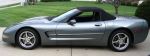
Ok guys people on the forum and friends have told me how to post pictures of my car so i am going to give it a shot it if it does not work it is back to the drawing board.Let me know.........charlene
http:lling.photobucket.com
http:lling.photobucket.com

Le Mans Master

Joined: Jul 2004
Posts: 8,142
Likes: 0
From: Time is a great teacher. Unfortunately, it kills all its pupils.
Cruise-In VIII Veteran
St. Jude Donor '07
You'll need to enclose the image in IMG tags. You'll also need to use a valid URL. http:lling.photobucket.com is not valid because it is missing the // after the colon ( : ). I would assume that the photobucket.com site allows you to upload images to your directory. And after that you would also need to put the image name at the end of the URL. For example, let's say I had just registered under the name of jaxgator at photobucket.com. I have uploaded an image called myc5.jpg. The way to get the image to show is as follows [img] http://www.photobucket.com/jaxgator/myc5.jpg [/img] w/o the spaces after and before the IMG tags. I had to use the spaces to get the entire URL to show for you.
Hope this helps
Hope this helps

Team Owner


Joined: Mar 2001
Posts: 24,592
Likes: 44
From: The Rock Arkansas
Elite Member
Cruise-In III Veteran
After you have uploaded your pics to photobucket, click on one of the pictures to open it. The right-click the picture and choose properties. Copy the location of the picture. It will start with http://.....
Then paste the location into your post. Hope this helps.
Then paste the location into your post. Hope this helps.
Le Mans Master
Joined: Jul 2004
Posts: 8,142
Likes: 0
From: Time is a great teacher. Unfortunately, it kills all its pupils.
Cruise-In VIII Veteran
St. Jude Donor '07
Actually, I just signed up to photobucket and see that after you've uploaded an image it gives you the URL or IMG verbiage down at the bottom of the page. Just highlight it, copy it, and then paste it in here.
If you use the URL verbiage you get the following...
http://img.photobucket.com/albums/v4.../blue_vert.jpg
And if you use the IMG verbiage you get the following...

If you use the URL verbiage you get the following...
http://img.photobucket.com/albums/v4.../blue_vert.jpg
And if you use the IMG verbiage you get the following...

Race Director


Joined: Jan 2002
Posts: 19,557
Likes: 1,470
From: I love you & miss you Linda
2017 C7 of the Year Finalist
St. Jude Contributor
Originally Posted by charlene
Ok guys people on the forum and friends have told me how to post pictures of my car so i am going to give it a shot it if it does not work it is back to the drawing board.Let me know.........charlene
http:lling.photobucket.com
http:lling.photobucket.com
1) Right click your mouse while anywhere over your picture.
2) A drop down style menu will open up, slide over in that menu and left click the bottom choice "Properties"
3) That will open up the Properties window.
4) In the center of that window is the "Address: URL line.
5) Copy that entire address line: Starts with http:// and will end with .jpg
Then here at the forum, paste that entire line into your post inbetween the 2 IMG markers. It should look like this:
[img]the address you copied from the properties box[/img]
IF you do all that, your picture will show up here.
Racer

Joined: Jul 2004
Posts: 308
Likes: 0
From: Greenville SC
Thanks to all
Thanks to all who gave instructions for PHOTOBUCKET.. I'm not the original poster, but am new to forum and wanted to know how to post pictures - but was too afraid to ask  ..
..
Maybe now, I can post pictures of my new MSG'04 vert...
Thanks
JCR_Indy
..Maybe now, I can post pictures of my new MSG'04 vert...
Thanks
JCR_Indy
Corvette Stories
The Best of Corvette for Corvette Enthusiasts

Top 10 Most Expensive Corvettes Ever Sold on Bring A Trailer
Brett Foote
10 Things Every Corvette Owner Needs (2026 Edition)
Michael S. Palmer
8 Most "Only Corvette Owners Understand" Quirks and Problems
Pouria Savadkouei
10 Reasons the C6 Z06 is Still A Performance Benchmark After 20 Years
Joe Kucinski
How Much Horsepower Every Corvette Engine "LOST" in 1972
Joe Kucinski
Top 10 DOs and DON'Ts for Protecting Your Convertible Top!
Michael S. Palmer
Top 10 Most Explosive Corvettes Ever Made: Power-to-Weight Ratio Ranked!
Joe Kucinski
150 hp to 1,250 hp: Every Corvette Generation Compared by the Specs That Matter
Joe Kucinski
8 Coolest Corvette Pace Cars (and Replicas) of All Time
Verdad Gallardo
Team Owner
Joined: Jul 2003
Posts: 34,299
Likes: 1
From: [Enter Unoffensive Comment Here]
Cruise-In VI Veteran
Cruise-In VII Veteran
St. Jude Donor '06
Originally Posted by Glennm27
If you can see your picture at Photobucket here's what to do.
1) Right click your mouse while anywhere over your picture.
2) A drop down style menu will open up, slide over in that menu and left click the bottom choice "Properties"
3) That will open up the Properties window.
4) In the center of that window is the "Address: URL line.
5) Copy that entire address line: Starts with http:// and will end with .jpg
Then here at the forum, paste that entire line into your post inbetween the 2 IMG markers. It should look like this:
[img]the address you copied from the properties box[/img]
IF you do all that, your picture will show up here.
1) Right click your mouse while anywhere over your picture.
2) A drop down style menu will open up, slide over in that menu and left click the bottom choice "Properties"
3) That will open up the Properties window.
4) In the center of that window is the "Address: URL line.
5) Copy that entire address line: Starts with http:// and will end with .jpg
Then here at the forum, paste that entire line into your post inbetween the 2 IMG markers. It should look like this:
[img]the address you copied from the properties box[/img]
IF you do all that, your picture will show up here.

Team Owner
Joined: Jul 2003
Posts: 34,299
Likes: 1
From: [Enter Unoffensive Comment Here]
Cruise-In VI Veteran
Cruise-In VII Veteran
St. Jude Donor '06
Originally Posted by JCR_Indy
Thanks to all who gave instructions for PHOTOBUCKET.. I'm not the original poster, but am new to forum and wanted to know how to post pictures - but was too afraid to ask ..
Maybe now, I can post pictures of my new MSG'04 vert...
Thanks
JCR_Indy
..Maybe now, I can post pictures of my new MSG'04 vert...
Thanks
JCR_Indy