


posting pics



Race Director


Joined: Nov 1999
Posts: 12,952
Likes: 0
From: Greer SC
Cruise-In II Veteran

Drifting


Joined: Sep 2004
Posts: 1,727
Likes: 19
From: Carson City, NV
 A Question for Sully
For those of us that don't have a website to put pictures, does this mean that we cannot post pics on the forum? Or is there another option? Is there a free website that will host pictures for us? Thanks.
John
John
Race Director

Joined: Feb 2004
Posts: 11,651
Likes: 9
From: HOW FAST WAS I GOING OFFICER? Los Angeles Hating GM Dealership Service Dept.'s Since Sept. 2004
St. Jude Donor '04-'05-'06-'07
Originally Posted by Cscokd
For those of us that don't have a website to put pictures, does this mean that we cannot post pics on the forum? Or is there another option? Is there a free website that will host pictures for us? Thanks.
John
John
www.Photobucket.com used to be free (got my account back when ...), but I think they started charging now. I use www.imageevent.com as well, but pay for that one.
Hope this helps.

Team Owner


Joined: Aug 2002
Posts: 35,617
Likes: 167
Tech Contributor
Cruise-In 11 Veteran
NCM Ambassador
St. Jude Donor '05-'06-'07-'10
Go to your Photo page.
Select (single left click) the image that you want to post so that it is enlarged and opened on the page that you are on.
Single right click on the photo and select properties from the bottom of the menu
Find the Address (URL) line in the middle of the dialogue box that comes up
It will look something like this:
http://forums.corvetteforum.com/phot...05corr-med.jpg
With your mouse, single left click and drag across the address line from bottom right to top left starting at the g in jpg and finish with the h in http. Now press Ctrl C this will copy the address information
Create a reply and copy the information using Ctrl V to the reply box.
Now put IMG] in front of the http and place [/IMG] after the g in jpg
Note that you will need to add [ in front of the first [IMG] so it looks like this. (If I had done it in this message it would have tried to insert a picture.)
In your reply the results should look like this:
IMG]http://forums.corvetteforum.com/photopost/data/1033/33084PB278705corr-med.jpg[/IMG] – again with the leading [.
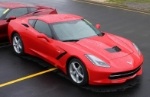
And the photo will look like this in the post

And that’s it!
Select (single left click) the image that you want to post so that it is enlarged and opened on the page that you are on.
Single right click on the photo and select properties from the bottom of the menu
Find the Address (URL) line in the middle of the dialogue box that comes up
It will look something like this:
http://forums.corvetteforum.com/phot...05corr-med.jpg
With your mouse, single left click and drag across the address line from bottom right to top left starting at the g in jpg and finish with the h in http. Now press Ctrl C this will copy the address information
Create a reply and copy the information using Ctrl V to the reply box.
Now put IMG] in front of the http and place [/IMG] after the g in jpg
Note that you will need to add [ in front of the first [IMG] so it looks like this. (If I had done it in this message it would have tried to insert a picture.)
In your reply the results should look like this:
IMG]http://forums.corvetteforum.com/photopost/data/1033/33084PB278705corr-med.jpg[/IMG] – again with the leading [.
And the photo will look like this in the post
And that’s it!









