





CD Changer Issue

Thread Starter
Racer


Joined: Nov 2019
Posts: 361
Likes: 254
From: Carrollton, VA
 CD Changer Issue
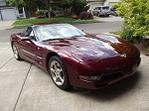
The CD Disc Changer in the trunk will not change from one disc to another on my C5. According to the owners manual you need to press the PROG button on the radio to switch to another disc. I don't have a button with PROG on it. I've tried every button in every combination I can think of with no results. The changer plays the disc just fine but can't figure out how to change to another disc.
Thoughts?
Thoughts?

Melting Slicks


Joined: Jan 2009
Posts: 3,275
Likes: 739
From: Miami FL
The CD Disc Changer in the trunk will not change from one disc to another on my C5. According to the owners manual you need to press the PROG button on the radio to switch to another disc. I don't have a button with PROG on it. I've tried every button in every combination I can think of with no results. The changer plays the disc just fine but can't figure out how to change to another disc.
Thoughts?
Thoughts?
From the manual:
Operating the Trunk-Mounted CD Changer with the Radio with Cassette
If an error appears on the display, see "CD Messages" later in this section.
1 PREV (Previous)
Press this pushbutton to go to the start of the current track if more than eight seconds have played. If this pushbutton is held or pressed more than once, the player will continue moving backward through the CD.
2 PROG (Program)
Press this pushbutton to select the next CD in the magazine. If a CD cannot be played, its number will be skipped when selecting CDs while using this pushbutton.
3 NEXT
Press this pushbutton to go to the next track. If this pushbutton is held or pressed more than once, the player will continue moving forward through the CD.
REV 4 (Reverse)
Press and hold this pushbutton to quickly reverse within a track. Release the pushbutton to play the passage. The elapsed time of the track will appear on the display.
5 (Dolby)
This pushbutton has no function when playing a CD.
FWD 6 (Forward)
Press and hold this pushbutton to quickly advance within a track. Release the pushbutton to play the passage. The elapsed time of the track will appear on the display.
RECALL
Press this button to see what track is currently playing. Press it again within five seconds to see how long the track has been playing.
SEEK
The left arrow works the same as the PREV pushbutton and the right arrow works the same as the NEXT pushbutton.
P.SCAN (Preset Scan)
Press this button to listen to the tracks on all of the CDs in random, rather than sequential, order. RDM will appear on the display. Press this button again to turn off random play.
AM/FM
Press this button to listen to the radio when a cassette tape or a CD is playing. The inactive tape or CD will remain safely inside the radio for future listening.
TAPE AUX (Auxiliary)
Press this button to play a CD when listening to the radio. Press this button to switch between playing a tape in the cassette tape player and playing a CD in the trunk-mounted CD changer, if both are loaded.
If an error appears on the display, see "CD Messages" later in this section.
1 PREV (Previous)
Press this pushbutton to go to the start of the current track if more than eight seconds have played. If this pushbutton is held or pressed more than once, the player will continue moving backward through the CD.
2 PROG (Program)
Press this pushbutton to select the next CD in the magazine. If a CD cannot be played, its number will be skipped when selecting CDs while using this pushbutton.
3 NEXT
Press this pushbutton to go to the next track. If this pushbutton is held or pressed more than once, the player will continue moving forward through the CD.
REV 4 (Reverse)
Press and hold this pushbutton to quickly reverse within a track. Release the pushbutton to play the passage. The elapsed time of the track will appear on the display.
5 (Dolby)
This pushbutton has no function when playing a CD.
FWD 6 (Forward)
Press and hold this pushbutton to quickly advance within a track. Release the pushbutton to play the passage. The elapsed time of the track will appear on the display.
RECALL
Press this button to see what track is currently playing. Press it again within five seconds to see how long the track has been playing.
SEEK
The left arrow works the same as the PREV pushbutton and the right arrow works the same as the NEXT pushbutton.
P.SCAN (Preset Scan)
Press this button to listen to the tracks on all of the CDs in random, rather than sequential, order. RDM will appear on the display. Press this button again to turn off random play.
AM/FM
Press this button to listen to the radio when a cassette tape or a CD is playing. The inactive tape or CD will remain safely inside the radio for future listening.
TAPE AUX (Auxiliary)
Press this button to play a CD when listening to the radio. Press this button to switch between playing a tape in the cassette tape player and playing a CD in the trunk-mounted CD changer, if both are loaded.
Operating the Trunk-Mounted CD Changer with the Radio with CD
If an error appears on the display, see "CD Messages" later in this section.
1 PREV (Previous)
Press this pushbutton to go to the start of the current track if more than eight seconds have played. If this pushbutton is held or pressed more than once, the player will continue moving backward through the CD.
2 RDM (Random)
Press this pushbutton to play the CDs in random, rather than sequential, order. RDM will appear on the display. Press this pushbutton again to turn off random play.
3 NEXT
Press this pushbutton to go to the next track. If this pushbutton is held or pressed more than once, the player will continue moving forward through the CD.
REV 4 (Reverse)
Press and hold this pushbutton to quickly reverse within a track. Release this pushbutton to play the passage. The elapsed time of the track will appear on the display.
5
Press this pushbutton to select the next CD in the magazine. If a CD cannot be played, its number will be skipped when selecting CDs while using this pushbutton.
FWD 6 (Forward)
Press and hold this pushbutton to quickly advance within a track. Release this pushbutton to play the passage. The elapsed time of the track will appear on the display.
RECALL
Press this button to see what track is currently playing. Press it again within five seconds to see how long the track has been playing.
SEEK
The left arrow works the same as the PREV pushbutton and the right arrow works the same as the NEXT pushbutton.
AM/FM
Press this button to listen to the radio when a CD is playing. The inactive CD will remain safely inside the radio for future listening.
CD AUX (Auxiliary)
Press this button to play a CD when listening to the radio. Press this button to switch between playing a CD in the CD player and playing a CD in the CD changer, if both are loaded.
If an error appears on the display, see "CD Messages" later in this section.
1 PREV (Previous)
Press this pushbutton to go to the start of the current track if more than eight seconds have played. If this pushbutton is held or pressed more than once, the player will continue moving backward through the CD.
2 RDM (Random)
Press this pushbutton to play the CDs in random, rather than sequential, order. RDM will appear on the display. Press this pushbutton again to turn off random play.
3 NEXT
Press this pushbutton to go to the next track. If this pushbutton is held or pressed more than once, the player will continue moving forward through the CD.
REV 4 (Reverse)
Press and hold this pushbutton to quickly reverse within a track. Release this pushbutton to play the passage. The elapsed time of the track will appear on the display.
5
Press this pushbutton to select the next CD in the magazine. If a CD cannot be played, its number will be skipped when selecting CDs while using this pushbutton.
FWD 6 (Forward)
Press and hold this pushbutton to quickly advance within a track. Release this pushbutton to play the passage. The elapsed time of the track will appear on the display.
RECALL
Press this button to see what track is currently playing. Press it again within five seconds to see how long the track has been playing.
SEEK
The left arrow works the same as the PREV pushbutton and the right arrow works the same as the NEXT pushbutton.
AM/FM
Press this button to listen to the radio when a CD is playing. The inactive CD will remain safely inside the radio for future listening.
CD AUX (Auxiliary)
Press this button to play a CD when listening to the radio. Press this button to switch between playing a CD in the CD player and playing a CD in the CD changer, if both are loaded.
Corvette Stories
The Best of Corvette for Corvette Enthusiasts

Top 10 Most Explosive Corvettes Ever Made: Power-to-Weight Ratio Ranked!
Joe Kucinski
150 hp to 1,250 hp: Every Corvette Generation Compared by the Specs That Matter
Joe Kucinski
8 Coolest Corvette Pace Cars (and Replicas) of All Time
Verdad Gallardo
Top 10 Corvette Engines RANKED by Peak Torque (70+ Years of Muscle!)
Joe Kucinski
Corvette ZR1X Will Be Pacing the Indy 500, And Could Probably Race, Too!
Verdad Gallardo
Top 10 Corvettes Coming to Mecum Indy 2026!
Brett Foote
Top 10 C9 Corvette MUST-HAVES to Fix These C8 Generation Flaws!
Michael S. Palmer
10 Revolutionary 'Corvette Firsts' Most People Don't Know
Joe Kucinski