







C6 Navigation unit - Wish List thread

Thread Starter
Team Owner


Joined: Aug 2002
Posts: 35,617
Likes: 167
Tech Contributor
Cruise-In 11 Veteran
NCM Ambassador
St. Jude Donor '05-'06-'07-'10

I had a Pioneer avic in my C5 and it was almost always sopt on in getting me to the locations entered. I have had my C6 for litte over a month and the nav in it gets confused sometimes and has me making u turns when I am still 1/2 to 1 mile away from my destinatioin. I have had to call the places I am going to to ask directions 3 times....
Anybody eles have this problem??
Anybody eles have this problem??
Other issues of course can come from poor map data as well.

Team Owner


Joined: Jun 2001
Posts: 26,714
Likes: 344
From: Houston, TX
It's without a doubt the most unintuitive unit I've used. But the one suggestion above all is that I want factory navigations to have the ability to program routes on a computer and download them to the Nav. Its all but impossible to use for a route that is not just a simple point a to b route.
Instructor

Joined: Oct 2007
Posts: 111
Likes: 0
From: Mission Viejo California
On my Garmin unit it can display the name of the next upcoming street or freeway offramp and distance to it as well as the street and direction that I am going. I find this a helpful feature.
Thread Starter
Team Owner
Joined: Aug 2002
Posts: 35,617
Likes: 167
Tech Contributor
Cruise-In 11 Veteran
NCM Ambassador
St. Jude Donor '05-'06-'07-'10
I miss that in the Corvette too. I have the Garmin and find that when you are looking for a street name it is nice to get the advanced notice. Great idea.

Le Mans Master

Joined: May 2005
Posts: 5,865
Likes: 2
From: Hope, Arkansas - '07 LMB Coupe
Cruise-In VIII Veteran
Talon, to add more specifics to your own suggestion, in order to satisify the legal department, I would like to see them make use of the weight sensor in the passenger seat to trigger full access to all features when moving as long as a passenger is detected.
I would also like the disclamer screen to just be a timed message instead of actually having to hit the agree button. I think 10 seconds or so should be sufficient.
I think some adjustments could also be made to the map data to keep some interstate exits from being listed as turning points in cases where the lanes are not splitting off on different paths and your route does not require leaving the interstate.
I would also like the disclamer screen to just be a timed message instead of actually having to hit the agree button. I think 10 seconds or so should be sufficient.
I think some adjustments could also be made to the map data to keep some interstate exits from being listed as turning points in cases where the lanes are not splitting off on different paths and your route does not require leaving the interstate.
Last edited by gota07; Nov 16, 2007 at 06:21 AM.
Corvette Stories
The Best of Corvette for Corvette Enthusiasts

Top 10 Most Expensive Corvettes Ever Sold on Bring A Trailer
Brett Foote
10 Things Every Corvette Owner Needs (2026 Edition)
Michael S. Palmer
8 Most "Only Corvette Owners Understand" Quirks and Problems
Pouria Savadkouei
10 Reasons the C6 Z06 is Still A Performance Benchmark After 20 Years
Joe Kucinski
How Much Horsepower Every Corvette Engine "LOST" in 1972
Joe Kucinski
Top 10 DOs and DON'Ts for Protecting Your Convertible Top!
Michael S. Palmer
Top 10 Most Explosive Corvettes Ever Made: Power-to-Weight Ratio Ranked!
Joe Kucinski
150 hp to 1,250 hp: Every Corvette Generation Compared by the Specs That Matter
Joe Kucinski
8 Coolest Corvette Pace Cars (and Replicas) of All Time
Verdad Gallardo
Drifting

Joined: Jan 2006
Posts: 1,498
Likes: 166
From: Metro Detroit - miss FL

Just got the Dodge Nav on my new Ram. I haven't been able to really compare the two. I do like the Bluetooth interface....on a lowly ole pickup and not on a Corvette
 .
.Really like my Garmin Zumo - used it in my old dually, now I don't need to.
Also my new truck has remote start....also not available on the Corvette....also
Thread Starter
Team Owner
Joined: Aug 2002
Posts: 35,617
Likes: 167
Tech Contributor
Cruise-In 11 Veteran
NCM Ambassador
St. Jude Donor '05-'06-'07-'10
Talon, to add more specifics to your own suggestion, in order to satisify the legal department, I would like to see them make use of the weight sensor in the passenger seat to trigger full access to all features when moving as long as a passenger is detected.
I would also like the disclamer screen to just be a timed message instead of actually having to hit the agree button. I think 10 seconds or so should be sufficient.
I think some adjustments could also be made to the map data to keep some interstate exits from being listed as turning points in cases where the lanes are not splitting off on different paths and your route does not require leaving the interstate.
I would also like the disclamer screen to just be a timed message instead of actually having to hit the agree button. I think 10 seconds or so should be sufficient.
I think some adjustments could also be made to the map data to keep some interstate exits from being listed as turning points in cases where the lanes are not splitting off on different paths and your route does not require leaving the interstate.
Thanks for the clarification on my points. I agree (no pun intended) on the nanny screen.
 All of the aftermarket units are timed, no need press it, just read it. I like your idea about the weight sensor...nice thought. I really dislike the unit telling me to stay straight when I'm on an interstate on a long trip, gets annoying after a while as it mutes the audio to do it...it always seems to come on during one of my favorite songs.
Thread Starter
Team Owner
Joined: Aug 2002
Posts: 35,617
Likes: 167
Tech Contributor
Cruise-In 11 Veteran
NCM Ambassador
St. Jude Donor '05-'06-'07-'10
It's without a doubt the most unintuitive unit I've used. But the one suggestion above all is that I want factory navigations to have the ability to program routes on a computer and download them to the Nav. Its all but impossible to use for a route that is not just a simple point a to b route.
Let's say that I'm going over the river and through the woods to Grandma's house. Before I start I enter the address (or phone number) for over the river, through the woods and Grandma's house. Once I go over the river and stop, I then call up "through the woods" from my saved locations (or previous destinations) and start on that trip. Once I go through the woods and stop I do the same thing for Grandma's house.

Drifting
Joined: Oct 2004
Posts: 1,612
Likes: 0
From: Streamwood IL
While you can setup a series of A-B-C-D routes, it would be nice to use a computer (or even an on-screen route editor) to say: Take me from A-D but between A-B I want to take THIS scenic road and between B-C I want to take THIS twisty back road and then from C-D I want to travel along this scenic route. Then just press go, and it runs the WHOLE route.
I may want to go over the river and through the woods, but I don't necissarily want to STOP there.
BTW -- My garmin (it's an older one) doesn't do this very well either. There are two main routes out of Chicago into Indiana. One is the Skyway. It is a toll bridge about 5 miles long with THREE toll booths on it. It is always backed up as it has been under construction for the last 10-15 years. It is technicall a shorter route, and WOULD be faster without traffic (even with the tolls.) However, I MUCH prefer to take the alternate route, which the computer thinks is a little slower because it is further out of the way. On my Garmin, I program a waypoint that I can ONLY get to if I take the alternate route that I like. Once I get close I change my destination to wherever I am headed, and the GPS has no choice but to have me continue on this road to my destination. It's an 'A-B-C' way to do things, but it is a hassle since I have to change the destination while moving.
I may want to go over the river and through the woods, but I don't necissarily want to STOP there.
BTW -- My garmin (it's an older one) doesn't do this very well either. There are two main routes out of Chicago into Indiana. One is the Skyway. It is a toll bridge about 5 miles long with THREE toll booths on it. It is always backed up as it has been under construction for the last 10-15 years. It is technicall a shorter route, and WOULD be faster without traffic (even with the tolls.) However, I MUCH prefer to take the alternate route, which the computer thinks is a little slower because it is further out of the way. On my Garmin, I program a waypoint that I can ONLY get to if I take the alternate route that I like. Once I get close I change my destination to wherever I am headed, and the GPS has no choice but to have me continue on this road to my destination. It's an 'A-B-C' way to do things, but it is a hassle since I have to change the destination while moving.
Team Owner
Joined: Jun 2001
Posts: 26,714
Likes: 344
From: Houston, TX
Jim, can you be more specific. I think I know what you are saying but isn't the most complex of trips with stops and waypoints able to be programmed as a series of simple a to b routes? You can only have one destination at a time. I handle this a little different for my trips.
Let's say that I'm going over the river and through the woods to Grandma's house. Before I start I enter the address (or phone number) for over the river, through the woods and Grandma's house. Once I go over the river and stop, I then call up "through the woods" from my saved locations (or previous destinations) and start on that trip. Once I go through the woods and stop I do the same thing for Grandma's house.
Let's say that I'm going over the river and through the woods to Grandma's house. Before I start I enter the address (or phone number) for over the river, through the woods and Grandma's house. Once I go over the river and stop, I then call up "through the woods" from my saved locations (or previous destinations) and start on that trip. Once I go through the woods and stop I do the same thing for Grandma's house.
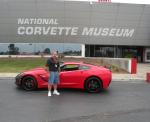
What we do is plan out trips for each day on the computer, then download each day to the Nav as a separate file that can be accessed on the nav unit (I have a Garmin and use MapSource). Sitting in the car and trying to scroll through the route and set up waypoints and turns would be almost impossible. I actually started to try it at the museum when I picked up my car, but gave up.
Thread Starter
Team Owner
Joined: Aug 2002
Posts: 35,617
Likes: 167
Tech Contributor
Cruise-In 11 Veteran
NCM Ambassador
St. Jude Donor '05-'06-'07-'10
While you can setup a series of A-B-C-D routes, it would be nice to use a computer (or even an on-screen route editor) to say: Take me from A-D but between A-B I want to take THIS scenic road and between B-C I want to take THIS twisty back road and then from C-D I want to travel along this scenic route. Then just press go, and it runs the WHOLE route.
I may want to go over the river and through the woods, but I don't necissarily want to STOP there.
BTW -- My garmin (it's an older one) doesn't do this very well either. There are two main routes out of Chicago into Indiana. One is the Skyway. It is a toll bridge about 5 miles long with THREE toll booths on it. It is always backed up as it has been under construction for the last 10-15 years. It is technicall a shorter route, and WOULD be faster without traffic (even with the tolls.) However, I MUCH prefer to take the alternate route, which the computer thinks is a little slower because it is further out of the way. On my Garmin, I program a waypoint that I can ONLY get to if I take the alternate route that I like. Once I get close I change my destination to wherever I am headed, and the GPS has no choice but to have me continue on this road to my destination. It's an 'A-B-C' way to do things, but it is a hassle since I have to change the destination while moving.
I may want to go over the river and through the woods, but I don't necissarily want to STOP there.
BTW -- My garmin (it's an older one) doesn't do this very well either. There are two main routes out of Chicago into Indiana. One is the Skyway. It is a toll bridge about 5 miles long with THREE toll booths on it. It is always backed up as it has been under construction for the last 10-15 years. It is technicall a shorter route, and WOULD be faster without traffic (even with the tolls.) However, I MUCH prefer to take the alternate route, which the computer thinks is a little slower because it is further out of the way. On my Garmin, I program a waypoint that I can ONLY get to if I take the alternate route that I like. Once I get close I change my destination to wherever I am headed, and the GPS has no choice but to have me continue on this road to my destination. It's an 'A-B-C' way to do things, but it is a hassle since I have to change the destination while moving.
I frequently take trips on my motorcycles that are anywhere from three to seven days. Our routes are anywhere from 300 - 600 miles a day, and they have a lot of turns that are not simple point a to b. Trying to set them up as multiple destinations would be a massive undertaking for trips of this nature if not doing it on a computer.
What we do is plan out trips for each day on the computer, then download each day to the Nav as a separate file that can be accessed on the nav unit (I have a Garmin and use MapSource). Sitting in the car and trying to scroll through the route and set up waypoints and turns would be almost impossible. I actually started to try it at the museum when I picked up my car, but gave up.
What we do is plan out trips for each day on the computer, then download each day to the Nav as a separate file that can be accessed on the nav unit (I have a Garmin and use MapSource). Sitting in the car and trying to scroll through the route and set up waypoints and turns would be almost impossible. I actually started to try it at the museum when I picked up my car, but gave up.

Burning Brakes

Joined: Nov 2004
Posts: 1,161
Likes: 1
From: North Carolina
St. Jude Donor '06-'07-'08
A large hard drive would be a welcome improvement. Samsung makes solid state drives that, while still pricey, are virtually G-proof, difficult to break, and have lots of capacity to hold a more important improvement:
User-upgradeable maps. If annual updates still don't show a major street built five years ago and Denso (or whoever) doesn't support errata reports from users, then GM should give us the ability to add / change roads ourselves.
User-upgradeable maps. If annual updates still don't show a major street built five years ago and Denso (or whoever) doesn't support errata reports from users, then GM should give us the ability to add / change roads ourselves.
I really, REALLY like this idea.
anothercrisis
Safety Car


Joined: Mar 2005
Posts: 3,639
Likes: 8
From: Madison Wisconsin
St. Jude Donor '08
- One of the things I like best about it is being able to just enter the phone number for a business (doesn't work for personal residence) instead of having to enter the address. My first GPS unit was a DeLorme used with a laptop - it has a radar function where you can set it up to sweep ahead in an arc and watch for, say Hotels or maybe Mexican restaurants. As if finds them it hightlights a temp route showing how you would go there. I found it useful on long trips when youwere starting to get tired and wanted to start looking for a Hotel. Gave you address and phone number so you could call ahead and check for vacancy.
Drifting
Joined: Oct 2004
Posts: 1,612
Likes: 0
From: Streamwood IL
I wanted to bump this thread. I have a suggestion for improvment:
Twice now I have been in an area I was unfamiliar with, and wanted to find something in the area. In one case, it was a restraunt. I didn't know what the name was, what I wanted was a listing of "Itialian Restraunts" that were close to me. Then I could pick from them. If there is a way to do this, I couldn't find it.
The closest I could approximate to this, was by limiting the choices to Italian restraunts, and then selecting the town I was in (it was a SMALL town) it gave me limited letters to choose from for the name. I pushed a letter, hit list and it listed a pizza place. I went back deleted that letter, selected the next available letter and went to list and got another pizza place. I would have been more than happy to search the surrounding towns, but I don't know the names of any. There is an option to have it display the closest 5 cities, but I would have had to repeat my above search over and over for each of the 5 cities.
VERY frustrating.
Twice now I have been in an area I was unfamiliar with, and wanted to find something in the area. In one case, it was a restraunt. I didn't know what the name was, what I wanted was a listing of "Itialian Restraunts" that were close to me. Then I could pick from them. If there is a way to do this, I couldn't find it.
The closest I could approximate to this, was by limiting the choices to Italian restraunts, and then selecting the town I was in (it was a SMALL town) it gave me limited letters to choose from for the name. I pushed a letter, hit list and it listed a pizza place. I went back deleted that letter, selected the next available letter and went to list and got another pizza place. I would have been more than happy to search the surrounding towns, but I don't know the names of any. There is an option to have it display the closest 5 cities, but I would have had to repeat my above search over and over for each of the 5 cities.
VERY frustrating.

Race Director

Joined: Apr 2008
Posts: 17,373
Likes: 6
From: Chatsworth California
Great idea!
I'd really like to see real-time traffic updates affect the route selection. The aftermarket units do this with a feed from the XM (service fees apply, of course.) Since the 'vette already HAS XM, why not make the real-time traffic an optional monthly fee with the XM and integrate it with the NAV.
I'd really like to see real-time traffic updates affect the route selection. The aftermarket units do this with a feed from the XM (service fees apply, of course.) Since the 'vette already HAS XM, why not make the real-time traffic an optional monthly fee with the XM and integrate it with the NAV.


Moderator


Joined: Dec 2002
Posts: 40,898
Likes: 4,351
From: Lakewood Ranch, FL
All right everyone here is your chance. There are constantly discussions on the forum and in threads about the C6 Navigation unit with some praise, lots of critique but seldom any constructive criticism or opportunity for improvement. Take this opportunity to list your likes, dislikes and wishes for the next generation Nav unit. If you have a critique lets get it out there and if you have a specific comparison to another unit give details about the feature you'd like to see and why. Let's use this thread to let the designers know our wishes. I only ask that we try to keep it constructive and lets keep the bashing and rhetoric out of it. It's easy to complain about things, let's try to help fix them.
One other thing I hope bring out of this thread is the actual functionality that is currently available with the existing unit. Due to the difficult to use interface of our Nav unit, many owners may be unaware of features that are currently installed and available and I hope that we can point these out or correct misconceptions about the unit.
I've also attached a copy of the C6 Nav manual in pdf format to this post for anyone that may want it or need it.
Discuss.
Paul
I'd like to see our OEM units with a easy to access telemetry screen. My Garmin C340 with the touch of a button a screen that you can call up with speed, distance and elevation data. It also lists averages for the recent trip and totals. Very useful on long trips.
I'd like to see the ability to modify more route features while the car is underway. When using the Nav unit I often have a passenger and it would be nice if they could input to the unit while we are moving.
One other thing I hope bring out of this thread is the actual functionality that is currently available with the existing unit. Due to the difficult to use interface of our Nav unit, many owners may be unaware of features that are currently installed and available and I hope that we can point these out or correct misconceptions about the unit.
I've also attached a copy of the C6 Nav manual in pdf format to this post for anyone that may want it or need it.
Discuss.
Paul
I'd like to see our OEM units with a easy to access telemetry screen. My Garmin C340 with the touch of a button a screen that you can call up with speed, distance and elevation data. It also lists averages for the recent trip and totals. Very useful on long trips.
I'd like to see the ability to modify more route features while the car is underway. When using the Nav unit I often have a passenger and it would be nice if they could input to the unit while we are moving.
Also the modify route underway
Would also like to be able to get wx data and traffic data