






Picture
Thread Starter
Instructor


Joined: Mar 2008
Posts: 139
Likes: 0
From: Athens Greece
 Picture
This question must have been beaten to death.
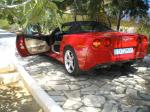
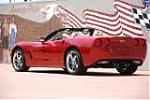
I've managed to get a photo of my C6 into Photobucket.
Now how do I get it to the Corvette Forum like you other fellows?
Thanks
I've managed to get a photo of my C6 into Photobucket.
Now how do I get it to the Corvette Forum like you other fellows?
Thanks

Team Owner


Joined: Dec 2003
Posts: 57,408
Likes: 164
From: queensbury ny
copy the picture address at photobucket.It's the second one down from the picture in the long box there.MAKE IT BLU,RIGHT CLICK COPY.Then come here,go to post a message and hit that box w/the sky,mountains and birds in it.When the address box opens up paste the address you copied in it and click submit or whatever it says there.Remove Text Formatting
Bold
Italic
Underline
Insert Link
Insert Image
Wrap [QUOTE] tags around selected text
Bold
Italic
Underline
Insert Link
Insert Image
Wrap [QUOTE] tags around selected text

Team Owner


Joined: May 2004
Posts: 82,175
Likes: 1,319
From: McKinney TX
St. Jude Donor '21-'22-'23-'24
If the preceding instructions are not enough, here's a link.
http://forums.corvetteforum.com/show....php?t=1336867
http://forums.corvetteforum.com/show....php?t=1336867

Le Mans Master


Joined: Aug 2005
Posts: 6,709
Likes: 1
From: Pacific Northwest
St. Jude Donor '06
The simple way..........
Just click on the 'img' file below the photo and it will say 'copied'.
Then go to your post and hold down the 'Ctrl' key and at the same time hit the 'V' key. This will copy the picture link into your post.
That's all there is to it!
Just click on the 'img' file below the photo and it will say 'copied'.
Then go to your post and hold down the 'Ctrl' key and at the same time hit the 'V' key. This will copy the picture link into your post.
That's all there is to it!

PHOTOSHOP SPECIALIST


Joined: Aug 2007
Posts: 16,433
Likes: 40
St. Jude Donor '07-'08-'09-'10-'11-'12-'13-'14-'15-'16
Here is a link to a tutorial which should help with posting pictures:
http://forums.corvetteforum.com/show...58&postcount=1
http://forums.corvetteforum.com/show...58&postcount=1
Corvette Stories
The Best of Corvette for Corvette Enthusiasts

10 Reasons the C6 Z06 is Still A Performance Benchmark After 20 Years
Joe Kucinski
How Much Horsepower Every Corvette Engine "LOST" in 1972
Joe Kucinski
Top 10 DOs and DON'Ts for Protecting Your Convertible Top!
Michael S. Palmer
Top 10 Most Explosive Corvettes Ever Made: Power-to-Weight Ratio Ranked!
Joe Kucinski
150 hp to 1,250 hp: Every Corvette Generation Compared by the Specs That Matter
Joe Kucinski
8 Coolest Corvette Pace Cars (and Replicas) of All Time
Verdad Gallardo
Top 10 Corvette Engines RANKED by Peak Torque (70+ Years of Muscle!)
Joe Kucinski
Corvette ZR1X Will Be Pacing the Indy 500, And Could Probably Race, Too!
Verdad Gallardo
Top 10 Corvettes Coming to Mecum Indy 2026!
Brett Foote
Melting Slicks

Joined: Oct 2006
Posts: 2,672
Likes: 0
From: Made in USA Show Me State




Thread Starter
Instructor
Joined: Mar 2008
Posts: 139
Likes: 0
From: Athens Greece
Hope you saw the picture, now I have a couple more questions.
How do I get that picture attached to a new thread or a post like everyone else?
At the bottom rt hand corner of the posts I receive, there are 3 symbols.I think the first symbol, reply with quote, is what I'm doing with you now. The second sysbol is multi quote, what is that? The third, quick reply, what's the difference between this and the other two.
Many thanks

Le Mans Master
Joined: May 2005
Posts: 5,865
Likes: 2
From: Hope, Arkansas - '07 LMB Coupe
Cruise-In VIII Veteran
Click the quote button on this post to see how the link to this picture is entered. Then you can click your browser's Back button if you don't want to submitt a reply.
You can use the same procedure to check out a post that has other special items entered like this bold text.

You can use the same procedure to check out a post that has other special items entered like this bold text.


Thread Starter
Instructor
Joined: Mar 2008
Posts: 139
Likes: 0
From: Athens Greece
Click the quote button on this post to see how the link to this picture is entered. Then you can click your browser's Back button if you don't want to submitt a reply.
You can use the same procedure to check out a post that has other special items entered like this bold text.
You can use the same procedure to check out a post that has other special items entered like this bold text.