




 me too...





Can someone please post the thread link that explains how to get the moving corvette car onto the c6 navigation map system. I saw a thread a few months ago but cannot locate it now.
Thanks.;
Thanks.;


Same here! :o
You mean a symbol that actually looks like a Corvette? AFAIK you can't reprogram the nav system.
If you're referring to using the system, refer to the sticky at the of the forum.
If you're referring to using the system, refer to the sticky at the of the forum.
Corvette Stories
The Best of Corvette for Corvette Enthusiasts
Explore

Corvette ZR1X Will Be Pacing the Indy 500, And Could Probably Race, Too!
Verdad Gallardo
Top 10 Corvettes Coming to Mecum Indy 2026!
Brett Foote
Top 10 C9 Corvette MUST-HAVES to Fix These C8 Generation Flaws!
Michael S. Palmer
10 Revolutionary 'Corvette Firsts' Most People Don't Know
Joe Kucinski
5 Reasons to Upgrade to an LS6-Powered Corvette; 5 Reasons to Stay LT2
Michael S. Palmer
2027 Corvette vs The World: Every C8 vs Its Closest Competitor
Joe Kucinski
10 Most Common Corvette Problems of the Last 20 Years!
Joe Kucinski
5 MOST and 5 LEAST Popular Corvette Model Years in History!
Joe Kucinski
2027 Corvette Buyer's Guide: Everything You Need to Know!
Joe Kucinski
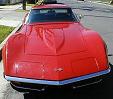

I think that is only on the "After Market" GPS They have a truck, normal car, and a sports car.. kinda looks like a Corvette... 




The Garmin Nuvi GPS allows you to change the icon. I'd love to find one that looks more like a C6. I picked a black sports car icon as the closest thing I could find.

vdavenp802
Drifting

close
Oct 7, 2022
- Member SinceJul 2007
- Posts:1,587
-
Likes:753
-
Liked:90 Times in 55 Posts
I read the sticky by talon90, and didn't find anything like what I think the OP is asking. But that post is mostly basic operation, not a complete set of all functions/capabilities. As suggested for further information see the manual.
Prolly good idea anyway.
Prolly good idea anyway.

i chose the red station wagon... LOL

Quote:
Prolly good idea anyway.
Originally Posted by vdavenp802
I read the sticky by talon90, and didn't find anything like what I think the OP is asking. But that post is mostly basic operation, not a complete set of all functions/capabilities. As suggested for further information see the manual.Prolly good idea anyway.
Talon90’s nav sticky simplifies the learning of the “mostly basic operation”, as well as, a whole lot more. LOL using the manual to get additional significant information related to nav side of the unit. Other than burning MP3 CDs (fully explained elsewhere), I haven’t seen any posts concerning problems using the radio/CD portion of the unit so further explanation about that is unnecessary. KUDOS TO TALON90.