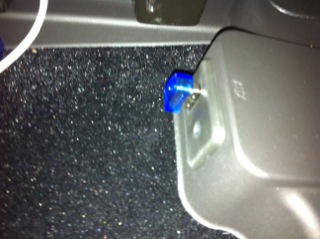
Problems with 2011 USB???

Thread Starter
Pro


Joined: May 2001
Posts: 535
Likes: 0
 Problems with 2011 USB???
Is anybody having a problem with the 2011 USB and an iPhone/iPod? My Nav radio locks up, sometimes 2-3 times in a short (3-4 mile) drive while other times it will work flawlessly for days. I've got my old iPhone 3G plugged in, it's in airplane mode, with wireless and bluetooth turned off. When the radio locks up, I have to eject the usb device, plug it back in and it is playing just like nothing happened.  Crazy!
Crazy!
Melting Slicks


Joined: May 2010
Posts: 2,142
Likes: 78
From: Rancho Santa Margarita California
I just got my 2011 GS with nav on Thursday....I have experienced the same thing with my iPhone 3g. Twice it's locked while playing a song from the device....just stopped and had to unplug...and the second time it seemed as though I had to change songs on the iPhone before plugging it back in to get it to work correctly (maybe unsupported song format?....although it did play some of the song before locking).
I also had the Bluetooth phone integration go a bit haywire on me as well. It would connect and make the phone call...but I couldn't hear the other side (even after selecting other output options on the phone a few times as well). I finally deleted the device from the car and the car from the phone and re-"pair"ed them last night....we'll see if that helps.
I do have an iPhone 4 that I can try out as well. I'll share if the experience is similar.
I also had the Bluetooth phone integration go a bit haywire on me as well. It would connect and make the phone call...but I couldn't hear the other side (even after selecting other output options on the phone a few times as well). I finally deleted the device from the car and the car from the phone and re-"pair"ed them last night....we'll see if that helps.
I do have an iPhone 4 that I can try out as well. I'll share if the experience is similar.
Last edited by DigitalWidgets; Sep 26, 2010 at 12:51 PM. Reason: typo
Thread Starter
Pro
Joined: May 2001
Posts: 535
Likes: 0
I've got an old iPod Nano I think I'll try when my grandsons aren't looking. I gave it to them to play in a dock in their toy room, so I'll have to steal it while they aren't around. 
Haven't had any problems with Bluetooth. I'm using it with an iPhone 4, and it works great. Using Bluetooth with the voice commands on the phone is great. That's why I got the iPhone 4 and relegated the iPhone 3G to usb duty.
I'll try the Nano and get back to you.
Thanks for the input.
Steve
Haven't had any problems with Bluetooth. I'm using it with an iPhone 4, and it works great. Using Bluetooth with the voice commands on the phone is great.
That's why I got the iPhone 4 and relegated the iPhone 3G to usb duty.I'll try the Nano and get back to you.
Thanks for the input.
Steve
Melting Slicks
Joined: May 2010
Posts: 2,142
Likes: 78
From: Rancho Santa Margarita California
OK Steveo,
I've been using my iPhone 4 for a whole day now, and so far no problem. Although, now I'm wondering if there are any issues with just unplugging the phone that's creating a problem with the car's system...I'm pretty sure I've never touched the eject button when I've removed the phone.
Either way, I'll report back (assuming I remember!) after a week or so and share whatever I find.
I'm wondering how the car's system would do if I just plugged in a 200Gb USB drive full of music....I'm assuming it would choke on more than a couple hundred songs (i.e. doing the artist/album sorts, etc.). I haven't tried a memory stick yet either....the local micro center has little 16 and 32Gb sticks that would hold more music than I could ever listen to in the car.
I did read the limitations on MP3 CD's, I wonder if those same limitations apply to USB memory sticks with music on them.
I've been using my iPhone 4 for a whole day now, and so far no problem. Although, now I'm wondering if there are any issues with just unplugging the phone that's creating a problem with the car's system...I'm pretty sure I've never touched the eject button when I've removed the phone.
Either way, I'll report back (assuming I remember!) after a week or so and share whatever I find.
I'm wondering how the car's system would do if I just plugged in a 200Gb USB drive full of music....I'm assuming it would choke on more than a couple hundred songs (i.e. doing the artist/album sorts, etc.). I haven't tried a memory stick yet either....the local micro center has little 16 and 32Gb sticks that would hold more music than I could ever listen to in the car.
I did read the limitations on MP3 CD's, I wonder if those same limitations apply to USB memory sticks with music on them.
Burning Brakes

Joined: Jan 2005
Posts: 915
Likes: 3
From: Ft. Worth Texas
Its probably a soft ware problem.
Gm is having the same problems with their 2010 silvarado trucks and the GMC trucks at least thats what i am told on the chevy truck forums. I have never used the one on my 2010 chevy truck and dont have one on the vette which is an 09 so i can not say for sure.
Gm is having the same problems with their 2010 silvarado trucks and the GMC trucks at least thats what i am told on the chevy truck forums. I have never used the one on my 2010 chevy truck and dont have one on the vette which is an 09 so i can not say for sure.
Thread Starter
Pro
Joined: May 2001
Posts: 535
Likes: 0
Well, the iPod Nano I have has a bad battery, so every time I shut the car off, it reboots when I start it back because the battery is dead. I've ordered a new battery, so I'll see how it works when I get it. I'm wondering if it's not an iPhone 3G problem? Think I'll plug in the iPhone 4 tomorrow and see what happens...
Steve
Steve
Corvette Stories
The Best of Corvette for Corvette Enthusiasts

Top 10 Most Expensive Corvettes Ever Sold on Bring A Trailer
Brett Foote
10 Things Every Corvette Owner Needs (2026 Edition)
Michael S. Palmer
8 Most "Only Corvette Owners Understand" Quirks and Problems
Pouria Savadkouei
10 Reasons the C6 Z06 is Still A Performance Benchmark After 20 Years
Joe Kucinski
How Much Horsepower Every Corvette Engine "LOST" in 1972
Joe Kucinski
Top 10 DOs and DON'Ts for Protecting Your Convertible Top!
Michael S. Palmer
Top 10 Most Explosive Corvettes Ever Made: Power-to-Weight Ratio Ranked!
Joe Kucinski
150 hp to 1,250 hp: Every Corvette Generation Compared by the Specs That Matter
Joe Kucinski
8 Coolest Corvette Pace Cars (and Replicas) of All Time
Verdad Gallardo
Melting Slicks
Joined: May 2010
Posts: 2,142
Likes: 78
From: Rancho Santa Margarita California
Day 2 of using the iPhone4 and it seems to be working better (than my 3gs iPhone). I don't know if any of that is related to the fact that I haven't been unplugging the phone till after I turn off the motor. Although, the car does seem to stay in accessory mode until I open the door....I'd actually like it to not switch over to crappy XM (or whatever other radio it can find) when I unplug the iPhone...when I'm done with the music...I'm done....I can select something else if I want to hear more.
Melting Slicks
Joined: May 2010
Posts: 2,142
Likes: 78
From: Rancho Santa Margarita California
Hey Steveo,
OK....a week since initial test, and the iPhone4 has worked great with the car. I did discover that the song list functions of the nav/radio work with the iPhone4, they did not work with the 3GS. Not really the best interface (slow to use), but usable.
I also tried a 1Tb USB drive formated with NTSC (windows NT file system) and it didn't like that. I'm hoping to try a big FAT32 formatted USB hard drive or memory stick....I would like to just dump my entire song collection on something and always have everything in the car ready to go with or without the phone being there. For now, the phone has about 30 hrs. of music on it, so it may be a while before I start repeating anyway!
OK....a week since initial test, and the iPhone4 has worked great with the car. I did discover that the song list functions of the nav/radio work with the iPhone4, they did not work with the 3GS. Not really the best interface (slow to use), but usable.
I also tried a 1Tb USB drive formated with NTSC (windows NT file system) and it didn't like that. I'm hoping to try a big FAT32 formatted USB hard drive or memory stick....I would like to just dump my entire song collection on something and always have everything in the car ready to go with or without the phone being there. For now, the phone has about 30 hrs. of music on it, so it may be a while before I start repeating anyway!
Thread Starter
Pro
Joined: May 2001
Posts: 535
Likes: 0
Well, I replaced the battery in my 2nd Generation iPod Nano, and I still have some problems, although not as bad as with the iPhone 3G. It will work just fine for maybe 5-7 start stop cycles, and then the radio doesn't recognize the iPod. I have to unplug the iPod, reset it, and then plug it back in, and then we're good for another 5-7 cycles. This is an older iPod Nano, firmware is v.1.3 or so, I can't remember exactly. I may go buy a current generation Nano, which is about half the size, and see if that works.
Steve
PS: If you are over 40, pay somebody to change the damn battery in your iPod. I'm 52 and I could hardly see those tiny wires to solder them. I'm pretty good with a soldering iron, but man, those wires are tiny...
Steve
PS: If you are over 40, pay somebody to change the damn battery in your iPod. I'm 52 and I could hardly see those tiny wires to solder them. I'm pretty good with a soldering iron, but man, those wires are tiny...
Melting Slicks
Joined: May 2010
Posts: 2,142
Likes: 78
From: Rancho Santa Margarita California
FWIW, I just bought an 8 Gig thumbdrive (like $20) and loaded it up with MP3's. It works great...the Nav system takes all the folders off the root and the subfolders under them, and they appear as folders from the top level in the Song Select screen. Entire thing is less than 1 inch long, no batteries, and my favorite feature is that you don't have to mess with iTunes.
I have had it dump out twice now during playback with the "USB device not supported" error (even though it had been playing songs for over 30 mins each time). Simply pulling it out and pushing it right back in fixed it, but it was a bit annoying.
And reporting back on the iPhone 4 bluetooth...I have had a few issues with that again since my last post. I'd make a call....get a call can not be completed at this time error message, and then the call would actually complete a few moments after the error (and no indication that the call was now successful....so watch what you say!). Also, answering with the bluetooth has sometimes been spotty....you'd answer, and nothing...nothing....nothing...and then you hear the caller...then they indicate they've been able to hear me the entire time.
Kinda sad that GM can't seem to get a simple ubiquitous piece of technology working in a 60K car.
I have had it dump out twice now during playback with the "USB device not supported" error (even though it had been playing songs for over 30 mins each time). Simply pulling it out and pushing it right back in fixed it, but it was a bit annoying.
And reporting back on the iPhone 4 bluetooth...I have had a few issues with that again since my last post. I'd make a call....get a call can not be completed at this time error message, and then the call would actually complete a few moments after the error (and no indication that the call was now successful....so watch what you say!). Also, answering with the bluetooth has sometimes been spotty....you'd answer, and nothing...nothing....nothing...and then you hear the caller...then they indicate they've been able to hear me the entire time.
Kinda sad that GM can't seem to get a simple ubiquitous piece of technology working in a 60K car.

Intermediate

Joined: Jan 2008
Posts: 28
Likes: 0
From: Woodland Hills California
I have been having the same locking up problem when using my iPhone 3G. When pluging in the device I get a message about the device not being supported, though it does play for a few minutes before the problems begin.
In the 2001 corvette navigation system booklet page 29 - "Playing from an iPod. This feature supports the following iPod models: iPod (5th generation), iPod Nano (1-4 generations), iPod Classic, iPod Touch"
So I am looking into another solution.
I am willing to buy an iPod, external USB drive, or upgrade to iPhone 4G... whatever will work, just want to check here before I buy.
What is the consensus on the best device to use with the least or no problems?
Thanks
In the 2001 corvette navigation system booklet page 29 - "Playing from an iPod. This feature supports the following iPod models: iPod (5th generation), iPod Nano (1-4 generations), iPod Classic, iPod Touch"
So I am looking into another solution.
I am willing to buy an iPod, external USB drive, or upgrade to iPhone 4G... whatever will work, just want to check here before I buy.
What is the consensus on the best device to use with the least or no problems?
Thanks
Last edited by BDSCorvette; Nov 20, 2010 at 04:38 PM.
Melting Slicks
Joined: May 2010
Posts: 2,142
Likes: 78
From: Rancho Santa Margarita California
UPDATE: I figured out that my locking up problem was caused by a certain MP3 file. I've since removed that file from my USB thumbdrive...and have not had a lockup since. When I noticed it, I saw the song name in the display for about 3 secs before it just locked up....so I knew what song caused it....tried again....same thing...removed the song...no problems with the USB thumbdrive since. Damaged file? Unsupported bit rate? Who knows...the problem has gone away though.
UPDATE #2: Not connecting the iPhone through the USB has cleaned up the issues related to it with bluetooth. Just having the phone in the car connected via bluetooth only has worked out great. I do have the phone connected to a charger in the cigarette lighter outlet though.
And comment to BDSCorvette: With the iPod and iPhones, I can see the song titles in the track select screen. With just the USB stick, it's the filenames....not a problem for me, but depending upon how you have your files named, and how you play, you might not like that. The actual "now playing" screen displays the song/artist correctly with all the units I've tried (iPods, iPhones...3 and 4, and USB sticks). All seem to struggle with lists of songs (folders or playlists) that are more than like 80 songs (you can put hundreds on the devices and create lots of folders as necessary, it's just the track select screen struggles listing too many songs in one folder or list at a time).
UPDATE #2: Not connecting the iPhone through the USB has cleaned up the issues related to it with bluetooth. Just having the phone in the car connected via bluetooth only has worked out great. I do have the phone connected to a charger in the cigarette lighter outlet though.
And comment to BDSCorvette: With the iPod and iPhones, I can see the song titles in the track select screen. With just the USB stick, it's the filenames....not a problem for me, but depending upon how you have your files named, and how you play, you might not like that. The actual "now playing" screen displays the song/artist correctly with all the units I've tried (iPods, iPhones...3 and 4, and USB sticks). All seem to struggle with lists of songs (folders or playlists) that are more than like 80 songs (you can put hundreds on the devices and create lots of folders as necessary, it's just the track select screen struggles listing too many songs in one folder or list at a time).
Last edited by DigitalWidgets; Nov 21, 2010 at 03:51 AM.
Thread Starter
Pro
Joined: May 2001
Posts: 535
Likes: 0
I have been having the same locking up problem when using my iPhone 3G. When pluging in the device I get a message about the device not being supported, though it does play for a few minutes before the problems begin.
In the 2001 corvette navigation system booklet page 29 - "Playing from an iPod. This feature supports the following iPod models: iPod (5th generation), iPod Nano (1-4 generations), iPod Classic, iPod Touch"
So I am looking into another solution.
I am willing to buy an iPod, external USB drive, or upgrade to iPhone 4G... whatever will work, just want to check here before I buy.
What is the consensus on the best device to use with the least or no problems?
Thanks
In the 2001 corvette navigation system booklet page 29 - "Playing from an iPod. This feature supports the following iPod models: iPod (5th generation), iPod Nano (1-4 generations), iPod Classic, iPod Touch"
So I am looking into another solution.
I am willing to buy an iPod, external USB drive, or upgrade to iPhone 4G... whatever will work, just want to check here before I buy.
What is the consensus on the best device to use with the least or no problems?
Thanks
Don't buy an iPhone 4 just to play music from, I did, and it works no better than the 3G. It does, however, work great with Bluetooth, and voice commands are supported on the phone, so no need to enter a bunch of numbers with Bluetooth, just say Bluetooth", and when you get the reply "Bluetooth ready" say "Voice", wait a second for the tone, then use the voice command features of the iPhone 4 just like you would otherwise.
I have read on these forums that there are problems with the length, if I recall correctly, of the filenames with the USB drives being a problem. I've got some old music that has some screwey file names on my iPod, I'm going to go through and clean that up and see if it helps. The crazy part for me, though, is when my ipod locks up, I have to restart it for the Nav system to see it again.
Thanks for all of the help and ideas.
Steve
Burning Brakes
Joined: Jan 2005
Posts: 915
Likes: 3
From: Ft. Worth Texas
My I phone 3gs works great with the blue tooth and voice commands so i would I would not buy an I phone 4 for that either.
Don't buy an iPhone 4 just to play music from, I did, and it works no better than the 3G. It does, however, work great with Bluetooth, and voice commands are supported on the phone, so no need to enter a bunch of numbers with Bluetooth, just say Bluetooth", and when you get the reply "Bluetooth ready" say "Voice", wait a second for the tone, then use the voice command features of the iPhone 4 just like you would otherwise.
I have read on these forums that there are problems with the length, if I recall correctly, of the filenames with the USB drives being a problem. I've got some old music that has some screwey file names on my iPod, I'm going to go through and clean that up and see if it helps. The crazy part for me, though, is when my ipod locks up, I have to restart it for the Nav system to see it again.
Thanks for all of the help and ideas.
Steve
I have read on these forums that there are problems with the length, if I recall correctly, of the filenames with the USB drives being a problem. I've got some old music that has some screwey file names on my iPod, I'm going to go through and clean that up and see if it helps. The crazy part for me, though, is when my ipod locks up, I have to restart it for the Nav system to see it again.
Thanks for all of the help and ideas.
Steve


Team Owner


Joined: Dec 2003
Posts: 57,408
Likes: 164
From: queensbury ny
Not sure if it's the same but usb radio said 'device not supported " on my 2lt 2013 gs( iphone 5) but then it plays like it should.I think the radio/nav should be updated from the stone age!

Le Mans Master

Joined: Feb 2002
Posts: 5,394
Likes: 281
From: cumming ga
Hey Steveo,
OK....a week since initial test, and the iPhone4 has worked great with the car. I did discover that the song list functions of the nav/radio work with the iPhone4, they did not work with the 3GS. Not really the best interface (slow to use), but usable.
I also tried a 1Tb USB drive formated with NTSC (windows NT file system) and it didn't like that. I'm hoping to try a big FAT32 formatted USB hard drive or memory stick....I would like to just dump my entire song collection on something and always have everything in the car ready to go with or without the phone being there. For now, the phone has about 30 hrs. of music on it, so it may be a while before I start repeating anyway!
OK....a week since initial test, and the iPhone4 has worked great with the car. I did discover that the song list functions of the nav/radio work with the iPhone4, they did not work with the 3GS. Not really the best interface (slow to use), but usable.
I also tried a 1Tb USB drive formated with NTSC (windows NT file system) and it didn't like that. I'm hoping to try a big FAT32 formatted USB hard drive or memory stick....I would like to just dump my entire song collection on something and always have everything in the car ready to go with or without the phone being there. For now, the phone has about 30 hrs. of music on it, so it may be a while before I start repeating anyway!
z51vett
Doug
Melting Slicks
Joined: May 2010
Posts: 2,142
Likes: 78
From: Rancho Santa Margarita California