






Cool little known features
Thread Starter
Racer


Joined: Jun 2005
Posts: 295
Likes: 151
From: Aliso Viejo CA
 Cool little known features
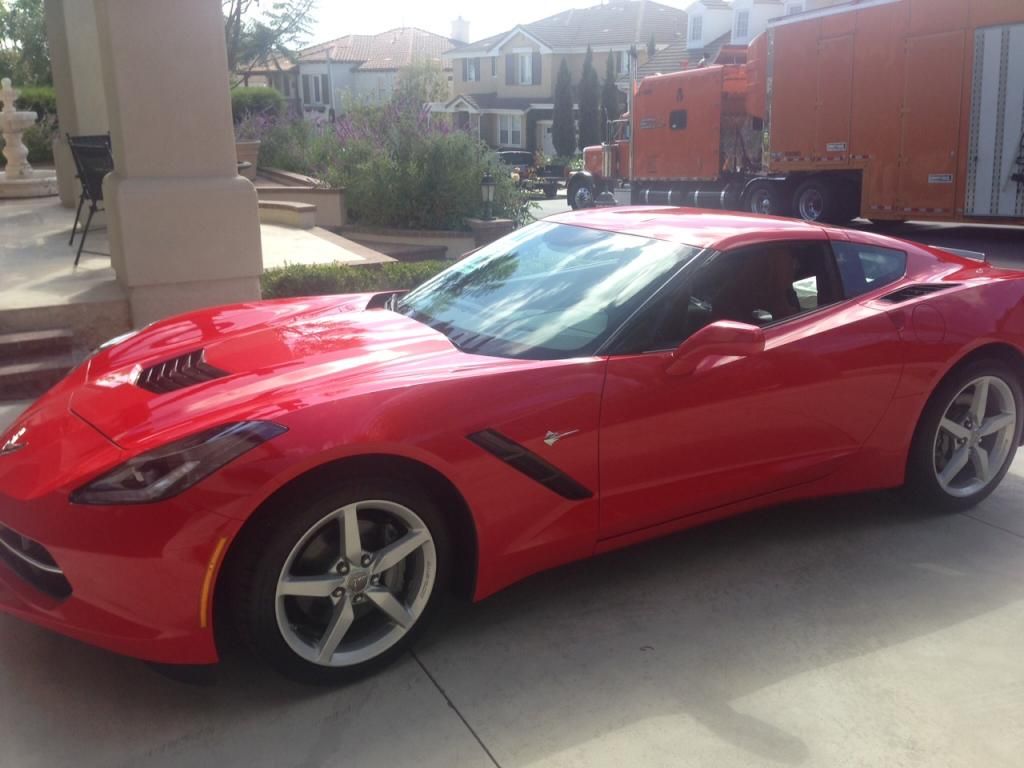
My car just came in today!!! Truck dropped it off at my house from my dealer from Ohio,
Although I have only had it a few hours, I have noticed a few cool features that I have not gotten much attention.
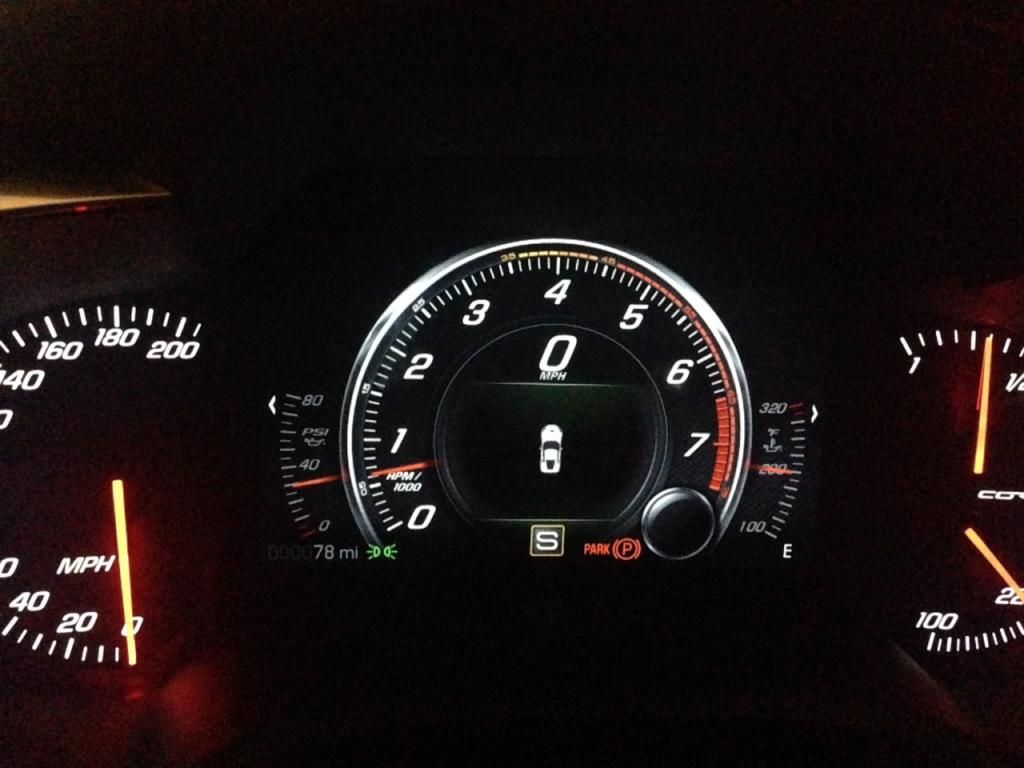
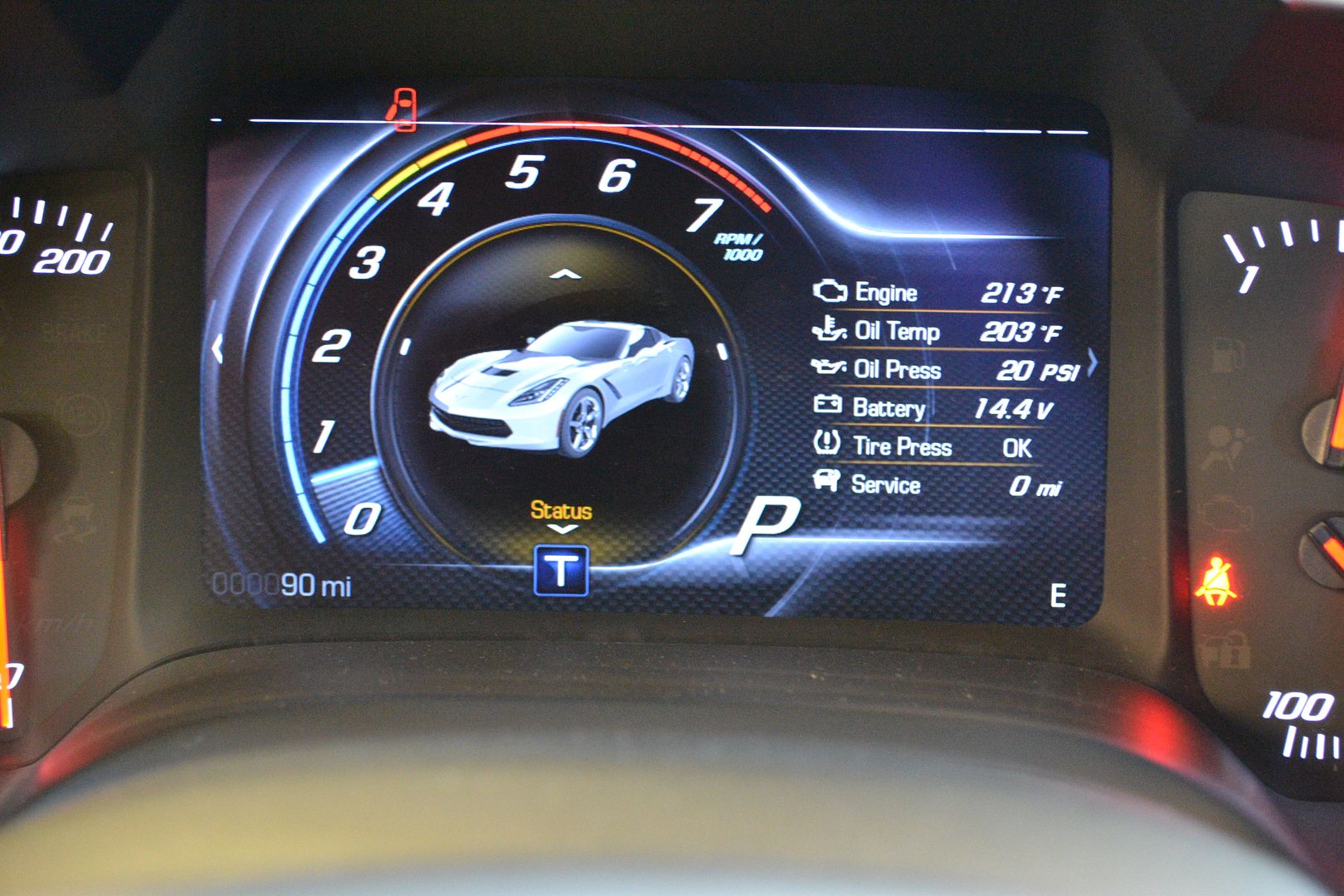
#1 - Break-in redline shows on DIC along with real redline. Notice in picture below that there is a thin reline marker staring in yellow about 3400 rpm and turning to red at 4500 rpm. A think redline bar starts at 6500. On HUD a similar early redline shows up as well. Can only assume this is for break-in period and will disappear after 500 miles driven.
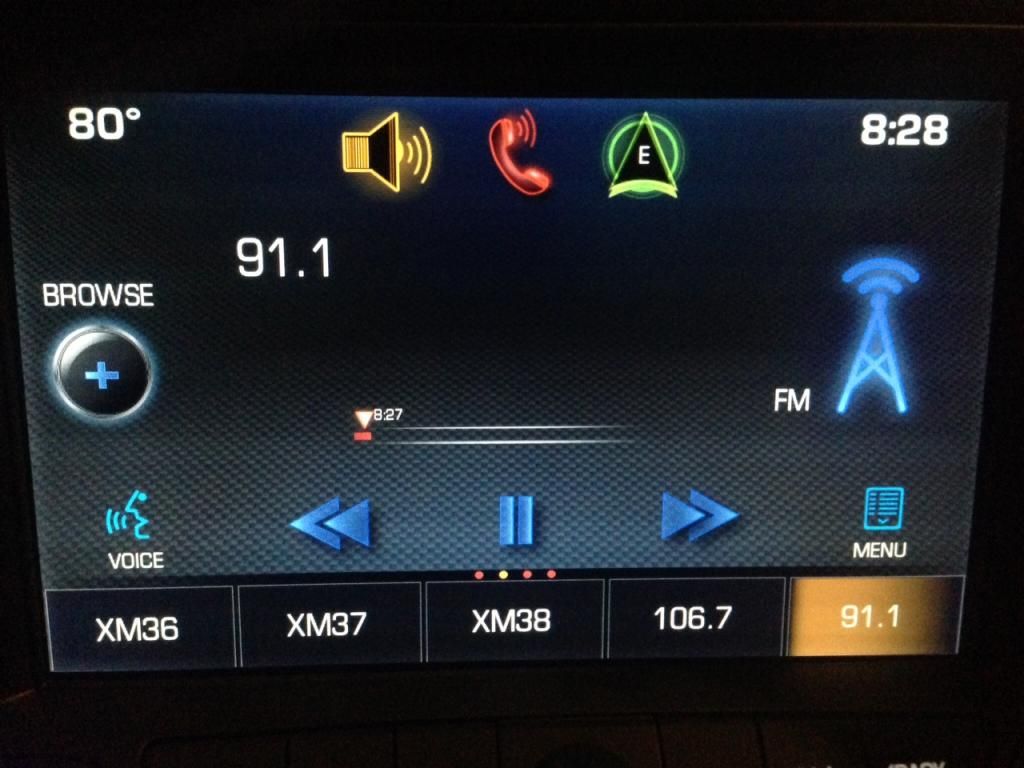
#2 - Pause and Rewind Radio Stations. Very cool feature, been wanting something like this ever since I got a DVR 10 years ago. Wish it could also schedule to record programs as well.
What other cool little known features has anyone else found?
Although I have only had it a few hours, I have noticed a few cool features that I have not gotten much attention.
#1 - Break-in redline shows on DIC along with real redline. Notice in picture below that there is a thin reline marker staring in yellow about 3400 rpm and turning to red at 4500 rpm. A think redline bar starts at 6500. On HUD a similar early redline shows up as well. Can only assume this is for break-in period and will disappear after 500 miles driven.
#2 - Pause and Rewind Radio Stations. Very cool feature, been wanting something like this ever since I got a DVR 10 years ago. Wish it could also schedule to record programs as well.
What other cool little known features has anyone else found?

Former Vendor
Joined: Jan 2009
Posts: 12,288
Likes: 23
From: League City Texas
Houston Events Coordinator
St. Jude Donor '11-'12, '14
I believe in the Beer Fairy
Under tour mode I believe with perfomance on left hand side you can pull up a picture of the vette. Mine shows up white, any others do the same?
Former Vendor
Joined: Jan 2009
Posts: 12,288
Likes: 23
From: League City Texas
Houston Events Coordinator
St. Jude Donor '11-'12, '14
I believe in the Beer Fairy
Scraping the splitter.

Joined: Jun 2005
Posts: 8,111
Likes: 1,029
St. Jude Donor '13-'14-'15
Would have been very cool if they matched the car color. It's a little Stingray on the nav screen too.
S.
Former Vendor
Joined: Jan 2009
Posts: 12,288
Likes: 23
From: League City Texas
Houston Events Coordinator
St. Jude Donor '11-'12, '14
I believe in the Beer Fairy
this kind of carried over from the c6 but not sure how many people know about it.
If you hold down the accessory button for 10 seconds with out touching brake (or clutch) you will power on the entire system of the car including HUD
If the battery is dead you can use the hidden key in fob to access the rear hatch via a key hole
Last daily contribution lol
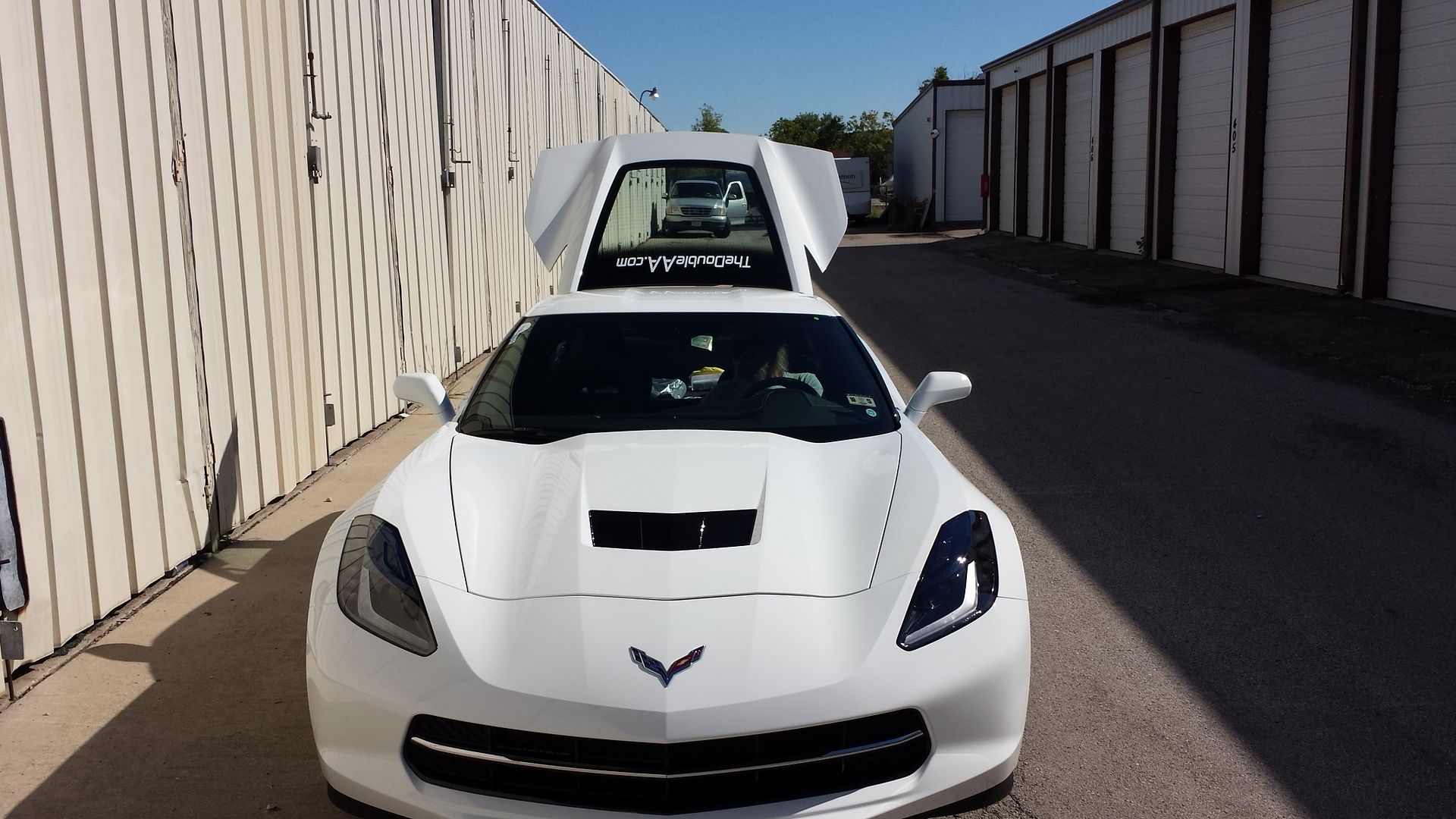
If you open the rear hatch and look at the car from the front end back it looks like a STINGRAY - See Picture
If you hold down the accessory button for 10 seconds with out touching brake (or clutch) you will power on the entire system of the car including HUD
If the battery is dead you can use the hidden key in fob to access the rear hatch via a key hole
Last daily contribution lol
If you open the rear hatch and look at the car from the front end back it looks like a STINGRAY - See Picture

Drifting

Joined: Jul 2013
Posts: 1,726
Likes: 770
I don't think that thin redline indicator is a break in period. It is the recommended redline based upon the temperature of the engine. It moves toward the actual redline as the engine warms up.
My parents' BMW's have had that feature since like 2005.
My parents' BMW's have had that feature since like 2005.
Corvette Stories
The Best of Corvette for Corvette Enthusiasts

Top 10 Most Expensive Corvettes Ever Sold on Bring A Trailer
Brett Foote
10 Things Every Corvette Owner Needs (2026 Edition)
Michael S. Palmer
8 Most "Only Corvette Owners Understand" Quirks and Problems
Pouria Savadkouei
10 Reasons the C6 Z06 is Still A Performance Benchmark After 20 Years
Joe Kucinski
How Much Horsepower Every Corvette Engine "LOST" in 1972
Joe Kucinski
Top 10 DOs and DON'Ts for Protecting Your Convertible Top!
Michael S. Palmer
Top 10 Most Explosive Corvettes Ever Made: Power-to-Weight Ratio Ranked!
Joe Kucinski
150 hp to 1,250 hp: Every Corvette Generation Compared by the Specs That Matter
Joe Kucinski
8 Coolest Corvette Pace Cars (and Replicas) of All Time
Verdad Gallardo
Burning Brakes


Joined: Jan 2005
Posts: 1,055
Likes: 24
From: Cary NC
There is an actual break-in redline change on the HUD. I had been warned about this, so I put mine in sport mode display with the big sweeping RPM indicator and shift warning lights, which made it very big and obvious. As the odometer clicked over from 499 to 500, the redline jumped up from the initial 4000! A small milestone to mark for new owners. 
After that, it does vary the redline dynamically based on engine/temp characteristics.
I find the coolest feature to be the incredible diversity of data available on the driver's gauge cluster. Use your right thumb on the wheel to press the left-facing arrow. Select one of the display modes. Then in that mode use the up and down arrows with your right thumb. I find for daily driving around town, my favorite display is the speed limit, which is updated pretty accurately in my area. For highway travel, you might like playing with the rolling MPG indicator that can show your option of last and best 25, 50, or 100 miles.
After that, it does vary the redline dynamically based on engine/temp characteristics.
I find the coolest feature to be the incredible diversity of data available on the driver's gauge cluster. Use your right thumb on the wheel to press the left-facing arrow. Select one of the display modes. Then in that mode use the up and down arrows with your right thumb. I find for daily driving around town, my favorite display is the speed limit, which is updated pretty accurately in my area. For highway travel, you might like playing with the rolling MPG indicator that can show your option of last and best 25, 50, or 100 miles.

Racer
Joined: Jul 2013
Posts: 286
Likes: 0
From: St Louis
I found out all of the system changes you can make - lights, initial fan speed, locks, mirrors, etc. Very cool, also the HUD allows for music, INFO and if someone call you there picture, if it's in your phone, will show up in the center dash.  Still learn more every time!!
Still learn more every time!!
Burning Brakes
Joined: Jan 2005
Posts: 1,055
Likes: 24
From: Cary NC
You have a setting that can make sideview mirrors tilt down when you shift into reverse. I tried it and didn't like it because I rely on them to overcome the limited rear quarter visibility. But you might like testing it for yourself.

Instructor
Joined: May 2005
Posts: 140
Likes: 47
Thanks
Burning Brakes
Joined: Jan 2005
Posts: 1,055
Likes: 24
From: Cary NC
I honestly have no idea where it's grabbing those figures from. My guess is the NAV maps, since I think the systems need speed limits to estimate arrival times and fastest routing. So while the logical answer to your question is Yes, we need someone more familiar with the systems to give us confirmation. Calling Talon/Paul!!!
Burning Brakes
Joined: Jan 2005
Posts: 1,055
Likes: 24
From: Cary NC
Here's one that's buried in a one-liner in the Infotainment Manual. If you get tired of waiting for a voice prompt to complete and give you the beep so you can respond, just press the voice button on the steering wheel again. It cuts off the current voice prompt and gives you the "go ahead" beep.




Team Owner


Joined: Aug 2002
Posts: 35,617
Likes: 167
Tech Contributor
Cruise-In 11 Veteran
NCM Ambassador
St. Jude Donor '05-'06-'07-'10
You can't. That feature is not available in the Stingray at this point. I expect their to be a software update to add a similar (better) feature for texting but "text alerts" as described in the manual are not available at this point.