When you click on links to various merchants on this site and make a purchase, this can result in this site earning a commission. Affiliate programs and affiliations include, but are not limited to, the eBay Partner Network.
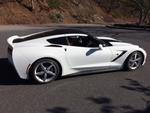
I just bought the car and have another 2017 regular Chevy with OnStar too. I never got a message from Chevy on my 9 month old about this but I got a message from Chevy on my 2 hour old Corvette telling me about the car's health, etc... I have NEVER pressed the button on either car as I don't understand it and am wondering how Chevy knows. I need to understand this OnStar thing. Does this TRACK you? Can it be disabled? Should it be disabled? Does Chevy provide my information to anyone? Can it detect if I put a custom tune on it? How much does it cost to renew after the 3 month trial for basic service (GPS would be nice without a phone app)? Insight is welcome. Thanks from a NOOB.
Since On Star has GPS capability it could certainly track you, but I do not believe that anyone is sitting behind a desk watching your whereabouts every second. If you were in a wreck, using GPS, On Star could pin point where you are for the emergency crews. Also, if someone was to steal your vette, they definitely can track it down for you. So with that said, the GPS is a feature that I do not mind having operational. Also, as you mentioned, the On Star system can and will monitor your car's diagnostics system and inform you of any issues like low tire pressure, engine issues, etc... I would hope that the car's dash information center would alert you of those concerns prior to On Star. If I'm not mistaking, I think you can purchase the base On Star service for roughly $20/month which will allow you to find (if lost), start (if you have an automatic transmission), lock/unlock your car right from your cell phone.
As far as the tune, OnStar doesn't give a crap. GM can tell if you did a tune even if you put it back to stock if that is your worry.
OnStar can track your location. I read somewhere it tracks a lot of "3rd" party information such as where you fill up, how much, etc. I forgot where I read that. Can they track your driving habits? I don't know but wouldn't be surprised. The info you provide is valuable to them and others are willing to purchase it.
I remember it is about $150 a year for the base plan if you decide to renew. I personally don't renew OnStar.
I don't know about a C7 but I disabled it on my 07 Impala. OnStar said I will not be able to activate it again without calling them by phone. I said no problem.
I remember some owner was surprised to fine a part to his car where his car should have been in a parking garage. The part allowed OnStar to operate. Generally if a thief wants your car bad enough and they have experience then it is gone. One can just stick a C7 on a flat bed, leave to a secured location and disable the electronic features when they get there. But inexperienced thieves it would work great.
OnStar can track your location. I read somewhere it tracks a lot of "3rd" party information such as where you fill up, how much, etc. I forgot where I read that. Can they track your driving habits? I don't know but wouldn't be surprised.
Yes, OnStar can track your driving habits and the default is ON. You have to intentionally turn it off. It can track stuff like fast acceleration, speeding, and heavy braking, all of which your insurance company would love to know. Their definitions of such are WAY LOW, too, so unless you drive like a granny it would be best to turn all that stuff off.
Yes, OnStar can track your driving habits and the default is ON. You have to intentionally turn it off. It can track stuff like fast acceleration, speeding, and heavy braking, all of which your insurance company would love to know. Their definitions of such are WAY LOW, too, so unless you drive like a granny it would be best to turn all that stuff off.
Hi mschuyler,
Thanks for your post. So OnStar tracking defaul is ON? Is that correct?
OnStar is not the source of driving information such as hard accelerations and braking. I do not have OnStar yet can see the information at my.chevrolet.com under the "OnStar and connected services" tab.
Some insurance companies will offer you reduced rates if you let GM send them your driving information. Your call.
I suspect insurance companies consider frequent fast starts and hard braking as aggressive driving and more prone to accidents. There is other data as well. I believe one of the data points is how much of the time you drive over 80 MPH. I'd check but the website isn't responding this morning.
How much does it cost to renew after the 3 month trial for basic service (GPS would be nice without a phone app)? Insight is welcome. Thanks from a NOOB.
I just renewed my courtesy trial period. Negotiate. I have the Safety and Security plan, just renewed for $119./year. I turned off tracking online (both insurance and OnStar), but, if I'm in a wreck, I'd prefer someone know about it if I can't call. That seemed like reasonable insurance.
I can beat your 2 hours by 1 3/4 hours. Saturday I just picked up a new Serria Crew Cab and I walked out of dealer and while pairing my iPhone with truck in dealer lot. I got a email from Onstar with my December diagnostic. Thinking dealer activated Onstar and was added to my existing account.
Last edited by Borntorun04/17; Dec 9, 2018 at 11:30 AM.
I’m tracking both of mine. I don’t do anything but track, I’ll get a notice when they move. I did the
same thing in my 2019 ZL1 and 2019 GMC X31. No problems. If you didn’t know it tells you how much fuel is in car.
Top right of the Forum Header, where your user name is, select the drop down arrow, User Control Panel is the first item in the list. From there, left hand navigation click Edit Options under Setting & Options. Then scroll down to the Thread Display Options...there you'll find it (last item in that section).
Top right of the Forum Header, where your user name is, select the drop down arrow, User Control Panel is the first item in the list. From there, left hand navigation click Edit Options under Setting & Options. Then scroll down to the Thread Display Options...there you'll find it (last item in that section).
Designer Imagines A Corvette That Looks More Like a Corvette Than the Corvette
Slideshow: A Jaguar designer's personal project imagines what a modern front-engined Corvette might look like if Chevrolet revisited the golden age of the Stingray.








 OnStar tracking?