When you click on links to various merchants on this site and make a purchase, this can result in this site earning a commission. Affiliate programs and affiliations include, but are not limited to, the eBay Partner Network.
Unfortunately, the parking cameras on the front of the C7 are prime targets for rock strikes. An unlucky strike can completely shatter a camera lense. A shattered lense also provides an opportunity for water to get into the camera, ruining it.
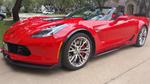
This guide will detail how to install a new camera on a C7 Z06 front grille with stage 2 aero. There are some minor differences between Z06's and Stingrays, and your aero package (splitter) may make for some differences. I have no idea how much of this will apply to a ZR1.
See the "Using a Non GM-Part" section at the bottom if you want to try a REALLY cheap fix.
Dealer quotes to fix a single broken camera totaled about $1000 -- about $750 labor and $250 for the part. The part can be bought online for $103 + shipping.
First things first -- order the part. That should be easy, right? Wrong. ALL online parts vendors that seem to have the wrong part listed for the C7 front cameras. The recommended part is GM # 84185770. However, the cabling that comes on this part is too short. This is the case for both the Z06 and the Stingray as confirmed in this thread. The correct part is actually GM # 23506691. However, that site and others will tell you this does not fit a Z06 (and probably Stingray). The camera with the shorter cable is generally a $8 to $10 less.
There are 2 cameras on the front of a C7 with the parking camera option, left and right. The part number and cable lengths are the same, whether left or right.
If you have any doubts, remove the camera first and check the number on the sticker that's on the side. However, both cameras were confirmed to work fine in a 2017 Z06 and the short cable can be trivially swapped with the original long one by just removing some screws to remove the 6-pin plug.
Major Steps:
Remove front fascia
Test the new camera before going any further.
Remove the camera cover and camera.
Swap cables (if you ordered 84185770).
Replace the camera and camera cover
Replace the front fascia.
Tools used:
9/32 or 7 mm socket
10 mm socket
Socket driver
(Optional) Cordless drill, etc.
T15 torx bit / driver / wrench
T20 torx bit / driver / wrench
T30 torx bit / driver / wrench
Small Phillips head screw driver
Plastic trim removal tool
(Optional) Race ramps / lift
Flashlight
Safety:
DO NOT USE JACKS. It's not recommended to use jacks to gain clearance for fascia removal -- some amount of pushing / pulling on the fascia may be required to unclip it, so the lift method should be absolutely solid without any chance of tipping / falling.
CHALK YOUR WHEELS if you're using any kind of ramps.
If you're not sure how to safely raise your car, DO NOT RAISE IT. All of this could be done without raising the car's front end.
Remove Front Fascia
There are videos all over YouTube showing how to do this. However, most of them simply skip the part about getting the bumper unclipped, which is the most difficult part, and this one does not:
NOTE: 4 or 5 of the 7 mm screws may be slightly shorter in length than the rest. Make a note of where these came from so you can replace them in the same holes. In general, it's a good practice to make a note of where each screw and bolt comes from.
(Z06 only) Remove the fender flares from each wheel well.
There are 3 T15 torx screws at the front of the wheel well on each side that must be removed.
This requires turning the wheels to each side to gain access to the screws, so consider whether you need to do this before putting the car up (for instance, if you're using ramps). A shorter driver or wrench is best here.
There is one 7 mm screw on the bottom edge of the bumper that also threads through the fender.
Once the screws are removed, there is basically just two-sided tape holding these in, along with some guide pins on the part itself. Gently pushing the fender into the wheel well a few inches at a time should separate the tape from the inner wheel well and push it out of the guide pins.
Remove the 10 7 mm bolts under the front bumper.
Remove the 5 7 mm bolts at the front of the plastic tray. These are inset a bit behind the row of 10 7 mm bolts that were removed already.
Remove the 4 10 mm bolts under the front bumper that are holding in a plastic tray (air damn?). These are about 18 inches or so behind the bumper lip, in the center.
Open the hood.
Remove the plastic pieces at the top front corners of the engine bay. These are just to the outside of the hinges. These snap out easily.
Remove the 4 T30 screws holding the bumper to the frame at the front of the engine bay.
Using a plastic trim removal tool, remove the two plastic fasteners (in line with the T30 screws).
Use a U-shaped trim tool and slip it between the base and the button and gently pry the button up, prying at different angles until the button pops up, then remove the entire fastener, button and base.
For each wheel well, pull the bumper under the wheel well away from the wheel well. Reach between the bumper and the plastic wheel well to unplug the running light.
It's generally easier to pop the wheel-well liner out a bit rather than pull the the fender out far enough to fit a hand in.
There are red plastic "plungers" on the side of these plugs. You'll want to pop these up to release the plug.
For each wheel well, unclip the bumper to the outside of the headlights by gently pulling the bumper directly away from the car (not up, but horizontally, 90 degrees from the car's forward). These clips should remove easily.
For each side of the bumper, there are two more clips between the headlight and the engine compartment.
Wedge a plastic trim removal tool between the headlight and bumper. Pry upwards.
Be careful on the last side, as the bumper will likely fall away as soon as you release the last clip.
The only remaining connections should be your two cameras. Unplug them and set the bumper somewhere where it will not be scratched.
Test the Camera
Plug your new camera into the car where the old camera was.
Turn on the car to make sure you're getting an image.
If you're not getting an image, your new camera is faulty, or some other part of the system is at fault (cabling?)
Remove the Camera Cover and Camera
With the bumper set aside where the back side of the grille is easily accessible:
Using T20 torx bit, remove the two bolts on the back side of the grille that hold the camera cover.
Remove the two Philips head screws holding the camera into the bumper.
Swap Camera Cables
Whether or not you ordered the camera with a shorter cord, it is easiest to use the existing cable if you can:
Remove the two screws holding the cable into the camera.
On your new part, remove the same two screws.
Plug the new camera into the existing cable.
Replace the Philips screws to secure the cable.
Re-attach Camera and Camera Cover
Re-attach the camera to the grille using the remaining two Phillips screws.
Re-attach the camera cover to the grill using the T20 torx screws.
Test the Camera Again
Plug the cameras back into the receptacles on the car.
Place the fascia so it is essentially sitting in where it will be mounted, without fully mounting it.
DO NOT PLACE THE CAR IN GEAR. Your bumper might fall off if it's not fully mounted.
Turn the car on and select "Camera" from the touch screen and make sure the camera's views look correct.
Replace the Front Fascia
Replace the front fascia by working backwards through the removal steps. A few tips:
When replacing screws or bolts, do not tighten any of them all the way until you have all of the screws or bolts in.
In some cases you may need to use a flashlight to make sure the holes in metal clips are aligned with the bumper / frame holes.
The bumper has several protrusions around the headlight area. These need to fit into slots in the frame. Make sure you align them before trying to re-seat the clips.
It may take considerable pressure to re-seat the top clips. If you feel the fascia isn't fitting just right, make sure you have all of the bumper protrusions in the correct slots before applying more pressure.
Do not forget to reconnect the running / parking lights before replacing the wheel well screws!
Back side of the Z06 grille. Top is the original camera + cable. Below that, the new camera is resting to show the difference in cable lengths. The camera with the shorter cable is GM # 84185770. The camera with the longer cable is the original part and is marked GM # 23506691. Close up of the two cameras showing the cables unplugged. The new camera (GM # 84185770) is on the right.
Using a Non-GM Part and / or Replacing Just the Lens
NOTE: I did not successfully use this method because some of the wrong cameras were sent to me and with the turn-around time of AliExpress I decided to just buy the GM part. By that time I had already destroyed the first (correct) camera trying to replace just my lens, but I suspect my camera internals were already damaged from water by that time. But here is what I learned:
The top part of this camera is nearly identical. The bottom part is glued on and is the base for composite image / RCA adapter wiring. This piece can be removed. Underneath, there are 6 prongs that the RCA cables are welded to. These match the 6-prong receptacle on the GM part, but the actual plug is missing. In might be possible to dissect the original camera and swap the back to re-used the receptacle. Otherwise, These can be removed and the wiring from the Corvette grill soldered in place instead. The exact pin locations for each wire are unclear, but could be discerned by dissecting the original plug.
If JUST your lens is broken, you may be able to buy this 11 dollar part and replace JUST your lens without removing the bumper! I tried this, but I believe I already had water in my camera from getting caught in the rain before I knew the lens was cracked, so this did not work for me. If you think your camera is still intact, though, this may be a really cheap way to fix it. Note that you'll likely need to break the retaining ring around the lenses to get them out and glue the new one in place.
There is nothing to loose but $11+ shipping + time if you want to try this. It is far easier than removing the front fascia and the cameras are so cheap you can buy a couple of them in case you mess something up, and still come out ahead.
Besides the extra work, there are a couple of caveats to doing it this way:
Note sure if the original camera is 6V or 12V. During some previous discussion someone stated the GM cameras were 6V, but I haven't been able to confirm that. They sure are *really* similar in all other aspects.
You need to know how to solder well. The pins are pretty close together.
There can be a fair bit of foam around the original soldered wires that's a pain to get off.
Generally, shipping from AliExpress can take a month or so.
Sometimes the products you get are not exactly representative of the picture. In one case I got 5 cameras that were not the cameras I ordered. Fortunately they were cheap. Contact the seller on AliExpress through chat and try to confirm the cameras match the images EXACTLY.
Interface under bottom piece (which detached rather easily by wedging a blade in between) is 6 prong, just like the GM piece, but the plug receptacle is missing.
Last edited by Nelno; Nov 1, 2019 at 05:35 PM.
Reason: Added steps for replacing just the lens with non-GM parts.
I added a section on just replacing the lens for < $20. This didn't work for me, even though I believe the lens was correct, because my camera was damaged from water. But for < $20, this might be a workable solution for a lot of people.
What were the clues the lens off that Aliexpress camera was correct? What does it take to get the lens off the factory camera? I'm not afraid to try it, but I don't want to throw $12 away that should go toward a pair of new cameras.
Also, damn GM for putting cameras up there and 1) not making them very quick and simple to replace 2) making just the lenses quick/simple to replace and/or 3) putting some kind of protector in front of the lens.
Can you add cameras to an 1LT? Is there a harness there that you can plug and program or play for the front cameras? How much trouble would it be to add cameras on a 1LT model, has anyone attempted this? Thanks in advance!
had a new front end installed on my 17 z06. shop thinks the cameras weren't plugged in. is it possible to reach the cameras/harness from the fender liner ? rather pull the bumper if I dont have to. and yes the shop should do it but they are 600 miles away so that isnt going to happen
I added a section on just replacing the lens for < $20. This didn't work for me, even though I believe the lens was correct, because my camera was damaged from water. But for < $20, this might be a workable solution for a lot of people.
Can you add cameras to an 1LT? Is there a harness there that you can plug and program or play for the front cameras? How much trouble would it be to add cameras on a 1LT model, has anyone attempted this? Thanks in advance!
someone ask this I. 2020.
I would like to ask the same question can you add cameras to a car who was not equipped with cameras?











 How to replace a front camera (2017 Z06)