When you click on links to various merchants on this site and make a purchase, this can result in this site earning a commission. Affiliate programs and affiliations include, but are not limited to, the eBay Partner Network.
Sometimes the navigation works but most of the time, it's this. I have seen others with this issue and wonder if there is a fix. The first time I got this error, I took the card out and reinserted it and the Nav worked but now it's not working at all.
Hello everyone, I ran into this problem while on a road trip in my 2020 Z51 Coupe. I went through all of the "user errors" that the service departments suggested but none fixed the problem. I too went through the which SD card and was initially confused by the PDR SD card, but as you all pointed out the SD card is the one high up in the rear of the console box.
Eventually the problem resolved itself, then would return intermittently. That night at the hotel I googled the issue and found out that this problem not only occurs on the C8 but also other GM product such as Blazer, Camaro, Equinox, and Malibu that are 2019 and newer with the new NAV and is very intermittent. Thinking through the sequence of events I realized that one thing I had done the night before was insert a USB Thumb drive with MP3 music and that music was streaming during the NAV startup which does a significant amount of reading from the NAV SD card. I could predictably watch it fail.
My conclusion on this, and you can certainly challenge my thoughts on this topic, is that the USB slots and the NAV SD card are on the same data bus and during NAV startup, if you are also streaming USB music the NAV SD Card Reader is have contention on the bus and eventually errors out thus causing the SD Card error message.
This plagued me from Arkansas to Texas and I finally decided to remove the USB Thumb drive. Guess what, I never had a failure after that.
2-4-2021
To follow up on my resear5ch I built 2 USB drives with music. The first drive has songs recorded at a bit rate of 160kbps and lower, the second has songs all recorded at a bit rate of 320kbps.
To make this problem occur you need to be streaming music from the USB drive to the Media app while the NAV is starting up.
I tested the 160kbps USB drive for 3 weeks without a failure. I then replaced that USB drive with the one recorded and 320kbps and the failure occurred the second time I started the car.
The obvious conclusion is that the NAV SD card and the USB media shares the same data bus, and with the higher bit rate music playing while trying the read from the NAV SD card creates contention on the data bus that the SD Card control software is not able to recover from thus the NAV SD Card Removed message.
2 Friends of mine with C8s have tested this with the same conclusion. In one case the dealer ordered him a new NAV SD card, and in the other the dealer wanted to replace the SD Reader in the center console.
Neither of these will fix the problem and this idea of re-seating the SD card is totally ridiculous. It just give the dealers a quick exit from having to deal with this problem.
So I did some more research and went to a couple of dealers who thought I was nuts or wanted to remove my center console and replace the SD Card reader. Basically the service departments in the Chevy dealers don't acknowledge this problem and want to reseat your SD card and send you on your way.
I mentioned that this problem exists on other GM brands with the new NAV. I found a Technical Service Bulletin 19-NA-279 with the Subject - Radio Software Version V807 Over-the-Air update that mentioned all of the 2019 and 2020 GM products except the Corvette. My conclusion is this is not going to be an easy battle with GM.
I'm currently building a new Music USB drive with MP3 files that have a lower bit rate to see if it is a bandwidth issue.
If you're suffering this situation try removing your USB cards and see if it resolves itself
Good luck if you're having this issue, but I would be extremely interested in your input to this post.
If making sure it is fully seated does not work, I'd try cleaning the SD card contacts with Isopropyl Alcohol on a Q-Tip. Allow to dry then re-insert and see if that fixes the problem.
Hello everyone, I ran into this problem while on a road trip in my 2020 Z51 Coupe. I went through all of the "user errors" that the service departments suggested but none fixed the problem. I too went through the which SD card and was initially confused by the PDR SD card, but as you all pointed out the SD card is the one high up in the rear of the console box.
Eventually the problem resolved itself, then would return intermittently. That night at the hotel I googled the issue and found out that this problem not only occurs on the C8 but also other GM product such as Blazer, Camaro, Equinox, and Malibu that are 2019 and newer with the new NAV and is very intermittent. Thinking through the sequence of events I realized that one thing I had done the night before was insert a USB Thumb drive with MP3 music and that music was streaming during the NAV startup which does a significant amount of reading from the NAV SD card. I could predictably watch it fail.
My conclusion on this, and you can certainly challenge my thoughts on this topic, is that the USB slots and the NAV SD card are on the same data bus and during NAV startup, if you are also streaming USB music the NAV SD Card Reader is have contention on the bus and eventually errors out thus causing the SD Card error message.
This plagued me from Arkansas to Texas and I finally decided to remove the USB Thumb drive. Guess what, I never had a failure after that.
2-4-2021
To follow up on my resear5ch I built 2 USB drives with music. The first drive has songs recorded at a bit rate of 160kbps and lower, the second has songs all recorded at a bit rate of 320kbps.
To make this problem occur you need to be streaming music from the USB drive to the Media app while the NAV is starting up.
I tested the 160kbps USB drive for 3 weeks without a failure. I then replaced that USB drive with the one recorded and 320kbps and the failure occurred the second time I started the car.
The obvious conclusion is that the NAV SD card and the USB media shares the same data bus, and with the higher bit rate music playing while trying the read from the NAV SD card creates contention on the data bus that the SD Card control software is not able to recover from thus the NAV SD Card Removed message.
2 Friends of mine with C8s have tested this with the same conclusion. In one case the dealer ordered him a new NAV SD card, and in the other the dealer wanted to replace the SD Reader in the center console.
Neither of these will fix the problem and this idea of re-seating the SD card is totally ridiculous. It just give the dealers a quick exit from having to deal with this problem.
So I did some more research and went to a couple of dealers who thought I was nuts or wanted to remove my center console and replace the SD Card reader. Basically the service departments in the Chevy dealers don't acknowledge this problem and want to reseat your SD card and send you on your way.
I mentioned that this problem exists on other GM brands with the new NAV. I found a Technical Service Bulletin 19-NA-279 with the Subject - Radio Software Version V807 Over-the-Air update that mentioned all of the 2019 and 2020 GM products except the Corvette. My conclusion is this is not going to be an easy battle with GM.
I'm currently building a new Music USB drive with MP3 files that have a lower bit rate to see if it is a bandwidth issue.
If you're suffering this situation try removing your USB cards and see if it resolves itself
Good luck if you're having this issue, but I would be extremely interested in your input to this post.
Last edited by zo6devilcar; Feb 4, 2021 at 04:51 PM.
Hello everyone, I ran into this problem while on a road trip in my 2020 Z51 Coupe. I went through all of the "user errors" that the service departments suggested but none fixed the problem. I too went through the which SD card and was initially confused by the PDR SD card, but as you all pointed out the SD card is the one high up in the rear of the console box.
Eventually the problem resolved itself, then would return intermittently. That night at the hotel I googled the issue and found out that this problem not only occurs on the C8 but also other GM product such as Blazer, Camaro, Equinox, and Malibu that are 2019 and newer with the new NAV and is very intermittent. Thinking through the sequence of events I realized that one thing I had done the night before was insert a USB Thumb drive with MP3 music and that music was streaming during the NAV startup which does a significant amount of reading from the NAV SD card. I could predictably watch it fail.
My conclusion on this, and you can certainly challenge my thoughts on this topic, is that the USB slots and the NAV SD card are on the same data bus and during NAV startup, if you are also streaming USB music the NAV SD Card Reader is have contention on the bus and eventually errors out thus causing the SD Card error message.
This plagued me from Arkansas to Texas and I finally decided to remove the USB Thumb drive. Guess what, I never had a failure after that.
2-4-2021
To follow up on my resear5ch I built 2 USB drives with music. The first drive has songs recorded at a bit rate of 160kbps and lower, the second has songs all recorded at a bit rate of 320kbps.
To make this problem occur you need to be streaming music from the USB drive to the Media app while the NAV is starting up.
I tested the 160kbps USB drive for 3 weeks without a failure. I then replaced that USB drive with the one recorded and 320kbps and the failure occurred the second time I started the car.
The obvious conclusion is that the NAV SD card and the USB media shares the same data bus, and with the higher bit rate music playing while trying the read from the NAV SD card creates contention on the data bus that the SD Card control software is not able to recover from thus the NAV SD Card Removed message.
2 Friends of mine with C8s have tested this with the same conclusion. In one case the dealer ordered him a new NAV SD card, and in the other the dealer wanted to replace the SD Reader in the center console.
Neither of these will fix the problem and this idea of re-seating the SD card is totally ridiculous. It just give the dealers a quick exit from having to deal with this problem.
So I did some more research and went to a couple of dealers who thought I was nuts or wanted to remove my center console and replace the SD Card reader. Basically the service departments in the Chevy dealers don't acknowledge this problem and want to reseat your SD card and send you on your way.
I mentioned that this problem exists on other GM brands with the new NAV. I found a Technical Service Bulletin 19-NA-279 with the Subject - Radio Software Version V807 Over-the-Air update that mentioned all of the 2019 and 2020 GM products except the Corvette. My conclusion is this is not going to be an easy battle with GM.
I'm currently building a new Music USB drive with MP3 files that have a lower bit rate to see if it is a bandwidth issue.
If you're suffering this situation try removing your USB cards and see if it resolves itself
Good luck if you're having this issue, but I would be extremely interested in your input to this post.
I too have had this issue, both in my C8 and my 2019 Colorado.....and I did a little digging and experimenting as did zo6devilcar, and came to the same conclusion. IF I leave the flash drive plugged in, it will give me the error most of the time....as long as I unplug it, and don't plug it in until everything is booted up, everything works fine....its just a little but of a PITA but at least everything works. So unless I am using the music on the flash drive, I just leave it in the console and only plug it in when I am going to us it.
Last edited by Sir Nuke; Mar 15, 2021 at 07:09 AM.
Looks like the problem was identified and easily fixed. I have a C8 on order and am happy to see this problem "resolved". I am a bit annoyed, as I am one of those people who likes to leave my music USB plugged in all the time. I hate having to change my routine because of an error caused by the manufacturer...
Does this issue occur only when starting AND streaming music from the high bit rate USB source or does the issue exist with a high bit rate USB source plugged in but not streaming, e.g., startup with SiriusXM as the music source. I have not experienced this issue and routinely start up with music from my USB stick. I don't know what the bit rate is - I've never looked.
Does this issue occur only when starting AND streaming music from the high bit rate USB source or does the issue exist with a high bit rate USB source plugged in but not streaming, e.g., startup with SiriusXM as the music source. I have not experienced this issue and routinely start up with music from my USB stick. I don't know what the bit rate is - I've never looked.
This issue can occur when not streaming or have streamed music from a USB source. The culprit is a plugged in USB source with a high bit rate. I had the same problem and replaced my SD card but that did not solve the problem. What did solve my problem was to either unplug the USB source or, to replace that source with a lower bit rate source. When i first had the problem the service department at my dealer said the SD card was not fully inserted. I told them they were mistaken, for it does not take a genius to insert the card properly. The card is either in or out. If it is not fully inserted the NAV will never work. The problem is a high bit USB source interfering with the SD card.
Last edited by RonnieC6Z; Mar 15, 2021 at 01:26 PM.
Different items on the same bus at different speeds messes everything up if the software isn't designed to handle it. Wifi at 2G or 5G, some can use either, some just the slower. Not exactly the same discrepancy, but possibly easier to understand. You have to dumb down the system to the lowest common denominator. I just use my phone for Navigation anyway.
This issue can occur when not streaming or have streamed music from a USB source. The culprit is a plugged in USB source with a high bit rate. I had the same problem and replaced my SD card but that did not solve the problem. What did solve my problem was to either unplug the USB source or, to replace that source with a lower bit rate source. When i first had the problem the service department at my dealer said the SD card was not fully inserted. I told them they were mistaken, for it does not take a genius to insert the card properly. The card is either in or out. If it is not fully inserted the NAV will never work. The problem is a high bit USB source interfering with the SD card.
This is interesting. What bit rate of the music you had before on the USB that caused the problem, and what bit rate you use now that removed the problem?
I have a huge capacity (256GB) USB key plugged in all the time, and it has a huge collection of 13,000+ music pieces, with all kinds of bit rate, from 128 kbps to 320 kbps, and as high as 931 kbps variable bit rate, and I have never experienced any problem playing playing the music from USB and display navigation at the same time, at least no problem has occurred.
I wonder if there's anything that you could share that's re-producible for the problem? In the software industry when we run into a SW bug, the first thing we need is the "repro" steps to the make same bug happening again, as way to verify that's indeed the cause, so it would be great if we can reproduce the same error with the same bit rate music.
This is interesting. What bit rate of the music you had before on the USB that caused the problem, and what bit rate you use now that removed the problem?
I have a huge capacity (256GB) USB key plugged in all the time, and it has a huge collection of 13,000+ music pieces, with all kinds of bit rate, from 128 kbps to 320 kbps, and as high as 931 kbps variable bit rate, and I have never experienced any problem playing playing the music from USB and display navigation at the same time, at least no problem has occurred.
I wonder if there's anything that you could share that's re-producible for the problem? In the software industry when we run into a SW bug, the first thing we need is the "repro" steps to the make same bug happening again, as way to verify that's indeed the cause, so it would be great if we can reproduce the same error with the same bit rate music.
I have just passed 1,000 miles, and it was only last Tuesday at 622 miles, after plugging in my thumb drive with 320kbps FLAC files that I started having issues. The day I bought the car I plugged in my thumbdrive and had no issues, but it only had lower bit rate MP3 files. FLAC vs. MP3 issue?
Also note that my problems are either: 1) getting the system to recognize the thumb drive; or 2) getting the Nav app to work (i.e., recognize the installed Nav SD card). I'll try some more scenarios to see if I can find one that allows both to run.
I don't understand why the C8 navigation requires a SD card. My C7 factory Nav did not require any sort of external drive (except for updates)
The C7 required you to purchase a USB flash drive for a map update and then you had to install it. Now they can just send you a new SD card.
And I noticed some reference to OTA map updates in the manual. I'd prefer removable media incase an update gets hosed, it can be easier to recover from a problem.
) full with FLAC files (average 600kbps). Contention on a common bus seems the most likely culprit. The error occurs even when I'm not streaming from the USB drive. Once the IVI system boots and finds a USB device with music it initiates a rescan of the entire drive pulling the embedded ID3 tags from each file to build its metadata database. At the same time it tries to read the nav SD card as part of the nav boot sequence maxing out the bus, and possibly the IVI CPU. I think that there is a software fix that GM could develop and push to the cars.
Here is my suggestion for GM:
1. Add an option in the settings menu to toggle between auto and manual rebuild of the music metadata database for connected flash drives only (not needed for phones), and default it to auto. That way all of us with larger music libraries that don't change often can have the database built once and then skip the rebuild every time the car starts. This also eliminates the frustration of it taking >15 minuets of driving before being able to search by metadata tag.
2. As an alternative: on boot compare the name/type/size of the flash drive found on the bus to the name/type/size of that connected when the bus was last active. If it is different kick off a rebuild after a minute or two (to allow nav and other processes to fully initialize). If it is the same then use the previously build database and after a few minutes begin a low priority background process to compare the existing metadata database with the USB drive updating the database as needed. This could be accelerated by comparing file write timestamps.
If I had access to the code, I'd make the changes. So how about it GM, it would be a great way to demonstrate listening to customers and the value of the OTA system that you have implemented?




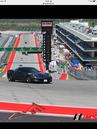












 Navigation SD Card Error