When you click on links to various merchants on this site and make a purchase, this can result in this site earning a commission. Affiliate programs and affiliations include, but are not limited to, the eBay Partner Network.
Where on the steering is the symbol or control to set the ride lift. I read the manual ,its useless for this item. A "check mark' is indicated to set the lift, but cant find this mark anywhere.
Where on the steering is the symbol or control to set the ride lift. I read the manual ,its useless for this item. A "check mark' is indicated to set the lift, but cant find this mark anywhere.
Front lift button is on center console. If you mean to set the memory, it should ask if want to save location each time used.
Where on the steering is the symbol or control to set the ride lift. I read the manual ,its useless for this item. A "check mark' is indicated to set the lift, but cant find this mark anywhere.
Its the middle button just in front. When you activate the button it asks if you want to save the location. If so you hit "<" symbol and it save that location
I had the exact same complaint. Push the start button without brake in order to get to ACC mode and the same "check mark" instruction comes up.
Turns out it's asking for a push of the thumbwheel on the steering wheel that is really an "OK" or "SET" indication to the car.
Just roll the wheel-----------up /down , does it make a difference? Where the hell in the manual does it tell you this? I am going to try it as soon as it stops raining. Thanks for the response,
edit PUSH the wheel, not roll it
Last edited by C8-Vette; Mar 23, 2020 at 01:54 PM.
Just roll the wheel-----------up /down , does it make a difference? Where the hell in the manual does it tell you this? I am going to try it as soon as it stops raining. Thanks for the response,
edit PUSH the wheel, not roll it
This < symbol is just to the left of the push/roll button
Push and release the lift button and for a moment or two the screen will display asking you to press the < symbol if you want to remember this area. Once you do hit the < symbol the screen will indicate that it is saved.
This < symbol is just to the left of the push/roll button
Push and release the lift button and for a moment or two the screen will display asking you to press the < symbol if you want to remember this area. Once you do hit the < symbol the screen will indicate that it is saved.
The symbol on the dash is a "check mark" not a < thats whats confusing





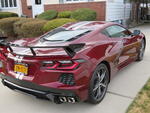


 Front lift