When you click on links to various merchants on this site and make a purchase, this can result in this site earning a commission. Affiliate programs and affiliations include, but are not limited to, the eBay Partner Network.
I was trying to find a thread about this, but couldn't find one.
Does anyone know if there is a max capacity for the SD card for the performance data recorder (PDR)?
Watching for black Friday deals so I can order it and bring it with to the museum when I do my pickup.
I did read that they put one in for museum delivery but I'm guessing it's likely a small size and I want to do the continuous recording.
It's NOT just capacity, it's the Brand AND where purchased! My PDR was stopping recording each time after a few minutes. Searched and others had the issue, some blaming it on bogus illegal cards- and proved by switching!
I had just resolved a "NAV Card Removed" error in conflict with my thumb drive used for music my switching brands! The Chevy Tech tried reloading the sound system software with no help. Then he read in the GM service "things to look for" it said DON'T Use A SanDisk Thumb Drive. No reason given!
Switched to this card, works great. By Deduction as you'll see in the PDF, bought my SanDisk card on Amazon, picking the cheapest. Why not said it was the same. BUT from what others said and my experiance with this one, it may have had a copy gypo card. What Brand would you copy to sell? The most popular so I picked Lexar and not the cheapest I could find! Amazon (and eBay) is a good place for anyone to sell whatever!
^^^
If you look at requirments, it was fine. Worked for the 1st year!
You'll see comments in the PDF re overwriting could be cause as others have the same issue of stopping recording a few minutes after each start. However you'll also see the gypo copy card comment and what fixed it for them.
Frankly have experiance with "stuff" from China etc. Could be a manufacturer who sells to SanDisk, has product that doesn't meet their spec and an "employee" (in our case that was the excuse) gets from the reject pile and sells. Could well be the manufatuer doing the same!
I lean toward the later because of what fixed my 1 year issue with my NAV Thumb Drive and what GM said in their "what to look for with that NAV error!" Gave no reason for Don't use SanDisk BUT worked for me after a year of serachingand good comments and suggestions from forum posters BUT no resolution!
If anyone having this NAV error occuer perhaps 15% of the time you start your car as I did for over a year with no solution, try what worked for my after the GM Comment, DON"T USE A SANDISK USB drive!
PS: Fun story when I was in China as our Tech Soiecty 2007 President (they are one year volenteer terms) meeting with the president of a huge fabricator making excuses for our Society $500 annual cost "Strutral Code" being sold on eBay for like $25 an having their company name on the back!
This thumb drive solved my issue. Has been working without one NAV Removed Error for 3 months!
I was trying to find a thread about this, but couldn't find one.
Does anyone know if there is a max capacity for the SD card for the performance data recorder (PDR)?
Watching for black Friday deals so I can order it and bring it with to the museum when I do my pickup.
I did read that they put one in for museum delivery but I'm guessing it's likely a small size and I want to do the continuous recording.
I brought a 512 GB SD card to my museum delivery and replaced the smaller one that they had installed (I don't remember what size it was). I set it to continuous recording, High-1080p, and no audio. After one year and 10,300 miles, it had over 900 files/trips and used 415.35 GB.
U3 spec is very important.... I don't recall anyone having problems with any SD cards with the U3 spec. I notice in the pic above, the card that quit was a U1.
[QUOTE=JerryU;1605882220]^^^
If anyone having this NAV error occuer perhaps 15% of the time you start your car as I did for over a year with no solution, try what worked for my after the GM Comment, DON"T USE A SANDISK USB drive!
Sandisk cards and USB drives are fine, if you buy from a reputable source. It's FAKE Sandisk drives that are a problem. I used a Sandisk thumb drive in my C7 starting in 2015, move it to my C8 last year, and it finally died a couple of weeks ago. But never caused any problems for the Nav. I now have a new Sandisck thumb drive in the C8, and it's working fine, too.
^^^
If anyone having this NAV error occuer perhaps 15% of the time you start your car as I did for over a year with no solution, try what worked for my after the GM Comment, DON"T USE A SANDISK USB drive!
Sandisk cards and USB drives are fine, if you buy from a reputable source. It's FAKE Sandisk drives that are a problem. I used a Sandisk thumb drive in my C7 starting in 2015, move it to my C8 last year, and it finally died a couple of weeks ago. But never caused any problems for the Nav. I now have a new Sandisck thumb drive in the C8, and it's working fine, too.
Yep, that is what my PDF defines as the bottom line.
I provide the following analogy re copiers use logic and copy the most popular brand! We developed Heliarc welding torches and accessories and owned the Trademark. It was by far the market leader. When patents ended that is what the parts copiers selected at the product to make and sell. Heck even our leading competitor Lincoln Electric (who was very late getting into TIG welding) not only sold copies of the product but used our part numbers as did other competitors!
So SanDisk is the market leader and the one probably copied. Hard to tell when buying from Amazon or eBay just which of the suppliers is selling genuine SanDisk products.
Designer Imagines A Corvette That Looks More Like a Corvette Than the Corvette
Slideshow: A Jaguar designer's personal project imagines what a modern front-engined Corvette might look like if Chevrolet revisited the golden age of the Stingray.








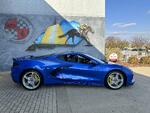







 SD Card Max