When you click on links to various merchants on this site and make a purchase, this can result in this site earning a commission. Affiliate programs and affiliations include, but are not limited to, the eBay Partner Network.
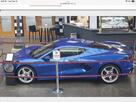
Put the car in reverse and backed out of a parking space. Backup camera worked fine, then put in drive and touch screen went blank. Drove home and turned off the engine. Started back up and put in reverse. Touch screen now looks like this in reverse. Camera view now only covers the upper 3/4 of the screen instead of full and have to tap the icon at lower left to show the distance markers. Any idea what has happened? TIA.
I found another thread where this happened and they turned the car off for about 10 min and when they came back it was fixed. If that doesn’t help try disconnecting the negative battery terminal for 5 min.
I found another thread where this happened and they turned the car off for about 10 min and when they came back it was fixed. If that doesn’t help try disconnecting the negative battery terminal for 5 min.
Thanks, Gunny27. Unfortunately that did not resolve the issue. Now when I start the car, the C8 badge appears on the screen, then sirius xm starts loading. Crazy.
Dunno? Worth a shot and the price is right...........
From the video: If this happens again, try this to erase the car/computer cache. Start the car. Shut the car off. Then open the drivers side door for 90 seconds (and you have to have it open for no less than 90 seconds). Close door, start the car and the computer cache has now been reset. You must wait a full 90 seconds not 89 or 88. Nothing less than 90 works.
Watch the video using the link below this process is at the 1:44:46 mark.
Perhaps you inadvertently set the night mode for the dash by turning the dimming all the way down and since you are indoors, the lights came on and it thinks you want night mode?
From the video: If this happens again, try this to erase the car/computer cache. Start the car. Shut the car off. Then open the drivers side door for 90 seconds (and you have to have it open for no less than 90 seconds). Close door, start the car and the computer cache has now been reset. You must wait a full 90 seconds not 89 or 88. Nothing less than 90 works.
Watch the video using the link below this process is at the 1:44:46 mark.
Now it looks like the rear view has a significantly wider angle than before the initial issue, but I can’t find anywhere in the settings menu where this can be changed, Looks like a trip to the dealer is on my to do list. Unfortunately, MM is my dealer so I’ll have to take it to a local dealer I have no relationship with 🤞🤞🤞.
Put the car in reverse and backed out of a parking space. Backup camera worked fine, then put in drive and touch screen went blank. Drove home and turned off the engine. Started back up and put in reverse. Touch screen now looks like this in reverse. Camera view now only covers the upper 3/4 of the screen instead of full and have to tap the icon at lower left to show the distance markers. Any idea what has happened? TIA.
Hhhh
This is certainly not what we like to hear, p4snow. Please know, customer satisfaction is extremely important to us. Our team would be more than happy to take a closer look into the concerns with your vehicle. To do so, please send an email to socialmedia@gm.com with ATTN: p4snow/Corvette Forums in the subject line.
Please include your contact information, VIN, a brief description of your concern, and the name of your preferred dealership. We look forward to hearing from you. To learn more about GM’s Privacy Policy, please visit https://www.gm.com/privacy-statement.html. The information you provide may be monitored and recorded and is subject to the GM Privacy Statement.
Privacy Statement | General Motors
Your privacy is important to General Motors. This Privacy Statement addresses the personal information GM collects and how GM handles that personal information. www.gm.com
This is certainly not what we like to hear, p4snow. Please know, customer satisfaction is extremely important to us. Our team would be more than happy to take a closer look into the concerns with your vehicle. To do so, please send an email to socialmedia@gm.com with ATTN: p4snow/Corvette Forums in the subject line.
Please include your contact information, VIN, a brief description of your concern, and the name of your preferred dealership. We look forward to hearing from you. To learn more about GM’s Privacy Policy, please visit https://www.gm.com/privacy-statement.html. The information you provide may be monitored and recorded and is subject to the GM Privacy Statement.
Privacy Statement | General Motors
Your privacy is important to General Motors. This Privacy Statement addresses the personal information GM collects and how GM handles that personal information. www.gm.com







 Need Help - Touch screen went blank