When you click on links to various merchants on this site and make a purchase, this can result in this site earning a commission. Affiliate programs and affiliations include, but are not limited to, the eBay Partner Network.
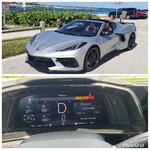
I was backing out of a parking space and the backup camera came on as usual. Shifted to drive and the touch screen went blank. Radio remained on. Drove home and put in reverse and now the camera view looks like this. It used to be full screen and did not show the option of turning on/off the distance markers. Any idea what has happened? TIA.
I was backing out of a parking space and the backup camera came on as usual. Shifted to drive and the touch screen went blank. Radio remained on. Drove home and put in reverse and now the camera view looks like this. It used to be full screen and did not show the option of turning on/off the distance markers. Any idea what has happened? TIA.
My 2020 has always had the markers. Even in drive at a stop push front camera button then change to rear camera view it should allow you to choose between markers and no markers
My 2020 has always had the markers. Even in drive at a stop push front camera button then change to rear camera view it should allow you to choose between markers and no markers
Thanks. Mine is a 1LT, so doesn’t have the front camera option. Odd thing is before the screen going blank event, the on/off marker option didn’t appear.
I was backing out of a parking space and the backup camera came on as usual. Shifted to drive and the touch screen went blank. Radio remained on. Drove home and put in reverse and now the camera view looks like this. It used to be full screen and did not show the option of turning on/off the distance markers. Any idea what has happened? TIA.
My rear camera has went out twice. The issue was in the main harness wrapping but the coax cable. Happen after a few track events each time. Even though the harness is safe from high heat areas. Next time I’m not having it repaired under warranty again. Don’t use it much but it always helps. Like to have a full time rear view camera for the track and just cause. These coax cables are weak IMO. Both front and rear.
SPOHN, where is the rear cable located? I have heat wrapped every harness I could find, and my back up camera still does wacky stuff coming off track.
The coax cable for the camera itself is contained within the main rear harness wiring wrapped up. It comes from around the center of the car and routes through the passenger side frame up through the wheel well and then continues to the back of the car and then drops off out of the main harness (near the end anyways being tail lights and such) to plug into the camera area portion. If you ever removed the rear bumper it’s the small connector. Roundish looking.
The dealer being under warranty replaces every item from the camera back until they did the main harness last. Pretty much the simplest and cheapest item first. Understandable. But the guy I had knew exactly what it was and tested it. But GM still made him go through the less cost effective troubles before ultimately replacing the harness from the get go. Which took two weeks total.
The line that is exposed looks like it wouldn’t handle heat period. Shiny round plastic coating. But my short was half way back near the engine bay. IMO it’s just not a reliable wire for that component. So at this point I’m not so concerned with it now. Mostly track car. But it plays a good part when needed.






 Backup Camera Issue