









corvette photos

Melting Slicks


Joined: Aug 2003
Posts: 2,966
Likes: 5
From: Wichita Falls Tx

I'm a computer dumb newbie around here, but I bet I can give you some advice. Scroll up above and click on "user CP". You will be taken to a page where you can click on "avitar". Click there and you can attach your photo the same way you do on an email. You may have to reduce the size depending on how large the photo is.
I always use JPGs.
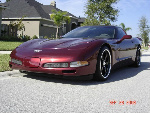
I'm still trying to figure out how to attach a large picture of my car below.
Sorry...Sorry...I thought you wanted to attach an avitar. Disregard my instructions.
I always use JPGs.
I'm still trying to figure out how to attach a large picture of my car below.
Sorry...Sorry...I thought you wanted to attach an avitar. Disregard my instructions.
Last edited by TexasMadMan; Feb 1, 2005 at 07:58 PM.

Race Director


Joined: Nov 2001
Posts: 18,682
Likes: 4
St. Jude Donor '05-'06-'07-'08-'09-'10-'11-'12
Originally Posted by love my car
Please help me show you guys my car under my name on the left side of screen where it says my photoes how do i post my pics????? thanks


Race Director


Joined: Jan 2002
Posts: 19,557
Likes: 1,470
From: I love you & miss you Linda
2017 C7 of the Year Finalist
St. Jude Contributor
Originally Posted by love my car
Please help me show you guys my car under my name on the left side of screen where it says my photoes how do i post my pics????? thanks
It's at the top, one of the 3 "sticky" posts up there. Been there for months now.......
Race Director
Joined: Oct 2002
Posts: 11,945
Likes: 12
From: Vancouver
2015 C5 of Year Finalist
St. Jude Donor '05-'06-'07-'08-'09-'10
Originally Posted by Glennm27
http://forums.corvetteforum.com/showthread.php?t=891443
It's at the top, one of the 3 "sticky" posts up there. Been there for months now.......
It's at the top, one of the 3 "sticky" posts up there. Been there for months now.......
 Once you've downloaded them and they have been approved the "see my Pictures" will appear under your avatar.
Corvette Stories
The Best of Corvette for Corvette Enthusiasts

Top 10 Most Expensive Corvettes Ever Sold on Bring A Trailer
Brett Foote
10 Things Every Corvette Owner Needs (2026 Edition)
Michael S. Palmer
8 Most "Only Corvette Owners Understand" Quirks and Problems
Pouria Savadkouei
10 Reasons the C6 Z06 is Still A Performance Benchmark After 20 Years
Joe Kucinski
How Much Horsepower Every Corvette Engine "LOST" in 1972
Joe Kucinski
Top 10 DOs and DON'Ts for Protecting Your Convertible Top!
Michael S. Palmer
Top 10 Most Explosive Corvettes Ever Made: Power-to-Weight Ratio Ranked!
Joe Kucinski
150 hp to 1,250 hp: Every Corvette Generation Compared by the Specs That Matter
Joe Kucinski
8 Coolest Corvette Pace Cars (and Replicas) of All Time
Verdad Gallardo
Melting Slicks
Joined: Feb 2002
Posts: 3,179
Likes: 13
From: Coal Valley IL
CI 4-7, 9 & 10 Veteran
Originally Posted by Knowme
Click on the picture that you want to post. Then right click on the same picture and click on "properties". Find the URL of the picture, copy it and paste it [img]in between these tags [/img] and you are all set

Le Mans Master

Joined: Nov 1999
Posts: 9,506
Likes: 6
From: Out East L.I. NY
St. Jude Donor '03, '04 & '05