


Frustration loading pictures!!!!!!!!!!!!!!
Thread Starter
Melting Slicks


Joined: Mar 2003
Posts: 2,512
Likes: 49
From: Franklin IN
 Frustration loading pictures!!!!!!!!!!!!!!
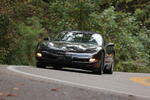
For almost two weeks I have tried to upload some pictures. Here is the link [IMG]http://thumb10.webshots.com/t/53/53/9/64/50/539596450HyebVn_th.jpg I have put it in the the upload block and hit submit why it does not work I do not understand. Can someone help?
Last edited by 87bob; Jan 8, 2006 at 09:40 PM.

Team Owner


Joined: Jun 2001
Posts: 24,921
Likes: 0
From: Knoxville, TN
CI 3-4-5-6-7-8 Veteran
St. Jude '03 thru '26
Originally Posted by 87bob
For almost two weeks I have tried to upload some pictures. Here is the link [IMG]http://thumb10.webshots.com/t/53/53/9/64/50/539596450HyebVn_th.jpg I have put it in the the upload block and hit submit why it does not work I do not understand. Can someone help?
http://thumb10.webshots.com/t/53/53/...0HyebVn_th.jpg
This is the link you provided above, also in the above text you have the [img] tag in front of that link. So far so good....
But you need the [/img] after the link to tell the system this is the end of the image link. Then you should get this:


Thread Starter
Melting Slicks
Joined: Mar 2003
Posts: 2,512
Likes: 49
From: Franklin IN
Originally Posted by 98Pace97Coupe
Are you trying to show the pic in a post?
http://thumb10.webshots.com/t/53/53/...0HyebVn_th.jpg
This is the link you provided above, also in the above text you have the [img] tag in front of that link. So far so good....
But you need the [/img] after the link to tell the system this is the end of the image link. Then you should get this:
http://thumb10.webshots.com/t/53/53/...0HyebVn_th.jpg
This is the link you provided above, also in the above text you have the [img] tag in front of that link. So far so good....
But you need the [/img] after the link to tell the system this is the end of the image link. Then you should get this:
PS I tried after posting this message to post this picture to my gallery
And it did the same thing. I selected a gallery to place it in. Then I pasted the location in front of where it says browse then hit the submit button but nothing happens. The submit button goes gray and that is it nothing more.
Last edited by 87bob; Jan 9, 2006 at 03:31 PM.
Team Owner
Joined: Jun 2001
Posts: 24,921
Likes: 0
From: Knoxville, TN
CI 3-4-5-6-7-8 Veteran
St. Jude '03 thru '26
I've included an "attachment" picture as an example of that kind of posting of a picture. Supporting Member status allows you to upload pics from your hard drive and show them in posts as thumbnails. This is a handy feature when you don't want to bother with the "hosting" kind.
Your version of posting pics is called the hosting kind. You provide a link where the picture is, put the img tags around that link, and the picture will appear in the post window as shown in my first example. Anyone can do this.
The main problem with uploading pics to the forum member gallery has to do with picture size, both dimensions and KB. Try reducing both and trying again.
As another option, a popular free hosting site is photobucket.com.
Hope this info helps!
Your version of posting pics is called the hosting kind. You provide a link where the picture is, put the img tags around that link, and the picture will appear in the post window as shown in my first example. Anyone can do this.
The main problem with uploading pics to the forum member gallery has to do with picture size, both dimensions and KB. Try reducing both and trying again.
As another option, a popular free hosting site is photobucket.com.
Hope this info helps!

Moderator

Joined: Jul 2005
Posts: 29,340
Likes: 3,885
From: West MI
CF Banner Relay Captain
West MI & JAX/NE Florida
Events Coordinator
St. Jude Donor '11-'17, '21
I have been trying for weeks too. All I get is a "no more photos found" and nothing.  I know there was another thread on this earlier.
I know there was another thread on this earlier.
Team Owner
Joined: Jun 2001
Posts: 24,921
Likes: 0
From: Knoxville, TN
CI 3-4-5-6-7-8 Veteran
St. Jude '03 thru '26
Originally Posted by DebRedC504
I have been trying for weeks too. All I get is a "no more photos found" and nothing. I know there was another thread on this earlier.
I know there was another thread on this earlier.
Thread Starter
Melting Slicks
Joined: Mar 2003
Posts: 2,512
Likes: 49
From: Franklin IN
No freaking luck yet!!!!!!!!!!
I have photos hosted and posted on several sites. I have tried to upload them in every concieveable way I can think. I cannot believe that it is that hard to do. Here is a sample of how I have been trying.
I choose a catagory
Photo
http://i38.photobucket.com/albums/e1...lueandGold.jpg
Web page:
http://photobucket.com/albums/e103/87bob/
I put the photo link into the box next to the browse button and the web page next to the URL box at the bottom.
Then I press the submit button. The button grays out and never does anything else.
So why will it not take the up load?
I choose a catagory
Photo
http://i38.photobucket.com/albums/e1...lueandGold.jpg
Web page:
http://photobucket.com/albums/e103/87bob/
I put the photo link into the box next to the browse button and the web page next to the URL box at the bottom.
Then I press the submit button. The button grays out and never does anything else.
So why will it not take the up load?
Last edited by 87bob; Jan 10, 2006 at 12:43 PM.
Team Owner
Joined: Jun 2001
Posts: 24,921
Likes: 0
From: Knoxville, TN
CI 3-4-5-6-7-8 Veteran
St. Jude '03 thru '26
Originally Posted by 87bob
I have photos hosted and posted on several sites. I have tried to upload them in every concieveable way I can think. I cannot believe that it is that hard to do. Here is a sample of how I have been trying.
I choose a catagory
Photo
http://i38.photobucket.com/albums/e1...lueandGold.jpg
Web page:
http://photobucket.com/albums/e103/87bob/
I put the photo link into the box next to the browse button and the web page next to the URL box at the bottom.
Then I press the submit button. The button grays out and never does anything else.
So why will it not take the up load?
I choose a catagory
Photo
http://i38.photobucket.com/albums/e1...lueandGold.jpg
Web page:
http://photobucket.com/albums/e103/87bob/
I put the photo link into the box next to the browse button and the web page next to the URL box at the bottom.
Then I press the submit button. The button grays out and never does anything else.
So why will it not take the up load?
I "think" I see what your problem is. You may be mixing up "My Corvette Photos" and your photobucket account. These are two completely different hosting sites. Since you are using the photobucket account in your above example, all you have to do with that jpg link is put the img tags around it. As a matter of fact, in photobucket, you copy and paste from the IMG line below your pic.
[img]link[/img]
That is the code used to show your pic. Replace the "link" with your real link and you get:

Quote this post and you can see what the code looks like

Last edited by MrWhan; Jan 10, 2006 at 02:34 PM.
Corvette Stories
The Best of Corvette for Corvette Enthusiasts

How Much Horsepower Every Corvette Engine "LOST" in 1972
Joe Kucinski
Top 10 DOs and DON'Ts for Protecting Your Convertible Top!
Michael S. Palmer
Top 10 Most Explosive Corvettes Ever Made: Power-to-Weight Ratio Ranked!
Joe Kucinski
150 hp to 1,250 hp: Every Corvette Generation Compared by the Specs That Matter
Joe Kucinski
8 Coolest Corvette Pace Cars (and Replicas) of All Time
Verdad Gallardo
Top 10 Corvette Engines RANKED by Peak Torque (70+ Years of Muscle!)
Joe Kucinski
Corvette ZR1X Will Be Pacing the Indy 500, And Could Probably Race, Too!
Verdad Gallardo
Top 10 Corvettes Coming to Mecum Indy 2026!
Brett Foote
Top 10 C9 Corvette MUST-HAVES to Fix These C8 Generation Flaws!
Michael S. Palmer
Team Owner
Joined: Jun 2001
Posts: 24,921
Likes: 0
From: Knoxville, TN
CI 3-4-5-6-7-8 Veteran
St. Jude '03 thru '26
Originally Posted by 87bob
I have done that and it still hasn't shone up is there a review process? If so how long does it take? How can I tell if the picture was recieved?
With photobucket, I don't think there is a review process.