


How do you post a photo


Thread Starter
Instructor

Joined: Jan 2008
Posts: 150
Likes: 0
From: West Newton Pennsylvania
 How do you post a photo
Guys, How do I post a photo from MY Picture File on my computer to these post. I tried to post one under the URL http:// , on my webshots acount, but it didn't work.

Burning Brakes


Joined: Sep 2004
Posts: 1,117
Likes: 0
From: San Jose CA
Put [IMG] before the URL(should be image format such as jpeg , gif etc) and [/IMG] after that.
Looking at your previous post, the link you posted was not image format.

Looking at your previous post, the link you posted was not image format.
Last edited by GroundPounder; Apr 11, 2008 at 02:53 PM.
Drifting


Joined: Apr 2002
Posts: 1,281
Likes: 7
From: West TX
It's very easy to do.
Go to www.photobucket.com and register for a free account (just like you did for corvetteforum).
Log in to your photobucket account and right in the middle of the page are some buttons that say "browse". Click those and find your pictures on your computer.
After you have found all you want to load click the big "UPLOAD" button.
Now, each picture will be in your photobucket account with 4 boxes of text beside (or below) them. Click on the text in the box labeled "IMG Code" and that will copy the text you need.
Come to your thread and paste the text in your reply and the picture will show up.
Be sure and hit return between each string of text you paste so your pictures don't show up side by side and make the reply wider than most people's screen.
Should take you between 5 and 10 minutes to set up and get the pictures to corvetteforum.... from then on you can go from camera in hand to pictures in your thread in far less time than it took me to type this reply haha
Doing it that way let's you post in any forum you go to that allows IMG code. Also there is a text box called "Direct Link" that you can click on to paste the code into emails instead of attatching them... allows you to add a lot to an email w/o having to go through the load times.

Rob
Go to www.photobucket.com and register for a free account (just like you did for corvetteforum).
Log in to your photobucket account and right in the middle of the page are some buttons that say "browse". Click those and find your pictures on your computer.
After you have found all you want to load click the big "UPLOAD" button.
Now, each picture will be in your photobucket account with 4 boxes of text beside (or below) them. Click on the text in the box labeled "IMG Code" and that will copy the text you need.
Come to your thread and paste the text in your reply and the picture will show up.
Be sure and hit return between each string of text you paste so your pictures don't show up side by side and make the reply wider than most people's screen.
Should take you between 5 and 10 minutes to set up and get the pictures to corvetteforum.... from then on you can go from camera in hand to pictures in your thread in far less time than it took me to type this reply haha
Doing it that way let's you post in any forum you go to that allows IMG code. Also there is a text box called "Direct Link" that you can click on to paste the code into emails instead of attatching them... allows you to add a lot to an email w/o having to go through the load times.
Rob



Thread Starter
Instructor
Joined: Jan 2008
Posts: 150
Likes: 0
From: West Newton Pennsylvania
It's very easy to do.
Go to www.photobucket.com and register for a free account (just like you did for corvetteforum).
Log in to your photobucket account and right in the middle of the page are some buttons that say "browse". Click those and find your pictures on your computer.
After you have found all you want to load click the big "UPLOAD" button.
Now, each picture will be in your photobucket account with 4 boxes of text beside (or below) them. Click on the text in the box labeled "IMG Code" and that will copy the text you need.
Come to your thread and paste the text in your reply and the picture will show up.
Be sure and hit return between each string of text you paste so your pictures don't show up side by side and make the reply wider than most people's screen.
Should take you between 5 and 10 minutes to set up and get the pictures to corvetteforum.... from then on you can go from camera in hand to pictures in your thread in far less time than it took me to type this reply haha
Doing it that way let's you post in any forum you go to that allows IMG code. Also there is a text box called "Direct Link" that you can click on to paste the code into emails instead of attatching them... allows you to add a lot to an email w/o having to go through the load times.
Rob
Go to www.photobucket.com and register for a free account (just like you did for corvetteforum).
Log in to your photobucket account and right in the middle of the page are some buttons that say "browse". Click those and find your pictures on your computer.
After you have found all you want to load click the big "UPLOAD" button.
Now, each picture will be in your photobucket account with 4 boxes of text beside (or below) them. Click on the text in the box labeled "IMG Code" and that will copy the text you need.
Come to your thread and paste the text in your reply and the picture will show up.
Be sure and hit return between each string of text you paste so your pictures don't show up side by side and make the reply wider than most people's screen.
Should take you between 5 and 10 minutes to set up and get the pictures to corvetteforum.... from then on you can go from camera in hand to pictures in your thread in far less time than it took me to type this reply haha
Doing it that way let's you post in any forum you go to that allows IMG code. Also there is a text box called "Direct Link" that you can click on to paste the code into emails instead of attatching them... allows you to add a lot to an email w/o having to go through the load times.
Rob

Thread Starter
Instructor
Joined: Jan 2008
Posts: 150
Likes: 0
From: West Newton Pennsylvania
It's very easy to do.
Go to www.photobucket.com and register for a free account (just like you did for corvetteforum).
Log in to your photobucket account and right in the middle of the page are some buttons that say "browse". Click those and find your pictures on your computer.
After you have found all you want to load click the big "UPLOAD" button.
Now, each picture will be in your photobucket account with 4 boxes of text beside (or below) them. Click on the text in the box labeled "IMG Code" and that will copy the text you need.
Come to your thread and paste the text in your reply and the picture will show up.
Be sure and hit return between each string of text you paste so your pictures don't show up side by side and make the reply wider than most people's screen.
Should take you between 5 and 10 minutes to set up and get the pictures to corvetteforum.... from then on you can go from camera in hand to pictures in your thread in far less time than it took me to type this reply haha
Doing it that way let's you post in any forum you go to that allows IMG code. Also there is a text box called "Direct Link" that you can click on to paste the code into emails instead of attatching them... allows you to add a lot to an email w/o having to go through the load times.
Rob
Go to www.photobucket.com and register for a free account (just like you did for corvetteforum).
Log in to your photobucket account and right in the middle of the page are some buttons that say "browse". Click those and find your pictures on your computer.
After you have found all you want to load click the big "UPLOAD" button.
Now, each picture will be in your photobucket account with 4 boxes of text beside (or below) them. Click on the text in the box labeled "IMG Code" and that will copy the text you need.
Come to your thread and paste the text in your reply and the picture will show up.
Be sure and hit return between each string of text you paste so your pictures don't show up side by side and make the reply wider than most people's screen.
Should take you between 5 and 10 minutes to set up and get the pictures to corvetteforum.... from then on you can go from camera in hand to pictures in your thread in far less time than it took me to type this reply haha
Doing it that way let's you post in any forum you go to that allows IMG code. Also there is a text box called "Direct Link" that you can click on to paste the code into emails instead of attatching them... allows you to add a lot to an email w/o having to go through the load times.
Rob
 [/IMG]
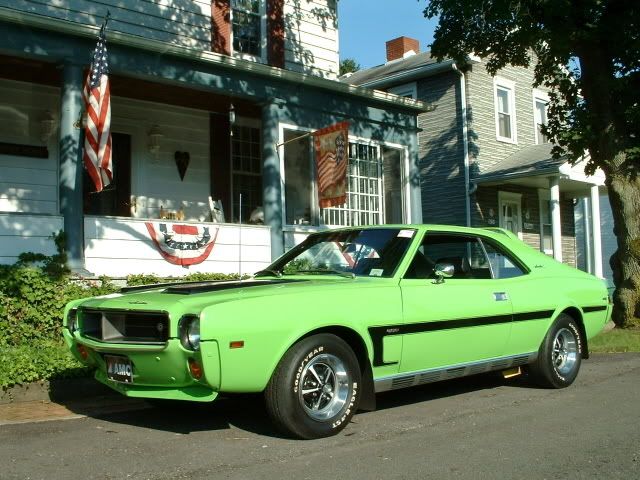
Let see if this works.








