


Help Posting Pictures

Supporting Tuner
Joined: Sep 2004
Posts: 51,896
Likes: 39
From: ================== Houston, Texas www.englandgreen.com ================== Necessary Evil™ __________
CI 6-7-8-9-10 Veteran
St. Jude Donor '05-'06-'07-'08-'09-'10-'11-'12-'13-'14

You need to host your pictures on a website somewhere on the internet. So, no, you can't directly from your PC.
EG
EG

Team Owner


Joined: Aug 2002
Posts: 35,617
Likes: 167
Tech Contributor
Cruise-In 11 Veteran
NCM Ambassador
St. Jude Donor '05-'06-'07-'10
Greetings Ron,
Unfortunately, only Forum vendors and moderators can post attachments. Here a couple of ways you can go about getting them hosted and then some instructions on getting them linked.
Paul
First, your photos need to be hosted somewhere on the internet (just on your hard drive isn’t good enough. The Corvette Forum has a photo host and this is a good place to start. See the sticky thread at the top of C5 General on how to get your photos uploaded to the forum here:
http://forums.corvetteforum.com/showthread.php?t=891443
Just remember that photos sent to the forum need to be approved before they will show up in your album. An alternative is to sign up for a site like www.photobucket.com
Go to your Photo page.
Select (single left click) the image that you want to post so that it is enlarged and opened on the page that you are on.
Single right click on the photo and select properties from the bottom of the menu
Find the Address (URL) line in the middle of the dialogue box that comes up
It will look something like this:
http://forums.corvetteforum.com/phot...05corr-med.jpg
With your mouse, single left click and drag across the address line from bottom right to top left starting at the g in jpg and finish with the h in http. Now press Ctrl C this will copy the address information
Create a reply and copy the information using Ctrl V to the reply box.
Now put IMG] in front of the http and place [/IMG] after the g in jpg
Note that you will need to add [ in front of the first [IMG] so it looks like this. (If I had done it in this message it would have tried to insert a picture.)
In your reply the results should look like this:
IMG]http://forums.corvetteforum.com/photopost/data/1033/33084PB278705corr-med.jpg[/IMG] – again with the leading [.
And the photo will look like this in the post

And that’s it!
Unfortunately, only Forum vendors and moderators can post attachments. Here a couple of ways you can go about getting them hosted and then some instructions on getting them linked.
Paul
First, your photos need to be hosted somewhere on the internet (just on your hard drive isn’t good enough. The Corvette Forum has a photo host and this is a good place to start. See the sticky thread at the top of C5 General on how to get your photos uploaded to the forum here:
http://forums.corvetteforum.com/showthread.php?t=891443
Just remember that photos sent to the forum need to be approved before they will show up in your album. An alternative is to sign up for a site like www.photobucket.com
Go to your Photo page.
Select (single left click) the image that you want to post so that it is enlarged and opened on the page that you are on.
Single right click on the photo and select properties from the bottom of the menu
Find the Address (URL) line in the middle of the dialogue box that comes up
It will look something like this:
http://forums.corvetteforum.com/phot...05corr-med.jpg
With your mouse, single left click and drag across the address line from bottom right to top left starting at the g in jpg and finish with the h in http. Now press Ctrl C this will copy the address information
Create a reply and copy the information using Ctrl V to the reply box.
Now put IMG] in front of the http and place [/IMG] after the g in jpg
Note that you will need to add [ in front of the first [IMG] so it looks like this. (If I had done it in this message it would have tried to insert a picture.)
In your reply the results should look like this:
IMG]http://forums.corvetteforum.com/photopost/data/1033/33084PB278705corr-med.jpg[/IMG] – again with the leading [.
And the photo will look like this in the post
And that’s it!

Thread Starter
Melting Slicks


Joined: Dec 2003
Posts: 2,341
Likes: 723
From: Chicago N/W Suburbs
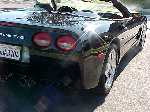
Okay, here is my first attempt at posting pictures on the forum. This is my 2001 Corvette.
As I am a Comcast subscriber, I have the means of creating a webpage. So I'm trying it out.
[IMG]http://home.comcast.net/~ron.dittmer/2001vette044.jpg
As I am a Comcast subscriber, I have the means of creating a webpage. So I'm trying it out.
[IMG]http://home.comcast.net/~ron.dittmer/2001vette044.jpg
Thread Starter
Melting Slicks
Joined: Dec 2003
Posts: 2,341
Likes: 723
From: Chicago N/W Suburbs
Okay, that didn't work.
I clicked on the "Insert Image" icon, but all I get is this... [/IMG]
I figured I was supposed to simply cut and paste my web page, but no. Oh, I see the www is missing. Lets try it again.
[IMG]http://www.home.comcast.net/~ron.dittmer/2001vette044.jpg
I clicked on the "Insert Image" icon, but all I get is this... [/IMG]
I figured I was supposed to simply cut and paste my web page, but no. Oh, I see the www is missing. Lets try it again.
[IMG]http://www.home.comcast.net/~ron.dittmer/2001vette044.jpg
Corvette Stories
The Best of Corvette for Corvette Enthusiasts

Top 10 Most Expensive Corvettes Ever Sold on Bring A Trailer
Brett Foote
10 Things Every Corvette Owner Needs (2026 Edition)
Michael S. Palmer
8 Most "Only Corvette Owners Understand" Quirks and Problems
Pouria Savadkouei
10 Reasons the C6 Z06 is Still A Performance Benchmark After 20 Years
Joe Kucinski
How Much Horsepower Every Corvette Engine "LOST" in 1972
Joe Kucinski
Top 10 DOs and DON'Ts for Protecting Your Convertible Top!
Michael S. Palmer
Top 10 Most Explosive Corvettes Ever Made: Power-to-Weight Ratio Ranked!
Joe Kucinski
150 hp to 1,250 hp: Every Corvette Generation Compared by the Specs That Matter
Joe Kucinski