




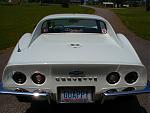


Help with pictures

Thread Starter
Intermediate

Joined: Oct 2011
Posts: 35
Likes: 2
From: Chesterland Ohio
 Help with pictures
I can usually spell 'computer' correctly boy my expertise doesn't progress much beyond that. Thus, I need some help.
I've gone thru the forum, the profile section, went thru new member info, checked the FAQ's and have not been able to get info on how to post pictures on the forum.
I'd like to have one on the message I send but also, several members said, 'post some pictures'!
Like I said, not a computer guru but have enough upstairs to be able to follow instructions...I hope.
I've gone thru the forum, the profile section, went thru new member info, checked the FAQ's and have not been able to get info on how to post pictures on the forum.
I'd like to have one on the message I send but also, several members said, 'post some pictures'!
Like I said, not a computer guru but have enough upstairs to be able to follow instructions...I hope.

Team Owner


Joined: May 2004
Posts: 82,175
Likes: 1,319
From: McKinney TX
St. Jude Donor '21-'22-'23-'24
If you're not a supporting member, you must essentially host your pics somewhere else on the internet and post a link to it/them. That link will have an [IMG] in front of it and a [/IMG] tag on the end of it.
Here's a link to a thread in the HELP forum that should help.
http://forums.corvetteforum.com/help...se-sticky.html
Here's a link to a thread in the HELP forum that should help.
http://forums.corvetteforum.com/help...se-sticky.html
Thread Starter
Intermediate
Joined: Oct 2011
Posts: 35
Likes: 2
From: Chesterland Ohio
Thanks, Jim. Not a clue what an IMG is nor any idea on how to post a picture somewhere on the net but I'll try the link and see what happens.
Again, grateful for your quick response.
Again, grateful for your quick response.
Team Owner
Joined: May 2004
Posts: 82,175
Likes: 1,319
From: McKinney TX
St. Jude Donor '21-'22-'23-'24
The IMG tags I was talking about are just text added to the front of the link and end of the link that you post. The actual text is "[IMG]" added to the front of the link and "[/IMG]" added to the end of the link.
Here's a link to the Supporting Member Program.
https://www.corvetteforum.com/supporting/
The Supporting Member program is a completely voluntary way to contribute to the site and get a few extra perks for doing so.

Drifting

Joined: May 2011
Posts: 1,715
Likes: 0
From: "Cottage Country" Ontario
Welcome to the Forum. 
Good luck with the pics. Further to Jim's help link: I find it easiest to have the desired picture file on my computer "desktop" to start - saves steps when your "photobucket" account prompts you to upload. Once your pic is in photobucket, click on the IMG bar and paste the result to the thread reply in Corvette Forum.

Good luck with the pics. Further to Jim's help link: I find it easiest to have the desired picture file on my computer "desktop" to start - saves steps when your "photobucket" account prompts you to upload. Once your pic is in photobucket, click on the IMG bar and paste the result to the thread reply in Corvette Forum.
Corvette Stories
The Best of Corvette for Corvette Enthusiasts

5 Best & 5 Worst Corvette Daily Drivers
Joe Kucinski
The Headlights of Every Corvette Generation Explained
Joe Kucinski
5 Best & 5 Most Overrated Corvette Track Packages of All Time!
Joe Kucinski
Every 2027 Corvette Engine Explained
Joe Kucinski
Designer Imagines A Corvette That Looks More Like a Corvette Than the Corvette
Verdad Gallardo
10 Ugly Corvettes That We Still Kinda Love
Joe Kucinski
Top 10 Most Expensive Corvettes Ever Sold on Bring A Trailer
Brett Foote
10 Things Every Corvette Owner Needs (2026 Edition)
Michael S. Palmer
8 Most "Only Corvette Owners Understand" Quirks and Problems
Pouria Savadkouei





Race Director


Joined: Sep 2011
Posts: 10,742
Likes: 211
From: Marana, Arizona
Easy way to post a picture, go to www.tinypic.com
Select choose file and find the picture you want to post on your computer and select. Click the “Upload Now” green button
Type in the scrambled words/letters and upload.
After the upload you’ll see share this image. The 2nd on the list is an IMG code for forums and message boards. Copy that IMG address and paste it into a post and your photo will be displayed in the post.
You can also use photobucket. Here's a how to link.
http://forums.corvetteforum.com/help...es-thread.html
Good luck!
Select choose file and find the picture you want to post on your computer and select. Click the “Upload Now” green button
Type in the scrambled words/letters and upload.
After the upload you’ll see share this image. The 2nd on the list is an IMG code for forums and message boards. Copy that IMG address and paste it into a post and your photo will be displayed in the post.
You can also use photobucket. Here's a how to link.
http://forums.corvetteforum.com/help...es-thread.html
Good luck!



Thread Starter
Intermediate
Joined: Oct 2011
Posts: 35
Likes: 2
From: Chesterland Ohio
Thanks for the warm welcome, guys. After things settle down here gonna follow the posting proces from....sticky?
A ton of info there. Thanks for the assist.
Is it possible to review someone's profile to get a better idea of who's helping you?
Thanks again to all. Seems to be a very helpful group. Glad I found it.
A ton of info there. Thanks for the assist.
Is it possible to review someone's profile to get a better idea of who's helping you?
Thanks again to all. Seems to be a very helpful group. Glad I found it.