


Test

Thread Starter
Instructor

Joined: Feb 2012
Posts: 136
Likes: 1
From: Farmington Maine
 Test
Test

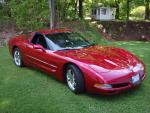
Thanks, as you can see I was able to get a photo from photo bucket and paste it into a post reply...NOW, how do I get a photo to show up permanently under my name on the left of the post like you have on yours. I'm feeling pretty simple minded right now....thanks for the assistance so far........RC
Thread Starter
Instructor
Joined: Feb 2012
Posts: 136
Likes: 1
From: Farmington Maine
When I click on My Corvette Photos at the left under my name all I get is several blank boxes entitled, images awaiting approval. I notice when i click on yours that I get a full slates of photos of your beautiful red Vette.......thanks again for helping the "technologically challenged" like myself.....RC

IB Staff


Joined: Feb 2009
Posts: 10,579
Likes: 4
Please see the Help Guide:
http://forums.corvetteforum.com/help...elp-guide.html
It shows that what you're talking about (the image under your username, to the left of your post) is called an Avatar and there are instructions there on how to change it.
Avatars, Profile Pictures and Signatures
An Avatar is a small photo that is displayed underneath your username whenever you post (to the left of your message).
A Profile Picture is a photo that appears in your Profile.
A Signature is displayed underneath your messages and contain text and/or photos.
Example:

To update your Avatar:
1) Go to UserCP: http://forums.corvetteforum.com/usercp.php
2) Under Settings & Options, click on Edit Avatar: http://forums.corvetteforum.com/prof...?do=editavatar
3) Click on Use Custom Avatar and use the Option 2 to upload the image from your computer
4) Click on the Browse button to open a new window to display the contents of your computer to locate the file you desire to upload as your Avatar
5) Locate the file from your computer that you desire to upload, select it, then click on the Open button

Make sure the image complies with the restrictions noted, otherwise it may fail to upload.
Thanks, as you can see I was able to get a photo from photo bucket and paste it into a post reply...NOW, how do I get a photo to show up permanently under my name on the left of the post like you have on yours. I'm feeling pretty simple minded right now....thanks for the assistance so far........RC
http://forums.corvetteforum.com/help...elp-guide.html
It shows that what you're talking about (the image under your username, to the left of your post) is called an Avatar and there are instructions there on how to change it.
Avatars, Profile Pictures and Signatures
An Avatar is a small photo that is displayed underneath your username whenever you post (to the left of your message).
A Profile Picture is a photo that appears in your Profile.
A Signature is displayed underneath your messages and contain text and/or photos.
Example:
To update your Avatar:
1) Go to UserCP: http://forums.corvetteforum.com/usercp.php
2) Under Settings & Options, click on Edit Avatar: http://forums.corvetteforum.com/prof...?do=editavatar
3) Click on Use Custom Avatar and use the Option 2 to upload the image from your computer
4) Click on the Browse button to open a new window to display the contents of your computer to locate the file you desire to upload as your Avatar
5) Locate the file from your computer that you desire to upload, select it, then click on the Open button
Make sure the image complies with the restrictions noted, otherwise it may fail to upload.
Thanks, as you can see I was able to get a photo from photo bucket and paste it into a post reply...NOW, how do I get a photo to show up permanently under my name on the left of the post like you have on yours. I'm feeling pretty simple minded right now....thanks for the assistance so far........RC








