




OS-2BOSE question

Thread Starter
Heel & Toe

Joined: Dec 2007
Posts: 24
Likes: 0
 OS-2BOSE question
I have spliced all the wires together but I still have 2 (the Orange and the Blue) that are not connected and I can't seem to find what to splice them to. Are these ones even used?
Anyone have any ideas? Any feedback would be appreciated. Thanks!
Anyone have any ideas? Any feedback would be appreciated. Thanks!

Tech Contributor


Joined: May 2003
Posts: 7,035
Likes: 134
From: North Augusta, SC
Does it work as-is 
Blue is either an amp remote trigger or a remote antenna power trigger, it's only used if your specific setup calls for it.
Orange is either the illumination wire (connect to gray w/black stripe at TC/AH bbutton) or it's just an extra unused wire.
Blue is either an amp remote trigger or a remote antenna power trigger, it's only used if your specific setup calls for it.
Orange is either the illumination wire (connect to gray w/black stripe at TC/AH bbutton) or it's just an extra unused wire.
Thread Starter
Heel & Toe
Joined: Dec 2007
Posts: 24
Likes: 0
Well this sucks... Everything audio wise works on the deck and sounds great! But, I cannot get Onstar to come on, NAV to work, and the reverse camera is not doing anything.
Ok, orange was illumination which I hooked to the TC/AH to both the PAC harness and the Deck. Illumination on the deck is not changing when I adjust it.
The blue was for a power antenna so obviously that won't get used.
I don't get it. NAV isn't even trying to pick up my location. The backup camera should be wire up fine it's grounded, hooked up to the reverse signal in the BCM and the RCA is hooked up to the decks Reverse camera RCA input. I don't even see an option to access ONStar and the PAC harness is not lit up with the Onstar active light.
Anybody have any ideas? PLEAZZZZEEE!
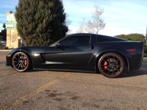
PS, I have a '06 ZO6 if that helps
Ok, orange was illumination which I hooked to the TC/AH to both the PAC harness and the Deck. Illumination on the deck is not changing when I adjust it.
The blue was for a power antenna so obviously that won't get used.
I don't get it. NAV isn't even trying to pick up my location. The backup camera should be wire up fine it's grounded, hooked up to the reverse signal in the BCM and the RCA is hooked up to the decks Reverse camera RCA input. I don't even see an option to access ONStar and the PAC harness is not lit up with the Onstar active light.
Anybody have any ideas? PLEAZZZZEEE!
PS, I have a '06 ZO6 if that helps
Drifting


Joined: Aug 2009
Posts: 1,266
Likes: 5
From: Colorado Springs Colorado
Well this sucks... Everything audio wise works on the deck and sounds great! But, I cannot get Onstar to come on, NAV to work, and the reverse camera is not doing anything.
Ok, orange was illumination which I hooked to the TC/AH to both the PAC harness and the Deck. Illumination on the deck is not changing when I adjust it.
The blue was for a power antenna so obviously that won't get used.
I don't get it. NAV isn't even trying to pick up my location. The backup camera should be wire up fine it's grounded, hooked up to the reverse signal in the BCM and the RCA is hooked up to the decks Reverse camera RCA input. I don't even see an option to access ONStar and the PAC harness is not lit up with the Onstar active light.
Anybody have any ideas? PLEAZZZZEEE!
PS, I have a '06 ZO6 if that helps
Ok, orange was illumination which I hooked to the TC/AH to both the PAC harness and the Deck. Illumination on the deck is not changing when I adjust it.
The blue was for a power antenna so obviously that won't get used.
I don't get it. NAV isn't even trying to pick up my location. The backup camera should be wire up fine it's grounded, hooked up to the reverse signal in the BCM and the RCA is hooked up to the decks Reverse camera RCA input. I don't even see an option to access ONStar and the PAC harness is not lit up with the Onstar active light.
Anybody have any ideas? PLEAZZZZEEE!
PS, I have a '06 ZO6 if that helps
also some head units have to have the dimmer feature turned on.
whatever you hook that orange wire to test it with a test light. if it goes 12v with the lights on you have the correct wire. that orange wire should go directly to the HU not to the pac adapter.
the blue wire that should be connected to the pac adapter or factory harness ( forget where that wire is) should be the amp turn on wire because some HU have a separate wire for power antenna and only comes on when listening to the radio.
about the camera, if its a kenwood you need to set the backup camera function in the settings to (i forget the setting) somthing along the lines of video mute or interrupt or somthing to that effect.
read your owners manuel in the section of backup camera settings.
Thread Starter
Heel & Toe
Joined: Dec 2007
Posts: 24
Likes: 0
Sorry, should have mentioned the deck model. It's a AVIC-X930BT and the backup camera is an Audiovox license frame style. I have one 750/1 JL amp and a JL stealthbox.
About a month ago, I had a local car stereo shop install the amp and sub to the factory bose headunit before I realized how much it needed to be upgraded.
Looks like I have the NAV working (through the cable that came with the headunit) but still no ONstar and no reverse camera. Was thinking the NAV wouldn't use it's own cable but would work through the factory GPS and onstar. Guess maybe I'm wrong...
The amp turns on and off fine and the sub works so I know the remote turn on is hooked up right for that.
About a month ago, I had a local car stereo shop install the amp and sub to the factory bose headunit before I realized how much it needed to be upgraded.
Looks like I have the NAV working (through the cable that came with the headunit) but still no ONstar and no reverse camera. Was thinking the NAV wouldn't use it's own cable but would work through the factory GPS and onstar. Guess maybe I'm wrong...
The amp turns on and off fine and the sub works so I know the remote turn on is hooked up right for that.
Last edited by foxyss; Jun 25, 2011 at 04:16 AM.
Drifting
Joined: Aug 2009
Posts: 1,266
Likes: 5
From: Colorado Springs Colorado
Sorry, should have mentioned the deck model. It's a AVIC-X930BT and the backup camera is an Audiovox license frame style. I have one 750/1 JL amp and a JL stealthbox.
About a month ago, I had a local car stereo shop install the amp and sub to the factory bose headunit before I realized how much it needed to be upgraded.
Looks like I have the NAV working (through the cable that came with the headunit) but still no ONstar and no reverse camera. Was thinking the NAV wouldn't use it's own cable but would work through the factory GPS and onstar. Guess maybe I'm wrong...
The amp turns on and off fine and the sub works so I know the remote turn on is hooked up right for that.
About a month ago, I had a local car stereo shop install the amp and sub to the factory bose headunit before I realized how much it needed to be upgraded.
Looks like I have the NAV working (through the cable that came with the headunit) but still no ONstar and no reverse camera. Was thinking the NAV wouldn't use it's own cable but would work through the factory GPS and onstar. Guess maybe I'm wrong...
The amp turns on and off fine and the sub works so I know the remote turn on is hooked up right for that.
if memory serves me, i think the onstar just works through the pac adapter the only thing that needed hooked up was the mute wire to the HU that the PAC unit triggers while onstar was in use.
Tech Contributor
Joined: May 2003
Posts: 7,035
Likes: 134
From: North Augusta, SC
OnStar can be tricky. Without knowing exactly how the wires are currently connected it's hard to help.
Re backup camera... Does screen on HU change when you put in reverse, but not have picture, or does it do nothing at all?
My backup camera gets it's power from the switched wire that powers up my HU (so it's on if the radio is). The RCA plug video feed is connected to the HU 'reverse image' input. There is a wire from the HU that needs to be connected to the oem 'reverse light' wire so the HU knows when the car is in reverse. The HU also needs to know that you have everything connected (look in setup instructions). With everything connected like that, your radio will automatically display backup camera when tranny is in reverse, and you can also watch 'where you've been' on the radio if you push the buttons properly to display the camera while you're driving (kinda neat sometimes).
This thread has lots of good info, but I'm not sure how much of it you need at this point.
Re backup camera... Does screen on HU change when you put in reverse, but not have picture, or does it do nothing at all?
My backup camera gets it's power from the switched wire that powers up my HU (so it's on if the radio is). The RCA plug video feed is connected to the HU 'reverse image' input. There is a wire from the HU that needs to be connected to the oem 'reverse light' wire so the HU knows when the car is in reverse. The HU also needs to know that you have everything connected (look in setup instructions). With everything connected like that, your radio will automatically display backup camera when tranny is in reverse, and you can also watch 'where you've been' on the radio if you push the buttons properly to display the camera while you're driving (kinda neat sometimes).
This thread has lots of good info, but I'm not sure how much of it you need at this point.
Thread Starter
Heel & Toe
Joined: Dec 2007
Posts: 24
Likes: 0
Alright, I think I know what I did wrong with the backup camera. About to go back out to the garage and start working on it.
That should leave the onstar as the only other problem. To be honest, I should have checked it since I got it back from the previous installer but I didn't.
You guys have been a great help so far though! Very much appreciated!!! I will keep you updated on what happens.
That should leave the onstar as the only other problem. To be honest, I should have checked it since I got it back from the previous installer but I didn't.
You guys have been a great help so far though! Very much appreciated!!!
I will keep you updated on what happens.
Corvette Stories
The Best of Corvette for Corvette Enthusiasts

Top 10 Most Expensive Corvettes Ever Sold on Bring A Trailer
Brett Foote
10 Things Every Corvette Owner Needs (2026 Edition)
Michael S. Palmer
8 Most "Only Corvette Owners Understand" Quirks and Problems
Pouria Savadkouei
10 Reasons the C6 Z06 is Still A Performance Benchmark After 20 Years
Joe Kucinski
How Much Horsepower Every Corvette Engine "LOST" in 1972
Joe Kucinski
Top 10 DOs and DON'Ts for Protecting Your Convertible Top!
Michael S. Palmer
Top 10 Most Explosive Corvettes Ever Made: Power-to-Weight Ratio Ranked!
Joe Kucinski
150 hp to 1,250 hp: Every Corvette Generation Compared by the Specs That Matter
Joe Kucinski