When you click on links to various merchants on this site and make a purchase, this can result in this site earning a commission. Affiliate programs and affiliations include, but are not limited to, the eBay Partner Network.
Having some issues with my new setup. Over the past couple of weeks I have been slowly swapping out the whole stereo. Here is what I have:
Alpine ILX-207
PAC GM1A-RST / PAC VS41 / PAC TR1
OEM C7 backup camera, Natika from Amazon for front
Arc Audio XDi805
HAT speakers and HAT unity sub in an NVX enclosure
I have attached a pic of the wiring for the ILX and PAC units. Have two problems. First is slight ringing, I know I just need to find a new ground for the amp (used seat belt harness bolt). The bigger issue are the cameras...
I changed the settings in the VS41 for it to kick on the front camera when it is between 0-7mph. When I put it in reverse, the backup camera works. If I am rolling backwards and I pull it out of gear, it switches to the front camera view, but it is slowly rolling the picture. When driving forward, most of the time it does not display the picture at all. Here is a video I took of it (note that I stayed in my driveway for this whole video, never went on the street):
Any ideas as to what is going on here as I am at a loss.
As an aside, I did figure out how to change the splash screen, so I put a pic of the car on it, which is pretty cool and I replaced the cig lighter outlet with a usb/aux input combo plug for using Andoid Auto.
I suggest removing the power going to the rear camera from the source (red) between the interface and head unit, and just powering it from the reverse light only.
I agree with @madsonp , remove the constant 12V connection from the rear cam and trigger with 12V from the Reverse light only. Since you say you are using a C7 Reverse Camera for your rear camera, I think the white and red wires from the cam both need to be powered from the 12V Reverse Light.
Also, here's a copy of the VS41 wiring diagram for connection to a GM1A module as you have, It says it is for 2003-2006 Chev/GMC Trucks and SUVs with an aftermarket radio, vehicle models shouldn't matter much, it is basically what you are trying to do. I've highlighted a couple of things that I think are important to your install.
I agree with @madsonp , remove the constant 12V connection from the rear cam and trigger with 12V from the Reverse light only. Since you say you are using a C7 Reverse Camera for your rear camera, I think the white and red wires from the cam both need to be powered from the 12V Reverse Light.
Also, here's a copy of the VS41 wiring diagram for connection to a GM1A module as you have, It says it is for 2003-2006 Chev/GMC Trucks and SUVs with an aftermarket radio, vehicle models shouldn't matter much, it is basically what you are trying to do. I've highlighted a couple of things that I think are important to your install.
Yes, the VS41 isn't specifically meant to be used with the Corvette, but it does work, I installed it in mine, the reason I did was for the feature that automatically turns on the front camera at low speeds that allows you to see how close you are to the parking blocks when pulling into a parking spot, so I don't tear up the front end, I did a write up on the GM1A and the VS41 a while back where I also added a digital video recorder that automatically records the view of the front camera anytime the car is running with the thought it might come in handy if anyone ever pulls in front of me causing an accident, I'd have proof. Here's the write up if you're interested in reading it. https://www.corvetteforum.com/forums...terface-3.html But yeah, as far as gti16vman's issue, I think the way he's got the rear camera wired, he ends up sending two video signals to the head unit at the same time, causing the issue he's having, I think by removing the power lead like we mentioned would resolve his problem.
Thanks for the replies, I will give it a shot. I sent this wiring diagram of what I have and the video to PAC customer support and they said they think the VS41 is bad looking at the video. They said I shouldn't have to connect any trigger wires as the GM1A should be sending that through, their words: "you will only connect the reverse wire from the GM1A to you reverse lead on your radio". That part does seem to work considering putting it in reverse kicks the camera on right away. Also, it seems like leaving it powered should be fine if I am not giving it a signal to turn on until it gets power from the reverse light. I *think* that all I should connect is the 10 pin harness and the video cables to the VS41. In either case, I will try to see if changing the power fixes it.
The other issue I realized I have is that the backup camera is flipped. There is no setting in the head unit to flip it like I know there are in others. Frankly I was a little upset with Alpine about this. I called their support and the guy told me that I bought a front camera instead of reverse. After telling him it was a backup camera from another model he basically told me I was SOL. So I will probably be putting this C7 camera up for sale soon to someone that has a Kenwood or some other head unit that will flip the image for you. Ahh, the joy of technology.
Well, it turns out it was not the camera power wiring, although I will change that as well. I was under the wrong impression that the GM1A was feeding the backup signal to the VS41, which it was not. I reread @madsonp 's thread on this unit and saw how he wired it. My fault for not rereading that earlier (first saw it a couple months ago). So I wired from GM1A -> VS41 -> Head unit and it works now. Still going to swap out the rear camera since I can't flip the picture. Thanks for the advice, still mad at myself for not going back and thoroughly reading that thread.
Got new camera in and all is seemingly ok now. I need to drive it around a little more to get a better feel for the front camera. I am thinking that I may end up wiring a switch to trigger the front camera. That way I can just turn it on when I want.
Still have the slight ringing, so I need to figure out a new ground for the amp. Would have thought the seat belt hole would have worked, but will find something else. I saw the one on the passenger side behind the seat, but that will require a longer ground cable.
Glad to hear you got it working, as far as your ground issue, where do you have the amp installed ? Ideally you want to ground the amp as close to it as possible. Also how do you have the power ran to it ? If you have it ran along other harnesses, this can also cause interference. The same can hold true with the speaker wires.
Amp is right behind driver seat on the floor of the back, so the ground is about 18" or less down to the seatbelt reel hole. Power routes under the rear carpet around to the amp and all speaker/RCA are coming from the front. The worst part is that this is an intermittent issue which leads me to think it is internal to the amp. I read some about this online with Arc Audio amps having sound. It has been so long since I had this amp in my truck, maybe that is why I took it out of there and forgot about it. It was happening the other day with the engine off, but when I was just out there no hissing at all. I was just out there messing with other stuff and there was no hissing at all. I do have a JL HD900/5 that I will probably put in there if I hear it again. Would have used that one from the get go, but this sub is only rated at 220W RMS.
The final thing that is getting me is getting the SWC programmed so that I can answer calls via the button on the steering wheel. I pulled the Onstar fuse and follow the programming instructions (which say they are for the Corvette specifically), but it still isn't working. What is odd is that I when I click the answer button, I see the green flashing on the GM1A, so it knows I am pressing the button, but it won't answer the call.
Ok, finally got it figured out after some back and forth with PAC and Alpine customer service. Not sure what exactly fixed it, but to get the Alpine and steering wheel controls to answer the phone. I currently have the Onstar fuse unplugged as well as the 3 white plugs you can remove from the module (leaving the black plug with brown wires). Then I did a master reset on the PAC unit. Then I did the long programming like this:
Volume + = vol+
Volume - = vol-
Mute = skipped
Preset + = up arrow
Preset - = down arrow
Source = 1-6 button
Track + = skipped
Track - = skipped
Power = skipped
Enter/Play = skipped
Band/Program = skipped
Receive = answer button
End = hang up button
Voice = skipped
Able to click the answer button when the phone rings and I am feeling good.
Ok, finally got it figured out after some back and forth with PAC and Alpine customer service. Not sure what exactly fixed it, but to get the Alpine and steering wheel controls to answer the phone. I currently have the Onstar fuse unplugged as well as the 3 white plugs you can remove from the module (leaving the black plug with brown wires). Then I did a master reset on the PAC unit. Then I did the long programming like this:
Volume + = vol+
Volume - = vol-
Mute = skipped
Preset + = up arrow
Preset - = down arrow
Source = 1-6 button
Track + = skipped
Track - = skipped
Power = skipped
Enter/Play = skipped
Band/Program = skipped
Receive = answer button
End = hang up button
Voice = skipped
Able to click the answer button when the phone rings and I am feeling good.
That's good to hear, glad you got everything working the way you wanted.
So the alternator whine is still there, just a lot lower than it was. Changed out RCA's to a little longer to help run them better, but if I remove them, the noise is present. I think that it has to be ground related, have now tried seat belt bolt, seat frame bolt and back to the battery itself. Think I am going to try the one behind the passenger seat next. May also upgrade the ground wire on the alternator to see if that helps anything. Probably need to measure some voltages and see how these grounds are working.
In other news, I wanted the front camera to stay on longer than the 0-7mph range (it turned off too soon when creeping into a parking spot), so I installed a little switch and wired it to the video 2 + trigger on the VS41. I now can just click on the switch and leave on the front camera as long as I want.
So the alternator whine is still there, just a lot lower than it was. Changed out RCA's to a little longer to help run them better, but if I remove them, the noise is present. I think that it has to be ground related, have now tried seat belt bolt, seat frame bolt and back to the battery itself. Think I am going to try the one behind the passenger seat next. May also upgrade the ground wire on the alternator to see if that helps anything. Probably need to measure some voltages and see how these grounds are working.
In other news, I wanted the front camera to stay on longer than the 0-7mph range (it turned off too soon when creeping into a parking spot), so I installed a little switch and wired it to the video 2 + trigger on the VS41. I now can just click on the switch and leave on the front camera as long as I want.
Yeah, that's my only gripe about the VS41, I wish it wouldn't shut off as soon as it does.





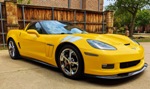


 C6 new install - PAC issues