When you click on links to various merchants on this site and make a purchase, this can result in this site earning a commission. Affiliate programs and affiliations include, but are not limited to, the eBay Partner Network.
I've looked at threads on this subject over the years but have still come away baffled as I only speak Luddite . But seriously, it seems that a lot of the plug-and-play modules that were available years ago for these sorts of modifications are no longer available, and trying to make heads or tails of the various inscrutable offerings on Amazon leaves my eyes glazed over. I have the factory radio/CD player in my '02 Z06 (so no multi-disc changer) and I would like to keep it but add -if possible - bluetooth and some sort of auxiliary plug to be able to play other media.
As for bluetooth, I know there are the cigarette lighter type devices that connect via a radio frequency, but my impression is the quality of sound is sketchy at best. Is there any sort of plug-and-play module that accomplishes this? My sense is that something hardwired would (at least theoretically) provide a better connection.
As for an auxiliary input, again I'm hoping to find something plug-and-play with some sort of wire input dongle that can be run out the side of the console or some such. I know about the thread where the guy installed an auxiliary jack input on the faceplate of his radio, but I'm unwilling to tackle that sort of project. My fingers are too fat and I doubt my hands would be steady enough to tackle something like that.
I DON'T want to switch to a Double Din head unit, and I don't really like how the single Dins look either. If you've done these replacements and are pleased with the outcome, that's great and I'm happy for you. BUT I just want to keep the factory set-up and possibly add these two features within the parameters I've attempted to describe. If that's not possible, so be it, and I'll survive. I'm also open to the idea of sending off the head unit to some business and having these modifications done by them, if such a place exists. Thanks in advance for any useful guidance !
I added one of these to my stock radio over the winter. I got the one for no cd changer from discount car audio. Better than the lighter fm thingy. Like you, I wanted to keep stock deck. Sounds pretty good. While I was there I upgrade the door 3.5” speakers and the rear speakers plus a sub and amp.
Can you please add details of the product info and where you purchased?
Am I correct that you connected this device to where you would connect the factory multi-CD player? This connection would be by the foot of the passenger?
Also, this is a BT connect?
Did you have any issues with the device drawing extra power from the battery while the car was off and in sleep mode?
Can you please add details of the product info and where you purchased?
Am I correct that you connected this device to where you would connect the factory multi-CD player? This connection would be by the foot of the passenger?
Also, this is a BT connect?
Did you have any issues with the device drawing extra power from the battery while the car was off and in sleep mode?
Thank you in advance.
purchased through discount car stereo online. My car didn’t have the factory cd changer and was hooked to the back of the head unit. They also make one for cars with cd player that uses the cd port. Yes Bluetooth, it is still a fm type Bluetooth but direct plug in so sounds much cleaner than the cig lighter ones. No issues with battery drain.
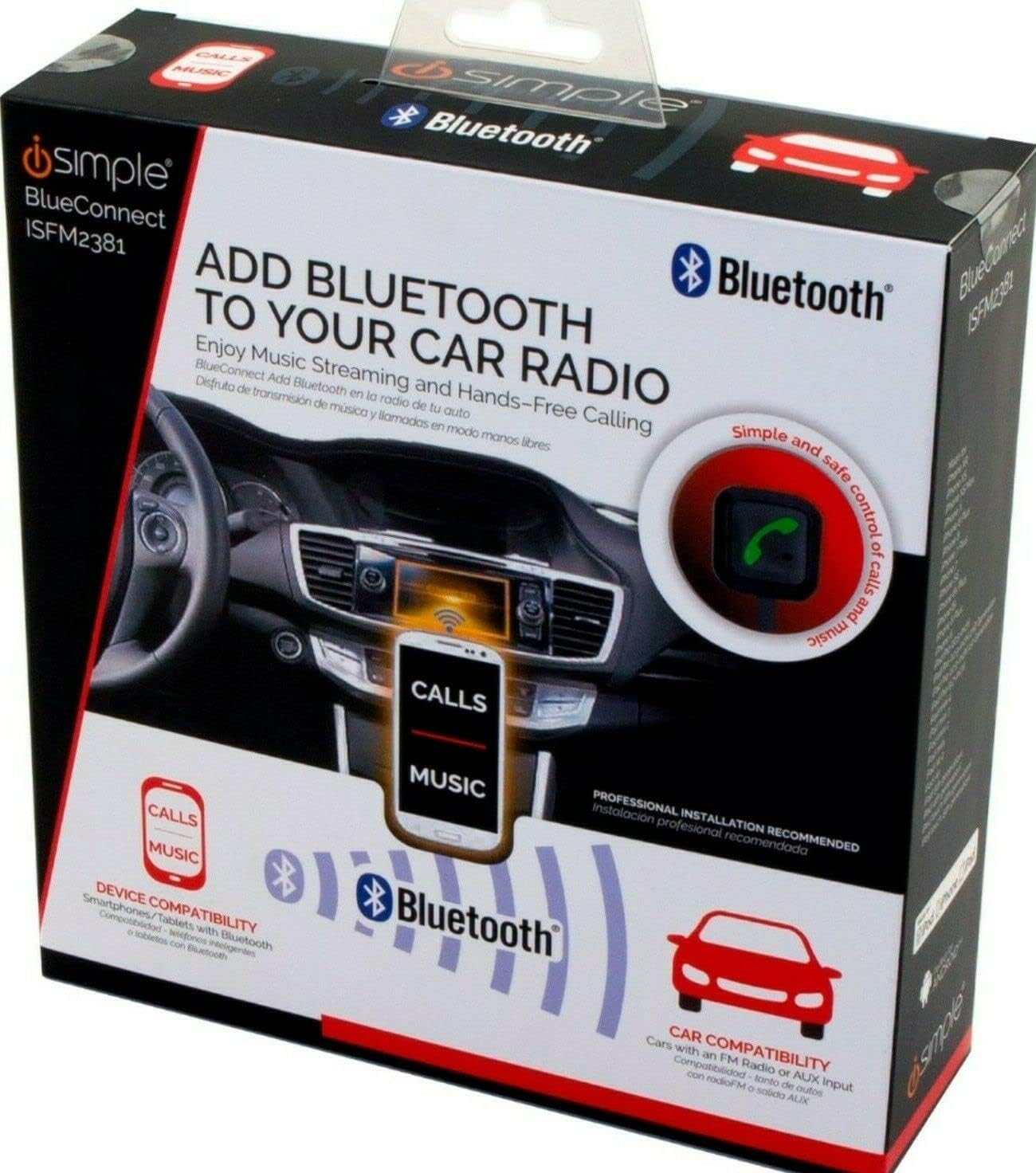
I also wanted to keep the stock configuration and add blue tooth and hands free phone on my C5. This did it and hides behind the radio. Taps into the antenna lead. Works well.
I also wanted to keep the stock configuration and add blue tooth and hands free phone on my C5. This did it and hides behind the radio. Taps into the antenna lead. Works well.
I carefully followed the instructions on how to put this unit in my 2000 Coupe. I can answer calls with it but only when I'm on channel 98.1 FM, and I've checked that I'm connected with the Blue Connect App. I also was able to make a call with my phone on my end under the same conditions as above. I have never streamed music from my phone, but I'm guessing that if you use this unit to play that via the BT then a phone call will come thru and you can click the control button to answer and click again to go back to music. It doesn't apparently do this with FM or AM radio. In fact I find if I'm connected via BT with Blue connect, I can't use FM at all- you only get white noise static. What I expected to get is a call while I'm listening to FM, press the button - and do a hands free phone call. If that isn't the case this thing is going back!
Is this what your iSimple 2381's do or do I have very bad unit?
I carefully followed the instructions on how to put this unit in my 2000 Coupe. I can answer calls with it but only when I'm on channel 98.1 FM, and I've checked that I'm connected with the Blue Connect App. I also was able to make a call with my phone on my end under the same conditions as above. I have never streamed music from my phone, but I'm guessing that if you use this unit to play that via the BT then a phone call will come thru and you can click the control button to answer and click again to go back to music. It doesn't apparently do this with FM or AM radio. In fact I find if I'm connected via BT with Blue connect, I can't use FM at all- you only get white noise static. What I expected to get is a call while I'm listening to FM, press the button - and do a hands free phone call. If that isn't the case this thing is going back!
Is this what your iSimple 2381's do or do I have very bad unit?
Yours,
Bluemill
First why I like it and then how mine is set up.
Like any BT add on device, all music streaming and phone calls go through a selected FM frequency. Here are some major reasons I believe the iSimple is better and I have used both.1. The sound quality is much better. The lighter devices transmit an FM signal through the air to your radio antenna. The iSimple is hard wired to your antenna which means much less chance of any interference. 2. You must find an unused FM frequency with a lighter device or your sound is garbled. The iSimple can use any FM frequency including a station you listen to. 3. If you are traveling with a lighter device and pass through an area with a radio station transmitting on your selected frequency you lose your music streaming and calls. Not true with iSimple. 4. Everything is hidden with the iSimple except the microphone and the tiny control button. 5. The external microphone makes much better conversations for the other party.
Here is how mine is set up. As I said earlier, all add on BT devices need to use an FM frequency. The iSimple lets you use any FM frequency. The station I listen to mostly is 93.5 so I set my iSimple to work on 93.5. I then program the first radio button to be 93.5. As you know, to manually turn BT on or off, you hold the control button for 4 seconds. If a call comes in the unit automatically switches to BT. If I am listening to radio 93.5 and a call comes in, the unit immediately turns on BT, I tap the control button once and I am connected. When the call is finished I tap the button once and the radio continues playing. If I am listening to a different station and a call comes in, the only difference is that I tap the first radio button for the BT frequency and then tap the control button. When the call finishes I tap the control button to end the call and then the radio button I was previously listening to. To stream music from my BT phone I tap radio button 1 to set my BT frequency, hold the control button 4 seconds to turn on BT and play my music. If a call comes in while streaming music all I need to do is tap the control button 1 time because I am already connected to the proper frequency and BT. If I want to switch back to radio, I hold the control button 4 seconds to turn off streaming and listen to whatever station I want. Remember, BT on any of these devices does not work on AM.
I hope this helps you. Let me know if you have any other questions.








 Adding Bluetooth and an Auxiliary Input for C5?
 . But seriously, it seems that a lot of the plug-and-play modules that were available years ago for these sorts of modifications are no longer available, and trying to make heads or tails of the various inscrutable offerings on Amazon leaves my eyes glazed over. I have the factory radio/CD player in my '02 Z06 (so no multi-disc changer) and I would like to keep it but add -if possible - bluetooth and some sort of auxiliary plug to be able to play other media.