




Uploading pictures

Thread Starter
Racer


Joined: May 2014
Posts: 396
Likes: 36
From: Victoria BC
 Uploading pictures
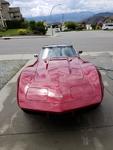
I'm trying to post some pictures of my paint stripping project, I've done it in the past , but I can't get it to work , I tried searching all over the site for instructions , somebody gave me some advise but to no availe, can someone just dumb it down for me and tell me how to attach pictures to your thread.?
Pro

Joined: Nov 2016
Posts: 729
Likes: 118
From: Kelowna British Columbia
I'm trying to post some pictures of my paint stripping project, I've done it in the past , but I can't get it to work , I tried searching all over the site for instructions , somebody gave me some advise but to no availe, can someone just dumb it down for me and tell me how to attach pictures to your thread.?

Safety Car


Joined: Feb 2012
Posts: 4,705
Likes: 983
From: Orlando FL
Yes, it used to work great. But I`ve had problems lately with it also. I type out my text, then select photos from my computer, upload them, but when I hit "post"...it only shows the photos and the text is gone. I`m sure something has changed. Sometimes the "up-dates" do more harm than good. Like they say.... "if it ain`t broke, don`t fix it!"

Race Director


Joined: Dec 1999
Posts: 19,610
Likes: 778
From: Forked River NJ
I have had some issues posting photos also. Seems like some days it just does not want to load. Other days it works fine. I’m not an IT guy at all so I just keep trying and edit when needed.

Pro


Joined: Feb 2013
Posts: 572
Likes: 61
My pictures have not been loading into the posts as well. I had no problems in the past. After I hit upload they don't show up in the post. I usually find them in the gallery. I've been copying them from the gallery and going back in and editing the post and pasting them in manually. Not sure what's changed. I emailed the moderators and didn't hear back.
Le Mans Master


Joined: May 2006
Posts: 9,993
Likes: 1,136
From: League City Tx
After the board update, the old [img] **** [IMG] . functions we always used, no longer work. Now you have to select the image button (the little mountain) copy the direct URL from your host site (photobucket, imgur etc etc), into the upload window and hit upload and let it do it thing. I think the new way you can load more pictures, faster, however, trying to add text before and in between the pics is cumbersome, as it usually wipes out any text after each up load on he post. It takes some getting use to but its useable, you just have to forget everything you ever learned about posting pics using the IMG command.
Last edited by ajrothm; Dec 24, 2018 at 11:02 AM.

Safety Car

Joined: Oct 2004
Posts: 3,926
Likes: 739
From: Youngstown Ohio
Yeah, I get that same problem........I can't answer a thread and add a pic with it.
Corvette Stories
The Best of Corvette for Corvette Enthusiasts

Top 10 Most Expensive Corvettes Ever Sold on Bring A Trailer
Brett Foote
10 Things Every Corvette Owner Needs (2026 Edition)
Michael S. Palmer
8 Most "Only Corvette Owners Understand" Quirks and Problems
Pouria Savadkouei
10 Reasons the C6 Z06 is Still A Performance Benchmark After 20 Years
Joe Kucinski
How Much Horsepower Every Corvette Engine "LOST" in 1972
Joe Kucinski
Top 10 DOs and DON'Ts for Protecting Your Convertible Top!
Michael S. Palmer
Top 10 Most Explosive Corvettes Ever Made: Power-to-Weight Ratio Ranked!
Joe Kucinski
150 hp to 1,250 hp: Every Corvette Generation Compared by the Specs That Matter
Joe Kucinski