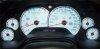

No Cats -- Service Engine Soon

Thread Starter
Instructor


Joined: Oct 2000
Posts: 221
Likes: 0
From: Austin, TX
 No Cats -- Service Engine Soon
Yesterday I had full length headers installed and cats removed. Shortly after my Service Engine Soon light came on. I had the computer reprogrammed by Ed Wright in advance and told him I would have no cats. I supsect he neglected to program the computer to ignore the O2 sensors.
My main concern is that the car just dynoed at slightly less hp than it did before the headers/cat removal. Does anyone know what the computer does in reaction to the info it would get without the cats and without reprogramming or O2 sims? Is there any solution to the Service Engine Soon condition apart from sending the computer back to Ed or installing O2 sims?
My main concern is that the car just dynoed at slightly less hp than it did before the headers/cat removal. Does anyone know what the computer does in reaction to the info it would get without the cats and without reprogramming or O2 sims? Is there any solution to the Service Engine Soon condition apart from sending the computer back to Ed or installing O2 sims?

Team Owner


Joined: Sep 2001
Posts: 62,160
Likes: 1,733
From: Athens AL
C7 of the Year - Unmodified Finalist 2021
C4 of Year Finalist (performance mods) 2019
Re: No Cats -- Service Engine Soon (Charles Klein)
pull the code first to see if something else has crept up, then if its related to the O2, id send it back to Ed.

Le Mans Master


Joined: Dec 1999
Posts: 8,540
Likes: 1
From: And on the fifth day, subpoenas were served to Obama senior staff
Re: No Cats -- Service Engine Soon (Charles Klein)
What year is the car. Any other mods? Did you retrieve the code? I'm guessing you have a 94 - 96 car?
Pete
Pete
Le Mans Master
Joined: Dec 1999
Posts: 8,540
Likes: 1
From: And on the fifth day, subpoenas were served to Obama senior staff
Re: No Cats -- Service Engine Soon (Charles Klein)
You need to pull codes! It is different on a 94, but if you do a search somebody just posted how to do it. I think pin 12 and ground on ALDL. I don't think the post cat O2 on a 94 will set a code, so you need to see what the code is and then go from there.
Pete
Pete
Thread Starter
Instructor
Joined: Oct 2000
Posts: 221
Likes: 0
From: Austin, TX
Re: No Cats -- Service Engine Soon (PeteL)
Is it possible to pull the codes on a '96 without a diagnostic tool -- using just a jumper and the connector under the dash?
Someone mentioned this site:
http://home.fuse.net/c4/ecm_codes.htm#32
which says:
"Beginning in 1996, Chevrolet went to the OBD-II system which does not use the flashing "check engine" light approach."
[Modified by Charles Klein, 12:18 PM 1/5/2002]
Someone mentioned this site:
http://home.fuse.net/c4/ecm_codes.htm#32
which says:
"Beginning in 1996, Chevrolet went to the OBD-II system which does not use the flashing "check engine" light approach."
[Modified by Charles Klein, 12:18 PM 1/5/2002]
Burning Brakes

Joined: Dec 2001
Posts: 777
Likes: 1
From: Fort Worth Texas
Re: No Cats -- Service Engine Soon (Charles Klein)
Charles,
Use a jump wire from pin 4 to pin12 on your DLC turn on the ingintion (DO NOT START) write down the codes as the Speedometer will display these codes. Go to the G.M. service manual and use the Trip/odometer buttons see what is wrong, or buy a good scanner. Call Ed I bet he for got to delete the o2 codes. C4C5 Specialist on our forum told me about this as did rottie@lightstream.net Mez has the G.M. book with the codes also. Good Luck as I wanted to use Long Tube Headers AND Random Tech. cats but I was told that there was not enough room. I wanted to have the cat back shortened so I could do this. :chevy :seeya
Use a jump wire from pin 4 to pin12 on your DLC turn on the ingintion (DO NOT START) write down the codes as the Speedometer will display these codes. Go to the G.M. service manual and use the Trip/odometer buttons see what is wrong, or buy a good scanner. Call Ed I bet he for got to delete the o2 codes. C4C5 Specialist on our forum told me about this as did rottie@lightstream.net Mez has the G.M. book with the codes also. Good Luck as I wanted to use Long Tube Headers AND Random Tech. cats but I was told that there was not enough room. I wanted to have the cat back shortened so I could do this. :chevy :seeya
Corvette Stories
The Best of Corvette for Corvette Enthusiasts

Top 10 Most Expensive Corvettes Ever Sold on Bring A Trailer
Brett Foote
10 Things Every Corvette Owner Needs (2026 Edition)
Michael S. Palmer
8 Most "Only Corvette Owners Understand" Quirks and Problems
Pouria Savadkouei
10 Reasons the C6 Z06 is Still A Performance Benchmark After 20 Years
Joe Kucinski
How Much Horsepower Every Corvette Engine "LOST" in 1972
Joe Kucinski
Top 10 DOs and DON'Ts for Protecting Your Convertible Top!
Michael S. Palmer
Top 10 Most Explosive Corvettes Ever Made: Power-to-Weight Ratio Ranked!
Joe Kucinski
150 hp to 1,250 hp: Every Corvette Generation Compared by the Specs That Matter
Joe Kucinski
8 Coolest Corvette Pace Cars (and Replicas) of All Time
Verdad Gallardo
Melting Slicks

Joined: Jan 2000
Posts: 3,418
Likes: 1
From: NW Chicago Suburbs
Re: No Cats -- Service Engine Soon (Charles Klein)
The 96 FSM is wrong when it says you can pull PCM codes by ground pins in the ALDL (this applies to 96). You have to have a scan tool to pull PCM codes from a 96. I understand you can pull body computer codes by grounding pins, but I haven't tried it.
Eric
Eric
Thread Starter
Instructor
Joined: Oct 2000
Posts: 221
Likes: 0
From: Austin, TX
Re: No Cats -- Service Engine Soon (Louis Bartay)
It displayed a sequence of small numbers/letters:
1
9.
A.
1.0
When it displayed 1, it displayed a large C 12, using the speedo display. This must be the error code. I'll try to find out what it means.
1
9.
A.
1.0
When it displayed 1, it displayed a large C 12, using the speedo display. This must be the error code. I'll try to find out what it means.
Le Mans Master
Joined: Dec 1999
Posts: 8,540
Likes: 1
From: And on the fifth day, subpoenas were served to Obama senior staff
Re: No Cats -- Service Engine Soon
I'm sorry, I thought I read 94! Your a 96 and can't pull codes anyway I know w/0 scanner.
96 post cat O2's will set a code, funny ed missed that. He should probably update pcm for you, but you should find a buddy with a scanner and see if that is the code. Could be a main O2 was messed up or shorted. Actually , could be anything.
Sorry.
Pete
96 post cat O2's will set a code, funny ed missed that. He should probably update pcm for you, but you should find a buddy with a scanner and see if that is the code. Could be a main O2 was messed up or shorted. Actually , could be anything.
Sorry.
Pete
Burning Brakes
Joined: Dec 2001
Posts: 777
Likes: 1
From: Fort Worth Texas
Re: No Cats -- Service Engine Soon (Charles Klein)
Charles,
C12=Display CCM (Central Control Module) Data
1. =Waiting for instructions (CCM)
9.0=Waiting for instructions (ABS/TCS)
A.0=Waiting for instructions (DERM)
1.0=Waiting for instructions (CCM)
DTC is Diagnostic Trouble Code
CCM si Central Control Module
ABS/TCS is Anti-Lock Braking system/Traction control System
Derm is Diagnostic Energy Reserve Module
Charles there are specific buttons you need to press (Trip/Odometer) to CYCLE through any DTC codes during these displays. rottie@collectoreditionregistry.com posted the pages on how to acess your codes on a 1996 OBDII for the LT4 as these are the same codes that come on each time you jump the wires.Or email rottie @lightstream.net if his web site is still under construction.
:)
C12=Display CCM (Central Control Module) Data
1. =Waiting for instructions (CCM)
9.0=Waiting for instructions (ABS/TCS)
A.0=Waiting for instructions (DERM)
1.0=Waiting for instructions (CCM)
DTC is Diagnostic Trouble Code
CCM si Central Control Module
ABS/TCS is Anti-Lock Braking system/Traction control System
Derm is Diagnostic Energy Reserve Module
Charles there are specific buttons you need to press (Trip/Odometer) to CYCLE through any DTC codes during these displays. rottie@collectoreditionregistry.com posted the pages on how to acess your codes on a 1996 OBDII for the LT4 as these are the same codes that come on each time you jump the wires.Or email rottie @lightstream.net if his web site is still under construction.
:)
Burning Brakes
Joined: Dec 2001
Posts: 777
Likes: 1
From: Fort Worth Texas
Re: No Cats -- Service Engine Soon (silver & red CE)
C4C5Specialist where are you?? Please email these guys you are the one that first posted this procedure for the 1996 OBdII only. I too thought you had to have a scanner but several others (Rottie)rottie@collectorsditionregistry. com posted the directions on how to do this with out a scanner. I will buy a scanner later on as it is easier and MUCH faster and more complete.
Louis :chevy :seeya
Louis :chevy :seeya

Safety Car

Joined: Nov 1999
Posts: 3,891
Likes: 2
From: Houston, TX
Re: No Cats -- Service Engine Soon (Louis Bartay)
Charles,
C12=Display CCM (Central Control Module) Data
1. =Waiting for instructions (CCM)
9.0=Waiting for instructions (ABS/TCS)
A.0=Waiting for instructions (DERM)
1.0=Waiting for instructions (CCM)
DTC is Diagnostic Trouble Code
CCM si Central Control Module
ABS/TCS is Anti-Lock Braking system/Traction control System
Derm is Diagnostic Energy Reserve Module
Charles there are specific buttons you need to press (Trip/Odometer) to CYCLE through any DTC codes during these displays. rottie@collectoreditionregistry.com posted the pages on how to acess your codes on a 1996 OBDII for the LT4 as these are the same codes that come on each time you jump the wires.Or email rottie @lightstream.net if his web site is still under construction.
:)
C12=Display CCM (Central Control Module) Data
1. =Waiting for instructions (CCM)
9.0=Waiting for instructions (ABS/TCS)
A.0=Waiting for instructions (DERM)
1.0=Waiting for instructions (CCM)
DTC is Diagnostic Trouble Code
CCM si Central Control Module
ABS/TCS is Anti-Lock Braking system/Traction control System
Derm is Diagnostic Energy Reserve Module
Charles there are specific buttons you need to press (Trip/Odometer) to CYCLE through any DTC codes during these displays. rottie@collectoreditionregistry.com posted the pages on how to acess your codes on a 1996 OBDII for the LT4 as these are the same codes that come on each time you jump the wires.Or email rottie @lightstream.net if his web site is still under construction.
:)
Louis, You da man!!! :cheers:
Thread Starter
Instructor
Joined: Oct 2000
Posts: 221
Likes: 0
From: Austin, TX
Re: No Cats -- Service Engine Soon (Louis Bartay)
Charles,
C12=Display CCM (Central Control Module) Data
1. =Waiting for instructions (CCM)
9.0=Waiting for instructions (ABS/TCS)
A.0=Waiting for instructions (DERM)
1.0=Waiting for instructions (CCM)
DTC is Diagnostic Trouble Code
CCM si Central Control Module
ABS/TCS is Anti-Lock Braking system/Traction control System
Derm is Diagnostic Energy Reserve Module
Charles there are specific buttons you need to press (Trip/Odometer) to CYCLE through any DTC codes during these displays. rottie@collectoreditionregistry.com posted the pages on how to acess your codes on a 1996 OBDII for the LT4 as these are the same codes that come on each time you jump the wires.Or email rottie @lightstream.net if his web site is still under construction.
:)
C12=Display CCM (Central Control Module) Data
1. =Waiting for instructions (CCM)
9.0=Waiting for instructions (ABS/TCS)
A.0=Waiting for instructions (DERM)
1.0=Waiting for instructions (CCM)
DTC is Diagnostic Trouble Code
CCM si Central Control Module
ABS/TCS is Anti-Lock Braking system/Traction control System
Derm is Diagnostic Energy Reserve Module
Charles there are specific buttons you need to press (Trip/Odometer) to CYCLE through any DTC codes during these displays. rottie@collectoreditionregistry.com posted the pages on how to acess your codes on a 1996 OBDII for the LT4 as these are the same codes that come on each time you jump the wires.Or email rottie @lightstream.net if his web site is still under construction.
:)
When 1.0 is displayed, you can use trip/odo (as you said) to cycle through groups of codes and (as I found out) tests. For example, pressing trip/odo once changes 1.0 in the speedo display to 1.1 (you can use the gauges button to go back down). Then you use eng/met to cycle up through codes/tests that in the group 1.1. For example when 1.1 is in the speedo display, 1 will be displayed lower, in the odometer display, followed by a number, perhaps a code. If you press eng/met, 2 will be displayed in the odometer display, followed by some other number. Pressing Fuel Info cycles it back down. If you use trip/odo to take you to group 1.4, the numbers that appear in the odometer display correspond to tests. By cycling through the fields in group 1.4 (with eng/met) you can make the high beam indicator turn on, the horn turn on and various other things happen.
All I need now is a table showing me what the main fields, subfields and associated numbers mean.
[Modified by Charles Klein, 2:59 PM 1/5/2002]
Thread Starter
Instructor
Joined: Oct 2000
Posts: 221
Likes: 0
From: Austin, TX
Re: No Cats -- Service Engine Soon (Charles Klein)
Here are all the codes I got, if anyone has the manual
In group 1.1, attempting to cycle yields just:
C12
In group 1.2:
01 20.1
02 4
03 87
04 0
05 0
06 110
07 11.8
08 11.4
09 0
10 58
11 88
12 100
13 122
14 3
15 227
96AO 165
in group 1.3:
01 1
02-14 0
group 1.4 performs various tests
the next group is 1.7. It has no subgroups and trying to cycle through the codes yields only:
---
in group 9.1, attempting to cycle yielded the same thing as 1.7: ---
group 9.7 (the next group):
attempting to cycle (hitting eng/met) turns on all warning lights.
group A.1, attempting to cycle yielded the same as 1.7: ---
group A.7 (the next group), same as 1.7: ---
[Modified by Charles Klein, 4:25 PM 1/5/2002]
[Modified by Charles Klein, 4:26 PM 1/5/2002]
In group 1.1, attempting to cycle yields just:
C12
In group 1.2:
01 20.1
02 4
03 87
04 0
05 0
06 110
07 11.8
08 11.4
09 0
10 58
11 88
12 100
13 122
14 3
15 227
96AO 165
in group 1.3:
01 1
02-14 0
group 1.4 performs various tests
the next group is 1.7. It has no subgroups and trying to cycle through the codes yields only:
---
in group 9.1, attempting to cycle yielded the same thing as 1.7: ---
group 9.7 (the next group):
attempting to cycle (hitting eng/met) turns on all warning lights.
group A.1, attempting to cycle yielded the same as 1.7: ---
group A.7 (the next group), same as 1.7: ---
[Modified by Charles Klein, 4:25 PM 1/5/2002]
[Modified by Charles Klein, 4:26 PM 1/5/2002]
Melting Slicks
Joined: Jan 2000
Posts: 3,418
Likes: 1
From: NW Chicago Suburbs
Re: No Cats -- Service Engine Soon (Charles Klein)
Charles,
I looked in my 96 FSM and all the O2 sensors DTCs are between P0131-P0161 and P1133-P1154. All the P1133-1154 are for the front sensors. For the rear sensors these are the DTCs:
P0137 (low voltage; Bank1 sensor2)
P0138 (high voltage; Bank1 sensor2)
P0140 (no activity; Bank1 sensor2)
P0141 (heater; Bank1 sensor2)
P0157 (low voltage; Bank2 sensor2)
P0158 (high voltage; Bank2 sensor2)
P0160 (no activity; Bank2 sensor2)
P0161 (heater; Bank2 sensor2)
Good Luck, if this works it'll make it easy/cheap to pull codes.
Eric
I looked in my 96 FSM and all the O2 sensors DTCs are between P0131-P0161 and P1133-P1154. All the P1133-1154 are for the front sensors. For the rear sensors these are the DTCs:
P0137 (low voltage; Bank1 sensor2)
P0138 (high voltage; Bank1 sensor2)
P0140 (no activity; Bank1 sensor2)
P0141 (heater; Bank1 sensor2)
P0157 (low voltage; Bank2 sensor2)
P0158 (high voltage; Bank2 sensor2)
P0160 (no activity; Bank2 sensor2)
P0161 (heater; Bank2 sensor2)
Good Luck, if this works it'll make it easy/cheap to pull codes.
Eric