


 I GIVE UP TRYING TO UPLOAD A PIC,EVERYTHING I DO COMES BACK FAILED ANYONE ELSE HAVE THAT PROBLEM. OR IS JUST ME









Pics i give up
Le Mans Master

Joined: Jan 2006
Posts: 6,564
Likes: 6
From: Woodstock Georgia

Race Director

Joined: Apr 2000
Posts: 15,344
Likes: 4,009
From: Texas

Create a photobucket account. Upload the photos to that account.
When you want to show them in your CF posts, link to them by putting the path to the photo in between [IMG] & [/IMG] or simply click on the icon that looks like and paste the link in the text box.
When you want to show them in your CF posts, link to them by putting the path to the photo in between [IMG] & [/IMG] or simply click on the icon that looks like
and paste the link in the text box.

Race Director

Joined: Apr 2002
Posts: 10,036
Likes: 346
From: Anaheim CA
The key here is that you can't upload a picture directly to Corvette Forum by pasting it into a post.
You don't need a PhotoBucket account. You can link to any external web site that you can upload your pictures to. After you get your picture uploaded, read the post by 96GS#007.
If you click on the "Go Advanced" button below the Quick Reply message box you can preview your post and see what it looks like with the pic linked into it.
You don't need a PhotoBucket account. You can link to any external web site that you can upload your pictures to. After you get your picture uploaded, read the post by 96GS#007.
If you click on the "Go Advanced" button below the Quick Reply message box you can preview your post and see what it looks like with the pic linked into it.
Tech Contributor


Joined: Sep 2009
Posts: 1,285
Likes: 91
From: South Dakota/California

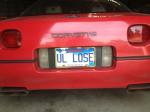
This photo is a bit large but if I had edited the photo (second photo) for upload on my computer first (resize it), it could be any size I want here (In properties, note the dimension differences between large and medium size photos). This is a 1990 (L98) with SW Headers and Magnaflow exhaust. Eliminated air pump, eliminated EGR, Haibeck Chip and some other stuff (over 100 mph in the quarter)

Last edited by Dynomite; Nov 5, 2011 at 08:16 AM.
Corvette Stories
The Best of Corvette for Corvette Enthusiasts

Top 10 Most Expensive Corvettes Ever Sold on Bring A Trailer
Brett Foote
10 Things Every Corvette Owner Needs (2026 Edition)
Michael S. Palmer
8 Most "Only Corvette Owners Understand" Quirks and Problems
Pouria Savadkouei
10 Reasons the C6 Z06 is Still A Performance Benchmark After 20 Years
Joe Kucinski
How Much Horsepower Every Corvette Engine "LOST" in 1972
Joe Kucinski
Top 10 DOs and DON'Ts for Protecting Your Convertible Top!
Michael S. Palmer
Top 10 Most Explosive Corvettes Ever Made: Power-to-Weight Ratio Ranked!
Joe Kucinski
150 hp to 1,250 hp: Every Corvette Generation Compared by the Specs That Matter
Joe Kucinski
