When you click on links to various merchants on this site and make a purchase, this can result in this site earning a commission. Affiliate programs and affiliations include, but are not limited to, the eBay Partner Network.
What vendor did you get yours from and did it come with usb dongle and does it have import duties?
I got mine through a site in China, but they have various suppliers and the one I bought was only on their site a few weeks. I did not pay any duties on the unit. If you buy one I know there is a vendor on eBay that is in the US and though it costs a little more at least you have someone to contact in case of issues. If I were to do it over again that is what I would do. Some of the units have a cheap DC to DC converter in them and I purchased a good DC to DC converter in case mine ever goes out. I found a video online showing how to do it and years ago I was an electronic technician so would be easy for me.
I got mine through a site in China, but they have various suppliers and the one I bought was only on their site a few weeks. I did not pay any duties on the unit. If you buy one I know there is a vendor on eBay that is in the US and though it costs a little more at least you have someone to contact in case of issues. If I were to do it over again that is what I would do. Some of the units have a cheap DC to DC converter in them and I purchased a good DC to DC converter in case mine ever goes out. I found a video online showing how to do it and years ago I was an electronic technician so would be easy for me.
If found a vendor in the US that is actually a Chinese company with a USA warehouse so if any returns very simple and can be here in a couple days rather than weeks.
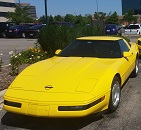
Could you do me a favor and power up yours and see what is in the menu for a 1991 Corvette systems and a 2002 Pontiac Grand Prix SE 3.1L for the same. There are the 2 cars I own. Also what software version as I have seen 33.004 and 33.007 for GM english language. I am assuming I only need the dongle for the PC software if I want to reflash the ECU rather than just maintain the 2 cars. One of the things I don't see mentioned even in the Bosch manual is the relearn crank sensor on the Pontiac or much about the 91 that the software claims to cover but no mention of bi-directional on the 91 Corvette.
OK, I will have to spend some time to write down all of the menu items just for the 2002 Pontiac Grand Prix. I did capture a screen for that car for what the Tech 2 calls a Crank Position Variation Relearn.
Relearn for 2002 Pontiac Gran Prix.
The only vehicles listed under 91 is Saturn, however I have 33.004, so not sure if there is a 33.007 and it covers 91 better. If I enter 92 I have the option of doing diagnostics on a Y body with L98, which is certainly not for a 92.
Perhaps for the 91 Corvette you need a different memory card, like this one.
I wonder if with the CD and dongle it is possible to download the older disc? The ABS and usual emissions stuff is the mot important for me right now on the Pontiac and ABS on the 91 Corvette
I wonder if with the CD and dongle it is possible to download the older disc? The ABS and usual emissions stuff is the mot important for me right now on the Pontiac and ABS on the 91 Corvette
With the version of TIS 2000 I have the versions supported are 27.010 and 27.012. I have no way see what is on those versions without downgrading my memory card, but would have no way to go back to 33.004.
If found a vendor in the US that is actually a Chinese company with a USA warehouse so if any returns very simple and can be here in a couple days rather than weeks.
Could you do me a favor and power up yours and see what is in the menu for a 1991 Corvette systems and a 2002 Pontiac Grand Prix SE 3.1L for the same. There are the 2 cars I own. Also what software version as I have seen 33.004 and 33.007 for GM english language. I am assuming I only need the dongle for the PC software if I want to reflash the ECU rather than just maintain the 2 cars. One of the things I don't see mentioned even in the Bosch manual is the relearn crank sensor on the Pontiac or much about the 91 that the software claims to cover but no mention of bi-directional on the 91 Corvette.
I left the 1 out of 91 my mistake there. I am looking to cycle the abs among other things. For all that a tech 2 costs I find it amazing how little public info is out there as to what it can do on what cars.
I have my TECH 1 for sale with 50 million cartridges and cables !!!!!!
Anyone interested >>>> ??????? greg greg@blowerworks.net
Is there a special recommendation which OBD scanner to buy for a 1996 as it is a bit special regarding OBD? Personally I don't care if it is a handheld device or just a COM cable I can connect to my Netbook.
Turned on:
The following 3 paragraphs are what I mail to OBD2eShop:
I tested device and it works well. Problem is the screen. I believe for return I would have to send back and pay for shipping. This would take a long time and I have work to do using the tool.
Right now I am using a laptop connected so I can see the full screen
I would rather do partial refund or try replacing the screen myself.
Will you do a partial refund?
Can you send or help me find a replacement screen?
I have been happy so far with OBD2eShop so far. The price, service and shipping speed was good.
I hope we can reach a positive solution.
Finally, OBD2eShop ship me a new package.
Just want to let you know, I finally took the time to really test out the replacement I was sent and it appears to work perfectly.
One small issue is that I was sent a GM PC Card and not a Saab one. I tried to write the GM Card in my laptop to Saab software but I ended up damaging the card. It was my fault. I know that I could have contacted you for help and you would have taken care of me.
I was able to find another Saab Card and get it working so I am very happy now. I do not need any more help.
Followed your link and they list 3 different ones at 3 different prices, 259, 329, 349. Which one did you order? I emailed a while back and they had said they were different levels of quality in the main circuit board.
Followed your link and they list 3 different ones at 3 different prices, 259, 329, 349. Which one did you order? I emailed a while back and they had said they were different levels of quality in the main circuit board.
259.00+59.00 shipping fee is their online price, BTW you could contact with the seller, she will give you a better price
That phone number is for Bosch not Vetronix.
Unless I missed this can someone please give a little more info on the tech2 that they bought.
Like where they bought and what model number, I've spent 2 days reading and clicking on links that take me no where.
Also will these tech 2 allow for changes with TPMS low and high psi warnings.
Thx,
Works great with my trailblazer. And duramax. And Sierra. And escalade. And envoy... you get the picture. I don't recall which I ordered exactly though.
Wow! I know this is old, but seriously dude, you have QUITE the SUV/CROSSOVER/TRUCK corral!!