When you click on links to various merchants on this site and make a purchase, this can result in this site earning a commission. Affiliate programs and affiliations include, but are not limited to, the eBay Partner Network.
There are a few things to try for faster boot. Better hardware is a more expensive option (faster sd card, rpi5 with nvme, etc.). Custom Linux distribution is less expensive but more work. You could use `$ systemd-analyze blame` to identify unnecessary system services and disable them. You could also consider how you're architecting the system and use a quicker boot device (no graphics doing minimum necessary functions) along with the slower booting rpi for graphics.
Hey Everyone!
Wanted to share my project here which I started this summer.
After 3rd repair of the original cluster, decided to give a try to a custom one, which I could customize and which will have all (or most) functions as the original one.
And here is what I have:
Features:
- All sensors and switches working as original cluster (Metric\Imperial switch as well!)
- Plug and play (same connector as cluster have, except one additional connector for power and ground to avoid ground loop (I don't trust small gauge of the original ground))
- Adjustable sensor values and range
- Working screen dimmer (original ****)
- Electronic odometer (but in ideation to duplicate it with physical original one)
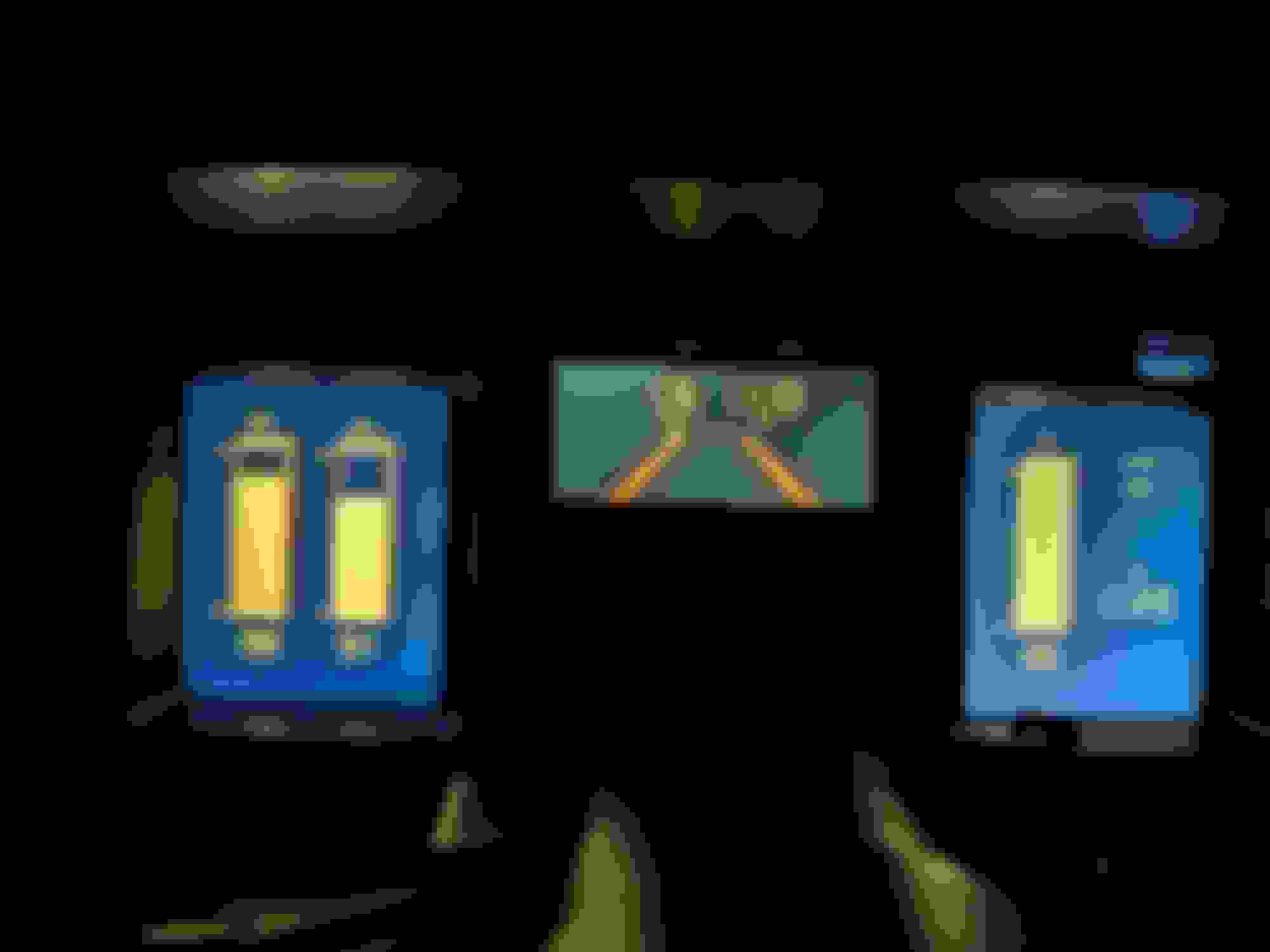
- Customizable visualization (main feature ) - currently 5 styles, but planning to add more - (Original pixelated, Citroen BX, Subaru XT, Nissan 300ZX, Original smooth). Changing of the style can be done by simultaneously pressing Trip and MPG reset buttons
- Customizable alerting logic
- More reliable (I hope!!!)
What is inside:
- Arduino Mega - for processing signals from main connecter (sensors, switches, etc). Code is on C++. It sends processed data values via serial (usb) to RaspberryPI
- RaspberryPi4 - for receiving data from Arduino, applying custom logic, calculations if needed and drawing visuals. Code - Python, visuals is on PyGame library.
- Custom PCB-1 for sensors conditioning (pull-up resistor, voltage dividers)
- Custom PCB-2 for speedometer signal converting (Frequency to Voltage) with LM2907 IC
- Custom PCB-3 for tachometer signal converting (Frequency to Voltage) with LM2907 IC
- 2x 7inch LCD screens (HDMI) for left and right screen)
- 5inch LCD screen (DSI) for central screen)
- 12V stabilizer for reference voltage for Tachometer and Speedometer
- 5V stabilizer for sensors and Arduino
- 2x 12v to USB chargers for screens and RaspberryPi power
- Case - custom design 3d printed with PC filament.
What is not implemented (in roadmap or don't know how to implement):
- Loading time. Currently from key on to full load - is about 15 seconds, which is majority of LinuxOS loading. Need to cut it up to 7 secs at least.
- MPG calculation. Need some forum help. Currently it is based on RPM, which is incorrect. I know that ECM has all data and it sends it to the original cluster, but manuals and googling didn't help me with finding what format and protocol it is using. Do you know by any chance?
- No cruise control and I'm afraid to put my hands there
Also, can you please elaborate on the two pictures with the circuitry? Is that showing two versions of your design, or two layers of components? A custom PCB would be another way to get more space in there.
Ok, some updates - I moved from desktop to non-desktop OS. Apparently X11 server and RaspberryPi OS lite (no desktop) don't really like to work with multi-screen setup , but after fixing some code - got improvement from 38 to 28 secs. Still to much - need it improve more. I approached this in two phases. First, I looked at the application startup itself and found a 2-second sleep timer in my dashboard startup script that I reduced to 0.5 seconds (it was just for X11 server to boot up properly).
The bigger improvement came from analyzing which system services were taking the most time during boot.
After running systemd-analyze blame to see what was taking the longest, I disabled these services:
- NetworkManager-wait-online.service (this was the big one, taking over 6 seconds)
- bluetooth.service
- wifi-powersave@wlan0.service
- triggerhappy.service
I also made some boot parameter changes:
- Reduced sleep timers in startup scripts
- Applied quiet boot parameters to reduce console output overhead
Result - less than 6 seconds
pi@raspberrypi:~ $ systemd-analyze
Startup finished in 1.994s (kernel) + 3.474s (userspace) = 5.468s
multi-user.target reached after 3.401s in userspace.
pi@raspberrypi:~ $ ps aux | grep python3
pi 735 149 6.5 1141628 251980 tty1 Rl+ 14:04 1:11
python3 arduino_combined_dashboard.py
pi 785 0.0 0.0 6092 2008 pts/0 S+ 14:04 0:00 grep --color=auto python3
I think this is very reasonable (modern cars usually have the same boot time). Will move now to ECU connection
Ok, so first problem - I tried to connect ADLD serial from ECU (Pin D10 on the Dashboard connector), and decided to check the signal with Oscilloscope Connected it between D10 and GND (chassis), and got these values: V:max: 2.50V, Vmin: -4.30V, Vave: 0.10v, Vrms: 0.94V, Vpp: 6.80V, Fre: 0.053Khz, Dut: 96%. Cyc: 50.000ms (picture below).
As far as I know -- such huge negative voltage is not good for Arduino. How to avoid it? Or I'm missing something?
Ok, maybe I'm a bit stupid. But when I decided to measure signal on DC mode - I don't see the negative voltage and see perfect pulses. In this case - will negative AC voltage damage arduino (I dont's think, but worth to ask
(Still planning to add voltage divider to reduce pulses to 2.5V (to be on the safe side)
The reson you see negative on AC is because the scope put 0 voltage as average voltage. The 0 volt is moving depending on the signal.
On DC your Vave=3.8 Volt will be your 0 Volt reference for AC.
As you see on DC there is no nevative voltage. A voltage divider as you suggest should work just fine to reduce the signal to 0 - 2.5 V.
You could also add a 3.3V zerner doide after the resistor divider to ground. That will be extra safety in case the signal ever goes up to 12 V.
That what I was thinking! Thanks for confirming. Now bigger problem - getting deep into the ALDL protocol. So I connected this wire to the Arduino and started getting signal.
Here is my setup for this part:
- Since Dashboard can read data from ECU - I'm not shorting the A and B pins on ALDL connector itself or adding 10K resistor (like we usually do for connector cable)
- Also, I assume that this is Baud 160.
- Using bit-timing method since it's 160 baud, not standard serial
Protocol read Implementation:
- I'm using the continuous stream approach where each bit takes exactly 6.25ms. A '0' bit has a short low pulse (~300µs) and a '1' bit has a long low pulse (~4500µs). I detect state changes and measure the pulse width to determine if it's a 0 or 1.
The message structure should be:
- Starts with 9 zero bits (sync pattern)
- Followed by data bytes, each with 1 start bit + 8 data bits
- Ends with ~50ms quiet time
- Total message is 25 bytes according to the ADX fil
I'm successfully collecting 288 bits per message (which matches 32 × 9-bit units), and I can see clear repeating patterns in the bit stream. The quiet time detection works fine.
The Problem: When I decode the bytes, I'm getting nonsensical values:
PROM ID: 0x0000 (should be ~0x1EAB for '88)
RPM: 0 (engine is running)
Coolant: 304°F (way too high)
Speed: varies between 0 and 255 randomly
Decoding Method: After finding the 9-bit sync pattern, I process each subsequent 9-bit group as:
Skip bit 0 (start bit)
Bits 1-8 become the data byte (LSB first)
Questions:
- Is my bit-to-byte conversion correct? Should I be using MSB first instead of LSB first?
- Could the sync pattern detection be off, causing me to start decoding at the wrong position?
- Has anyone successfully decoded 160 baud ALDL on these ECUs which comes directly to Dashboard? What byte order did you use?
I have a working reference (ALDL_160_Baud_Interface.ino from @LWesthaver - https://www.comvette.com/) that shows the raw bit stream, but it doesn't include the byte decoding part. The bit patterns look consistent, so I think it's just a decoding issue.
That what I was thinking! Thanks for confirming. Now bigger problem - getting deep into the ALDL protocol. So I connected this wire to the Arduino and started getting signal.
Here is my setup for this part:
- Since Dashboard can read data from ECU - I'm not shorting the A and B pins on ALDL connector itself or adding 10K resistor (like we usually do for connector cable)
- Also, I assume that this is Baud 160.
- Using bit-timing method since it's 160 baud, not standard serial
Protocol read Implementation:
- I'm using the continuous stream approach where each bit takes exactly 6.25ms. A '0' bit has a short low pulse (~300µs) and a '1' bit has a long low pulse (~4500µs). I detect state changes and measure the pulse width to determine if it's a 0 or 1.
The message structure should be:
- Starts with 9 zero bits (sync pattern)
- Followed by data bytes, each with 1 start bit + 8 data bits
- Ends with ~50ms quiet time
- Total message is 25 bytes according to the ADX fil
I'm successfully collecting 288 bits per message (which matches 32 × 9-bit units), and I can see clear repeating patterns in the bit stream. The quiet time detection works fine.
The Problem: When I decode the bytes, I'm getting nonsensical values:
PROM ID: 0x0000 (should be ~0x1EAB for '88)
RPM: 0 (engine is running)
Coolant: 304°F (way too high)
Speed: varies between 0 and 255 randomly
Decoding Method: After finding the 9-bit sync pattern, I process each subsequent 9-bit group as:
Skip bit 0 (start bit)
Bits 1-8 become the data byte (LSB first)
Questions:
- Is my bit-to-byte conversion correct? Should I be using MSB first instead of LSB first?
- Could the sync pattern detection be off, causing me to start decoding at the wrong position?
- Has anyone successfully decoded 160 baud ALDL on these ECUs which comes directly to Dashboard? What byte order did you use?
I have a working reference (ALDL_160_Baud_Interface.ino from @LWesthaver - https://www.comvette.com/) that shows the raw bit stream, but it doesn't include the byte decoding part. The bit patterns look consistent, so I think it's just a decoding issue.
Any insights would be greatly appreciated!
Please post the decoding code that you added to the Corvette arduino reference above and your decoded results (all the fields). Also, for your Arduino device, please describe how you are initializing the uart device and the code for that. If the device differs from the reference design, you may need to initialize it differently. I would suspect the problem is somewhere in those areas mentioned above.
Please post the decoding code that you added to the Corvette arduino reference above and your decoded results (all the fields). Also, for your Arduino device, please describe how you are initializing the uart device and the code for that. If the device differs from the reference design, you may need to initialize it differently. I would suspect the problem is somewhere in those areas mentioned above.
Reuben
Here's the decoding code I added to the reference:
ALDL Initialization (no UART - using bit-timing method):
// ALDL Protocol Constants - 160 baud (C4 Corvette 1987-1988)
const int ALDL_PIN = 19; // ALDL data line (pin E)
const int ALDL_BIT_BUFFER_SIZE = 288; // 32 * (StartBit + 8 DataBits) = 288
const long ALDL_QUIET_TIME = 50000; // Inter-message quiet time (50ms)
const int ALDL_BIT_TIME_SPAN = 6250; // 6.25ms per bit (160 baud)
const int ALDL_0_BIT_TIME_SPAN = 250; // Short pulse = '0' bit
const int ALDL_1_BIT_TIME_SPAN = 2500; // Long pulse = '1' bit
const int ALDL_MESSAGE_SIZE = 25; // 25 bytes per message (from ADX file)
void initALDL() {
// Initialize ALDL pin as input (pin 19 for 160 baud data)
pinMode(ALDL_PIN, INPUT);
// Initialize ALDL bit buffer
for(int i = 0; i < ALDL_BIT_BUFFER_SIZE; i++) {
aldlBitBuffer = '-';
}
void processALDLMessage() {
// Find where actual data starts (skip any leading noise)
int dataStart = 0;
while(dataStart < ALDL_BIT_BUFFER_SIZE && aldlBitBuffer[dataStart] == '-') {
dataStart++;
}
// Look for sync pattern (9 consecutive zeros)
bool syncFound = false;
int syncStart = dataStart;
// Convert bit stream to bytes starting from sync position
int byteIndex = 0;
int bitPos = syncStart;
// Skip the initial sync pattern (9 zeros) if found
if(syncFound && syncStart > dataStart) {
bitPos += 9;
}
for(; bitPos < ALDL_BIT_BUFFER_SIZE - 8 && byteIndex < ALDL_MESSAGE_SIZE; bitPos += 9) {
// Each byte is 9 bits: 1 start bit (0) + 8 data bits
// Skip start bit check - just process 8 data bits
unsigned char dataByte = 0;
for(int bit = 0; bit < 8; bit++) {
if(aldlBitBuffer[bitPos + bit + 1] == '1') { // +1 to skip start bit
dataByte |= (1 << bit); // LSB first
}
}
PROM ID: 0x0000 (should be ~0x1EAB for '88)
RPM: 0-4700 (random, engine is idling ~800)
Speed: 0-255 (random, car is stationary)
Coolant: 86.9F to 304.2F (wildly varying, should be ~180F)
TPS: 0.00V to 4.998V (maxed out, should be ~0.5V at idle)
O2: 417-1132mV (varying, but in reasonable range)
No UART initialization (using digitalRead() bit-timing method)
The bit collection appears to work (getting consistent 288-bit messages), but the byte decoding is clearly wrong. I suspect either:
1.Wrong bit order (LSB vs MSB first)
2.Sync pattern detection failing, causing offset in byte boundaries
3.Start bit handling incorrect
That what I was thinking! Thanks for confirming. Now bigger problem - getting deep into the ALDL protocol. So I connected this wire to the Arduino and started getting signal.
Here is my setup for this part:
- Since Dashboard can read data from ECU - I'm not shorting the A and B pins on ALDL connector itself or adding 10K resistor (like we usually do for connector cable)
- Also, I assume that this is Baud 160.
- Using bit-timing method since it's 160 baud, not standard serial
Protocol read Implementation:
- I'm using the continuous stream approach where each bit takes exactly 6.25ms. A '0' bit has a short low pulse (~300µs) and a '1' bit has a long low pulse (~4500µs). I detect state changes and measure the pulse width to determine if it's a 0 or 1.
The message structure should be:
- Starts with 9 zero bits (sync pattern)
- Followed by data bytes, each with 1 start bit + 8 data bits
- Ends with ~50ms quiet time
- Total message is 25 bytes according to the ADX fil
I'm successfully collecting 288 bits per message (which matches 32 × 9-bit units), and I can see clear repeating patterns in the bit stream. The quiet time detection works fine.
The Problem: When I decode the bytes, I'm getting nonsensical values:
PROM ID: 0x0000 (should be ~0x1EAB for '88)
RPM: 0 (engine is running)
Coolant: 304°F (way too high)
Speed: varies between 0 and 255 randomly
Decoding Method: After finding the 9-bit sync pattern, I process each subsequent 9-bit group as:
Skip bit 0 (start bit)
Bits 1-8 become the data byte (LSB first)
Questions:
- Is my bit-to-byte conversion correct? Should I be using MSB first instead of LSB first?
- Could the sync pattern detection be off, causing me to start decoding at the wrong position?
- Has anyone successfully decoded 160 baud ALDL on these ECUs which comes directly to Dashboard? What byte order did you use?
I have a working reference (ALDL_160_Baud_Interface.ino from @LWesthaver - https://www.comvette.com/) that shows the raw bit stream, but it doesn't include the byte decoding part. The bit patterns look consistent, so I think it's just a decoding issue.
Any insights would be greatly appreciated!
Ailvard, My 'Comvette 160 Baud ALDL Reader Sketch' doesn't try to decode the ALDL data. It simply captures the data and packages it as an ASCII string of ones and zeros and a bit of formatting such as spaces (delimiters) and newline/carriage returns (string terminator.) This keeps the code focused on collecting the ALDL data accurately. The ASCII string is then transmitted via the serial port to whatever client you chose to receive it. The advantage of this approach is two-fold:
1) The Arduino is focused solely on handling the time critical operations.
2) The client receives the data in a very simple easily viewable and parse-able format.
The client can be something as simple as a terminal program or a custom program that you create. Either way the data is presented in a viewable format (a string of ones and zeros) rather than a series of bytes that humans can't understand by simply looking at them.
So, I might suggest that you modify my code to read the shorter data format and then develop a program on the Raspberry Pi to parse and display the data graphically.
Here's a picture of the data from the Comvette 160 Baud ALDL Reader Sketch being displayed in a terminal program on a Raspberry Pi. Since the data is simply an ASCII string you can easily see the individual bits in each data unit:
-Wes
Last edited by LWesthaver; Oct 28, 2025 at 02:11 PM.
Ailvard, My 'Comvette 160 Baud ALDL Reader Sketch' doesn't try to decode the ALDL data. It simply captures the data and packages it as an ASCII string of ones and zeros and a bit of formatting such as spaces (delimiters) and newline/carriage returns (string terminator.) This keeps the code focused on collecting the ALDL data accurately. The ASCII string is then transmitted via the serial port to whatever client you chose to receive it. The advantage of this approach is two-fold:
1) The Arduino is focused solely on handling the time critical operations.
2) The client receives the data in a very simple easily viewable and parse-able format.
The client can be something as simple as a terminal program or a custom program that you create. Either way the data is presented in a viewable format (a string of ones and zeros) rather than a series of bytes that humans can't understand by simply looking at them.
So, I might suggest that you modify my code to read the shorter data format and then develop a program on the Raspberry Pi to parse and display the data graphically.
Here's a picture of the data from the Comvette 160 Baud ALDL Reader Sketch being displayed in a terminal program on a Raspberry Pi. Since the data is simply an ASCII string you can easily see the individual bits in each data unit:
-Wes
Interesting. And how do you process the data after it? I assume you're using ADX files? Just confused on that step a bit.
If the it needs a specific ADX (definition file) to decode it - then how Dashboards are interchangeable with each other between different models
Interesting. And how do you process the data after it? I assume you're using ADX files? Just confused on that step a bit.
If the it needs a specific ADX (definition file) to decode it - then how Dashboards are interchangeable with each other between different models
I'm not using ADX files. In fact I know nothing about ADX files. My intent with the Comvette 160 Baud ALDL Reader Sketch was to be able to gather the data from a 160 Baud ALDL data stream. How you interpret the data is entirely up to you as I suppose each PROM may assign different meanings to each bit of ALDL data. To my way of thinking, the only commonality across all 160 Baud ALDL data streams is their timing and structure. So that is what my code focuses on. It's up to you to figure out what the individual data bits represent and then present the data as you see fit. I'm guessing that ADX files are designed to assign meaning to each data bit as appropriate for your specific PROM?
Last edited by LWesthaver; Oct 30, 2025 at 04:07 PM.
That what I was thinking! Thanks for confirming. Now bigger problem - getting deep into the ALDL protocol. So I connected this wire to the Arduino and started getting signal.
Here is my setup for this part:
- Since Dashboard can read data from ECU - I'm not shorting the A and B pins on ALDL connector itself or adding 10K resistor (like we usually do for connector cable)
- Also, I assume that this is Baud 160.
- Using bit-timing method since it's 160 baud, not standard serial
Protocol read Implementation:
- I'm using the continuous stream approach where each bit takes exactly 6.25ms. A '0' bit has a short low pulse (~300µs) and a '1' bit has a long low pulse (~4500µs). I detect state changes and measure the pulse width to determine if it's a 0 or 1.
The message structure should be:
- Starts with 9 zero bits (sync pattern)
- Followed by data bytes, each with 1 start bit + 8 data bits
- Ends with ~50ms quiet time
- Total message is 25 bytes according to the ADX fil
I'm successfully collecting 288 bits per message (which matches 32 × 9-bit units), and I can see clear repeating patterns in the bit stream. The quiet time detection works fine.
The Problem: When I decode the bytes, I'm getting nonsensical values:
PROM ID: 0x0000 (should be ~0x1EAB for '88)
RPM: 0 (engine is running)
Coolant: 304°F (way too high)
Speed: varies between 0 and 255 randomly
Decoding Method: After finding the 9-bit sync pattern, I process each subsequent 9-bit group as:
Skip bit 0 (start bit)
Bits 1-8 become the data byte (LSB first)
Questions:
- Is my bit-to-byte conversion correct? Should I be using MSB first instead of LSB first?
- Could the sync pattern detection be off, causing me to start decoding at the wrong position?
- Has anyone successfully decoded 160 baud ALDL on these ECUs which comes directly to Dashboard? What byte order did you use?
I have a working reference (ALDL_160_Baud_Interface.ino from @LWesthaver - https://www.comvette.com/) that shows the raw bit stream, but it doesn't include the byte decoding part. The bit patterns look consistent, so I think it's just a decoding issue.
Any insights would be greatly appreciated!
Bit order for each byte is: Start bit, MSB ... LSB.
This is the 160 baud definition for your 1988 L98 in 10k Ohm mode:
First you see a description how switch over to 8192 baud.
Without 10k resistor between A and B you should only get a short data package of 5 bytes, and that is the MPG-data to the digital dash.
With 10k the interface switch over to this 25-byte data package with information for diagnostics.
@LWesthaver Perhaps that Arduino code finds a sync byte, then transmit the next 25 bytes?
Check if you have more sync bytes within the data. If the sync bit before each data byte is wrong, then reading should abort and search for the next sync byte should begin.
Code:
[06/28/93 PUT DATA STREAM INFORMATION IN FILE. B.HENSON


DATA STREAM A28 SPECIFICATION

ENGINE USAGE:
5.0L PFI CPC - (LB9) - (F) - 87,88 (160 & 8192 baud)
5.0L PFI CPC - (LB9) - (F) - 86 (160 baud only)
5.7L PFI CPC - (L98) - (8) - 87,88 (160 & 8192 baud)
5.7L PFI CPC - (L98) - (8) - 85,86 (160 baud only)

DATA PIN : READ DATA ON PIN "E" OF ALDL CONNECTOR

BAUD RATE : 8192

MODES : DATA STREAM ATTACHED FOR ALDL MODE 1

THESE ENGINES USE A 'HYBRID' ECM, AND THE 8192 DATA
COMMUNICATIONS OCCUR ON ALDL PIN 'E'
Serial data shall be unidirectional from the ECM to a connected
device at 160 baud when the ECM is not in the ALDL mode. When the
ECM is in the ALDL mode (10k), the ECM shall transmit the normal
25 parameter ALDL list at the 160 baud rate. The ECM shall then
be moded to listen for a period of 50 ms for an inbound message
from an ALDL test device at an 8192 baud rate. If a valid message
is received, communications shall continue at an 8192 baud rate
until a power down reset. Otherwise, the ECM shall be moded for
160 baud, transmit the 25 parameter ALDL list and then listen for
50 ms for an 8192 baud inbound message.
------------------------------------------------------------

DATA PIN : READ DATA ON PIN "E" OF ALDL CONNECTOR

BAUD RATE : 160

MODES : 10 K MODE OR SHORTED
..PAGE
..HEAD02L ALDL DATA LIST
..HEAD03L NUMBER OF DATA WORDS - 25
..HEAD04L ALDL 160 BAUD: 10K AND SHORTED MODES
..HEAD05L WORD BIT LOCATION

1 MODE WORD 2
-1.0 OVERDRIVE ON 1 = ON, 0 = OFF
-1.1 MALF 14 OR 15 THIS STARTUP
-1.2 REFERENCE PULSE OCCUREED
-1.3 1 = IN ALDL MODE, 8192 LOCKED IN , AND MODE 4
-1.4 DIAGNOSTIC SWITCH IN DIAGNOSTIC POSITION
-1.5 DIAGNOSTIC SWITCH IN ALDL POSITION
-1.6 HIGH BATTERY VOLTAGE
-1.7 SHIFT LIGHT 1 = ON, 0 = OFF
2 FIRST PROMID WORD PROMID = (MSB)*256+(LSB)
3 SECOND PROMID WORD
4 IAC PRESENT MOTOR POSITION STEPS = N
5 COOLANT TEMPERATURE DEG C = N*192/256 - 40
6 MILES PER HOUR N = MPH
7 EGR DUTY CYCLE % DUTY CYCLE = N/2.56
8 ENGINE SPEED (RPM) RPM = N * 25
9 THROTTLE POSITION VOLTS = N * .0196
10 BASE PULSE CLOSED LOOP CORRECTION N = COUNTS
11 OXYGEN SENSOR MILLIVOLTS = N*4.44
12 MALFUNCTION FLAG WORD 1
-12.0 C23 MAT SENSOR LOW
-12.1 C22 THROTTLE POSITION SENSOR LOW
-12.2 C21 THROTTLE POSITION SENSOR HIGH
-12.3 C16 NOT USED
-12.4 C15 COOLANT SENSOR LOW TEMPERATURE
-12.5 C14 COOLANT SENSOR HIGH TEMPERATURE
-12.6 C13 OXYGEN SENSOR OPEN
-12.7 C12 NO REFERENCE PULSES (ENG. NOT RUNNING)
13 MALFUNCTION FLAG WORD 2
-13.0 C35 NOT USED
-13.1 C34 MAF SENSOR LOW
-13.2 C33 MAF SENSOR HIGH
-13.3 C32 EGR DIAGNOSTIC
-13.4 C31 NOT USED
-13.5 C26 NOT USED
-13.6 C25 MAT SENSOR HIGH
-13.7 C24 VEHICLE SPEED SENSOR
14 MALFUNCTION FLAG WORD 3
-14.0 C51 PROM ERROR
-14.1 C46 VATS FAILED
-14.2 C45 OXYGEN SENSOR RICH
-14.3 C44 OXYGEN SENSOR LEAN
-14.4 C43 ESC FAILURE
-14.5 C42 EST MONITOR ERROR
-14.6 C41 CYLINDER SELECT ERROR
-14.7 C36 BURNOFF DIAGNOSTIC
..PAGE
15 MALF FLAG WORD 4
-15.0 C63 NOT USED
-15.1 C62 NOT USED
-15.2 C61 NOT USED
-15.3 C56 NOT USED
-15.4 C54 ADU ERROR
-15.5 C53 FUEL PUMP VOLTAGE
-15.6 C52 OVER VOLTAGE
-15.7 C51 CAL PACK MISSING
16 AIR/FUEL MODE WORD
-16.0 NOT USED
-16.1 LEARN CONTROL ENABLE FLAG 1 = ENABLE STORED
-16.2 NOT USED
-16.3 NOT USED
-16.4 VEHICLE SPEED SENSOR FAILURE
-16.5 EECC SLOW 02 RICH/LEAN FLAG
-16.6 RICH - LEAN FLAG 1 = RICH, 0 = LEAN
-16.7 CLOSED LOOP FLAG 1 = CLOSED LOOP
17 MANIFOLD AIR TEMPERATURE SEE TABLE 1
18 MCU INPUT STATUS WORD
-18.0 1 = IN PARK/NEUTRAL
-18.1 1 = NOT IN THIRD GEAR
-18.2 1 = OVERDRIVE REQUEST
-18.3 NOT USED(POWER STEERING ON = 1)
-18.4 1 = EGR DIAGNOSTIC SWITCH CLOSED
-18.5 1 = TCC LOCKED
-18.6 1 = FAN REQUEST BIT
-18.7 0 = A/C REQUEST
19 OLDPA3 - ESC COUNTER INPUT N = COUNTS
20 BLM N = COUNTS
21 ALDL RICH LEAN CHANGE COUNTER / TOTAL CROSSOVER COUNTS **
22 AIR FLOW RATE (MSB)
23 AIR FLOW RATE (LSB) G/S = (MSB)*256+(LSB)
24 INJECTOR BASE PULSE WIDTH (MSB)
25 INJECTOR BASE PULSE WIDTH (LSB) WIDTH=(MSB)*256 + (LSB)
***: THIS READING SHOULD BE THE DIFFERENCE BETWEEN THE LAST TWO READINGS.
TAKE CURRENT DATA STREAM READING SUBTRACT LAST DATA STREAM READING FOR
ACTUAL MS VALUE. FOR FIRST DATA STREAM, THAT READING IS THE MS VALUE.


** : THIS IS A ROLLOVER COUNTER (0 - 255), TAKE CURRENT DATA STREAM READING
SUBTRACT LAST DATA STREAM READING = CROSSCOUNTS. IF CURRENT READING
MINUS LAST READING IS < 0, THEN TAKE CURRENT READING + 255 - LAST
READING = CROSSCOUNTS.
..PAGE
..HEAD02L ALDL DATA LIST
..HEAD03L
..HEAD04L
..HEAD05L

MANIFOLD AIR TEMPERATURE TABLE

DEGREES C A/D
TEMPERATURE COUNTS
------------ ------
-40 0
-30 4
-25 5
-20 8
-15 10
-10 14
- 5 18
0 24
5 30
10 37
15 46
20 56
25 66
30 78
35 90
40 103
45 116
50 129
55 141
60 153
65 163
70 174
75 183
80 191
85 199
90 205
95 211
100 216
105 221
110 225
115 229
120 232
125 234
130 237
135 239
140 241
145 242
150 243
200 255
I think that (at least one of) the 9 zero bits that you are seeing is really the Number of cylinders byte (8 cylinder = 0000 0000). This should be the 2nd byte in the packet. First byte is MW2. Followed by the running fuel and distance counters, followed by the gallons/hr display constant.
;-------------------------------------------------
; >>> Serial Data Tables & Params <<<
;--------------------------------------------------
LC703 FCB 4 ; Dis String length, (Bytes)
********************************
* DIS ADDRESS'S , XMIT
********************************
LC704 FCB $C009 ; Num O cyl Addr
LC706 FCB $011A ; Running total of fuel supplied Addr
LC708 FCB $011E ; Running total of Dist. Traveled Addr
LC70A FCB $C712 ; Gal's/Sec Scale Factor Addr
LC70C FCB $0000 ;
LC70E FCB $0000 ;
LC710 FCB $0000 ;
LC712 FCB 122 ; Gals/Hr Inj flow rate
; Num = Arg * 32, (3.8125 G/Hr)
@JoBy@tequilaboy - thanks for the info!
So while struggling with parsing the code, I just realized that I read somewhere, that ECU sends calculated data only based on the data from the cluster (Fuel level). Does it mean that getting the ECU data, without anything to ECU doesn't make any sense?
If so - do you know how to send this data to ECU?
Its getting too complicated.. :/
Can you post some of the raw data that you are receiving so that we can at least see the pattern?
I've logged the 160 baud dash data with tunerpro and have posted my old 1227165-160baud_dash.adx file years ago. I just can't find any of the data. My car is down, so I can't test anything on my end. Sorry.








 ) - currently 5 styles, but planning to add more - (Original pixelated, Citroen BX, Subaru XT, Nissan 300ZX, Original smooth). Changing of the style can be done by simultaneously pressing Trip and MPG reset buttons






 , but after fixing some code - got improvement from 38 to 28 secs. Still to much - need it improve more. I approached this in two phases. First, I looked at the application startup itself and found a 2-second sleep timer in my dashboard startup script that I reduced to 0.5 seconds (it was just for X11 server to boot up properly).