When you click on links to various merchants on this site and make a purchase, this can result in this site earning a commission. Affiliate programs and affiliations include, but are not limited to, the eBay Partner Network.
Hey Everyone!
Wanted to share my project here which I started this summer.
After 3rd repair of the original cluster, decided to give a try to a custom one, which I could customize and which will have all (or most) functions as the original one.
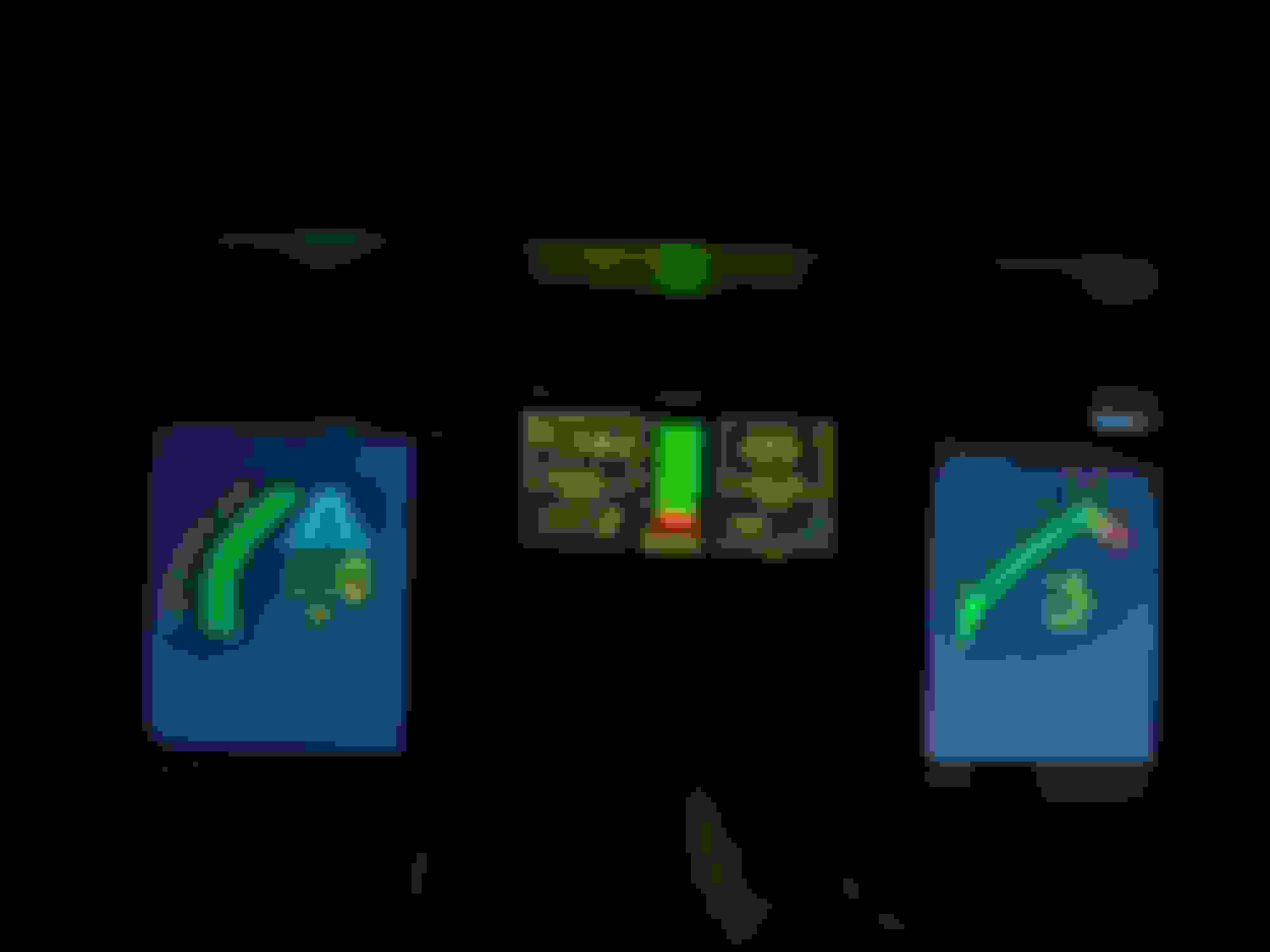
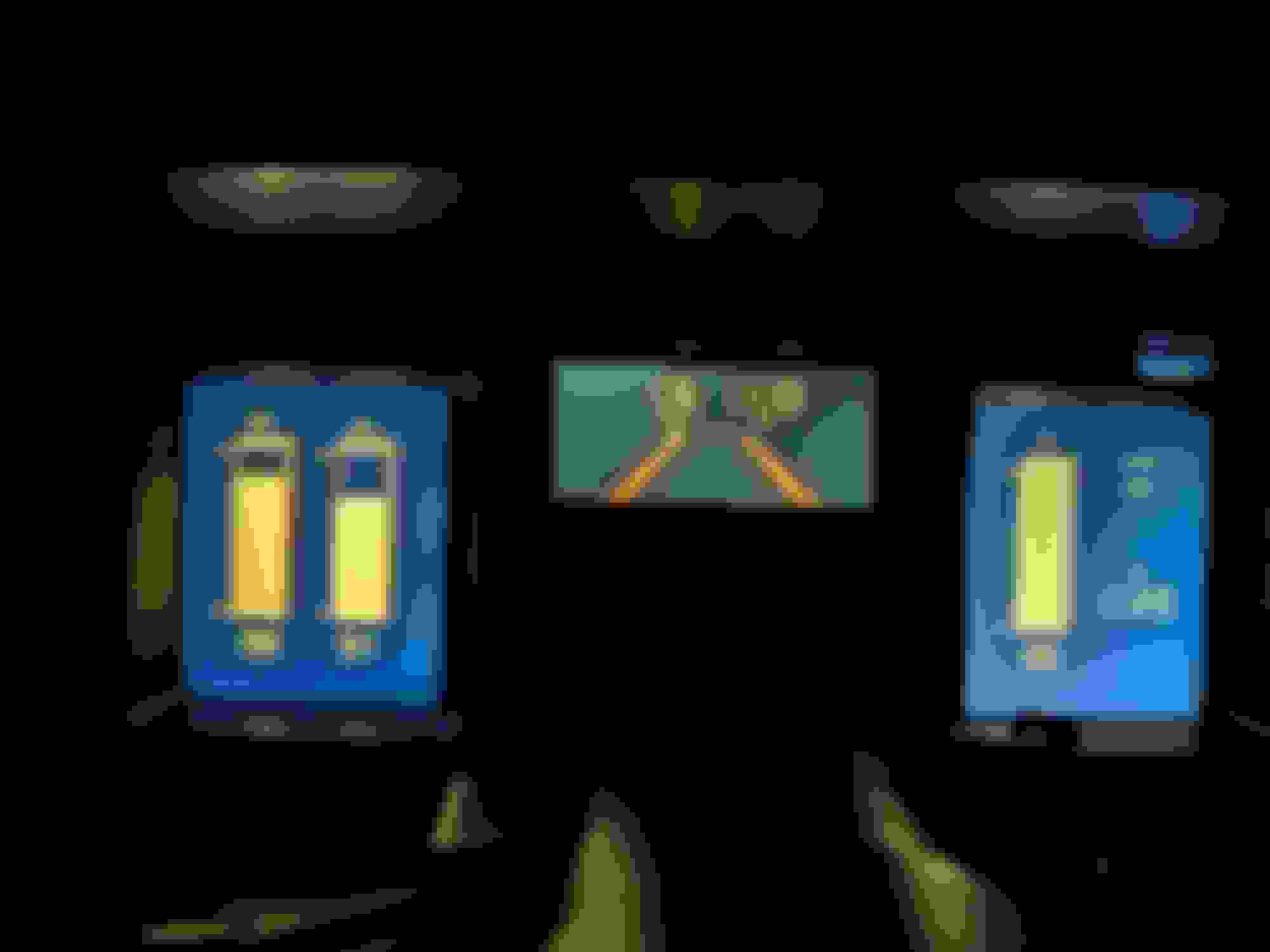
And here is what I have:
Features:
- All sensors and switches working as original cluster (Metric\Imperial switch as well!)
- Plug and play (same connector as cluster have, except one additional connector for power and ground to avoid ground loop (I don't trust small gauge of the original ground))
- Adjustable sensor values and range
- Working screen dimmer (original ****)
- Electronic odometer (but in ideation to duplicate it with physical original one)
- Customizable visualization (main feature ) - currently 5 styles, but planning to add more - (Original pixelated, Citroen BX, Subaru XT, Nissan 300ZX, Original smooth). Changing of the style can be done by simultaneously pressing Trip and MPG reset buttons
- Customizable alerting logic
- More reliable (I hope!!!)
What is inside:
- Arduino Mega - for processing signals from main connecter (sensors, switches, etc). Code is on C++. It sends processed data values via serial (usb) to RaspberryPI
- RaspberryPi4 - for receiving data from Arduino, applying custom logic, calculations if needed and drawing visuals. Code - Python, visuals is on PyGame library.
- Custom PCB-1 for sensors conditioning (pull-up resistor, voltage dividers)
- Custom PCB-2 for speedometer signal converting (Frequency to Voltage) with LM2907 IC
- Custom PCB-3 for tachometer signal converting (Frequency to Voltage) with LM2907 IC
- 2x 7inch LCD screens (HDMI) for left and right screen)
- 5inch LCD screen (DSI) for central screen)
- 12V stabilizer for reference voltage for Tachometer and Speedometer
- 5V stabilizer for sensors and Arduino
- 2x 12v to USB chargers for screens and RaspberryPi power
- Case - custom design 3d printed with PC filament.
What is not implemented (in roadmap or don't know how to implement):
- Loading time. Currently from key on to full load - is about 15 seconds, which is majority of LinuxOS loading. Need to cut it up to 7 secs at least.
- MPG calculation. Need some forum help. Currently it is based on RPM, which is incorrect. I know that ECM has all data and it sends it to the original cluster, but manuals and googling didn't help me with finding what format and protocol it is using. Do you know by any chance?
- No cruise control and I'm afraid to put my hands there
Absolutely amazing job, I’m sure what you’ve pulled off people have imagined doing to these cars before, I know I would of loved to see a more modern rendition of the digital dash, I think my only critique is the formatting of the original C4 gauges, I think if you can get that to scale with the screens better, like the other gauge options you have, you’d be in pretty good shape, keep us updated please!
Absolutely amazing job, I’m sure what you’ve pulled off people have imagined doing to these cars before, I know I would of loved to see a more modern rendition of the digital dash, I think my only critique is the formatting of the original C4 gauges, I think if you can get that to scale with the screens better, like the other gauge options you have, you’d be in pretty good shape, keep us updated please!
Thanks! Yeah, I agree regarding original dash style formatting. It was a first one - didnt have experience with rendering initially. So once got some experience with other styles - decided to fix it with "Original smooth" style, where tachometer and speedometer have smooth bars. But definitely need to work on scaling too
On the MPG thing, the ecu (or cluster, wherever it's calculated) usually looks at the injector pulse width
and the load on the engine via the map of maf, and rpm and maybe throttle position to determine fuel usage on most of those older systems.
It might offset some for richer running during warmup or a few other things but
generally speaking that's about how they figure it. I would imagine you'd need some data on
volumetric efficiency and such but I don't really know in detail. I know every old car I've had with
such (from the 80's to the mid 00's) it's been a +/-2mpg affair which I figured was pretty decent for old tech like that.
yeah, I though about this too. And I already have my Air\load\throttle mapping taking from my MEMCAL. The only thing is that I need to drag the wires from MAF and TPS. And not sure if this will affect the readings on the ECU side, as I'm dividing the load on the sensor by 2 receivers
I love the way the displays fit so nicely into the OEM cluster frame. That really opens the door to some awesome new ways to display data.
One issue I've had in the past is that when you turn the displays to Portrait mode they tend to lighten and darken depending upon which angle they are viewed from. Has this been an issue with your displays?
I love the way the displays fit so nicely into the OEM cluster frame. That really opens the door to some awesome new ways to display data.
One issue I've had in the past is that when you turn the displays to Portrait mode they tend to lighten and darken depending upon which angle they are viewed from. Has this been an issue with your displays?
-Wes
Hey Wes
With this new screens (took from Amazon) I didn't notice a lot of angle distortion. However, there was a big deal to rotate the picture (currently, in my setup they are flipped upside down) - I needed to convert all visuals coordinates just to make it work, because Linux X-server embedded rotation didnt work well
The ECU is sending 160 baud ALDL data, five byte packages at about 10 Hz and the cluster uses that for MPG data. Average MPG is used to calculate tank range.
What I would suggest is using an Arduino to read ALDL data and send that by serial port to the RaspberryPI.
I can provide information on how to read the 160 baud DATA. ( I wrote WinALDL )
Thanks Everyone! @JoBy - I do have bin and .adx file available which I used for ECU. But not sure if it helps. My idea is to find byte position which is for MPG in ALDL steam and use it. Would love if you can share how to do that @reubenaj Regarding the OS - I started straight with RaspberryPI OS (64bit) - its a clone of Debian Trixie. Originally installed non-desctop version, but it didnt work well with X server, and had hard time rotating of the screen
















 C4 Arduino-RaspberryPI Dashboard
 ) - currently 5 styles, but planning to add more - (Original pixelated, Citroen BX, Subaru XT, Nissan 300ZX, Original smooth). Changing of the style can be done by simultaneously pressing Trip and MPG reset buttons