








Lets See You Audio
Melting Slicks


Joined: Sep 2004
Posts: 3,024
Likes: 18
From: DFW Texas

Originally Posted by beav626
I found a post somewhere on how to disable the brake bypass on the Jensen models...
BTW - did you get the Soundgate adapter harness so your original Bose speakers will receive power? Found that to be a must, unless I wanted to replace and amp all the speakers.

Le Mans Master


Joined: Oct 2005
Posts: 6,503
Likes: 2
From: Oklahoma City OK
Originally Posted by diyguy
I had to put a small switch on the grounding wire. There is a 2 second delay for any video to play. I just wait for the blue screen to come up then flip the switch, wait two seconds and flip it back. Wah-Lah - everything works just fine.
BTW - did you get the Soundgate adapter harness so your original Bose speakers will receive power? Found that to be a must, unless I wanted to replace and amp all the speakers.
BTW - did you get the Soundgate adapter harness so your original Bose speakers will receive power? Found that to be a must, unless I wanted to replace and amp all the speakers.

The code is a permanent way of disabling the brake override on the jensen units.
There are two ways of doing this:
Insert the DVD
After the disc loads and plays you will see a blue screen telling you "it is unlawful to drive with a movie blah blah blah"
1)Activate the brake sequence and disable the blue screen using the hand brake, the switch method or anything else to give the unit its three pulses to disable that freakin blue screen.
(What I did was I installed my radio entirely, then took the pink wire and touched for two seconds, removed for two seconds and then touched and held the negative pole of a mower battery laying on my passenger seat until the screen was no longer blue.)
2) Next, on the main remote press stop twice, then 1, 2, 6, 4.
You will now see a hidden menu that says:
Region Code
Brake Override (I know you're drooling by now)
Macrovision (Watch all the burned and pirated movies you want if this option is off)
Loader Version
Model Version
3) Using the right joystick on the unit, navigate to the options of your choice, click on them to toggle on, off or which region code you want.
This is what you want:
Region Code: 1
Brake Override ON
Macrovision: OFF
When your done, click SYS SETUP on the main remote TWICE to save the settings and bingo, your done!!! Hooray!!! You can now kill your whole family in the car while watching that adult movie while your driving.....
Burning Brakes

Joined: Apr 2004
Posts: 1,029
Likes: 3
From: Seattle WA
St. Jude Donor '15
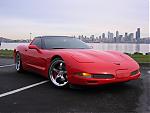
Nothing to fancy, but here's mine.
Alipine HU 9857 to connect to and control my Ipod in my center console.

Focal Components in the doors

JL Stealth Box

600w Amp behind passenger seat. 150w to each door and 300 to the sub.

Alipine HU 9857 to connect to and control my Ipod in my center console.
Focal Components in the doors
JL Stealth Box
600w Amp behind passenger seat. 150w to each door and 300 to the sub.
Pro

Joined: Aug 2005
Posts: 642
Likes: 0
From: Center Line MI
Originally Posted by beav626
I got the soundgate adapter... I have instructions that will allow you to by pass the switch all together I found this on the internet...
The code is a permanent way of disabling the brake override on the jensen units.
There are two ways of doing this:
Insert the DVD
After the disc loads and plays you will see a blue screen telling you "it is unlawful to drive with a movie blah blah blah"
1)Activate the brake sequence and disable the blue screen using the hand brake, the switch method or anything else to give the unit its three pulses to disable that freakin blue screen.
(What I did was I installed my radio entirely, then took the pink wire and touched for two seconds, removed for two seconds and then touched and held the negative pole of a mower battery laying on my passenger seat until the screen was no longer blue.)
2) Next, on the main remote press stop twice, then 1, 2, 6, 4.
You will now see a hidden menu that says:
Region Code
Brake Override (I know you're drooling by now)
Macrovision (Watch all the burned and pirated movies you want if this option is off)
Loader Version
Model Version
3) Using the right joystick on the unit, navigate to the options of your choice, click on them to toggle on, off or which region code you want.
This is what you want:
Region Code: 1
Brake Override ON
Macrovision: OFF
When your done, click SYS SETUP on the main remote TWICE to save the settings and bingo, your done!!! Hooray!!! You can now kill your whole family in the car while watching that adult movie while your driving.....
The code is a permanent way of disabling the brake override on the jensen units.
There are two ways of doing this:
Insert the DVD
After the disc loads and plays you will see a blue screen telling you "it is unlawful to drive with a movie blah blah blah"
1)Activate the brake sequence and disable the blue screen using the hand brake, the switch method or anything else to give the unit its three pulses to disable that freakin blue screen.
(What I did was I installed my radio entirely, then took the pink wire and touched for two seconds, removed for two seconds and then touched and held the negative pole of a mower battery laying on my passenger seat until the screen was no longer blue.)
2) Next, on the main remote press stop twice, then 1, 2, 6, 4.
You will now see a hidden menu that says:
Region Code
Brake Override (I know you're drooling by now)
Macrovision (Watch all the burned and pirated movies you want if this option is off)
Loader Version
Model Version
3) Using the right joystick on the unit, navigate to the options of your choice, click on them to toggle on, off or which region code you want.
This is what you want:
Region Code: 1
Brake Override ON
Macrovision: OFF
When your done, click SYS SETUP on the main remote TWICE to save the settings and bingo, your done!!! Hooray!!! You can now kill your whole family in the car while watching that adult movie while your driving.....
That is great info.....I just saved it.....Thanks...
Melting Slicks
Joined: Sep 2004
Posts: 3,024
Likes: 18
From: DFW Texas
Nice work in location a software fix! Gonna go try it right now!
Thanks
Thanks
Originally Posted by beav626
I got the soundgate adapter... I have instructions that will allow you to by pass the switch all together I found this on the internet...
The code is a permanent way of disabling the brake override on the jensen units.
There are two ways of doing this:
Insert the DVD
After the disc loads and plays you will see a blue screen telling you "it is unlawful to drive with a movie blah blah blah"
1)Activate the brake sequence and disable the blue screen using the hand brake, the switch method or anything else to give the unit its three pulses to disable that freakin blue screen.
(What I did was I installed my radio entirely, then took the pink wire and touched for two seconds, removed for two seconds and then touched and held the negative pole of a mower battery laying on my passenger seat until the screen was no longer blue.)
2) Next, on the main remote press stop twice, then 1, 2, 6, 4.
You will now see a hidden menu that says:
Region Code
Brake Override (I know you're drooling by now)
Macrovision (Watch all the burned and pirated movies you want if this option is off)
Loader Version
Model Version
3) Using the right joystick on the unit, navigate to the options of your choice, click on them to toggle on, off or which region code you want.
This is what you want:
Region Code: 1
Brake Override ON
Macrovision: OFF
When your done, click SYS SETUP on the main remote TWICE to save the settings and bingo, your done!!! Hooray!!! You can now kill your whole family in the car while watching that adult movie while your driving.....
The code is a permanent way of disabling the brake override on the jensen units.
There are two ways of doing this:
Insert the DVD
After the disc loads and plays you will see a blue screen telling you "it is unlawful to drive with a movie blah blah blah"
1)Activate the brake sequence and disable the blue screen using the hand brake, the switch method or anything else to give the unit its three pulses to disable that freakin blue screen.
(What I did was I installed my radio entirely, then took the pink wire and touched for two seconds, removed for two seconds and then touched and held the negative pole of a mower battery laying on my passenger seat until the screen was no longer blue.)
2) Next, on the main remote press stop twice, then 1, 2, 6, 4.
You will now see a hidden menu that says:
Region Code
Brake Override (I know you're drooling by now)
Macrovision (Watch all the burned and pirated movies you want if this option is off)
Loader Version
Model Version
3) Using the right joystick on the unit, navigate to the options of your choice, click on them to toggle on, off or which region code you want.
This is what you want:
Region Code: 1
Brake Override ON
Macrovision: OFF
When your done, click SYS SETUP on the main remote TWICE to save the settings and bingo, your done!!! Hooray!!! You can now kill your whole family in the car while watching that adult movie while your driving.....

Former Vendor
Joined: Dec 2001
Posts: 5,261
Likes: 1
From: The Presidential Suite Elite Street, MD
St. Jude Donor '08-'09-'10
Originally Posted by jay'szo6
Z06Joe:
Nice ride! The trunk is bad @ss. Where did you put your heater controls? And are those the anodized blue gauge pieces you've got? I always wanted to see them in a car.
Nice ride! The trunk is bad @ss. Where did you put your heater controls? And are those the anodized blue gauge pieces you've got? I always wanted to see them in a car.
Thanks!!! I put the ac controls in the glove box. Lengthend (if that's a word) all the wires and put in there. And yes those are the blue anodized gauges.
Corvette Stories
The Best of Corvette for Corvette Enthusiasts

Top 10 Most Expensive Corvettes Ever Sold on Bring A Trailer
Brett Foote
10 Things Every Corvette Owner Needs (2026 Edition)
Michael S. Palmer
8 Most "Only Corvette Owners Understand" Quirks and Problems
Pouria Savadkouei
10 Reasons the C6 Z06 is Still A Performance Benchmark After 20 Years
Joe Kucinski
How Much Horsepower Every Corvette Engine "LOST" in 1972
Joe Kucinski
Top 10 DOs and DON'Ts for Protecting Your Convertible Top!
Michael S. Palmer
Top 10 Most Explosive Corvettes Ever Made: Power-to-Weight Ratio Ranked!
Joe Kucinski
150 hp to 1,250 hp: Every Corvette Generation Compared by the Specs That Matter
Joe Kucinski
