


 [/IMG]



Help with posting pics!!!
Thread Starter
Burning Brakes


Joined: Sep 2008
Posts: 826
Likes: 12
From: Phoenix, AZ
 Help with posting pics!!!
Hello,
I would like to participate more, however I have not been able to figure out how to post a pic from a file on my computer. When I hit the picture in the post it asks for a HTTP. I would like to just add a picture that I have on my computer. Can someone walk me through the procedure.
Thank you
I would like to participate more, however I have not been able to figure out how to post a pic from a file on my computer. When I hit the picture in the post it asks for a HTTP. I would like to just add a picture that I have on my computer. Can someone walk me through the procedure.
Thank you

Race Director

Joined: Jan 2006
Posts: 10,554
Likes: 33
From: Not on either liberal coast.
Check the main menu page towards the bottom. Find the Help sub-forum. That's where you'll find answers on how to use the software or you can ask member J T (quasi moderator there) if there are no previous threads. He'll answer promptly.
You will need a photo hosting site such as PHOTOBUCKET (free) before you can use this sites software to post images.
You will need a photo hosting site such as PHOTOBUCKET (free) before you can use this sites software to post images.

Administrator


Joined: Mar 2001
Posts: 368,324
Likes: 24,777
From: In a parallel universe. Currently own 2014 Stingray Coupe.
C7 of the Year - Modified Finalist 2021
MO Events Coordinator
St. Jude Co-Organizer
St. Jude Donor '03 thru '26
NCM Sinkhole Donor
CI 5, 8 & 11 Veteran
Sign up for an account with either photobucket.com or tinypic.com. Once you do that, you can download pics from your computer to the host site and then copy the IMG link into your post on the forum. Works like a charm.
Corvette Stories
The Best of Corvette for Corvette Enthusiasts

Top 10 Most Expensive Corvettes Ever Sold on Bring A Trailer
Brett Foote
10 Things Every Corvette Owner Needs (2026 Edition)
Michael S. Palmer
8 Most "Only Corvette Owners Understand" Quirks and Problems
Pouria Savadkouei
10 Reasons the C6 Z06 is Still A Performance Benchmark After 20 Years
Joe Kucinski
How Much Horsepower Every Corvette Engine "LOST" in 1972
Joe Kucinski
Top 10 DOs and DON'Ts for Protecting Your Convertible Top!
Michael S. Palmer
Top 10 Most Explosive Corvettes Ever Made: Power-to-Weight Ratio Ranked!
Joe Kucinski
150 hp to 1,250 hp: Every Corvette Generation Compared by the Specs That Matter
Joe Kucinski
8 Coolest Corvette Pace Cars (and Replicas) of All Time
Verdad Gallardo
Administrator
Joined: Mar 2001
Posts: 368,324
Likes: 24,777
From: In a parallel universe. Currently own 2014 Stingray Coupe.
C7 of the Year - Modified Finalist 2021
MO Events Coordinator
St. Jude Co-Organizer
St. Jude Donor '03 thru '26
NCM Sinkhole Donor
CI 5, 8 & 11 Veteran
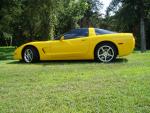
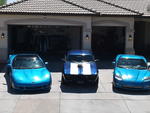
Glad you got it down - those are two very nice looking cars.

Racer


Joined: May 2007
Posts: 435
Likes: 1
From: Newcastle, UK


