






camera setting for car shoots

Thread Starter
Melting Slicks

Joined: Jun 2007
Posts: 2,704
Likes: 4
From: Lone Star State
 camera setting for car shoots
I have a canon eos 500D T1i. I'm wanting to shoot some car pics...
Any tips or settings would be appreciated. Post up some pics of your work. Thanks!
Any tips or settings would be appreciated. Post up some pics of your work. Thanks!

Le Mans Master

Joined: Mar 2011
Posts: 6,835
Likes: 302
From: Columbia SC
Car shots for paint color are better done on a day that is bright but cloudy/overcast. Shooting in the bright direct sunlight is only good for getting some bright reflections. With that said, a higher number F stop will tend to put the car in focus and things in the background not in focus which is good to just direct attention to the car and not the background. A lower F stop will put everything in focus. The F stop (aperture) is setting the size opening that light will travel thorugh. Your camera may allow you to acheive this with some selections instead of full auto. Your manual should help. Otherwise you should be able to set the F stop (refer to your manual) and then the speed will be picked for proper exposure. Good luck, hope this helps some.
Race Director

Joined: Jul 2007
Posts: 18,681
Likes: 47
From: Reno is so close to Hell you can see Sparks , State Of Confusion
St. Jude Donor '12-'13-'14
Good info above, Make sure you have a wide lens with the car always parked close together you will need it, I shoot in raw mode so if I have a picture that I want and the color isn't correct I can edit it any way I want, You can not to that with a jpg.
I also shoot in auto mode most of the time, Todays camera's do a great job in auto mode. I am lazy..lol
Mr.Bill
I also shoot in auto mode most of the time, Todays camera's do a great job in auto mode. I am lazy..lol
Mr.Bill


Pro

Joined: Feb 2012
Posts: 521
Likes: 0
From: Wichita KS
Car shots for paint color are better done on a day that is bright but cloudy/overcast. Shooting in the bright direct sunlight is only good for getting some bright reflections. With that said, a higher number F stop will tend to put the car in focus and things in the background not in focus which is good to just direct attention to the car and not the background. A lower F stop will put everything in focus. The F stop (aperture) is setting the size opening that light will travel thorugh. Your camera may allow you to acheive this with some selections instead of full auto. Your manual should help. Otherwise you should be able to set the F stop (refer to your manual) and then the speed will be picked for proper exposure. Good luck, hope this helps some.

Race Director
Joined: Jul 2007
Posts: 18,681
Likes: 47
From: Reno is so close to Hell you can see Sparks , State Of Confusion
St. Jude Donor '12-'13-'14
I 'm certainly no accomplished photographer, but from my few experiences in shooting my newly acquired C5, I have agree to avoid bright sunlight. it just washes all the highlights out of the paint, except of course for the glare spots. Early morning or late afternoon are great times to shoot. Of course if you're Mr. Bill, you can produce a work of art under any conditions. Can't get enough of his pics!

Burning Brakes

Joined: Mar 2010
Posts: 1,186
Likes: 1
From: North Topsail Beach NC
I always thought the opposite was the case. A higher f-stop number means a smaller aperture opening, which means greater depth of field, causing objects in front of and behind the focal point to also be in focus. Conversely a smaller f-stop number means a greater aperture opening and less depth of field, and less in focus in front or back of the focal point.
Le Mans Master


Joined: Sep 2006
Posts: 9,597
Likes: 960
From: Palm Harbor not far from Sebring Florida
St. Jude Donor '11
Oldtimer
Listen the Mr. Bill. He knows what he is talking about. I purchased a Nikon D5100 a few months back to get away from the point and shoot. I started in JPEG but now everything is in RAW. That I learned from Mr. Bill as well as using filters from Topaz (a totally different subject).


I will shoot in the manual mode for certain shoots where I am trying to draw your attention to a specific point in the photo.


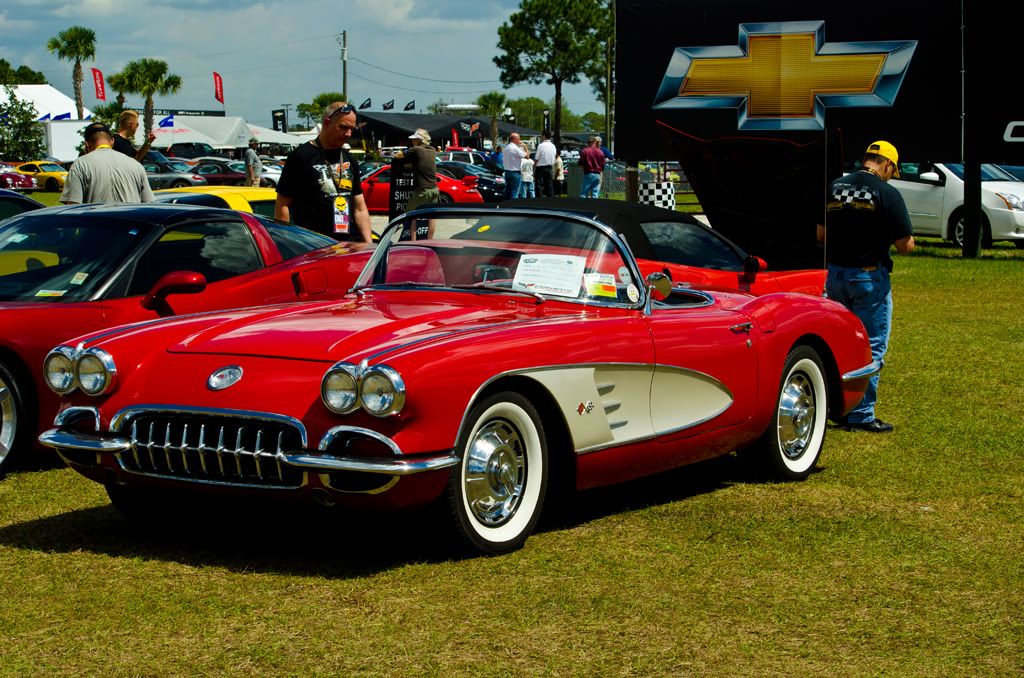
Some random shoots
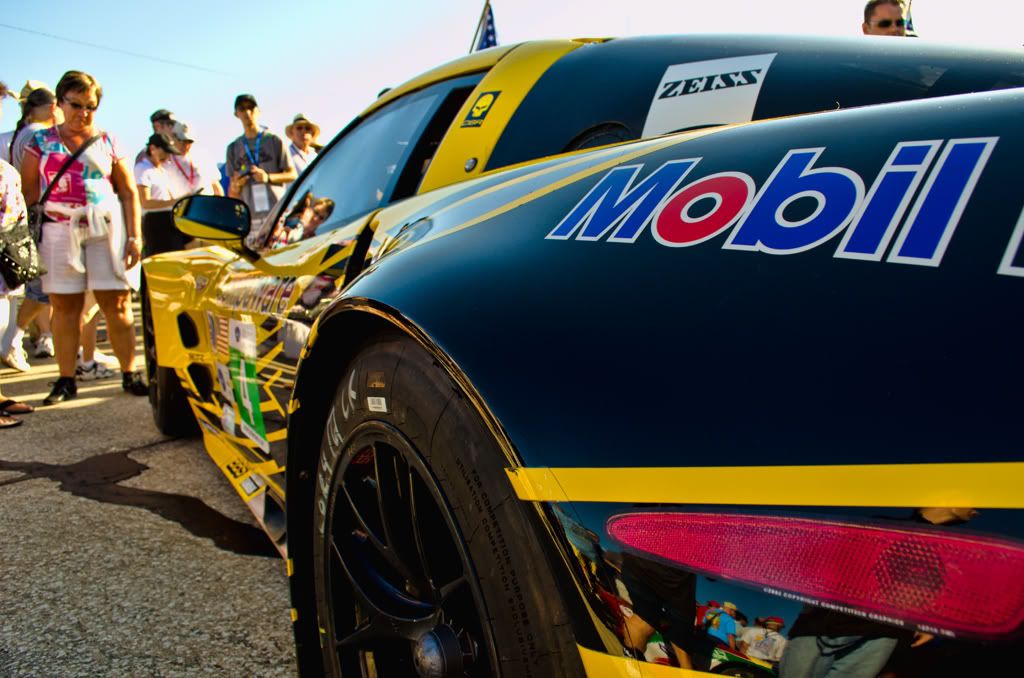
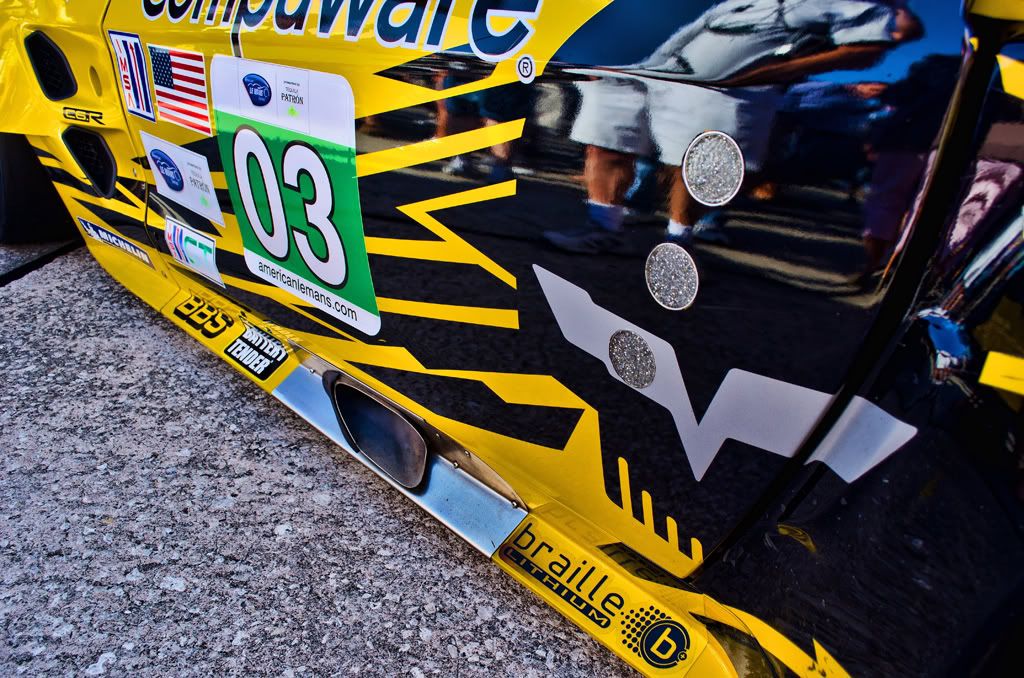
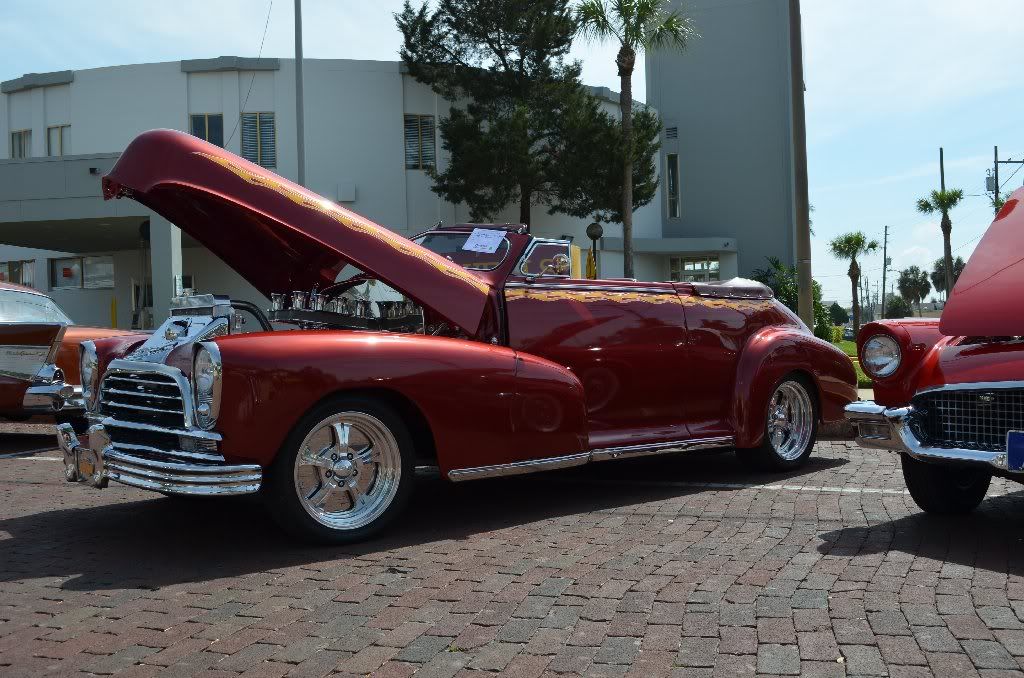
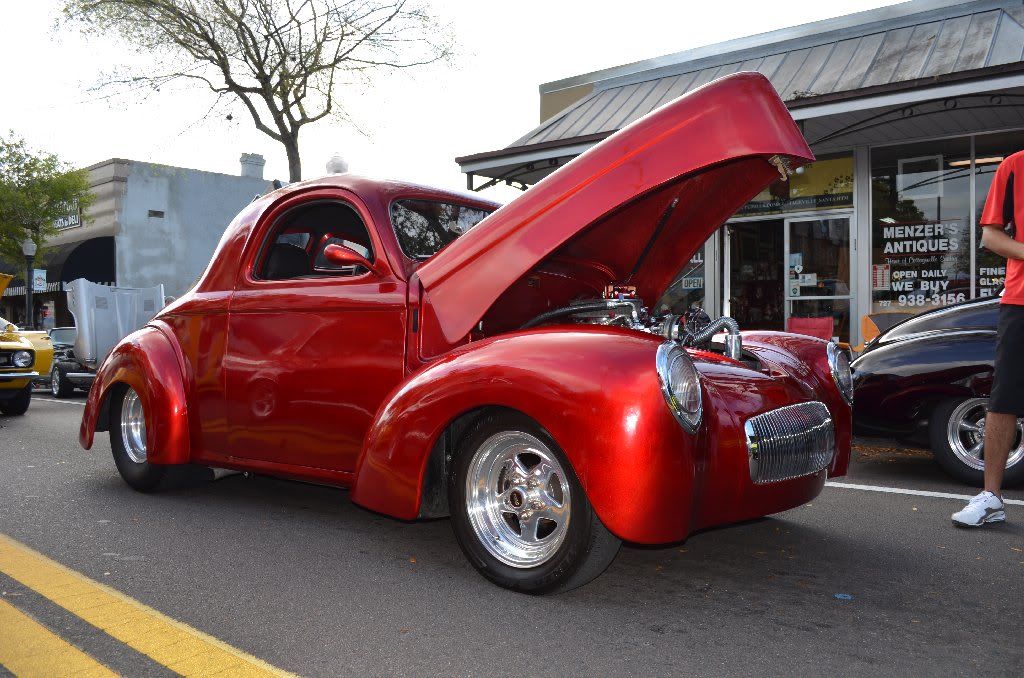
One thing I failed to mention, is you need to know is the RAW format is a large file. So if your SD card is an small one you will fill it in a hurry. I have 2 8Gig card and I was able to get over 400 shoot at Sebring. So if you do not have high capacity SD cards you may want to buy a couple. They are really inexpensive.
I will shoot in the manual mode for certain shoots where I am trying to draw your attention to a specific point in the photo.
Some random shoots
One thing I failed to mention, is you need to know is the RAW format is a large file. So if your SD card is an small one you will fill it in a hurry. I have 2 8Gig card and I was able to get over 400 shoot at Sebring. So if you do not have high capacity SD cards you may want to buy a couple. They are really inexpensive.
Last edited by BWF07; Apr 14, 2012 at 06:49 PM.
Corvette Stories
The Best of Corvette for Corvette Enthusiasts

Top 10 Most Expensive Corvettes Ever Sold on Bring A Trailer
Brett Foote
10 Things Every Corvette Owner Needs (2026 Edition)
Michael S. Palmer
8 Most "Only Corvette Owners Understand" Quirks and Problems
Pouria Savadkouei
10 Reasons the C6 Z06 is Still A Performance Benchmark After 20 Years
Joe Kucinski
How Much Horsepower Every Corvette Engine "LOST" in 1972
Joe Kucinski
Top 10 DOs and DON'Ts for Protecting Your Convertible Top!
Michael S. Palmer
Top 10 Most Explosive Corvettes Ever Made: Power-to-Weight Ratio Ranked!
Joe Kucinski
150 hp to 1,250 hp: Every Corvette Generation Compared by the Specs That Matter
Joe Kucinski
8 Coolest Corvette Pace Cars (and Replicas) of All Time
Verdad Gallardo
Race Director


Joined: Sep 2008
Posts: 10,374
Likes: 128
From: Coventry RI
St. Jude Donor '13 thru '25
I always thought the opposite was the case. A higher f-stop number means a smaller aperture opening, which means greater depth of field, causing objects in front of and behind the focal point to also be in focus. Conversely a smaller f-stop number means a greater aperture opening and less depth of field, and less in focus in front or back of the focal point.
Burning Brakes
Joined: Mar 2010
Posts: 1,186
Likes: 1
From: North Topsail Beach NC
Le Mans Master
Joined: Mar 2011
Posts: 6,835
Likes: 302
From: Columbia SC
Marine One-thanks for your service to our country.
Lots of people go through life wondering if they made a difference. Marines don't have to worry about that.
One of Ronald Regans greatest sayings.
Lots of people go through life wondering if they made a difference. Marines don't have to worry about that.
One of Ronald Regans greatest sayings.

Burning Brakes
Joined: Mar 2010
Posts: 1,186
Likes: 1
From: North Topsail Beach NC


Pro

Joined: Oct 2009
Posts: 560
Likes: 3
From: Centennial Colorado
Get yourself a decent light meter..I use a Sekonic and it's dead on accurate. The camera's reflected light meter can be fooled by too many things in an image, whereas a measurement of light falling on a subject is much more accurate. An example is a black cat in the snow...your camera meter will 'see' all the white and underexpose the image, or even with spot metering on the cat you will blow the white. The solution is to measure the light falling on the scene, not reflected back. A lot of people will just chimp the histogram if they know how, but if you absolutely need to get a shot the first time, get a meter, or play with an off exposure in RAW. If you have time bracketing will ensure you get what you want and can be used in HDR if you like that stuff.
Some people like wide lenses...and for me their their place is for very crowded car shows or landscapes. Most portrait photographers will shoot their subject with a medium to long telephoto lens to compress the background and give less depth of field to the image making the subject pop.
Find what style works for you and go with it.
EF100-400 LIS lens manual exposure @ 1/500 f/5.6 ISO 100 focal length 115.0mm

EF100-400 LIS lens manual exposure @ 1/500 f/5.6 ISO 100 focal length 180.0mm

Some people like wide lenses...and for me their their place is for very crowded car shows or landscapes. Most portrait photographers will shoot their subject with a medium to long telephoto lens to compress the background and give less depth of field to the image making the subject pop.
Find what style works for you and go with it.
EF100-400 LIS lens manual exposure @ 1/500 f/5.6 ISO 100 focal length 115.0mm
EF100-400 LIS lens manual exposure @ 1/500 f/5.6 ISO 100 focal length 180.0mm
Pro
Joined: Oct 2009
Posts: 560
Likes: 3
From: Centennial Colorado
Easy correction of Exposure & White Balance
are the most important reasons to shoot Raw format.
Good exposure and good white balance are the two most common problems photographers have with their pictures. If exposure & white balance are off, they can ruin otherwise good pictures, producing ...
If I didn't shoot Raw, I'd often find myself struggling with a difficult, inconsistent, sometimes losing battle with exposure & white balance repairs on in-camera Jpegs or Tiffs in Photoshop. (Not fun.) On the other hand, because I do shoot Raw, I can easily correct exposure and white balance problems after the fact with some simple adjustments in my Raw processing software. Not worrying about exposure and white balance means quicker and more spontaneous shooting. (And more fun!)
That's why I let my camera automatically meter itself, leave my in-camera exposure compensation set to "0" (no compensation), and leave my camera's white balance set on automatic,concentrating my attention on composition, content, and focus point.
With Raw format, the camera captures a picture with enough surrounding data to cover two stops of over or underexposure, all possibilities of white balance, and several additional variables. Just like a regular Jpeg or Tiff, the camera sets the exposure & white balance where it (or you) think it should be according to its metering & white balance analysis ... but if they come out wrong, they can be easily reset on your computer.
Exposure Compensation and White Balance are the most important tools for Raw files, they're also the easiest to learn & use.
Raw format is a choice for virtually all modern digital SLRs and many point & shoot digitals. Nikon, Canon, Olympus, Fuji, Sigma, Pentax, Kodak Professional, and others offer Raw format shooting and have their own processing software. Besides factory branded software, independent software developers such as Bibble Labs, Capture One, QImage, Adobe (Camera Raw), and others have Raw processing software.
are the most important reasons to shoot Raw format.
Good exposure and good white balance are the two most common problems photographers have with their pictures. If exposure & white balance are off, they can ruin otherwise good pictures, producing ...
- pictures that are too dark or light (under or overexposure).
- pictures with the overall color slightly off, accompanied by a yellow, green, orange, brown, magenta, or blue cast (white balance errors).
- or pictures with a combination of exposure and white balance problems.
If I didn't shoot Raw, I'd often find myself struggling with a difficult, inconsistent, sometimes losing battle with exposure & white balance repairs on in-camera Jpegs or Tiffs in Photoshop. (Not fun.) On the other hand, because I do shoot Raw, I can easily correct exposure and white balance problems after the fact with some simple adjustments in my Raw processing software. Not worrying about exposure and white balance means quicker and more spontaneous shooting. (And more fun!)
That's why I let my camera automatically meter itself, leave my in-camera exposure compensation set to "0" (no compensation), and leave my camera's white balance set on automatic,concentrating my attention on composition, content, and focus point.
With Raw format, the camera captures a picture with enough surrounding data to cover two stops of over or underexposure, all possibilities of white balance, and several additional variables. Just like a regular Jpeg or Tiff, the camera sets the exposure & white balance where it (or you) think it should be according to its metering & white balance analysis ... but if they come out wrong, they can be easily reset on your computer.
Exposure Compensation and White Balance are the most important tools for Raw files, they're also the easiest to learn & use.
Raw format is a choice for virtually all modern digital SLRs and many point & shoot digitals. Nikon, Canon, Olympus, Fuji, Sigma, Pentax, Kodak Professional, and others offer Raw format shooting and have their own processing software. Besides factory branded software, independent software developers such as Bibble Labs, Capture One, QImage, Adobe (Camera Raw), and others have Raw processing software.
 Bill, you should have at least gave John Cowley at Lonestar Digital credit for all of that.. http://www.lonestardigital.com/shooting_raw.htm
Drifting

Joined: Sep 2008
Posts: 1,260
Likes: 1
From: Pearl Mississippi
Man I wish I knew what all this meant...lol I have a Canon DSR and want to shoot some nice shots of anything. I bought some books to try and help me but guess I'm just an idiot cause I still can't figure it out... So I'm gonna follow this thread and see if I can learn something....Thanks

Racer


Joined: Mar 2010
Posts: 465
Likes: 72
From: Discovery Bay, Ca.
My contribution - When shooting a subject (car) and the sun is at your back watch for your shadow. Also watch for you and your camera's reflection in the cars paint. Although that can be a way to get yourself in the picture with the car.* Sometimes, you'll have to adjust the camera angle or back up and zoom in to get the shot you want.
* Don't forget about tripods and self timers they can be really helpful on a photo shoot. I should follow my own advice and get myself into some of the pictures with my cars.
Lastly, if you have a supermodel girlfriend don't forget to take some shots of her with your Vette and post them here. ;-)
* Don't forget about tripods and self timers they can be really helpful on a photo shoot. I should follow my own advice and get myself into some of the pictures with my cars.
Lastly, if you have a supermodel girlfriend don't forget to take some shots of her with your Vette and post them here. ;-)
Last edited by Mecinoid; Apr 16, 2012 at 01:04 AM.