







2000 c5

Thread Starter
Intermediate

Joined: Sep 2019
Posts: 26
Likes: 1
From: Rusk, Texas
 2000 c5
Hello All,
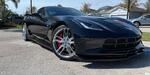
I've just bought my first Corvette. It's a 2000 coupe bone stock, 50,056 miles, pristine inside and out for $10,500.00. I believe I got a great deal, what does everyone else think? New A/C compressor due to leaking seal, new tires, silver paint. There's no owner's manual and I'm feeling my way around and trying to figure out how the 12 disc cd changer works along with lots of other stuff. The key fobs didn't work so I bought new batteries and programmed them. they would only lock but not unlock the car. I assume I need to replace them? There's a clunking sound on rough roads at low speed, sway bar end links? Thanks in advance for your input, I'm retired, always wanted a vette, and decided I should have one. I love driving this thing! Everyone have a great day.
I've just bought my first Corvette. It's a 2000 coupe bone stock, 50,056 miles, pristine inside and out for $10,500.00. I believe I got a great deal, what does everyone else think? New A/C compressor due to leaking seal, new tires, silver paint. There's no owner's manual and I'm feeling my way around and trying to figure out how the 12 disc cd changer works along with lots of other stuff. The key fobs didn't work so I bought new batteries and programmed them. they would only lock but not unlock the car. I assume I need to replace them? There's a clunking sound on rough roads at low speed, sway bar end links? Thanks in advance for your input, I'm retired, always wanted a vette, and decided I should have one. I love driving this thing! Everyone have a great day.
Instructor


Joined: Dec 2017
Posts: 238
Likes: 84
From: Mechanicsville Va
Clunking sound is probably the end links like you said. The original are plastic and you can see easily if they are worn out. Being retired is great, like me it gives plenty of time to work on it, usually just means cleaning, and then go for a drive. As to the key fobs I just don't use them less crap to deal with and less in my pocket, don't like them flopping around either. You got a good buy on the car now drive it and enjoy, have the 12 cd player never used it.

Race Director


Joined: May 2003
Posts: 14,137
Likes: 2,984
From: Iowa
St. Jude Donor '03 thru '26
Welcome to the forum. 
YES, $10,500 is a great price for "pristine inside and out" 50K miles C5.
Clunking could be the sway bar end links. The early years had plastic ones and the later years had metal ones. I don't remember what year they changed them in.
YES, $10,500 is a great price for "pristine inside and out" 50K miles C5.
Clunking could be the sway bar end links. The early years had plastic ones and the later years had metal ones. I don't remember what year they changed them in.

Administrator


Joined: Mar 2001
Posts: 368,319
Likes: 24,777
From: In a parallel universe. Currently own 2014 Stingray Coupe.
C7 of the Year - Modified Finalist 2021
MO Events Coordinator
St. Jude Co-Organizer
St. Jude Donor '03 thru '25
NCM Sinkhole Donor
CI 5, 8 & 11 Veteran
Sounds like a good price to me for a 50K mile car. Good luck with the little repairs and hope you thoroughly enjoy the car.

Safety Car


Joined: Mar 2017
Posts: 3,770
Likes: 940
From: Orlando Florida
Welcome to the club! And by 'club' I'm referring to those of us who bought first and learned second. oops...
Were you indicating just that the car is silver, or that the silver is new? $10500 is a fine price for 50K miles. You forgot to mention: two pedal or three?
I'd suggest with some forum reading material, lots and lots of really great information at:
https://www.corvetteforum.com/forums...ion-files.html
There are a number of (mostly) small issues common to the C-5, with the 2000 being in the earlier generation. My '99 has had most of them, and it's still a fun car.
Were you indicating just that the car is silver, or that the silver is new? $10500 is a fine price for 50K miles. You forgot to mention: two pedal or three?
I'd suggest with some forum reading material, lots and lots of really great information at:
https://www.corvetteforum.com/forums...ion-files.html
There are a number of (mostly) small issues common to the C-5, with the 2000 being in the earlier generation. My '99 has had most of them, and it's still a fun car.
Thread Starter
Intermediate
Joined: Sep 2019
Posts: 26
Likes: 1
From: Rusk, Texas
Thanks. It's an automatic. The only issues so far is what I believe to be front sway bar links. The PO changed the rear but not the front. It's a great car and I am constantly looking for an excuse to get in it and drive.
Corvette Stories
The Best of Corvette for Corvette Enthusiasts

Top 10 Most Expensive Corvettes Ever Sold on Bring A Trailer
Brett Foote
10 Things Every Corvette Owner Needs (2026 Edition)
Michael S. Palmer
8 Most "Only Corvette Owners Understand" Quirks and Problems
Pouria Savadkouei
10 Reasons the C6 Z06 is Still A Performance Benchmark After 20 Years
Joe Kucinski
How Much Horsepower Every Corvette Engine "LOST" in 1972
Joe Kucinski
Top 10 DOs and DON'Ts for Protecting Your Convertible Top!
Michael S. Palmer
Top 10 Most Explosive Corvettes Ever Made: Power-to-Weight Ratio Ranked!
Joe Kucinski
150 hp to 1,250 hp: Every Corvette Generation Compared by the Specs That Matter
Joe Kucinski
8 Coolest Corvette Pace Cars (and Replicas) of All Time
Verdad Gallardo
Melting Slicks


Joined: Jan 2009
Posts: 3,275
Likes: 739
From: Miami FL
- CDs are loaded in the magazine with the label side down.
- It doesn't play CDs with MP3 tracks.
- It can play burned copies of original CDs (straight copies).
- It can play home-made compilations, as long as tracks are WAV
From the manual:
Operating the Trunk-Mounted CD Changer with the Radio with Cassette
If an error appears on the display, see "CD Messages" later in this section.
1 PREV (Previous)
Press this pushbutton to go to the start of the current track if more than eight seconds have played. If this pushbutton is held or pressed more than once, the player will continue moving backward through the CD.
2 PROG (Program)
Press this pushbutton to select the next CD in the magazine. If a CD cannot be played, its number will be skipped when selecting CDs while using this pushbutton.
3 NEXT
Press this pushbutton to go to the next track. If this pushbutton is held or pressed more than once, the player will continue moving forward through the CD.
REV 4 (Reverse)
Press and hold this pushbutton to quickly reverse within a track. Release the pushbutton to play the passage. The elapsed time of the track will appear on the display.
5 (Dolby)
This pushbutton has no function when playing a CD.
FWD 6 (Forward)
Press and hold this pushbutton to quickly advance within a track. Release the pushbutton to play the passage. The elapsed time of the track will appear on the display.
RECALL
Press this button to see what track is currently playing. Press it again within five seconds to see how long the track has been playing.
SEEK
The left arrow works the same as the PREV pushbutton and the right arrow works the same as the NEXT pushbutton.
P.SCAN (Preset Scan)
Press this button to listen to the tracks on all of the CDs in random, rather than sequential, order. RDM will appear on the display. Press this button again to turn off random play.
AM/FM
Press this button to listen to the radio when a cassette tape or a CD is playing. The inactive tape or CD will remain safely inside the radio for future listening.
TAPE AUX (Auxiliary)
Press this button to play a CD when listening to the radio. Press this button to switch between playing a tape in the cassette tape player and playing a CD in the trunk-mounted CD changer, if both are loaded.
If an error appears on the display, see "CD Messages" later in this section.
1 PREV (Previous)
Press this pushbutton to go to the start of the current track if more than eight seconds have played. If this pushbutton is held or pressed more than once, the player will continue moving backward through the CD.
2 PROG (Program)
Press this pushbutton to select the next CD in the magazine. If a CD cannot be played, its number will be skipped when selecting CDs while using this pushbutton.
3 NEXT
Press this pushbutton to go to the next track. If this pushbutton is held or pressed more than once, the player will continue moving forward through the CD.
REV 4 (Reverse)
Press and hold this pushbutton to quickly reverse within a track. Release the pushbutton to play the passage. The elapsed time of the track will appear on the display.
5 (Dolby)
This pushbutton has no function when playing a CD.
FWD 6 (Forward)
Press and hold this pushbutton to quickly advance within a track. Release the pushbutton to play the passage. The elapsed time of the track will appear on the display.
RECALL
Press this button to see what track is currently playing. Press it again within five seconds to see how long the track has been playing.
SEEK
The left arrow works the same as the PREV pushbutton and the right arrow works the same as the NEXT pushbutton.
P.SCAN (Preset Scan)
Press this button to listen to the tracks on all of the CDs in random, rather than sequential, order. RDM will appear on the display. Press this button again to turn off random play.
AM/FM
Press this button to listen to the radio when a cassette tape or a CD is playing. The inactive tape or CD will remain safely inside the radio for future listening.
TAPE AUX (Auxiliary)
Press this button to play a CD when listening to the radio. Press this button to switch between playing a tape in the cassette tape player and playing a CD in the trunk-mounted CD changer, if both are loaded.
Operating the Trunk-Mounted CD Changer with the Radio with CD
If an error appears on the display, see "CD Messages" later in this section.
1 PREV (Previous)
Press this pushbutton to go to the start of the current track if more than eight seconds have played. If this pushbutton is held or pressed more than once, the player will continue moving backward through the CD.
2 RDM (Random)
Press this pushbutton to play the CDs in random, rather than sequential, order. RDM will appear on the display. Press this pushbutton again to turn off random play.
3 NEXT
Press this pushbutton to go to the next track. If this pushbutton is held or pressed more than once, the player will continue moving forward through the CD.
REV 4 (Reverse)
Press and hold this pushbutton to quickly reverse within a track. Release this pushbutton to play the passage. The elapsed time of the track will appear on the display.
5
Press this pushbutton to select the next CD in the magazine. If a CD cannot be played, its number will be skipped when selecting CDs while using this pushbutton.
FWD 6 (Forward)
Press and hold this pushbutton to quickly advance within a track. Release this pushbutton to play the passage. The elapsed time of the track will appear on the display.
RECALL
Press this button to see what track is currently playing. Press it again within five seconds to see how long the track has been playing.
SEEK
The left arrow works the same as the PREV pushbutton and the right arrow works the same as the NEXT pushbutton.
AM/FM
Press this button to listen to the radio when a CD is playing. The inactive CD will remain safely inside the radio for future listening.
CD AUX (Auxiliary)
Press this button to play a CD when listening to the radio. Press this button to switch between playing a CD in the CD player and playing a CD in the CD changer, if both are loaded.
If an error appears on the display, see "CD Messages" later in this section.
1 PREV (Previous)
Press this pushbutton to go to the start of the current track if more than eight seconds have played. If this pushbutton is held or pressed more than once, the player will continue moving backward through the CD.
2 RDM (Random)
Press this pushbutton to play the CDs in random, rather than sequential, order. RDM will appear on the display. Press this pushbutton again to turn off random play.
3 NEXT
Press this pushbutton to go to the next track. If this pushbutton is held or pressed more than once, the player will continue moving forward through the CD.
REV 4 (Reverse)
Press and hold this pushbutton to quickly reverse within a track. Release this pushbutton to play the passage. The elapsed time of the track will appear on the display.
5
Press this pushbutton to select the next CD in the magazine. If a CD cannot be played, its number will be skipped when selecting CDs while using this pushbutton.
FWD 6 (Forward)
Press and hold this pushbutton to quickly advance within a track. Release this pushbutton to play the passage. The elapsed time of the track will appear on the display.
RECALL
Press this button to see what track is currently playing. Press it again within five seconds to see how long the track has been playing.
SEEK
The left arrow works the same as the PREV pushbutton and the right arrow works the same as the NEXT pushbutton.
AM/FM
Press this button to listen to the radio when a CD is playing. The inactive CD will remain safely inside the radio for future listening.
CD AUX (Auxiliary)
Press this button to play a CD when listening to the radio. Press this button to switch between playing a CD in the CD player and playing a CD in the CD changer, if both are loaded.
Last edited by GCG; Sep 2, 2019 at 06:11 PM.
Thread Starter
Intermediate
Joined: Sep 2019
Posts: 26
Likes: 1
From: Rusk, Texas
Thanks for the information. With no owners manual so far I can only assume that my cd changer doesn't work. Upon loading and inserting the magazine it immediately begins shuffling discs, when it stops I turn on the radio and press the cd/aux button and the radio continues playing with no activity from the changer. I dunno.....

Le Mans Master

Joined: Jul 2014
Posts: 6,671
Likes: 273
From: Jax, Fl
Congrats, sounds like a beauty. Check to see if the column lock has been addressed. Mine was fine when I got home Friday and on Monday it was toast. Thankfully it happened in the driveway and not out on the town. I had the lmc5 in the glove box and was back in business 45 mins later.

Burning Brakes


Joined: Oct 2018
Posts: 1,023
Likes: 776
From: Göteborg, Sweden, Europe
2025 C5 of the Year Finalist - Unmodified
2021 C5 of the Year Finalist - Unmodified
2020 C5 of the Year Finalist - Unmodified
Safety Car
Joined: Mar 2017
Posts: 3,770
Likes: 940
From: Orlando Florida