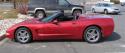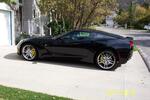






Upload your C5 pics

Racer

Joined: Jul 2004
Posts: 461
Likes: 0
From: NW Suburbs Illinois
 Upload your C5 pics
CirrusB,
If you have not heard from anyone yet, regarding where to find the
"Upload Photos". You must go to the "Gallery" first by clicking on
http://forums.corvetteforum.com/photopost/, then the page that
comes up will have the "Upload Photos" in the upper right hand corner
of the page, under where it says FAQ.
After that the steps should fall in place.
Good luck... TRJ
If you have not heard from anyone yet, regarding where to find the
"Upload Photos". You must go to the "Gallery" first by clicking on
http://forums.corvetteforum.com/photopost/, then the page that
comes up will have the "Upload Photos" in the upper right hand corner
of the page, under where it says FAQ.
After that the steps should fall in place.
Good luck... TRJ
Racer
Joined: Jul 2004
Posts: 461
Likes: 0
From: NW Suburbs Illinois
Upload your C5 pics
Greg'sC5,
Go to the Gallery by clicking on the link:
http://forums.corvetteforum.com/photopost/, then you will find the
"Upload Photos" in the upper right hand corner of the page under
where it says FAQ. Kind of a grey-out area. Then follow the rest of
the directions.
Good luck... TRJ
Go to the Gallery by clicking on the link:
http://forums.corvetteforum.com/photopost/, then you will find the
"Upload Photos" in the upper right hand corner of the page under
where it says FAQ. Kind of a grey-out area. Then follow the rest of
the directions.
Good luck... TRJ
Racer
Joined: Jul 2004
Posts: 461
Likes: 0
From: NW Suburbs Illinois
Upload your C5 pics
I'm also wondering how long it usually takes to approve, and show
uploaded pics. And also, how to delete certain pics and replace them
with a new one. If this has been covered already, somewhere, I
apologize. I'm new here, and still feeling my way around.
Thanks to anyone who can help me with these questions.
uploaded pics. And also, how to delete certain pics and replace them
with a new one. If this has been covered already, somewhere, I
apologize. I'm new here, and still feeling my way around.
Thanks to anyone who can help me with these questions.

Safety Car


Joined: Jan 2005
Posts: 3,735
Likes: 1,941
From: Missoura Ozark's
Just wondering . . .
Corvette Stories
The Best of Corvette for Corvette Enthusiasts

Top 10 Most Expensive Corvettes Ever Sold on Bring A Trailer
Brett Foote
10 Things Every Corvette Owner Needs (2026 Edition)
Michael S. Palmer
8 Most "Only Corvette Owners Understand" Quirks and Problems
Pouria Savadkouei
10 Reasons the C6 Z06 is Still A Performance Benchmark After 20 Years
Joe Kucinski
How Much Horsepower Every Corvette Engine "LOST" in 1972
Joe Kucinski
Top 10 DOs and DON'Ts for Protecting Your Convertible Top!
Michael S. Palmer
Top 10 Most Explosive Corvettes Ever Made: Power-to-Weight Ratio Ranked!
Joe Kucinski
150 hp to 1,250 hp: Every Corvette Generation Compared by the Specs That Matter
Joe Kucinski
8 Coolest Corvette Pace Cars (and Replicas) of All Time
Verdad Gallardo
Racer
Joined: Jul 2004
Posts: 461
Likes: 0
From: NW Suburbs Illinois
Upload your C5 pics
This afternoon I have tried to upload another set of pics, and after hitting the "upload" button there is about a 4 minute delay, and then
a page comes up saying "The page you have requested is not available,
etc, etc.
Something wrong, or intentionally shut down?
a page comes up saying "The page you have requested is not available,
etc, etc.
Something wrong, or intentionally shut down?
Last edited by TRJ; Mar 3, 2005 at 12:56 PM.