


 :
:


 Thankx Troy very helpful.







Upload your C5 pics

Le Mans Master


Joined: Apr 2002
Posts: 6,927
Likes: 3
From: Glendale NY
St. Jude Donor '08-'09-'10-'11-'12-'13-'14-'15-'16-'17-'18- '19
 Larger Picture
[QUOTE=Troy Roberts]I know that the switch to vBulletin has been a bit of a trial. One of my main reasons for going with it is it's ability to integrate with other products. I have wanted to put up a better gallery for a few years. Now I can do it! 
I hate to be a pain in the Butt,but, can you halp me out? I would appreciate it if you could make my picture when I Post bigger than what it is now. I am a computer Nerd when it comes to these things. I had someone help me when I first tried to use a picture, but as you will see, it's pretty small, too small. Will this help?
http://img.photobucket.com/albums/v1...8/835ff7ca.jpg
I hate to be a pain in the Butt,but, can you halp me out? I would appreciate it if you could make my picture when I Post bigger than what it is now. I am a computer Nerd when it comes to these things. I had someone help me when I first tried to use a picture, but as you will see, it's pretty small, too small. Will this help?
http://img.photobucket.com/albums/v1...8/835ff7ca.jpg
Corvette Stories
The Best of Corvette for Corvette Enthusiasts

Top 10 Most Expensive Corvettes Ever Sold on Bring A Trailer
Brett Foote
10 Things Every Corvette Owner Needs (2026 Edition)
Michael S. Palmer
8 Most "Only Corvette Owners Understand" Quirks and Problems
Pouria Savadkouei
10 Reasons the C6 Z06 is Still A Performance Benchmark After 20 Years
Joe Kucinski
How Much Horsepower Every Corvette Engine "LOST" in 1972
Joe Kucinski
Top 10 DOs and DON'Ts for Protecting Your Convertible Top!
Michael S. Palmer
Top 10 Most Explosive Corvettes Ever Made: Power-to-Weight Ratio Ranked!
Joe Kucinski
150 hp to 1,250 hp: Every Corvette Generation Compared by the Specs That Matter
Joe Kucinski
8 Coolest Corvette Pace Cars (and Replicas) of All Time
Verdad Gallardo
Melting Slicks


Joined: Jul 2003
Posts: 3,427
Likes: 2
From: Fountain Inn, South Carolina
What's up with the Photo site ?? I have uploaded pictures several times in the past, but I have the problem of not having the option to see "My Galleries"  ... Thus also not having the option to upload.
I have logged in and out of the Forum and the Photo site. I get the welcome message, would you like to proceed. Some times I can get accesses, other times I cant.
Any one know why this is
... Thus also not having the option to upload.I have logged in and out of the Forum and the Photo site. I get the welcome message, would you like to proceed. Some times I can get accesses, other times I cant.
Any one know why this is

Former Vendor
Joined: Feb 2002
Posts: 7,812
Likes: 3
From: DFW, TX www.vettestripes.com
St. Jude Donor '03-'04-'05-'06-'07-'08
Look like Troy's instruction is not working anymore since I don't see upload button.
Can anyone help if I miss anything?
Thanks,
-Mike
Can anyone help if I miss anything?
Thanks,
-Mike

Team Owner

Joined: Mar 2002
Posts: 47,647
Likes: 1
From: Queens, New York Life begins at 183 mph....
St. Jude Donor '08-'09
Originally Posted by mike76002
Look like Troy's instruction is not working anymore since I don't see upload button.
Can anyone help if I miss anything?
Thanks,
-Mike
Can anyone help if I miss anything?
Thanks,
-Mike


 on two of my post and I can't upload pics to prove my case.
Intermediate

Joined: Nov 2004
Posts: 45
Likes: 0
From: ZO6 Land (AV) Cali. (O.C.)
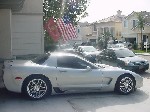
Worked great for me but now, I need to figure out, how to get my "MGUNZ 1" License plate photo over to be my Avatar. Could you do that for me or would I have to take another pic to get it down to 150 x 150, Please advise. Thanks. 






Heel & Toe
Joined: Dec 2004
Posts: 16
Likes: 0
From: Cookeville Tennessee
Uploading Picture
Help me!! The upload photos is no where to be found!!
To upload pics:
1. Go to the gallery. http://forums.corvetteforum.com/photopost/ We will be making it easier to find in the future. Ok Done That!!
2. Login to the gallery. Being logged into the forums does not make you logged into the gallery. The username/password is the same but you must login there also. Ok Done That!!

3. Click on Corvette Pictures.
4. Click on C5 Pictures to see the current categories. I can add more as needed.
5. Click Upload Photos. It's just under FAQ in the main menu. The upload photos is no where to be found
6. Choose a category to upload into. You can just upload into the General Upload area if you are not sure of where the picture should go.
7. Click browse and find the picture(s) on your computer.
8. Click Upload.
9. Click Process Files on the next screen.
Your picture is now in the queue to be approved.
Let me know if it works for you![/QUOTE]
To upload pics:
1. Go to the gallery. http://forums.corvetteforum.com/photopost/ We will be making it easier to find in the future. Ok Done That!!
2. Login to the gallery. Being logged into the forums does not make you logged into the gallery. The username/password is the same but you must login there also. Ok Done That!!
3. Click on Corvette Pictures.
4. Click on C5 Pictures to see the current categories. I can add more as needed.
5. Click Upload Photos. It's just under FAQ in the main menu. The upload photos is no where to be found
6. Choose a category to upload into. You can just upload into the General Upload area if you are not sure of where the picture should go.
7. Click browse and find the picture(s) on your computer.
8. Click Upload.
9. Click Process Files on the next screen.
Your picture is now in the queue to be approved.
Let me know if it works for you!
[/QUOTE]