








 .
.

vette 01 supercar wont start.

Thread Starter
Cruising

Joined: Aug 2012
Posts: 11
Likes: 0
 vette 01 supercar wont start.
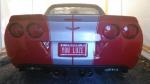
Hello Im a proud owner of my first American Sports Car a 2000 C5 automatic. After three weeks of ownership the car wont start. When i turn the key all the gauges move normally but it just wont start and i have a good battery. Things i noticed a sound like a lock and unlock mechanism when i turn the key on and when i turn back off and pull key out. I also noticed that even if my key isnt in the ignition the steering wheel isnt locked and im able to turn the wheel . My last observation for 4 days ive been hoping it would start and still nothing however just now the car tried to crank over and stopped... Smart me buying the car with no warranty.... If someone can help me Thank You......
Last edited by vette01 supercar; Aug 13, 2012 at 08:55 AM. Reason: left info out.

Le Mans Master


Joined: May 2007
Posts: 5,393
Likes: 17
From: Belleville Mich.
You stated "I have a good battery"
These c5's act real weird when battery life is low on juice.
Most have no problems in this regards ...if they maintain their car's battery with an almost constant trickle charger, when car sets more than a day or two.
That is the secret.
Battery maintainer.
I bought my 03 brand new.
My car's original battery lasted a little over two years.
Once I had a battery replacement & I did some research here on the forum, I found out about the need of a battery tender.
I still have that replacement battery in the car...but keep it on a tender when car is not in use.
These c5's act real weird when battery life is low on juice.
Most have no problems in this regards ...if they maintain their car's battery with an almost constant trickle charger, when car sets more than a day or two.
That is the secret.
Battery maintainer.
I bought my 03 brand new.
My car's original battery lasted a little over two years.
Once I had a battery replacement & I did some research here on the forum, I found out about the need of a battery tender.
I still have that replacement battery in the car...but keep it on a tender when car is not in use.

Advanced

Joined: Jul 2012
Posts: 69
Likes: 0
From: Arlington Heights Illinois
St. Jude Donor '12
You stated "I have a good battery"
These c5's act real weird when battery life is low on juice.
Most have no problems in this regards ...if they maintain their car's battery with an almost constant trickle charger, when car sets more than a day or two.
That is the secret.
Battery maintainer.
I bought my 03 brand new.
My car's original battery lasted a little over two years.
Once I had a battery replacement & I did some research here on the forum, I found out about the need of a battery tender.
I still have that replacement battery in the car...but keep it on a tender when car is not in use.
These c5's act real weird when battery life is low on juice.
Most have no problems in this regards ...if they maintain their car's battery with an almost constant trickle charger, when car sets more than a day or two.
That is the secret.
Battery maintainer.
I bought my 03 brand new.
My car's original battery lasted a little over two years.
Once I had a battery replacement & I did some research here on the forum, I found out about the need of a battery tender.
I still have that replacement battery in the car...but keep it on a tender when car is not in use.

If the battery isn't the problem, then it's the starter.
Thread Starter
Cruising
Joined: Aug 2012
Posts: 11
Likes: 0
id like to thank everyone for their help all great options to consider. I just borrowed my friends voltage meter. Battery has voltage. After doing some reading i wrote down the resistance codes for the key. When i placed the prongs on each side of the key on the part that looks like a small staple there was no reading at all on the meter. Could this be a problem where maybe i need a new key ? Thank You
Corvette Stories
The Best of Corvette for Corvette Enthusiasts

Top 10 Most Expensive Corvettes Ever Sold on Bring A Trailer
Brett Foote
10 Things Every Corvette Owner Needs (2026 Edition)
Michael S. Palmer
8 Most "Only Corvette Owners Understand" Quirks and Problems
Pouria Savadkouei
10 Reasons the C6 Z06 is Still A Performance Benchmark After 20 Years
Joe Kucinski
How Much Horsepower Every Corvette Engine "LOST" in 1972
Joe Kucinski
Top 10 DOs and DON'Ts for Protecting Your Convertible Top!
Michael S. Palmer
Top 10 Most Explosive Corvettes Ever Made: Power-to-Weight Ratio Ranked!
Joe Kucinski
150 hp to 1,250 hp: Every Corvette Generation Compared by the Specs That Matter
Joe Kucinski
8 Coolest Corvette Pace Cars (and Replicas) of All Time
Verdad Gallardo
Tech Contributor


Joined: Jan 2007
Posts: 19,448
Likes: 1,155
From: Dyer, IN
id like to thank everyone for their help all great options to consider. I just borrowed my friends voltage meter. Battery has voltage. After doing some reading i wrote down the resistance codes for the key. When i placed the prongs on each side of the key on the part that looks like a small staple there was no reading at all on the meter. Could this be a problem where maybe i need a new key ? Thank You
Why haven't you posted your codes?

Instructor


Joined: Dec 2007
Posts: 218
Likes: 53
From: RI
 ...........
Melting Slicks

Joined: Jun 2012
Posts: 3,163
Likes: 6
From: Oceanside California
So it doesnt crank, but has a sound like a lock/unlock. Sounds to me like the starter pinion is engaging, but not spinning the flexplate or flywheel. Bad starter is my guess.
Crawl underneath and knock the starter a few times with a mallet. Sometimes this works. Then you know if its the stater.
Crawl underneath and knock the starter a few times with a mallet. Sometimes this works. Then you know if its the stater.
Last edited by NukeC5; Aug 14, 2012 at 01:10 PM.


Drifting

Joined: Mar 2010
Posts: 1,628
Likes: 15
From: Seattle WA
Guessing IS fun. I would *guess* starter solenoid instead of the starter itself.
To the OP - it doesn't really sound like you have the electrical know-how to troubleshoot this problem yourself. I recommend you ask the friend whose voltage meter you borrowed (hopefully it's a multimeter and not simply a voltage meter) to help you diagnose your issue.
For a little bit of background data, you should be reading at a minimum 12.4 volts on the battery terminals with the car OFF and no accessories running. If you are reading below this, get a battery charger and charge the battery until it maintains at least that amount after being off the charger for ~5 minutes or so.
Since many people have asked you for your codes, but none have been kind enough to explain how to get them, here is the procedure for checking your DIC codes (props to Bill Curlee from whom this is stolen):
READING YOUR Engine Diagnostic Trouble Codes (DTC)
This procedure should be carried out any time you experience a problem with your C5. Most inexpensive store bought aftermarket code readers will ONLY read power train DTC’s. Reading the DTC’s with the C5 built in code reader will allow you to read ALL the modules in the vehicle.
The Diagnostic Display Mode is entered with the following procedure:
1) Turn on the ignition but don't start the engine.
2) Press the RESET button to turn off any warning messages. (i.e. door open, trunk open ect)
3) Press and hold the OPTIONS button
4) While holding OPTIONS, press FUEL button four times within a 10 -second period.
Initially, the on-board diagnostics go into an Automatic Mode which will cycle through each module and shows diagnostic codes in a pre-set sequence: PCM - TCS - RTD - BCM - IPC - RADIO - HVAC - LDCM - RDCM - SCM - RFA. All codes will be displayed for each module. ( i.e. PCM = 4 codes) If none are present in a given module, you will see No More Codes on the display.
There are two types of diagnostic codes, Current and History designated with a letter suffix, “C” or “H”. A current code indicates a malfunction is present in the module displaying data. A history code indicates a problem existed sometime in the last 40 or 50 ignition cycles. When not accompanied by a current code of the same number, it's potential evidence of a previous problem, now resolved, that was not removed by clearing the codes. More likely it's an indication of an intermittent malfunction.
Intermittent codes are the most challenging of the diagnostics. An intermittent code may have happened once, may have happened more than once but is inconsistent or may be happening on a regular basis but not at the time the codes are displayed. History codes can also be caused by a current malfunction in a system that is not operating at the time codes are displayed. An example is the rear window defogger which doesn't operate until the Body Control Module detects engine rpm. For history codes set by a module that does not operate with the key on and engine off, a special diagnostic tool called a Scan Tester is necessary to properly diagnose the malfunction.
Once the system has displayed all modules, it goes into the manual mode which allows selection of each module using combinations of Driver Information Center buttons. Manual mode can also be entered during the automatic sequence by pressing any button except E/M. Once the display shows Manual Diagnostics, select a module by pressing the OPTIONS button to go forward or the TRIP button to go back. Once a module is selected, a code is displayed, and if more than one are present; press GAGES to go forward or FUEL to go back.
To exit the diagnostic mode at any time, press E/M. If you want to erase codes in a given module, press RESET To reset the codes once in manual mode, press and hold RESET until it displays NO CODES Press OPTIONS to go to the next module. Repeat the steps until you have reset the codes in all the computer modules.
NOTE!! Only reset the codes IF you want to - it is NOT necessary to do this. Clearing a code does not repair a problem. You are simply erasing the evidence of it in the module's memory. If you clear the code/s, and extinguish the Check Engine Light, your emissions status ready will NOT allow you to pass an emissions test until you have completed the required driving cycles. There are a few body module DTC’s that if set will prevent the module from operating properly. Once the DTC is cleared, the module will return to full function. This is not true for power train DTCs.
If you have never read and cleared your codes, there will probably be a lot of old history DTCs. It is recommended that you clear your codes and see if any come back during a driving cycle. Those are the ones that you need to concentrate on diagnosing.
Once you have the codes, the next question is: What to do with the information?
First, consult the factory service manual. Any serious C5 Do-It-Yourself owner should invest in the Corvette Service Manual of the appropriate model year. The Service Manual is really a requirement if you want to understand and work on your C5.
These are some very good C5 Diagnostic Trouble Code (DTC) explanation web sites!!! They also explain how to read the DTCs
http://www.corvettedoctor.com/Code_Main.html
http://www.corvettedoctor.com/index.html
Go to “technical data base” and then to “Corvette ECM Computer Codes”. Then select your year car. Read the instructions and then scroll down to the "READ MORE" window to view the code definitions.\
Here are some more very good sites:
http://www.gearchatter.com/viewtopic11755.php
http://www.obd-codes.com/trouble_cod...d-ii-codes.php
Make sure to include the H or C suffix when you post your DTCs!!
To the OP - it doesn't really sound like you have the electrical know-how to troubleshoot this problem yourself. I recommend you ask the friend whose voltage meter you borrowed (hopefully it's a multimeter and not simply a voltage meter) to help you diagnose your issue.
For a little bit of background data, you should be reading at a minimum 12.4 volts on the battery terminals with the car OFF and no accessories running. If you are reading below this, get a battery charger and charge the battery until it maintains at least that amount after being off the charger for ~5 minutes or so.
Since many people have asked you for your codes, but none have been kind enough to explain how to get them, here is the procedure for checking your DIC codes (props to Bill Curlee from whom this is stolen):
READING YOUR Engine Diagnostic Trouble Codes (DTC)
This procedure should be carried out any time you experience a problem with your C5. Most inexpensive store bought aftermarket code readers will ONLY read power train DTC’s. Reading the DTC’s with the C5 built in code reader will allow you to read ALL the modules in the vehicle.
The Diagnostic Display Mode is entered with the following procedure:
1) Turn on the ignition but don't start the engine.
2) Press the RESET button to turn off any warning messages. (i.e. door open, trunk open ect)
3) Press and hold the OPTIONS button
4) While holding OPTIONS, press FUEL button four times within a 10 -second period.
Initially, the on-board diagnostics go into an Automatic Mode which will cycle through each module and shows diagnostic codes in a pre-set sequence: PCM - TCS - RTD - BCM - IPC - RADIO - HVAC - LDCM - RDCM - SCM - RFA. All codes will be displayed for each module. ( i.e. PCM = 4 codes) If none are present in a given module, you will see No More Codes on the display.
There are two types of diagnostic codes, Current and History designated with a letter suffix, “C” or “H”. A current code indicates a malfunction is present in the module displaying data. A history code indicates a problem existed sometime in the last 40 or 50 ignition cycles. When not accompanied by a current code of the same number, it's potential evidence of a previous problem, now resolved, that was not removed by clearing the codes. More likely it's an indication of an intermittent malfunction.
Intermittent codes are the most challenging of the diagnostics. An intermittent code may have happened once, may have happened more than once but is inconsistent or may be happening on a regular basis but not at the time the codes are displayed. History codes can also be caused by a current malfunction in a system that is not operating at the time codes are displayed. An example is the rear window defogger which doesn't operate until the Body Control Module detects engine rpm. For history codes set by a module that does not operate with the key on and engine off, a special diagnostic tool called a Scan Tester is necessary to properly diagnose the malfunction.
Once the system has displayed all modules, it goes into the manual mode which allows selection of each module using combinations of Driver Information Center buttons. Manual mode can also be entered during the automatic sequence by pressing any button except E/M. Once the display shows Manual Diagnostics, select a module by pressing the OPTIONS button to go forward or the TRIP button to go back. Once a module is selected, a code is displayed, and if more than one are present; press GAGES to go forward or FUEL to go back.
To exit the diagnostic mode at any time, press E/M. If you want to erase codes in a given module, press RESET To reset the codes once in manual mode, press and hold RESET until it displays NO CODES Press OPTIONS to go to the next module. Repeat the steps until you have reset the codes in all the computer modules.
NOTE!! Only reset the codes IF you want to - it is NOT necessary to do this. Clearing a code does not repair a problem. You are simply erasing the evidence of it in the module's memory. If you clear the code/s, and extinguish the Check Engine Light, your emissions status ready will NOT allow you to pass an emissions test until you have completed the required driving cycles. There are a few body module DTC’s that if set will prevent the module from operating properly. Once the DTC is cleared, the module will return to full function. This is not true for power train DTCs.
If you have never read and cleared your codes, there will probably be a lot of old history DTCs. It is recommended that you clear your codes and see if any come back during a driving cycle. Those are the ones that you need to concentrate on diagnosing.
Once you have the codes, the next question is: What to do with the information?
First, consult the factory service manual. Any serious C5 Do-It-Yourself owner should invest in the Corvette Service Manual of the appropriate model year. The Service Manual is really a requirement if you want to understand and work on your C5.
These are some very good C5 Diagnostic Trouble Code (DTC) explanation web sites!!! They also explain how to read the DTCs
http://www.corvettedoctor.com/Code_Main.html
http://www.corvettedoctor.com/index.html
Go to “technical data base” and then to “Corvette ECM Computer Codes”. Then select your year car. Read the instructions and then scroll down to the "READ MORE" window to view the code definitions.\
Here are some more very good sites:
http://www.gearchatter.com/viewtopic11755.php
http://www.obd-codes.com/trouble_cod...d-ii-codes.php
Make sure to include the H or C suffix when you post your DTCs!!
Thread Starter
Cruising
Joined: Aug 2012
Posts: 11
Likes: 0
To everyone who took time to help me thank you so much. the meter i had was a friends and it wasnt working right. Come to find out my car battery was registering 9.76 volts. This serves me right for not buying a 6speed where i could just pop the clutch.. I charged the battery and 3 hours later it started right up. Thanks Thanks Thanks
My next step is getting the steering wheel lock bypass cause from reading thats a issue and im gonna cure that problem before it happens...
My next step is getting the steering wheel lock bypass cause from reading thats a issue and im gonna cure that problem before it happens...
Le Mans Master
Joined: May 2007
Posts: 5,393
Likes: 17
From: Belleville Mich.
To everyone who took time to help me thank you so much. the meter i had was a friends and it wasnt working right. Come to find out my car battery was registering 9.76 volts. This serves me right for not buying a 6speed where i could just pop the clutch.. I charged the battery and 3 hours later it started right up. Thanks Thanks Thanks
My next step is getting the steering wheel lock bypass cause from reading thats a issue and im gonna cure that problem before it happens...
My next step is getting the steering wheel lock bypass cause from reading thats a issue and im gonna cure that problem before it happens...
Drifting
Joined: Mar 2010
Posts: 1,628
Likes: 15
From: Seattle WA
To everyone who took time to help me thank you so much. the meter i had was a friends and it wasnt working right. Come to find out my car battery was registering 9.76 volts. This serves me right for not buying a 6speed where i could just pop the clutch.. I charged the battery and 3 hours later it started right up. Thanks Thanks Thanks
My next step is getting the steering wheel lock bypass cause from reading thats a issue and im gonna cure that problem before it happens...
My next step is getting the steering wheel lock bypass cause from reading thats a issue and im gonna cure that problem before it happens...
http://bit.ly/RXBcX0
Instructor
Joined: Feb 2012
Posts: 105
Likes: 0
From: Acworth Georgia
The voltage isn't the only thing you need to worry about. Amperage is more important when it comes to the starter engaging, if the battery isn't pushing enough amps (aka current) then all you will hear is the solenoid kicking the bendix out. Amps provide the starter with the torque required to rotate the flywheel/crankshaft. Have your battery load tested (not just voltage checked), if it passes, check all chassis grounds.
If you are reading under 10 volts, you could have a dead/dying cell in your battery. No amount of charging will cure that.
If you are reading under 10 volts, you could have a dead/dying cell in your battery. No amount of charging will cure that.
Last edited by LawdoG247; Aug 15, 2012 at 09:13 PM.
Drifting
Joined: Mar 2010
Posts: 1,628
Likes: 15
From: Seattle WA
The voltage isn't the only thing you need to worry about. Amperage is more important when it comes to the starter engaging, if the battery isn't pushing enough amps (aka current) then all you will hear is the solenoid kicking the bendix out. Amps provide the starter with the torque required to rotate the flywheel/crankshaft. Have your battery load tested (not just voltage checked), if it passes, check all chassis grounds.
If you are reading under 10 volts, you could have a dead/dying cell in your battery. No amount of charging will cure that.
If you are reading under 10 volts, you could have a dead/dying cell in your battery. No amount of charging will cure that.
Either way, the voltage check is a good way to determine battery condition at a glance. If a battery is reading 12.6 volts with no load, then it will be providing pretty darn close to its rated amperage.
Instructor
Joined: Feb 2012
Posts: 105
Likes: 0
From: Acworth Georgia
A poor choice of words on my part, pushing was the first thing that popped into my head for some strange reason!
You are correct, if the battery doesn't have enough amperage on tap for the starter to PULL from (I.e. CCA/CA) it will not function correctly. I have seen many batteries with dead/dying cells read upwards of 12.2 standing volts, giving the inexperienced operator false indications that the battery is still good. My point was to not assume standing voltage is an accurate representation of the state of the battery. Load testers are cheap and easy to use
You are correct, if the battery doesn't have enough amperage on tap for the starter to PULL from (I.e. CCA/CA) it will not function correctly. I have seen many batteries with dead/dying cells read upwards of 12.2 standing volts, giving the inexperienced operator false indications that the battery is still good. My point was to not assume standing voltage is an accurate representation of the state of the battery. Load testers are cheap and easy to use